
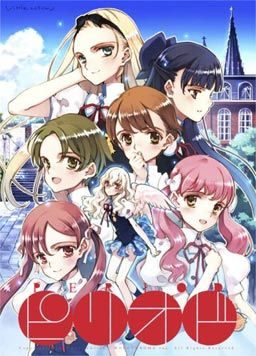
“Dear God, I now make this, the single request of my life…”
—–The near future, Nagasaki.
Into this city, with its long and checkered past
was born a rarity: a child with wings.
I don’t know when it started, but
The school overlooking the town
came to be known as hallowed ground –
and that is where we met.
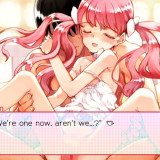
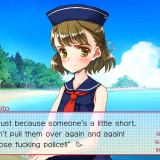
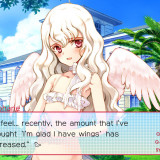
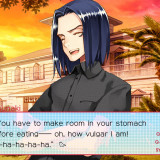
Though summer comes closer, there is nothing new, and a boring day just rolls on. But, his boring life suddenly ends. He is forced to look for a key of the observatory. He reluctantly accepts it, but gets a little bit excited. An exciting feeling…. A hunch of something will happen. Just before the summer holiday, he meets her….

168 comments
I've download the ISO and MDS files. I've mounted them both.
I've got all these English Patch updates and I have the installer.
I've got AppLocale.
(Unrelated: I've got the special disc and the Summer Sky installer.)
After mounting both the ISO and MDS files, when I run them, I get a window that asks me if I would like to allow the program to make changes to my computer. I click yes. I can't read anything on the installer, possibly due to the language it was written in, but at any rate it gives me strange symbols in the place of words. After the installation finishes, I get a message that I assume is telling me that it went smoothly.
After mounting these files, I go and try to install the English patch. It tells me that I need to insert the disc into any drive. Okay, so since I've already mounted the files, I don't know what to do.
After this, I read this page, and deduce that I A)Need to demount the files and remount them, this time without running the installer, and B)Need to run the English patch installer using AppLocale with it set to Japanese.
Performing both of these shows no results.
I really want to play this, could someone please directly reply? No solution on this page has worked so far.
-Could you tell me what files you got after extracting the RARs?
-Which windows version do you have?
(I use Windows 7 so we might have different version.)
At one point you will get 3 options: go to library, infirmary, or class.
Pick library and stay inside after talking to rin, then pick the Erotica option.
Lol, conquering god.
I have come bearing the gift of an easy installation guide!
First off, there's the 4 things you need.
1 - The Original Japanese Game
2 - The 1.1 patch for the Japanese Game
3 - The Original English patch
4 - The Engligh patch 7.1 update
(Also the optional mini story stuff)
SO, just install everything in that order!
(NOTE: don't unzip everything all at once. Do it as needed, so you don't start mixing up setups)
1) Make sure your locale is JAPAN, bro.
2) Mount the ISO of the original Japanese game, and run the setup executable. It's in Japanese, but it's really straightforward! It's just like installation of anything else. Keep clicking the YES/continue option, which is marked with a \(Y)\ normally. Also, at the end there will be a checkbox, that I'm guessing says \Run game\, so make sure that's unchecked. BANG. Hardest part done.
3) Run the 1.1 patch! It's also in Japanese, but it's even more straightforward. It'll simply confirm the file location, and then you have to click okay/yes/confirm/DoItNOW. Once both the bars hit 100%, you can close that sonuvabitch. MAKING PROGRESS NOW, SON.
4) Run the setup for the initial English patch! It'll ask you to confirm the file destination, and ask if it's okay to overwrite stuff that's in there. THE ANSWER IS DEFINITELY YES. (When I did this, a window saying \insert game disk\ came up for about 1 second, and then disappeared, so I guess it takes a moment to register what you've got). Now, you have a few minutes of waiting to do, so grab a snack, yo.
5) THEN, run the update for the English patch. Super easy stuff.
(Also, if you want to install the mini story disc, this is where you'd do it. But it's super simple, so I won't explain.)
When you're done, in the \LittleWitch\ folder of your program files, there should be two folders. One in Japanese, and one in English. Go into the one that is IN ENGLISH, and run the \Period\ that's in there.
MISSION COMPLETE.
I'm using Windows 7. This took me less than 10 minutes, and took only 1 try. So, if you do everything in the right order, it's pretty easy.
Also, there's some pretty helpful information on the wiki for the English Translation. Try reading through the release notes:
http://tlwiki.org/index.php?title=Period
Good luck, friends! If you've got simple questions, or are still confused about the initial Japanese installation, feel free to reply, and I'll try to provide further assistance!
I finished kohanes route and loved it but some of the other girls dont appeal much and i dont want to have to play through it 6 more times :(
a part from that, not a bad game.
Ty for the upload, as always!
Load Image into Daemon Tools.
Run English Installer with Applocale BOTH Japanese and Admin. Will not recognize the disc is in without both for me.
When installed run patch.
Play game. Screen should come up with the words "English Edition" under the Title.
Plays fine for me on latests Win 10 update release.