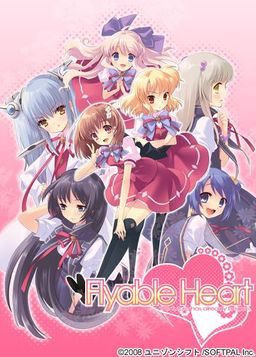
One day, Shou, who is always hungry, receives a letter. It contains a student ID issued by a famous school and the ID says “All school restaurants are free of charge.” He immediately decides to transfer to this school. The school, however, is divided into two groups…. Also, what welcome him are a strange fortuneteller, a huge explosion of fire works, and his room at school dormitory for girls…. What will happen to Shou? What will happen to love romance between Shou and six female students? His new school life now starts….
“Watch out, boy. Various misfortunes will happen to you….”


full english patch admin?
Yes. There are no partial patches here 🙂
Just be warned – it was more of a troll project, it uses machine translation, so quality is very poor.
Well i guess it’s ok if you can figure out what is intended to be said…can u…?
Wow new uploads!!
There a option by the translators that “adds” voice to the main character. It is pretty funny, as for the translation itself it is very readable. And admin, could we get the source site?
I am really curious what software they used, b/c even if this is not a super polished translation, I wasn’t aware that any machine could translate anywhere near this well.
I think it was more machine assisted translation, where translators weren’t fluent enough, but understood japanese enough, that assisted with mangled machine translation could spit out readable english text.
IF not, then, I need to get the name of this software, b/c it would make all the Eroge in Japan playable.
How do you turn off the voice? Amusing as it is, I can’t seem to find the option.
In the Translation Patch File there should be a file called: shouvctl.
Copy this to the Flyable Heart Directory.
Run (as Admin if using Windows 7) and select Shou unvoiced. All night i have been trying to figure that out. Hope that helps.
i get a error when i want to patch the game, something about the .dll files. can some1 plz help?
Run the patch in admin mode. I bet you are using Windows 7 (never used Vista, so i don’t know about it). If you dont know how to do it, right click on the fhinst.exe and click “Run as Administrator”. That should do it. Have fun.
Anybody getting freezes at the part where the father is explaining he didn’t give the main character the school application b/c he was at a stakeout. It is freezing without fail for me there.
Me again. Just found the patches website (typed Flying Heart Crash in Google, it was one of the first to come up). You need the following font “MISCFS__.TTF”. The game now works and saves correctly.
Thanks alot that worked
Thx, that solved my problem as well 🙂
able to provide another link cause the MISCFS__.TTF from the website dosent download XD
can somebody help me. english patch wont work for me when ever i click on fhinst it says “windows cannot access the specified device,path,or file. You may not have appropriate permissions to access the item.” (and yes the application not the Shortcut to MS-Ds Im not that stupid)
Run it as administrator.
Hmm.The translations doesn’t seem to be great from the comparison I read.
Anyone download this yet that can tell me if the quality is too shit to enjoy the story?
can somebody help me. english patch wont work for me when ever i click on fhinst it says “windows cannot access the specified device,path,or file. You may not have appropriate permissions to access the item.” (and yes the application not the Shortcut to MS-Ds Im not that stupid)
still didnt work even if i run as administrator D: oh btw i use windows 7 if that helps
when you run the patch file fhinst, make sure you select the FH.exe file when asked for a location. which would most likely be >>> program files//Flyable Heart/FH.exe,
another problem would be that the flyable heart folder is permission protected. to see what i mean, try copying a file into the flyable heart folder, it will ask for administrator permission to do so. << for this problem, im not yet quite sure how to go about it, sorry.
oops, the location got messed up, its going to be >>> program files/-some characters-/flyable heart/FH.exe
What is a machine translation ???
Who can I find one ???
Correction : Where can I found one ???
It just means that computer translated the script from japanese to english, not real human translator, so translation quality is not that good. I just put it as a warning, you don’t need anything special.
hey can somoene help me__ i dont know how to install this game please help!!
When ever i try to run the translation patch i get an error for .dll and bgm.pac , ive tried running with admin. Any suggestions?
When ever i try to install the game i get a weird error code. What should i try?
i have tried running as admin
Had to change computer for japanese support.
When I try to extract the files, I receive an error that says the .mdf files are broken. I don’t know what this means and I don’t really know what I’m doing.
When I instal the english patch and try to start the game, my computer says that the program has a problem and must closed… Could it be because my computer isn’t in english ???
Same problem here. Don’t know about PC being englisch, though. You need to have japanese support on your PC. It’s always crashing before the starting menu. Any Ideas whats the cause of this crash???
Heres my problem.
I install the game, it works perfectly.
When i install the english patch and start the game i get the game window comes up black, together with an error message in japanese, i click it the window dissapears and thats that.
I use vista,
Play as admin,
Same thing no matter were on the computer i install,
I use japanese locale.
I got the font generic203 mentioned.
Anyone got a solution id be really thankfull.
The exact same thing is happening to me except I originally had my game on a Windows XP and it was working perfectly and then I loaded it on a jump drive and transferred it to a laptop with Windows Vista and it isn’t working at all.
For anyone who might still have this problem, here is a possible solution.
In the Application Data folder. look for a folder named “SOFTPAL”. In it you will find the FH.ini.
Open it and make sure that beside “INSTALLFOLD” is the correct installation path of your game. (Where you installed it)
It atleast fixed it for me.
I got the game booted up but now the patches aren’t working and the games laggy as hell. I extracted FH 1150 and 1151 into the directory but it seems like they aren’t working. Does anyone have a similar issue?
So im having the same issue with the MISCFS__.TTF font but the links to download the font are broken. Aid me?
The game works and everything with me but when i try to open save menu in game, the game crashes but i can still quick save. Otherwise great game 😀
me too… can you tell me how to fix my game has crash when save and when story line about ryonran school T^T i wanna play
Yeah i fixed it by installing the MISCFS__.TTF font as said above at translators website
can somebody help me. english patch wont work for me when ever i click on fhinst it says “windows cannot access the specified device,path,or file. You may not have appropriate permissions to access the item.”
still didnt work even if i run as administrator, I use windows XP
So i finally got the font update to work but now the scene Shou wakes up with Kururi watching him sleep freezes >.< Soooo many crashs.
hello Admin. Can you please get Fortune Arterial trial edition? I be very happy whis you can do that?:-)
I only had it freeze once, but otherwise works fine, although there are a lot of weird places like where the word honto (meaning “really” or “seriously”) is spelled as “O RLY”
and the unnecessary and gratuitous use of the f word in places where it is not only out of character, but isn’t even in the original text. I am having trouble reaching Suzuno’s ending even though I finished all the other endings.
can somebody help me. Whenever i click on fhinst it says “windows cannot access the specified device,path,or file. You may not have appropriate permissions to access the item.” Tried to run as administrator and that didn’t work. Also tried changing the permissions on the files and that didn’t work as well.
Having a strange installation problem. It freezes my computer every time I try, and I cant find any help with online. any ideas?
after i apply the english patch, it makes the game lag like crap. a problem on my part, or?
Whenever I try to get this game to install, it just pops up with a window and says something that I can’t understand. I use windows XP and it doesn’t show jap language on my computer for some reason even though I have the language packs installed. How do I install?
Greetings all,
This is a notice that we do NOT support the renaming nor mirroring of our releases as it
1. Does not properly represent the origin of the Materials
2. Does not retain date and version information.
We are NOT responsible for any issues arising out of the use of or inability to use such unofficial releases. Any and all support requests for such issues shall be ignored. Please review the terms and conditions set forth in the License Agreement for Pre-Release Software located in the file FHTRANS_README.TXT in an official release.
Using original release link enables project management to more accurately gauge your interest in our products and make decisions to serve you better through a more informed decision-making process. We remind you that official release is available at http://flyabletrans.megabyet.net/
**Please note this product is currently on Extended Support period, meaning we will provide best-effort support on a per-request basis, but further development has been discontinued.
———-
Dmitry Markovic
PR Assistant
REtrans International, Leading-Edge Localization Technologies
Use Flyable Heart Build 1151. Its probably way better than this one from what people say. Newer version of translation probably and they say it fixes all crash issues. You have to reinstall the game though if you patched it already.
You will also need the font listed at the bottom of the 1st website that appears in google when you type Flyable Heart Build 1151.
um so i installed it but i found out that i need to keep the cd mounted to play… is that the only way to play it or did i some how screw up my installation?
so installed the game, it works fine, i closed the game. shut down my pc. next day i tried to play again but it wont start.
can anyone help me.
got it to work. just needed to turn off my antivirus software to run english translation
will there be flyable candyheart in here too?
finally, all six heroines route completed ^0^
Please tell me, did you do anything to change the game like use a different patch or something like that? I used the above patch but just when Amane finished introducing herself the game crashed, then when I would play it it crashes whether it be loading, new game or system settings? Help Me!
Hehehe replying to myself X3
Anyway problem solved I played the game while I accidentally erased something on the PC with “Deep Freeze” installed…just don’t try it
Same issue. Windows can’t access it, even if I run it as admin.
Is there a walkthrough for this?
I can’t seem to find it on this site, or on google either.
well…not in english anyways.
i cam’t run it as admin because when i open the rar for the english patch and right click the exe it doesn’t have that option?
OK so I run the fhinst file as an adminstrator but it still doesn’t work… any other fixes?
Ok it involved removing my firewall and screwing with my anti virus to no end but I managed to get it working
what did u mess with to get it working?
I turned off my Firewall and then had to go into my antivirus and set up the fhinst file as an exception, I also had to set up the fhtrans_1152 file as an exception so the antivirus wouldn’t try to stop them when they were accessed. If you get the Fatal error problem that I had then try rakkxa’s suggestion just below this, it’s what worked for me.
Agh, ok now I get a “Fatal Error patching” Message and all it says is “dll/Pal.dll” after wards I get the same box and it says “bgm.pac” Anyone know how to fix this, I really want to play this.
uhmmm i dk if this helps but for those who still have a problem in installing. . do what i did . . when u mount the mdf file instead of using the set up open the mdf file and copy all the things in there and paste it in a folder. .when u have downloaded the english patch. .double click the fhinstall.exe something and look for the FH.exe in your certain folder after a few minutes just keep pressing next and ur done. .
Keep getting an error when trying to patch the exe saying “The specified installation could not be verified (E=2). Please consult the release notes for supported upgrade paths.” Can anyone help me out here?
(B.T.W Downloaded Mirror 2 if that helps).
Did you verify your files? They should match SHA-1 hashes on the patch site (Google “flyabletrans”.)
Sorry for leeching of off this but, it seems i have a problem about saving files here, i tried to inst -> uninst but the saving problem keeps coming back, i cant save my game data, sorry im a noob regarding on what to do with this =(
Can someone help me with a walk through on how to install this game properly? 🙁
this suppose to have a viruse in the langaue patch XD
okay installed and patched good to go.
then when i go to play it crashes on meeeeee why is the world so cruel
mmm crashes to much…i am sadden by this
Well, I’ve downloaded a torrent and I have the setup there, but when I try to install it it just has two boxes pop up and doesn’t install. The english patch also doesn’t work. I only install the first part of the game on Eroge as well. Can I get some help here?
When ever i try to run the translation patch i get an error for .dll and bgm.pac , ive tried running with admin. Does anyone can help me, please ?
i had a few errors also and i tried this method..
1. install it to C:\Program Files\Flyableheart
It will install to C:\Program Files\Flyableheart\ユニゾンシフト\FlyableHeart
2. Put the folder C:\Program Files\Flyableheart in the exclution list of your antivirus
3. MOVE C:\Program Files\Flyableheart\ユニゾンシフト\FlyableHeart < folder to C:\Program Files\Flyableheart\FlyableHeart
4. Run the patch in admin mode…. it should work *also if you are using vista/win7 make the go to the security tab of the folder and "Allow all" for your user*
thank you very much, it works =)
excuse me , in Mayuri’s route , i think the game crash at somewhere in the Zombie event , anybody have the same problems?
I’m having this problem as well. I asked for help over at the forums a week ago, but I’ve yet to get any help.