English visual novel downloads

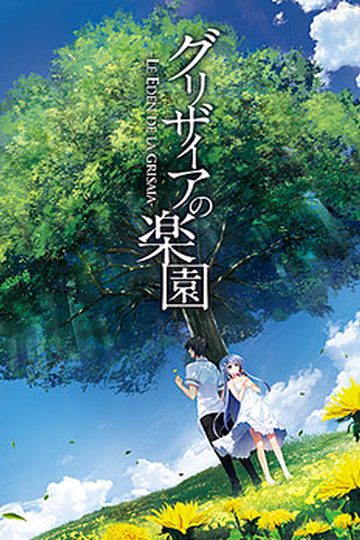
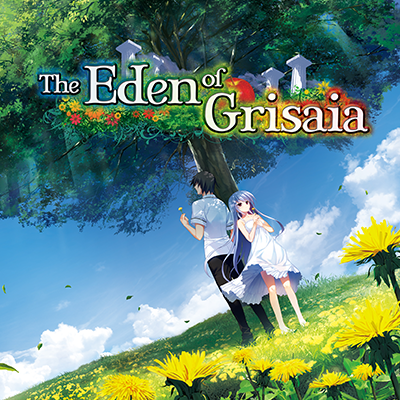
The Eden of Grisaia (Unrated Edition)

The Eden of Grisaia (Unrated Edition)

He thought life at the academy would never change.
Everyone marched forward in the same direction, matching step for step; before he knew it, he began to surrender to that illusion.
He believed that he would only arrive at the same place if he continued down the same path as everyone else.
Then he realized.
Just as there are as many paths as there are people, no two paths are identical.

—“Asako. I’ve already saved the five of them, you know?
So it’s all right, isn’t it…? It’s all right… for me to die now, right?
I know that even if I save somebody, it doesn’t mean I can erase my past.
Still, wouldn’t it mean I can die with a smile on my face?”

“I might not be able to see those girls anymore.
But at least those memories would stay in my heart forever.
Still, this unforgiving world isn’t full of girls sweet enough to be satisfied by those words alone.”

That was the truth one young man finally understood…
88 comments

MaxtonReply
K so I had that error popping out “0xc00007b” and it seems the issue was that I didn't have Microsoft Visual C++ 2015 Redistributable installed. Worked after installing it.
Help please :(Reply
I have downloaded "Microsoft Visual C++ 2015 x64" but I still have the error message of "MSVCP140.dll" who is missing and even if I download this application and put it in the game folder, I have the error message "0xc00007b".

What version of Visual C++ 2015 did you downloaded ?
zdzichuReply
I'm also having problem with MSVCP140140.dll. When I install it, I get the 0xc000007b error. I tried reinstalling the game, but the same problem occurred
ZdzichuReply
Finally found a solution to missing .dll problem.
You know that everyone says you need visual c++ 2015 redistributable? That's right, you need those. But they also tell you to install the same version as your windows, e.g. x86 or x64. Seriously, fuck those people. I have x64 system and installing corresponding gave me the same fucking problem. After wasting whole day on looking on the "solutions" and those files I concluded that I needed both of those files and the game finally ran properly.
Help please :(Reply
OMG Thank you so much I had given up !!! Thank you !!! Thank you !!! Thank you !!! Thank you !!! Thank you !!! Thank you !!! Thank you !!! Thank you !!! Thank you !!! Thank you !!! =)
AcuReply
u mean both x86 and 64 ?
Imouto HunterReply
Just install all those types both x64 (if you got that OS) and x86 so you don't got an issue ever again. There's Visual C++ 2005, 2008, 2010, 2012, 2013, 2015. Get at least one of each some programs come with it but as long as you got one there shouldn't be an problem with VN's and PC games.

Microsoft are stupid for not included them all in 1 place.
FelgarReply
Thank you.

That's all i can say regarding the whole trilogy. I don't have the means to purchase any of the games you present us on this site, and giving me the chance to read the Grisaia trilogy (among a lot of other VN-s, of course) is something i can't thank you enough.

And while i'm at it, let me ask a question: Is there any chance we'll see Shards of Eradine on this site sometime?
AcuReply
icannot play it , every time i open it, "Grisaia3.exe - Entry point not found"
BatterReply
Upload Dies Irae uncensored please!
ZeLinkReply
The Admin doesn't need to upload the uncensored version because the censored version is compatible with the R18 patch. I'll put the instructions here since a lot of people are asking for it.

Step 1: Get the R18 patch from the Dies irae kickstarter page. One of the links for the patch is only accessible to backers, but there's another for non-backers.

The "patch" should give you an executable file and a data file. Put them both in your Dies irae folder. Try running the executable and you'll notice it's not working. That's normal because it only runs if you have completed one of the routes.

Step 2: Google "sagaoz" and click the first link. It's a website where people upload their save files. It's in Japanese, but you can just use the search bar in the top right. Type "Dies irae" and hit enter. Then use ctrl + f and type "dies irae" and you'll see the save files. Download the Amantes Amentes save (not the HD version).

Step 3: The save file you downloaded should have a cgmode.dat, global.dat, and read.dat in it. Take those and put it in this location on your computer:
(your username here)/appdata/roaming/light/dies irae ~amantes amentes~/save

Now run that executable from the R18 patch. It will work now and you can experience the uncensored version without having to go through the censored version.

NOTES:
- make sure it has those squiggly marks in the save directoy "~". It might not have them if you don't have Japanese locale on your computer

- uncensored verion does not have the story additions found in the censored version like the secret ending for one of the routes, the side stories, etc.
GianlucaReply
The after story is SHOCKING!!! o_O
YomirReply
Well thx for the spoilers, now I now that the after story is shocking.
GianlucaReply
I only said it's shocking, at least for me...no spoiler here. Go to the after story and see for yourself ^_-
LIGHTDXReply
Don't mind him/her. He/she surely was just joking, if someone were so sensible to consider "shocking" as a spoiler then he/she has a problem there so it's not your fault.
SamReply
It works. Thanks!
Handicap_NinjaReply
When I extract the file, there are errors and the .exe is missing. Help, please.
Handicap_NinjaReply
Lemme elaborate a little. There are two files when i extract, one labelled Adult and one Steam, the adult one is missing the .exe and, which is in the Steam one, but i'm not sure if and how i'm supposed to merge these files. If i just plop in the exe, it doesn't work, and i'm an idiot, so i need help.
nexphiiReply
what is the meaning of "unrated" in VN industry??
IckuReply
It usually means the h-scenes are included.
vshnprsdReply
Game opens fine, but when i click start game, only the middle option seems available, main story. When i click on that, the game crashes, error msg says "CS2 stopped working"
1234dragonReply
Well, the other 2 open up after clearing the main story. Not sure about the crashing though.
PokerangerReply
Amazing, as soon as I clear Labyrinth of Grisaia's main story, this comes out. All hail Admin.
Ex_NihiloReply
Also want to add that some more pregnancy/impregnation VNs with lactation/birth scenes as the icing on the cake would be cool. It's decades since the last one was uploaded. But that all ran dry with the flood of steam vns sadly... I recommend the ones from SwanEye. They really understand the pregnancy fetisch and are lovely made with an eye for the important little details. Curvy girls. Interesting stories, soundeffects. Thanks to you in advance.
AnonymousReply
Was working properly and was able to clear both the main route and prologue, but after getting through a part of the after story I quit out for the night. Now every time I try to start the vn nothing happens. It can be seen running in task manager for a few seconds before closing itself. Any solutions yet?
BenjiReply
redownload it and extract it in your gamedir, keep the rar files, it happened for me too but i could fix it just by redownloading and replacing it, dont worry your save files will stay where they are, or you can do all above and then exclude the game file in your antivirus.
supertaco512Reply
I downloaded the entire set of the free ones (35 total), unzipped them and ran the "Grisaia3.exe" file (I do not see any setup files or any other .exe files) and it always pops up the error of "missing MSVC140.DLL and VCRUNTIME140.dll". I installed the visual c++ already and have the locale set to japanese. Is there anything that I am missing?
HcyropalmReply
It ask .DLL file it means that you have to download it from Google and install them manually not to the game but to your .DLL folder in the CPU. Search in YouTube how to add .DLL files they might give you sample how to find your folder.
HcyropalmReply
Also some .DLL files may crash the game so you have to change version by checking the 32bit or 64bit of .DLL file or try older versions. If it still crashes your built-in .DLL files are responsible so it will be a wild goose chase or you can install microsoft visual c++. If the problem persists buy a new computer that meets the game requirements from software to hardware.
Hcyropalm2ndReply
Also some .DLL files may crash the game so you have to change version by checking the 32bit or 64bit of .DLL file or try older versions. If it still crashes your built-in .DLL files are responsible so it will be a wild goose chase or you can install microsoft visual c++. If the problem persists buy a new computer that meets the game requirements from software to hardware.
supertaco512Reply
OK, I figured it out. There are two different areas inside the Windows folder that has those two files, "System32" and "SysWOW64". I only replaced the ones in 32, while 64 did not have the files at all. I put the .dll files there and now it works.
KotoriFanReply
Help! the game starts just fine but freezes up right in the beginning after it says "The man's name is Kazami Yuugi. I have directx 11 and the 2015 version of c++ with the correct dll files.
KotoriFanReply
Solved the problem. Movie skip "on" setting in sound config works for me.
LIGHTDXReply
Have finished the game including the prologue of grisaia that comes her, having said that the prologue of grisaia have several diferences compared to what was said in the Fruit of grisaia. I guess that it's what one gets by adding a prologue after a triology.
BallsMcLongReply
Links doesnt seem to work :(
TotalymaddddReply
Ahhhhhhhhhh..... I am very disappointed at the afterstory....
Can anybody explain why the fuck it has only one route......
GravionReply
How different between straem edition and unrated edition
ZeroReply
Guys, a little help at here.im trying to install this game. I want to mount image using daemon tools 10.11. But the system said the image was locked. Any idea how to mount the file?

Leave a comment