
This guide will show you how to install English version of Forest.
1. Download Forest Game and English Patch.
2. Change locale to Japanese (XP Vista 7)
3. Right-click on first part and select “Extract Here”

4. You’ll get new folder with 6 files. Mount Forest Disc1.ccd.
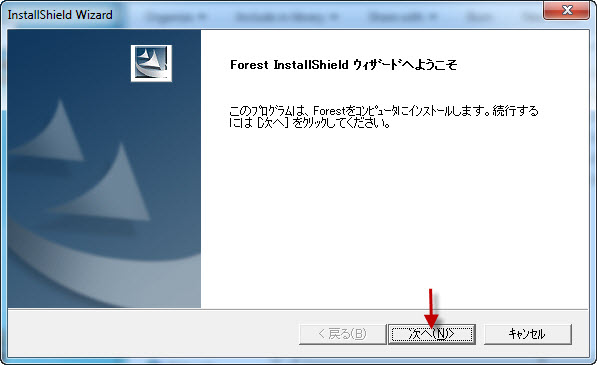
5. When the setup starts just click “Next”.
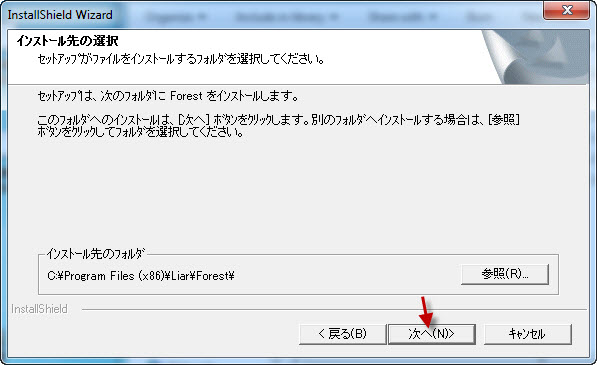
6. Now you’re asked where to install the game. You can leave default location here. Click “Next”.
7. At about 51% of installation process, a pop-up window will appear, asking for CD2. Unmount CD1 and mount CD2 in same place. Click “OK”.

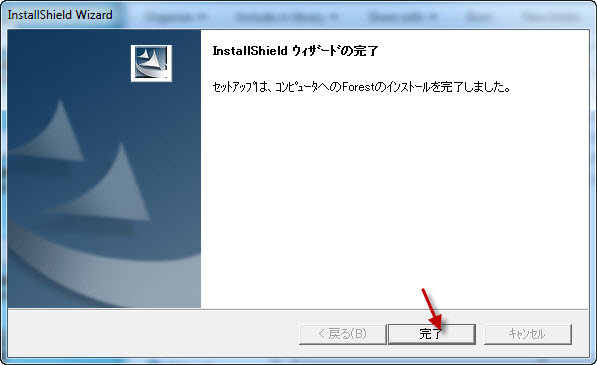
8. Installation of Japanese game will complete. Click “Finish”.
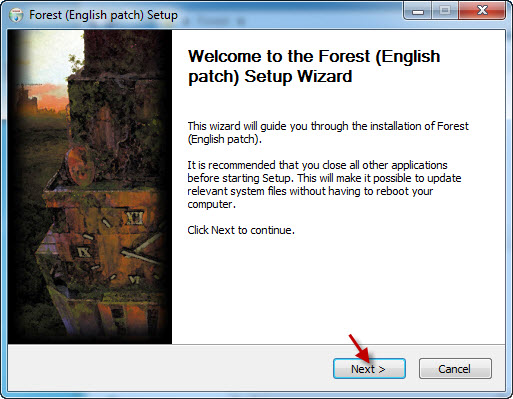
9. Start the English patch. Click “Next”.
10. Pick location where you installed the game to, if you changed location in point 6. Otherwise just click “Install”.
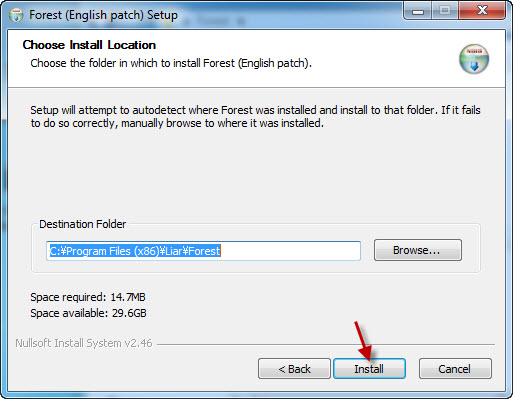
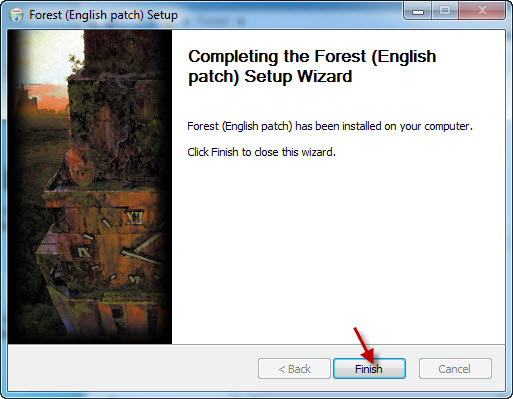
11. Close the English patch setup, once it’s finished.
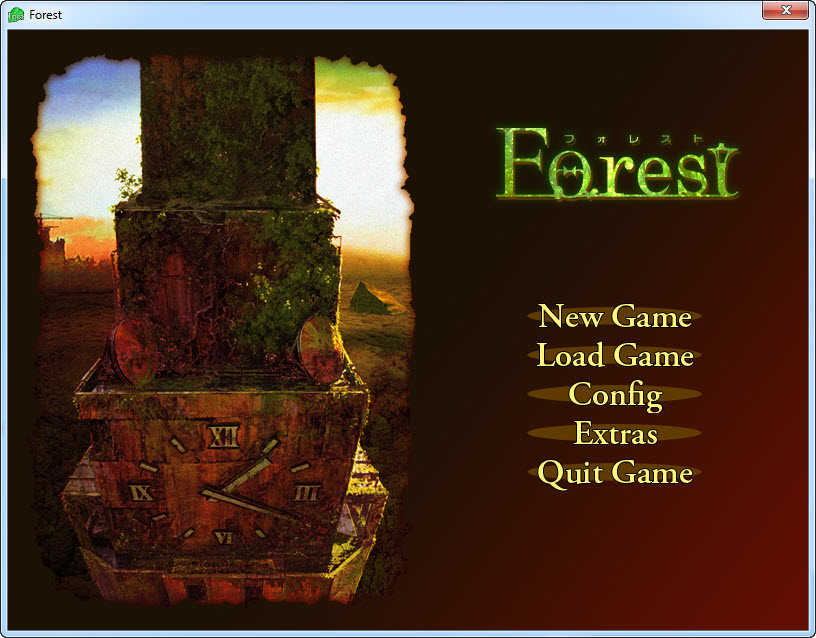
12. Start the game with shortcut on the Desktop.

Clannad – Installation/Error troubleshooting
This guide will show you how to install English version of Clannad.
Steins;Gate – Installation/Error troubleshooting
1. Download Steins;Gate game, 1.20 patch and English Patch 2. Change locale to Japanese (XP Vista 7) 3.Right-click on SteinsGate.part1.rar and select “Extract here”. 4. Once extracting process finishes, you’ll…











i got a problem, everytime i start the game it crashes and an error message tells me that the rscript stopped working or something like that, any idea how to fix it?
works perfectly, the installer took a long time to install so please be patient, but its worth the result
You need to make a note about video codecs for the guide. If you don’t have the proper codecs installed the game will hang and eventually crash upon startup. The only solution thus far is to rename the mov folder to something else and bypass the videos (removing or renaming the videos themselves doesn’t work.)
IF anyone knows specifically what codec these vids need that would be helpful as well.
First thing, I’m spanish so excuse my english. It seems I can play almost perfectly the game, less one little issue: text. I forgot how it was called (remember that I’m spanish, I think it is something like “text wrap” or so) but the letters are “desorganized” and it’s really a pain in the back to read like that. Do I need to install a specific font or something like that?
Thanks in advance,
Suiko
Nevermind it. I tried using “Applocale” and the problem is solved. Self-note: next time, try everything before posting. 😛 I feel like such a noob……
admin T___T I tried to do what was said above lol
DL DAEMON> mount ccd1>
about “mount” now, I’m stuck in this process:
I didn’t saw this process in your screenshot so I wonder if what I’m doing is right.
screenshot:
http://i39.tinypic.com/2hqqzif.jpg
I keep on clicking “OK” (more than 10 lol)
I don’t know what am I doing anymore.
HELP @)____(@ I badly want to play this. XD
it won’t ever reach 100 (I’m having a hard time too since I can’t read japanese)
so I always end up canceling since I’ve been clicking “OK” more than 10 times lol. (lose my patience already)
I wonder what part is wrong OAO.
please help me~ enlighten me Good Sir. ; A ;
It’s asking for CD2. Unmount first one and mount second one in the same virtual drive. (point 7. of this installation guide)
when i mount my cd2 it just opne in dvd player and its a soundtrack what shoul i do T_T
nvm i found the way 😀
admin, you’re the best.
I did it~ THANK YOU VER MUCH ; A ;
i mounted drive 2 after 1 and hit retry but the error just reappears. whenever i mount drive 2 it just gives me options to playback the voices i cant seem to get the installer to read it though
or rather now that i look your screen shows an okay button. at 51% mine says retry or cancel, i hit retry but that doesnt do anything either
hmm ya i tried many things including re DL but nothing works, if you happen to see and know anything pls reply anyone out there
it says something about data2.can in error if thats significant
i see what the problem was, i was extracting contents of ccd 1 and using setup from there, it works if you use setup straight from ccd 1 without extracting it
the game is running but i never figured out how to unmount the first disk did i do it without realizing and successfully install the game? would it even run without the second disk? if it does would it crash on me in the middle or something? im just kinda confused since i dont remember ever mounting the second disk
HEEEEEEELP no matter how many times i instal the english patch the game is still in japanese and i want to open the game in patch that i instaled it gives me an error that saye compiler not found what should i dooooooo?????????? T_T
I am having the same trouble as LordNetorare except that I am using iso files can someone help me? I would appreciate it.
I’m having a problem with the language, the game is installed fine I can play it in Japanese but I can’t figure out how to play it in English. step 9 doesn’t make any sense.
Start English patch? how? I’ve never been given an option like that and nothing I click on gives me a screen like that. I don’t know what to do.
Please help, thanks xx
I had a lot of trouble instaling this, and i`m not sure why , but i though i`d mention how it worked out in the end. When asked to mount the second disk I would do so but the instalation wouldn`t progress no matter how much I waited. I tryed a few times and in the end decided to instal to wherever the program wants to without changing the directory (in my case it was C/ProgramFiles(86)/Liar/Forest) and it did work just fine. So it seems like if you`re having trouble instaling it just dont change the directory. ( My sistem is a Win10 on Japanese locale.) Hope its helpfull.