

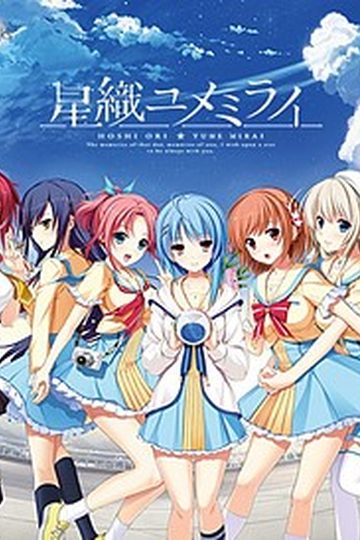
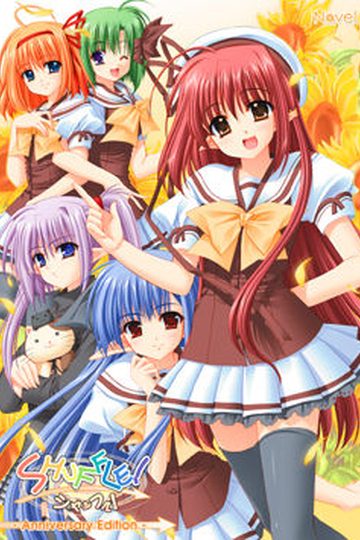
Yuuma is a second year student at the prestigious public school Hoshioka Gakuen. It is known for offering a fulfilling school life, but he has yet to experience love and spends his days lacking any satisfaction. He hasn’t made any progress with his classmates nor his osananajimi. All he can do is look at his love interest, the student council leader Midori, from a distance.
One day, he saw her with a troubled face. It seemed that the remaining members of the school cafeteria improvement committee had resigned. After giving it some thought, he volunteered to lead the committee. After that fateful moment, his surroundings became a lot more lively and before long, his first love had blossomed.















194 comments
When it asks to mount disc2, it will installed halfway, right?.
Hide the window, don't close it.
Unmount disc1 and then mount disc2.
When you open the window again, there will be a box with the word 'Continue' in it, click it and wait until it install the game completely.
I'm using Daemon tool lite, btw.
---------------------------
Hatsukoi+1/1
---------------------------
[2017/09/12+23:00:36.0441]+
ãã¦ã¹ã«ã¼ã½ã«+_cursor00+ãè¦ã¤ããã¾ããã§ããã
_cursor00
[Support+Info]
You+can+copy+this+message+by+pressing+Ctrl+C+on+your+keyboard.
---------------------------
OK+++
---------------------------
+I've+got+tons+of+those+and+then+the+main+screen+of+the+game+has+no+background+picture,+anyone+knows+how+to+solve+that?
! C:\Program Files (x86)\toneworks\Hatsukoi\HatsukoiEN.rar: Cannot create Launcher.exe
! Accès refusé.
! C:\Program Files (x86)\toneworks\Hatsukoi\HatsukoiEN.rar: Cannot create SCPatch.dll
! Accès refusé.
! C:\Program Files (x86)\toneworks\Hatsukoi\HatsukoiEN.rar: Cannot create SiglusDRM.dll
! Accès refusé.
! C:\Program Files (x86)\toneworks\Hatsukoi\HatsukoiEN.rar: Cannot create SiglusEngine.exe
! Accès refusé.
basically, it denies me access.
I had the same problem and accidentally changed the settings and after that everything was fine
I finally managed to install this game yesterday and i was happily playing it today until this message showed up ruining my fun because i can't find a solution.
---------------------------
Hatsukoi 1/1
---------------------------
[2018/06/28 21:50:03.0920]
環境設定データのバージョンが古いです。
セーブデータを削除してから再度ゲームを起動して下さい。
[Support Info]
You can copy this message by pressing Ctrl+C on your keyboard.
---------------------------
OK
---------------------------
This what it say in english with google trad
---------------------------
Hatsukoi 1/1
---------------------------
[2018/06/28 21: 50: 03.0920]
The version of the configuration data is old.
Please delete the saved data and start the game again.
[Support Info]
You can copy this message by pressing Ctrl + C on your keyboard.
---------------------------
OK
---------------------------
So I thought about deleting files that may be the save data, but i didn't manage to repair it. I even deleted the game entirely to reinstall it new but the problem occured again immediately.
Help me please :'(
I managed to solve my problem.
So for those who may go through the same problem.
You must delete the "config.sav" that is in the "toneworks" in your "Documents" instead of searching in the "toneworks" in the "Program Files (x86)".
you need to load cd image to start the game though, but it's a 1 time thing just to register it as legit.
Got a question for the uploaders why are the images in silly formats when iso format works just as well....i converted it to iso's before install, as i hate using loads of different Cd programs and it works perfectly.
For those people like me, who just want to load it into a virtual drive, convert the images with "AnyToISO" it's worked perfectly on every conversion of image i have downloaded.
Maya's ending was hella unsatisfying imo. Such a shame too, cause she's best girl and has the best arc.
-Maya - best girl, nice route, meh END.
-Kyou - ok girl, ok route, ok END.
-Runa - sweet girl, retard route(it's more about Yukino that Runa, wtf?), nice END.
-Midori - didn't remember, Yukino's route made me hit my head against the wall and forget about Midori's route.
.
.
.
.
.
-Yukino - nice, sweet girl... only before her route, afer that she becomes retarded... (''I love you Yuu-kun''... yeah sure, but when the MC got depressed: ''Yuu-kun fuck off :)''
1. Download ALL the files, patch included, and unzip them to the directory of your choice. Remember this directory! Baka!
2. Use UltraIso (included in the download) to open and mount Disc 1. Start the install, choosing a directory you like. Halfway through, the installer will bitch at you, so
3. Unmount Disc 1, mount Disc 2. Finish the install, and then close the Hatsukoi program, you won't want to start it yet.
4. Unmount Disc 2.
5. Go back to the directory with the original discs in Step 1. Find the patch, and copy its contents to the directory in Step 2. It will tell you a bunch of files have the same name, so MAKE SURE you replace all.
6. Find the kdays.dll in the Step 1 directory, and copy it to the Step 2 directory. This little fucker can ruin your day if you don't find its ass. Are you following these directory swaps? You'd better, or the program will shit you out! Write the filepaths down if you have to.
7. Go back to UltraIso and mount Disc 1 again.
8. Go to the directory where you installed (not unzipped, INSTALLED you idiot!) Hatsukoi, open it up, and follow the file path to Launcher.exe. Run as administrator. Soon you'll see a thank-you for "purchasing" Hatsukoi. Give yourself a kek or two.
9. When the game screen opens and you can exit, exit.
10. Unmount Disc 1 in UltraIso.
11. Restart Hatsukoi. Beautiful. Now you can play without the error messages.
You're welcome, degenerates, now go love on your waifus already. You can delete the unzipped files if you want, but I'd recommend keeping the Disc 1 files around because Windows is a faggot and changes things with its retarded updates. Had to re-download the whole fucking thing but felt like a king when it worked first try.
Go and do likewise.
For reals thanks!
Is there a no-dvd crack for the english translation patch? I bought this game as a digital download from dmm and the translation patch replaces the executable, adding a dvd check.