This guide will show you how to install English version of Forest.
1. Download Forest Game and English Patch.
2. Change locale to Japanese (XP Vista 7)
3. Right-click on first part and select “Extract Here”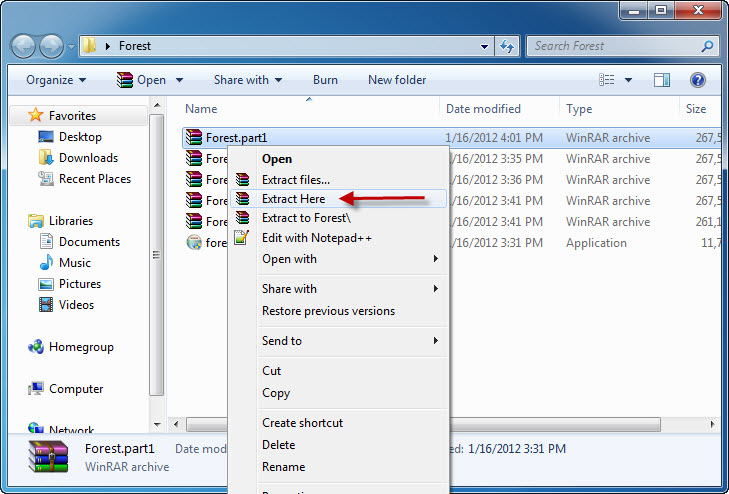
4. You’ll get new folder with 6 files. Mount Forest Disc1.ccd.
5. When the setup starts just click “Next”.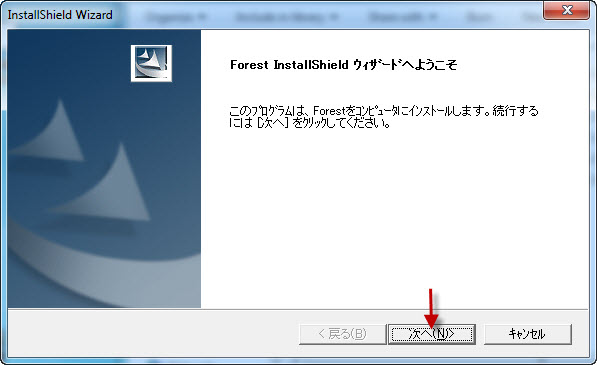
6. Now you’re asked where to install the game. You can leave default location here. Click “Next”.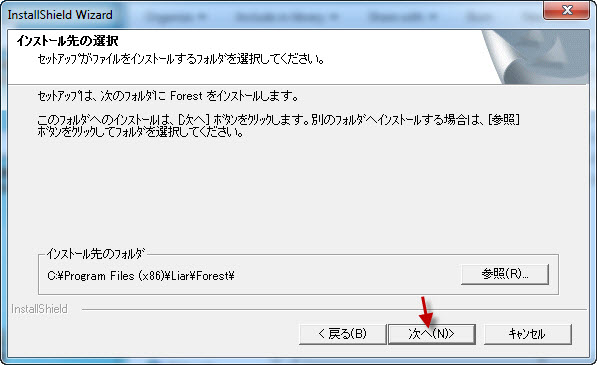
7. At about 51% of installation process, a pop-up window will appear, asking for CD2. Unmount CD1 and mount CD2 in same place. Click “OK”.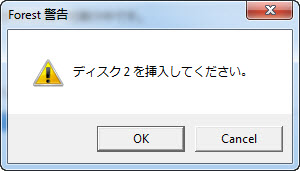
8. Installation of Japanese game will complete. Click “Finish”.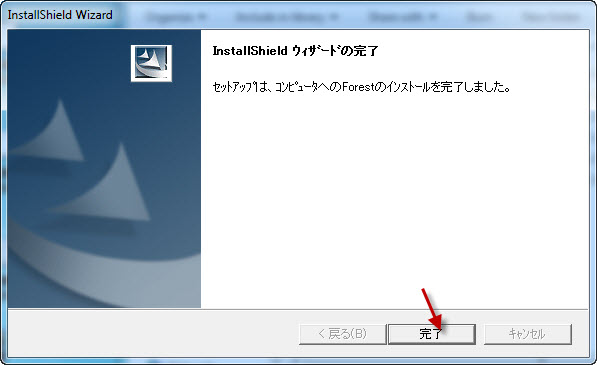
9. Start the English patch. Click “Next”.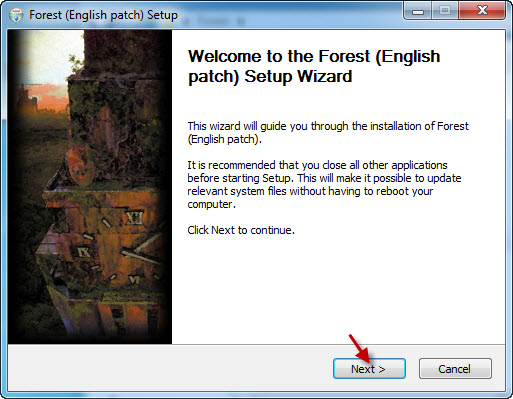
10. Pick location where you installed the game to, if you changed location in point 6. Otherwise just click “Install”.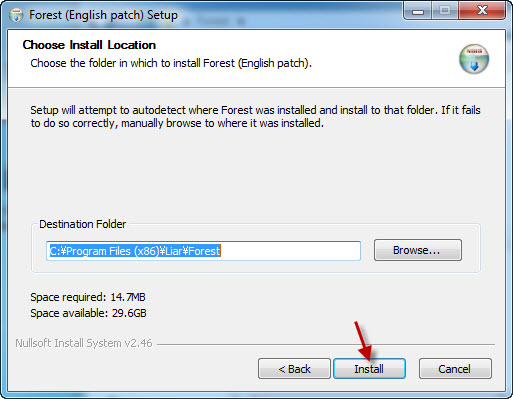
11. Close the English patch setup, once it’s finished.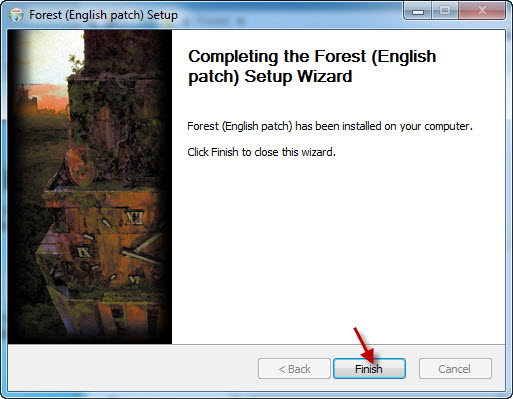
12. Start the game with shortcut on the Desktop.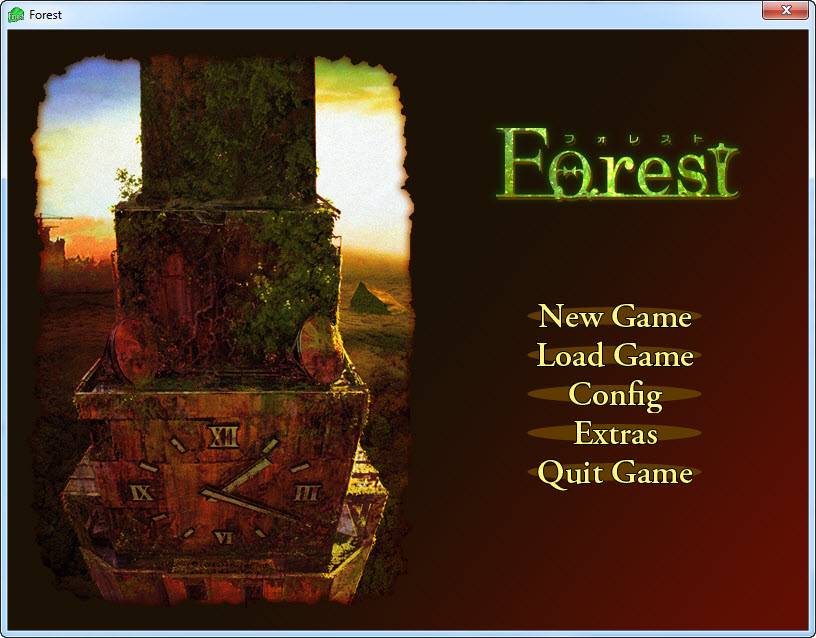

21 comments
IF anyone knows specifically what codec these vids need that would be helpful as well.
Thanks in advance,
Suiko
DL DAEMON> mount ccd1>
about "mount" now, I'm stuck in this process:
I didn't saw this process in your screenshot so I wonder if what I'm doing is right.
screenshot:
http://i39.tinypic.com/2hqqzif.jpg
I keep on clicking "OK" (more than 10 lol)
I don't know what am I doing anymore.
HELP @)____(@ I badly want to play this. XD
so I always end up canceling since I've been clicking "OK" more than 10 times lol. (lose my patience already)
I wonder what part is wrong OAO.
please help me~ enlighten me Good Sir. ; A ;
I did it~ THANK YOU VER MUCH ; A ;
Start English patch? how? I've never been given an option like that and nothing I click on gives me a screen like that. I don't know what to do.
Please help, thanks xx