
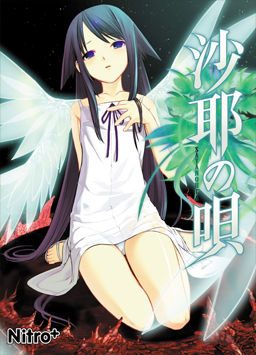
After a traffic accident, Sakisaka Fuminori’s perception of the world changes: everything he sees becomes blood and guts, people’s looks and voices seem like monsters, and food that normally appealed to him tastes disgusting. As he contemplates suicide in the hospital, Fuminori meets a beautiful girl among the flesh-covered walls, who introduces herself as Saya.
Saya no Uta

339 comments
I just downloaded the game and played it a bit. After some time I saved and closed the game. On the next I tried to load it and there was no problem until I tried to click. It doesn't react after loading the saved file. When I try to close the game it freezes completly and closes itself after some time. It is a nice game, so I hope someone knows a solution.
Using win 8.1, already reinstalled the game.
1. download all files needed
A. part 1
B. part 2
C. english translation file
2. extract both part 1 & part 2 into one single folder
3. mount the \.img\ or \.cue\
4. in your iso software, click \install.exe\
(?). the iso software might ask you to extract files to temporary folder. If it does, just press yes.
5. this will lead you to a installation itself, which is pretty basic.
6. go back to the folder where you have all .rar files and extract the english translation file. \DO NOT EXTRACT INSIDE THE FOLDER IN PROGRAM FILES\ ----- you'll get error.
7. after extracting, copy/cut new files into the folder in your program file. \move & replace\
8. enjoy and play!
--- worked for me ----
--- hope it helps ---
--- as of 03/2015 ---
>Installation is in complete gibberish.
There is a slight possibility that I am... more resistant to such gore, and my calling it "tame" is hardly accurate.
In my opinion, an episode of "Bones" is worse than the images themselves in this.
All in all, I loved the story, the CVs did well, and the art was great. Magnificent, to say the least.
I'd give it three thumbs up if I had an extra arm.
2.) Extract Part 1&2 into same folder.
3.) *have daemon tools light downloaded beforehand* right click the files in the folder that you extract the two parts into. You want to mount them which you can do by using the "open" option when you right click it.
4.) It will give you the option of wanting to see what you want to do with the files in the BD-ROM Drive (E:) . Click on that. Now run the installation option that appears.
5.) after that go to the file explorer for windows. You want to navigate over to the window (C:) area. Now look for the search bar that you can type to in the topish right corner. Type in "nitro" (Not case sensitive. It will take a second or to load it.
6.) A folder named NitroPlus should show up. (This is where those thing you showed up are compiled...I think) Click on the file and you should see some folder in Japanese text. Drag this file over to your desktop.
7.) If it is not allowing you to, open up task manager. Scroll down the list of processes and look for "Disc Soft Bus Service lite." End that little god forsaken task and then try to drag onto the desktop.
8.) Next you're going to want to grab or copy or extract those files onto the file you've dragged onto the desktop a few steps back.
9.) Now click on the saya icon that has a little picture on it. (It may look like saya.exe)
10.) note that it will have asked you to replace filed which you should have allowed so you know...you could install the patch.
11.) In the event that this somehow does not work. Complain to the closest available forum only to receive a response 2 months later.
Hopefully this helps. It's long but it covers pretty much everything. Good Luck Strangers~