English visual novel downloads

Little Busters! – Installation/Error troubleshooting

1. Download “Little Busters!” Game

2. Change locale to Japanese (XP Vista 7)

2. Right click on first part and choose “Extract”
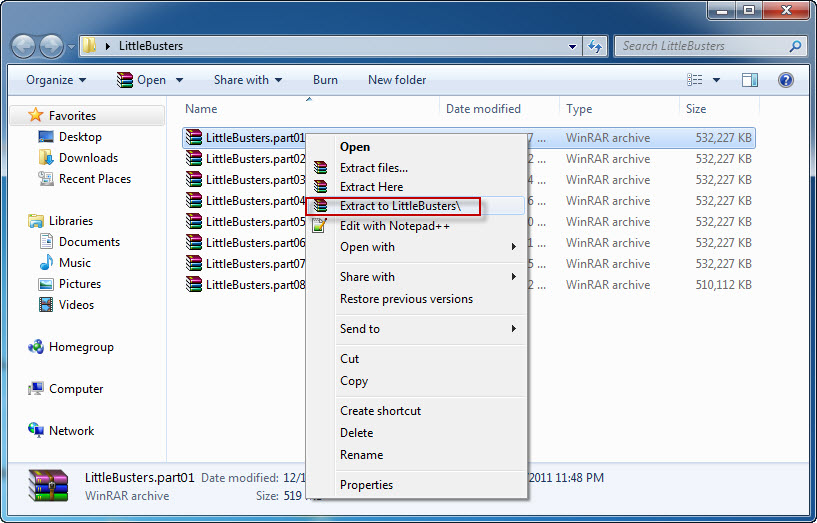
Little Busters install 1

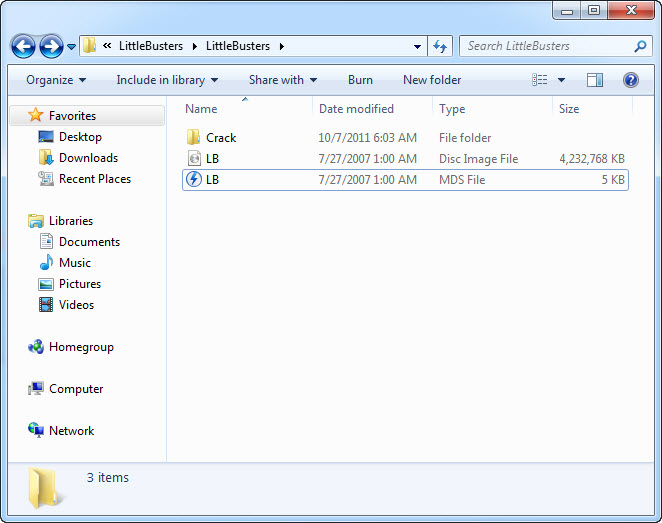
4. Once extracting process finishes, you’ll be presented with new folder, containing two files: LB.iso and LB.mds . Mount the LB.mds
5. Open your virtual drive and run “Autorun_rlsmm.exe”
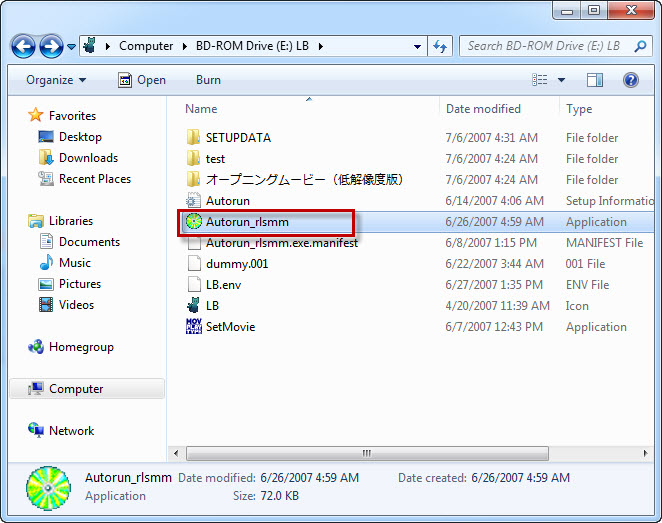
Little Busters install 3

6. In autorun menu, click button in bottom-left corner.
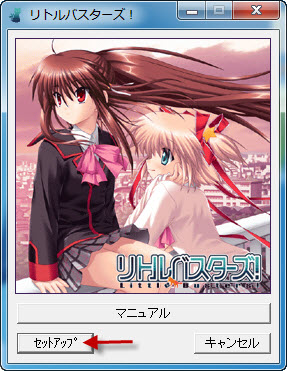
Little Busters install 4

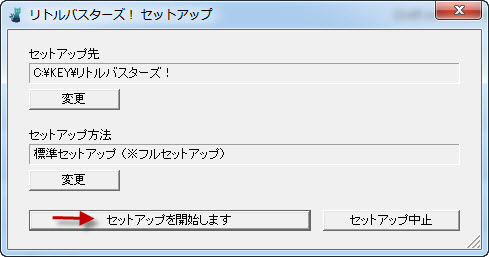
7. You will be presented with menu, where you can change installation location. You can leave the default one here. Just click button in bottom-left corner here.
Little Busters install 5

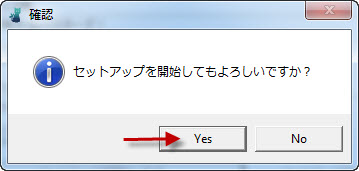
8. Pointless question now: “Do you want to begin installation?”. Of course, click “Yes”.
Little Busters install 6

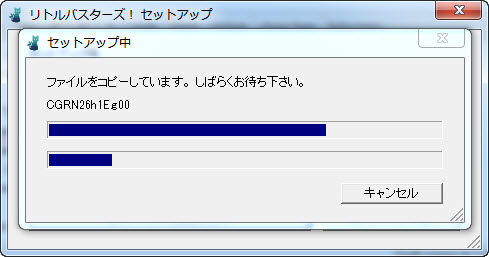
9. Installation might take a while. Just be patient.
Little Busters install 7

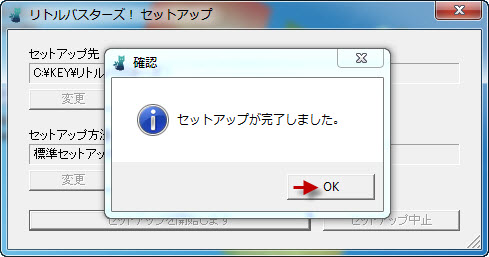
10. “Setup is complete”. Click “Ok”.
Little Busters install 8

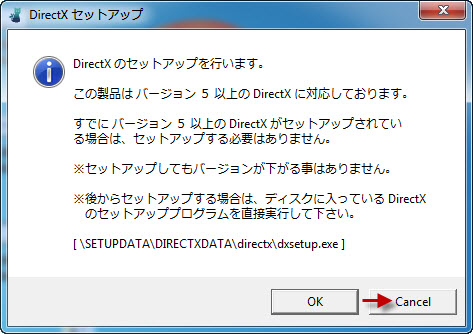
11. You might get asked if you want to install DirectX now. As the version provided with the game is very old, click “Cancel”
Little Busters install 9

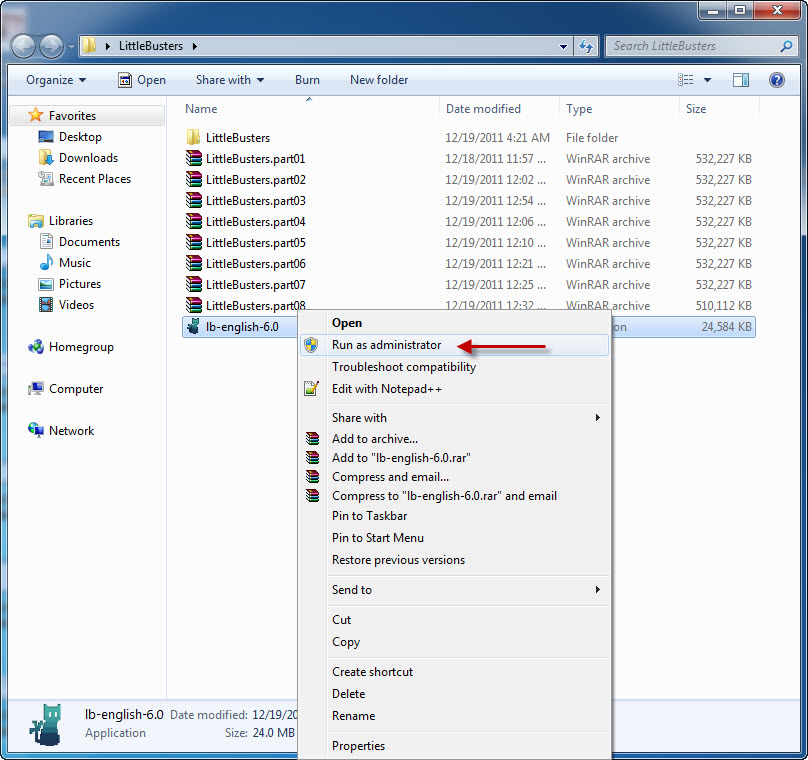
12. Now it’s time to run english patch. Download english patch, right click on it and select “Run as administrator” (you might get some problems with fonts otherwise)
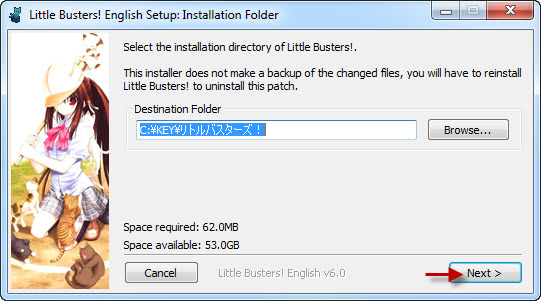
13. Click “Next”.
Little Busters install 10

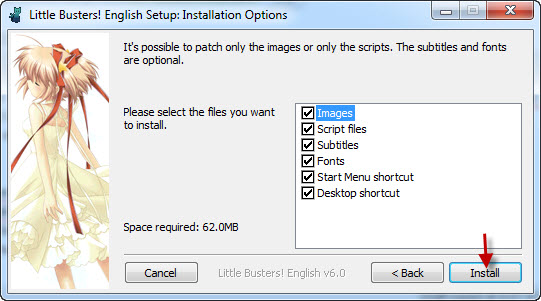
14. Click “Install”.
Little Busters install 12

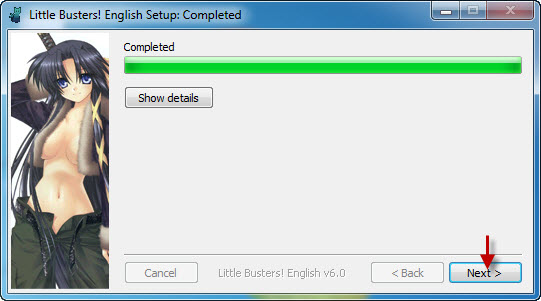
15. Now “Next”
Little Busters install 13

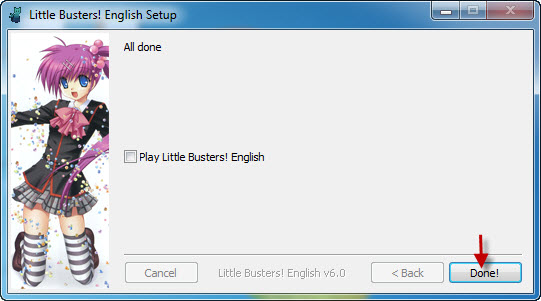
16. And Finally “Done”
Little Busters install 14

17. Move file “REALLIVE.exe” from “Crack” folder to game directory.

18. Enjoy the game!

212 comments

DominicReply
When I tried to open Reallive.exe, the game wouldn't start.

After a while, my Norton popped up saying that the program was a risk.

This was after I stopped playing it for a while.

Could somebody please help me with this?
Oni-chanReply
do you only extract part 1 or do you extract all parts at the same time
Onii-chanReply
haaaa i got it to work!!!!! in yo face
Loliloli hunterReply
I installed this on the mac Lol it took so long and is impossible but with the right apps I did it! XD
loliReply
Woah what applications?!?!
MizukoReply
When i Open the english patch i always get an error 2100 how can you fix this error
YamasakiReply
When I try to install, I keep getting an error code 3... not sure why, I changed the local to japan and tried installing it to the default directory... this is windows 8

http://prntscr.com/4h6ag5

Help is greatly appreciated..
KizuraReply
I got "Insert game disk" error. What should I do?
MegadondonReply
Hello guys, I have a problem. why I can't resume my save data, the data is gone when I tried to Load. Please help.
UR3094Reply
So if we download all 17 parts from the free link, do we need to extract all of them or just the first part?
Help please!Reply
Ok so I've gotten all the parts downloaded and extracted and I have done every step up until I hip the 17th step. So thanks to \help\ I went to My Computer>C-Drive>KEY but then when I get into KEY folder I cant find リトルバスターズ!folder to put the crack in?? Does anyone have any idea why I don't have the folder? I've changed the system locale to Japanese and everything I just don't know what to do ive been trying to figure this out all day. If anyone could help it would be greatly appreciated!!
questionerReply
I've gotten everything downloaded and extracted properly(as far as I know anyway) but when I open reallive to play I only get a black screen and mouse cursor without any sound. Help? Thank you to all who do.
justanotherguyReply
At the 12th step i ran as administrator, but i got a message box in japanese telling something about "Original Disc" or "err 2100". I know no one will ever answer this, but let's have hope in the humanity...
Prince AbordoReply
What will I do with this? "Little_Busters_ExEx_1.0.rar" Should I extract it in the installation folder or just run it in admin? If none, please give us the step by step process. Thanks!!
LucyReply
I+cant+figure+it+out,+ive+downlowed+other+Vns+like+Kanon+and+song+of+saya+and+they+work+but+i+cant+get+to+this+to+work+at+all+;-;
HelpReply
It wont let me add the crack file to リトルバスターズ, it says theres not enough space
The Shadow Among You AllReply
If anyone is still having trouble, this is what I found out.
Instead of "KEY," put the 'REALLIVE' into the GAMEDATA folder and command it to replace 'RealLive.exe'. After that it should be fine.
SuperReply
Is it just me or the translation doesn't work? After doing everything it is still Japanese.
NoSpaceReply
LB doesn't have enough space. I need 2.85 mbs more, and i don't know how to delete the Reallive.exe in the GAMEDATA folder to free up the space (trying to move REALLIVE.EXE from crack into the directory)

Leave a comment