
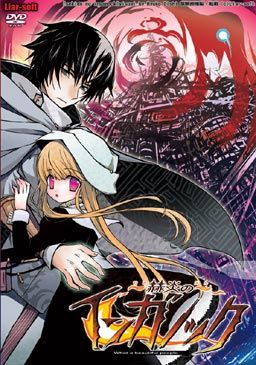
Inganock, a city isolated from the outside, a city where everything is distorted, even the sun. It all started ten years ago, at a day called as ‘Revival’. Then residents of the city slowly changed into beings that are partially human and partially animal.
To this day, only a few still look fully human on the outside. One of these is Gii, a former medical student, now an illegal doctor that walks the city and cures the poor for free. He changed too, but only in the inside and his change enabled him a mysterious ability that he uses to heal people that keep mutating further every day.
He has a few ‘friends’ if you can call them that. One of them is a black steel cat girl called Ati. Another one is an old friend from his medical school that he just met again after ten years, Salem. And the games story really begins when he encounters a little girl with pink eyes named Kia…





















Is there any other way to install this without changing locale to Japanese?
Admin can you please add warning to games in which you must change locale as not everyone want to do this?
Why should the admin add a warning to these about changing the locale when just about ALL of them require you to do that. Changing the locale doesn’t do much to the computer as a whole, it only allows windows to read japanese kanji as actual letters and words than symbols, nothing else changes. Just change the locale and leave it on japanese unless you have to change it.
Hey, um, I think there might be something wrong with the rar you have for download for this. I downloaded it but there seems to be some sort of error in the rar and none of my rar exctractors can open it, there’s always some sort of archive error or line error. Can this be fixed or will I have to use the other separate links?
I think some of rar files need some kind of passwords?
Fot thos who still have doubt to download it, it’s a must have for eroge fan! Story realy well made. The graphiq is awesome! And the Ost is to a totaly different level than any Visual Novel i have play!
As for the error i didnt have any so i can’t answer those who have some :s.
Thank you. Indeed I was one of those who were doubting. I will try now.
What do Steampunk mean?
Steampunk is a term for describe a story where energy is based on Steam, well its kinda a geek term XDDD.
More so then that it refers to a timeframe of premodern development, lots of polished brass unpolished leather, and so on so forth. its easiest to compare it to a pre-revolutionary britian
pre-revolutionary britain?
The time period you are looking for is “Victorian age”.
never mind i figured it all out. the problem turned out to be quite simple; i was changing the local to japan instead of the locale which look pretty much the same to me
hey, ive been having problems problems installing the english patch, i changed the locale to japanese and ive already installed the game but every time i try to install the patch a mesage pops up saying there was an error opening the file for writing and it doest run. does it have anything to do with the fact that im using windows 7 or does the locale have to be changed to english?
hey did you solve the problem? I seem to be having the same issue with the english patcher.. and ive switched my locale to japanese, I even ran the program with the japanese applocale just to be sure
How can I change my locale?.. I have no idea how to do this~
Check out “F.A.Q.” section for instructions.
Could you host these somewhere else besides Hotfile? It has some stupid restriction to where you can only do one download every 30 minutes.
One more question~
I downloaded the English patch and after installing it says
“compiler not found”
Having the same problem as oricalco. Pretty sure the OS isn’t the problem. Buuuut, I downloaded the game just fine and is working. Just the patch won’t work right.
Until I figure it out, I’m just gonna use the AGTH/Atlas combo.
Nevermind, I did it. I’mma genious.
@chacha
How did you get your english patch to work cause i keep on getting those error files
@cahcha
yea would you mind telling us? it looks like a really good game but i just dont understand anything theyre saying, and its too anoying to have google translator translate the whole text
So none of these “surveys” are actually surveys. They want me to download stuff and I’m not doing that.
Once you download the actuall game, you need to extract the files of the patch into the same folder of the game.
I don’t remember exactly, but in the files of the download, there should be a folder called ‘Program files’ there will be a folder titled ‘liar’ and then in that one, 2 folders. One called save, and the other is the game title in japanese. Extract the patch to the second one. Open the application from that folder.
@ chacha
u cant extract the patch and there is no second file of it in japanese on mine and ive try putting the patch everywhere and running the game and patch and im still getting the same error files
When you open the patch, it has files in it. You have to choose a directory to put them in. That is what I meant by extract. You just put it in the same folder where you put the game.
thanks chacha i now have it working
i still cant get it to work… do you need to that before you intall it or after? i already have it installed and i put the patch inside the folder with the japanese title and run it from there, and when it asks me where do i want to install it i select the folder with the japanes title, but it just wont run. it gives me this message
Error opening file for writing:
C:\Program Files (x86)\Liar\赫炎のインガノック\Adenium Lyrics.txt
i have already tried every other folder inside the liar folder but it always gives me the same message
@oricalco.
I installed it first, and had it running before I did the patch. The actual patch does not need to be in the same folder, just its contents. I don’t know if that is what you’re doing wrong, but I ran the patch from a different folder.
It might help to just delete and re-unpack everything, if you kept the original zip files. I made a kinda/sorta diagram thing that might help: http://i54.tinypic.com/1roff5.jpg
thanks dude! i was really desperate there, but now its working
can ths site create mirror for the downloading site? cause there’s a 30 min interval with each download.. which kinda sux
chacha, you actually are a genius xD Or at least you got to solve the riddle before us :p Thanks man
This may seem like a stupid question but do you have to save? And how?
most eroge games, to save you right-click on the screen, if that doesn’t work try the esc key. Though I have played a few where it only lets you save at certain parts.
Once I download and play this, I’ll have a more specific answer for ya.
Simple, right-click on any part of the screen, next, click ‘save’ and select any of the slots.
Sorry for the bad english
Whenever I download the English patch, my anti-virus detects it as a medium threat, and deletes it. I do not want to turn off my anti-virus to get the patch without knowing the reason behind this. If anyone can tell me, that would be a great help.
Send the file detected as virus to your antivirus vendor so that they can check it manualy and update their databases.
Thank you.
Hey I’m having a problem installing. During the installation I get a box that pops up. It says (Japanese)F/program files/liar (Japanese)voice xfl (Japanese) and give me two options. One just continues the installation but when the bar fills up it just starts over, the other one just aborts the whole thing. Somebody know what’s going on?
Just to be clear, it’s not the patch I’m having problems with, it’s the game itself.
For those of us running this on windows 7, and having problems with the english patch, try right clicking on it and click ‘run as administrator’ otherwise you’ll get the error that oricalco did about it not being able to open it to write the files.
It is kinda like a fail-safe for windows so no progams can alter files without you knowing and if you don’t have the admin rights to do that, then you’ll have to add them to your account.
YOU LEGEND, I HAVE SPEND 3 DAYS TRYING TO FIGURE THIS OUT
I must 100% agree with Zero, You my friend are legen… wait-for-it… dary! I lucked out on not having spent 3 days addressing this problem, but several hours was brutal enough. And the best part is the i’m running Vista, not Win7. So basically, thank you for the help Mobius =)
@admin
Thank you very much for reuploading this game!
This VN was awesome!!
The last Recollections might be the only things I didn’t like.
Thx a bunch for uploading it.
I need some help. WinRAR says all of the files are corrupt, and the volume is corrupt.
Try the repair option in WinRAR… it might fix them
umm, there part 1 of 3, part 2 of 3 and PART 3 OF 4
cmiiw but it is a typo?
Yea, it’s just a typo. Fileserve has higher maximum filesize than hotfile, so i could split game into fewer parts.
Thanks again.
is it normal that there is some moment the voices just don’t work?
Characters are speaking, but no voices, then you move to the next CG, and there are voices.
I used a rather weird way to install the game, since *i couldn’t change the local to japanese, so maybe that’s the cause.
It probably normal. Gii has no voice because you’re supposed to play as him.
I installed the game and the patch fine. But when I start game, it just goes “Not Responding” all the time and I can’t see any way to go about it. Can any1 help?
You need to have japanese locale ( applocale is not enough) set up during game instalation and patching – otherwise it won’t work.
im glad ifound this game i read a review of it and she said this game is great *with the exception of repeating the same line sometimes* so im glad i found it
I have a problem, when i start the english game it says:
“compiler not found”
what is a compiler anyway…?
For the patch this is what I had to do and it worked.
Make a new folder on the desktop.
Run the patch.
Use the new folder.
Don’t run the game.
Open the new folder and copy all the files.
Go to the game file ( program files and all that going to look like: C:\Program Files\Liar\赫炎のインガノック )
Paste.
Play the game on the icon that shows up with the paste. Should be at the bottom.
Hey admin my downloads always ends up being cut off, please provide a detailed link in mediafire master admin, i’v been dying to play this game since i finished muv luv alternative..
can you upload on a different file sharing site? The links don’t work anymore and I can’t seem to download it from elsewher…
They’re working fine for me.
chacha thank you its working ^^
I keep getting a problem when trying to do set up this game. I’ve gone all around the internets trying to figure out why I keep getting a “Complier Not Found!” error whenever I start up the game.
Somebody help me out with this, I really want to play this game (I’m using windows 7 by the way if that helps)
Is it just me or there are no voices in chapter 3?
Yo,
I got a problem with this game.
When i finiched downloading this game i cant get it to instal.
I got the ISO.file but my Daemon-Tools wont mount it and play it like it did with clanned and some other games on here.
Anyone also had this problem and/or knows how to solve it? It would be a gr8 help if you could post it.
A big thanks allready for anyone who can help me with this.
I can’t make it work on Vista!
The game freezes almost immediately: a black window, a white hand-shaped pointer, and nothing else.
And yes, I changed to Japanese applocale before installing it.
another dark type eroge FOUND~~ X3
Vista user also having trouble with this.
Everything installed successfully, but when i start it up, i get a message saying “RScript has stopped working”
Not sure what is wrong.
That’s strange. I completed this game some time ago, and had absolutely no problem running this one on my laptop (vista 32 bit)
vista 64 bit
-game loads and plays fine without patch (the “RScript has stopped working” happens when i close the program).
-when i install the patch as an administrator, the patch appears to have done its job.
-to my knowledge and common sense all files appear to be in the correct locations
-use the .exe
This is where the program crashes on me
The fonts aren’t displaying properly for me. Which font do I need to fix this?
Nevermind. I ran it with NTLEA and that solved the issue.