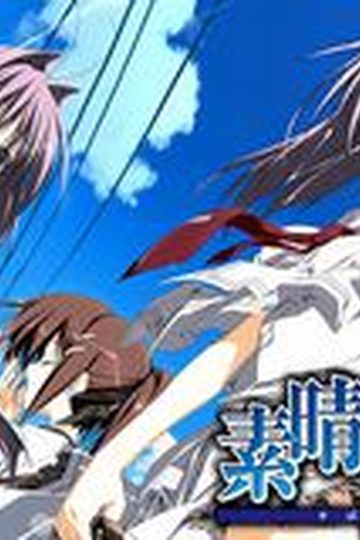
Chaos;Head

Chaos;Head

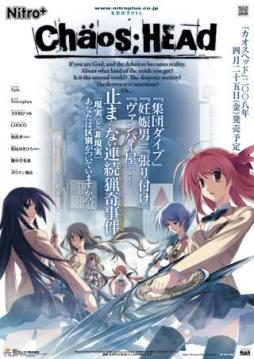
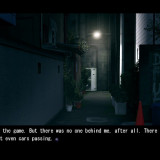
Takumi is a high school student. He is withdrawn and is not interested in 3D things. In his town, a mysterious serial murder case happens and people get panicked. One day, when he chats on the internet, a man suddenly contacts him and gives him an URL. He goes to the website and finds a blog image that suggests a next murder case…. On the next day, it really happens….

780 thoughts on “Chaos;Head

  1. I started the installation and it wants a serial key…but there is nothing (crack or serial number) in the ISO file.

  2. Oh, right.
    The Serial Number is 000-702-000-114.
    I’ve updated first post with this information aswell.

  3. sorry to bother once again but is this game both in english and japanese or just in english

  4. once again i am sorry you know where can i find the patch….just wondering i am new so i have no idea

  5. Oh, right. Looks like patch link got somehow missing during site move. I’ll reupload it right away.

  6. hi i have done all things from the Installation instructions
    but something is wrong with the antifail instellar.bat
    firstly the game works but it isn`t in english, except of the menu
    secondly after the opening credits and the movie, the game crashs
    I hope you can help me

    Sorry for my bad English

    1. If you get some errors during patching then usually it’s some file permission problem ( probably in your case patcher added English menu, but couldn’t write to scripts file, to update them to English as well ) – this is especially the case in vista and 7 systems. Try installing game in directory different than program files or run patcher as administrator.

  7. Alright. i get the 2100 error code if i try to run the game from its file. if i try to run it from my computer, i get the error code 1512. i dont know what to do plz help me T_T

    1. Both errors mean that game can’t find the disk – You need to copy over “noDVD” crack and start game with it.

  8. I know this sounds dumb but, where do I get this “NoDVD patch”? I may have missed something but as far as I know the only links available on your post are the game itself and the English Patch.

    BTW, this blog is actually great! Keep it up, : D

  9. Well actually I found it on another site. Anyway, now I can run the game and such, but when I click start the game goes to a black screen for a moment and later just return to the main menu, furthermore, I can’t change any option on the Options menu. : (

  10. Alright. i got the NoDVD patch. by running the antifail.bat on hard and softsub. now my problem is that after the opening scene plays. the game has a ‘has to close’ error and closes T_T

  11. I have the problem that i don’t find a crack on the Disk and when i install the Englsih Patch the Game give me the 2100 error.

  12. “Anyway, now I can run the game and such, but when I click start the game goes to a black screen for a moment and later just return to the main menu, furthermore, I can’t change any option on the Options menu. : (”

    This is my problem too. ;__;

  13. Hyo!

    Thanx for this ^^

    Anyways, I suffered the same problem as Gimlye-sama. So I installed VSFilter and opted for soft subs which seemed to solve the problem. I hope that helps anyone ^^

  14. Having a problem.
    When I`m in the game and I press start, it just won’t start!
    Goes to a black screen for few sec and then back to menu…
    How can I fix this?

  15. Once I’ve downloaded the rars, separately what do I do with them? Create a Chaos;Head folder or just download the English patch? Please respond when you have time. Super new to this. Thanks again.

  16. No wonder it doesnt work i couldt find the nodvd patch is it missing or do we have to download it ourself?

  17. i used the antifail patch and the game runs in english, however for the first 2 cutscenes (where rimi realboots her sword as well as the opening for chaos head)there is no image but the sound plays in the background
    ive been stuck on this for a long time
    PLZ HELP

  18. UH instructions on how to get this to work on vista run no dvd goes to black screen and shuts down I hate vista

  19. Should have mentiond…I’m also running this on windows 7 and every time I start it after running the patch it opens to a black screen then crashes.

  20. so I downloaded the four parts then extracted them to a folder in desktop using winrar.

    the only thing inside is “CHAOSHEAD-isofile-“. I opened “Daemon Tools” and mounted the isofile.

    You need to install Daemon tools in case you dont have it. Then just click the picture of the disk that says “add file” and find the folder where you extracted the game.

    When you find the .iso file click open. Under image catalog, you will now see the file, double click it. You should now see a picture of a girl with pink hair at the bottom.

    Now you can close daemon, then go to my computer. You should see a “BD-ROM Drive (E:) CHAOSHEAD”, double click it and the game installer will come up.

    If you are using windows7 –DONT install it in (C:) disk. Anywhere else is fine, like desktop or my documents.

    After you install it, you can try running the game but an error will come up. Now you need to get the noDvd.exe

    Im not sure if you can get the noDVD.exe from the game download. I got mine from here
    http://rapidshare.com/files/195162237/ChaosHead.exe

    Get the “noDVD.exe”, then copy it and paste it in the chaos;head folder. When you paste, be sure to replace the .exe that is there. (you are asked to replace)

    You should be available to play the japanese version with noDVD.exe some of the beginning has english subs.

    Anyways we want it in english, now we are gonna use the english patch.

    Find the place where you downloaded it, then extract it directly to the “chaos;head” folder. The new files are: Antifail Installation, DO NOT TOUCH.rar, readme, unRar.

    You can take a look at the readme file.It also got the instructions.

    Now it says you can download the latest version of vsfilter for softsubs. Im not sure what “softsubs” are but if you know go ahead, just download it and paste it in chaos head folder.

    Time to run the Antifail Installation. A win32 windows will come up. Read and then it will ask for the license of the game which is the giving here, 000-702-000-114, it will descompress the files from the “DO NOT TOUCH”rar. It will ask you if you have a folder “npa_backup” and is gonna ask for other files too. just answer yes or no then enter.

    It will ask to delete the unRar, i clicked yes

    It may take a while but wait until it says that the installation is done. The incompletes credits will be at the bottom.

    now chaos head folder looks like this:

    cg (folder)
    dx (folder)
    npa_backup (folder)
    nss(folder)
    Antifail Installation (batch file)
    ChaosHead (noDVD.exe)
    crass (compressed file, dont unzip)
    mvINTER01.ass
    mvOP.ass
    Readme
    sound.npa
    system.npa
    voice.npa
    VSFilter.dll (i downloaded this then pasted)

    –Im continuing in next post

  21. OKay now that Antifail Installation is done, some plp would think the game would be ready to play.

    You can open the exe. and a nitro logo comes up, then a black screen for a few secs. Then you get to the menu of the game, however if you click “start”, a black screen comes up and then you are back the the menu… also you cannot change anything in config, and the load screen is also bugged.

    The reason why the game doesnt run properly is because you need one last thing, “Applocale” which you can search to download it.

    If you are using windows7 you need to do some extra work to install it. However, try installing it and if a message saying “the program couldnt be installed because a program needed is missing” (something like that) try the following.

    Here’s how to install AppLocale on Windows 7:
    1. Place the AppLocale installer (apploc.msi) in your C: drive.
    2. Go to your start menu, type cmd in the search box.
    3. Hold down crtl+shift and click on cmd.exe.
    4. Select Yes when a dialog asks if you want the program to make chances to your computer.
    5. The command prompt should show C:\Windows\System32.
    6. Type cd\ and press enter to navigate to the C: drive.
    7. Type apploc.msi and press enter, the installer will appear.
    8. Install the application.

    from -http://blog.wentoday.com/?p=136

    You should be available to install it after doing this.
    then you are done ^_^

    To play the game, open applocale(go to start menu, search bar -applocale-, click it.

    In the applocale wizard click next, launch an application should be selected, then click browse, go to chaos folder and select the noDvd.exe (isnt called that,”chaoshead applocation”)

  22. haha i clicked submit by accident…
    “chaoshead application”
    then click next, it will ask for the language of the application next. Just check that the image matched this 日本語, click next, then it asks if you want to make a shortcut.Lastly click finish ^_^

    The game exe will run, you will notice that where there was a long black screen before now there is a caution screen in english.

    Also the menu has music this time and you can change things in config.

    The most important thing is that when you click “start” it doesnt send you back to the menu screen.

    Lastly, something not so important, when closing the game from the menu, click exit not the “x”.

  23. Ok, I was able to get it to run in japanese, now when I did everything.(applocle said I was already able to run it, didn’t ask if I wanted to make a shorcut.) Now that I tried it again. Got the english warning sign. It goes past that and then to a black screen with the music playing and nothing else. What did I do wrong?

  24. Also, when I try to close the game. It says close game…but that’s it, nothing else comes up just red space and no buttons.

  25. If you selected to install to desktop, there should be a folder called chaos;head. You need to extract the english patch to there.

  26. you did run antifail batch right?
    and those your folder looks like this ?

    cg (folder)
    dx (folder)
    npa_backup (folder)
    nss(folder)
    Antifail Installation (batch file)
    ChaosHead (noDVD.exe)
    crass (compressed file, dont unzip)
    mvINTER01.ass
    mvOP.ass
    Readme
    sound.npa
    system.npa
    voice.npa
    VSFilter.dll (i downloaded this then pasted)

  27. The only thing I have in the Chaos;Head folder besides all of that.(Don’t have VSFilter.dll is the AntiFail ChaosHead patch zipped along with the antifail installation.) If that didn’t make sense, I have everything in the above post except that after the Anti Installation I have the Chaos_Head_AntiFail_Patch. After that everything is the same except I don’t have VSFillter.dll

Leave a Reply

Your email address will not be published. Required fields are marked *