English visual novel downloads

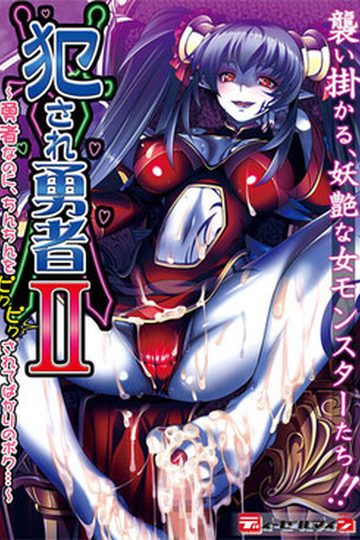
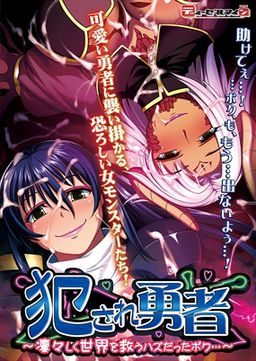
Violated Hero - I Wanted to Chivalrously Save the World

Violated Hero - I Wanted to Chivalrously Save the World

Dragoness, Mystic Warrior, Elf, Mandragora, Thief, Slime Girl…
To save the world the hero challenges each vixen of evil!
(and gets gleefully raped by her when he loses)

An epic, erotic fantasy world.
You are the naively driven hero who wants to vanquish villainy at its source: the Dragon inhabiting historic ruins!
It’s a quest of many meetings, from normal to protective monster girls, and for some reason they’re all sexual…

Can you rise to victory? Will you protect the peace of the world!?

Or will you falter, fail and die in a glorious blaze of sex…?

242 comments

zeroReply
sorry i have a problem when i run the game after to put the parch english and run this parch, well my problem is when i run the game it appear a blue windows said me the syntax error
who can i help me?
Anomy.Reply
Maybe this app cannot run by windows 8....
AnonReply
It can be run in Windows 8. The problem is that the actually location setting you need to change is hidden somewhat. You have to select change location in the control panel. Then switch to the administrative tab and the correct change location button should be there.
AnonReply
Also forgot to add that you need to download the Japanese language pack first.
RenyaReply
You just need the NTLEA aplication amd it will work 100%
ax8320Reply
ye, it doesnt work
jirachi385Reply
i keep getting this weird error upon trying to start the game, although i´m always at japanese locale. it´s the same error whether or not i have installed the english patch. any idea how to fix this?
http://s9.postimg.org/9bhwf2hrz/Unbenannt.png
it´s also the same error for part 2 and 3 of this game. never seen this before, japanese games usually fully work here.
adminReply
Do you have any special German characters, like Ü,ß etc., in your username/filepath? Try moving the game to some "basic" (a-z letters only) filepath, like c:/ViolatedHero.
jirachi385Reply
the problem actually was the german characters >.<
thanks admin
FishHatReply
how do i install or play it?
pandaboyReply
can someone help me please?
how do i patch this game?
i want to play it in english
KernReply
Click on windows search
type in 'Region'
Click administrative
Select the region as Japanese (Japan)
Restart PC
Install the game regularly
Install patch and run the .bat file named englishpatch (or something similar to that)
Try launching the game, if that doesnt work, there are other comments on here with other solutions
(Note: When you change to japanese you can still enable english text on windows, just near your sound icon in the tasktray, theres either text saying ENG or JAP, If its ENG your fine, if its JAP set it to ENG)
Hope this helps!
KroomaReply
Can't seem to get this to work. Am I doing something wrong? I run the patch files, and I get a large blue error window with lots of text and a windows "syntax" error. Any clue why?
RenyaReply
To get this game working you need ntlea application and it will work 100% sure because i had the same problen as you all had and this application can work to play this game!
RenyaReply
Im now playing Violated Hero 2 thanks to this aplication and a tip. For the game to work you need to see the ntlea icon in your shortcut menu and press the second option japanese generic and it will work. You can go to youtube and see how to use this aplication!:-) Well let me know if it works for you guys!
justPhilReply
Is there a way to play it on Android?
JeffReply
You're either too young to know what this game runs on, or you're just plain stupid
kappsReply
help guys I can't really tinker computer programmings so can anybody help me I've done the procedures but I can't install the English patch "error from Directory it says after I run the promtr " I am using windows 10 so can anybody help I really like RPG games. PLSSSS
LaraReply
Same here :/
ADDIReply
WORK 100%
Copy all English patch to Violated Hero directory/folder
Double klik English patch install
cmd will open and scan
but first, choose file data you place violated hero (press C/D/E/F WTF)
Open again English patch install
And with sec for scan
NOW YOU PLAY THE VIOLATED HERO ENGLISH PATCH

This what I did to install the patch english violated hero(windows 7)
if you cant just two words that i say
>>>>>>>> FACTOR FACE <<<<<<<<
good game well played
One Ugly SunuvabitchReply
After much frustration of finally getting VH1 to work via applocale I can now go through it without much stress. However... I AM wondering how the hell one can restock on items though since one is essentially boned once he/she has no restorative items left and as such i'm wondering how can one restock on said items, thanks in advance. :)
One Ugly SunuvabitchReply
After testing it for a bit it seems the only way to "restock" said items is to lose and then reset with stat gains acquired, huh, ah well. I still haven't figured out how to get to the second floor without initiating the "hope battle" against Dragona though, so if anyone can help with this then i'd greatly appreciate it. :)
One Ugly SunuvabitchReply
So... I'm supposed to lose to Dragona on purpose after traversing the first floors four choosable bosses, wish i'd known that earlier. XD lol
One Ugly SunuvabitchReply
Nvm, AppLocale fixed it and now it runs as it should thanks via the shortcut made with AppLocale, i'll have to remember it for any locale-required titles like VH from now on. heh :)
kindredReply
how can i instal the eng patch pls help
mehReply
by reading other above comments perhaps.........
RexReply
i keep coming across games that require a password to access the archive. WTF, dude this is getting annoying!
asdfReply
So I got the game working, is there any way to move it? I want to move it to my monitor it's currently on my laptop screen. The laptop screen is a tad small but I can't find any way to move the game itself.
ArtaeusReply
Hi,

Install the game (follow readme instruction), after if you have a Syntax error on Windonws 10 :

- Write region in your windows search and enter
- After select administrative and modify language to unicode program, select japan.

PLAY GAME !!
michylawhtyReply
Thanks a bunch! Applocale didn't work but this sure did!
ArtaeusReply
And, i think it's important to install japanese characters ?
CCoDu11Reply
I need help please!! I have everything installed normally but when I launch the game there is a window that opens with question marks and "syntax error" in parenthesis and there is also another blue window. Can you help me please ?
adminReply
http://erogedownload.com/faq/changing-to-japanese-locale-on-windows-7/
DaysukeshionReply
where is the password for the part 2 (sorry for mi english)
little devilReply
hi i got the game working and use the english insaller but the game still plays in japanese. i followed the read me and file and deleted the data xp3 but still doesnt work
WolfReply
The game itself seems to work fine but the english patch isnt working. How do i get it to work? i have windows 10
BrysonStrifeReply
Hi, Part 4 won't for some reason download for me... is there a way to fix that? Because every time I try, it comes up with some sort of, link can not be reached. Is there a fixed version to this?
BrysonStrifeReply
Actually never mind... just ignore what I posted
MGazerReply
That wasn't too hard to get working. I generally have the PC locale set to Japan anyway since I play so many of these games so after I unrared it and ran the english patch the game seems to run fun though only the GUI seems to be in english.

Looking at the files I ended up with I copied everything in the english folder and pasted it into the data folder of the game and that seems to fixed it so that the text is in english now.
pipiReply
I install the game successfully and set everything in japan. But the game just has sound, the screen is white Why?
ArsiusReply
Same, did you figure it out?
Horse With No NameReply
Try deleting the files inside the savedata. Create a backup just in case.
BTBeastReply
This solution works on okasare hero, a game from the same studio. So I bet it works on this game:

Open the game EXE, and before the window shows up (there's 1-2 seconds of time window) right click on the game EXE icon.

This works but the Chinese guy who found it out couldn't tell why. I guess luck is blessed on the gamer that keeps trying.

Leave a comment