
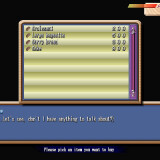
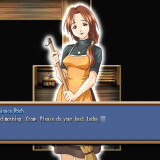
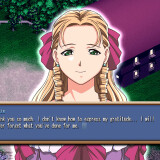
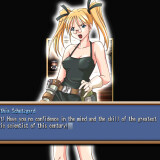
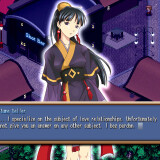
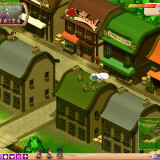
In a mythical age, a young man seeks to become an adult. He leaves his farm home to face the frontiers of the kingdom. He comes to a town where one can seek any apprenticeship freely. This is so one can find his own purpose in life, and perhaps his own lover as well. Jobs include: border guard, educator, various magical schools, fisher, and more. With each job there appears to be a respective woman in the same profession to charm. Will the hero be able to find and woo the girl of his choice in time for the town’s festival?
Kingdom








161 comments
running on Win 10, single monitor or duo-monitors. Only thing doesn't work is Kingdom Game Window is fixed at 640 x 480 that you
cannot resize. Remedy is set your desktop to that low or at 800 x 600, so you can see better on a big screen monitor.
Someone said on older post...
~~~~~~~~~~~~~~~~~
"Caraxianx says:
Posted: May 11, 2012 at 4:42 pm
to play in window mode, you have to change your desktop screen
display to “16 bit”
1) Right click on a empty space on the desktop and click on
“Screen Resolution”
2) In “Screen Resolution”, click on “Advanced Settings”
3) Click on the “Adapter” tab and click on “List All Modes”
4) Choose the “16 bit” resolution and click OK"
~~~~~~~~~~~~~~~~~~
Alternative Steps for Win 10:
If your Video Card supports older VERSA 16-bit high color mode, try these steps running off Compatibility:
Make sure you have Administrator Right, or give full control rights
to folder and sub-folders where you have installed Koisuru Oukoku (Kingdom).
1. Locate KINGDOM.EXE from your installed directory, Right-click
and select [Properties].
2. Click on [Compatibility] Tab, No need to change Compatibility
mode if it is already on "Windows XP (Service Pack 2 or 3)";
but, put a Check mark under "Settings - Reduced color mode" and
at the drop down menu, make sure you select [16-bit (65536)
color] and not 8-bit. Click Apply or OK.
3. Mount the game CD, run KINGDOM.exe (or the new desktop shortcut
if you have created any).
4. While in game at Startup screen, select >> Options >> Display
Mode >> from [Fullscreen] to [Window].
Now, the game may have looked like total garbage with weird sihouette, but you probably can still make out the contour of buttons. Make sure you close down the game by selecting "Quit Game" and NOT mouse click on X on top-right; otherwise, the game will
start again with full screen. If done correctly, and if your Video Card supports older VERSA array, the game will run with a Windowed 640 x 480 @ 16-bit color.
i totally forgot about that game.
it was one of the first VNs i ever played, and it was freaking awesome!
What i loved the most about the game is that there is a very big variance of endings (or the themes in the endings).
there are some pretty brutal / tragic endings.
TBH, the game isn't very satisfying.
Generally, the game felt very slow moving, just the town itself nothing much is happening.
To get the route of the girl going, sometimes it felt cyptic and requires trial and error if not having an walkthough guide by the side.
Like how am i suppose to know i need to get close to Nano-beta and her Master to unlock the second half of Sara's route.
At a certain moment the game is unforgiving as well, i just advanced one day ,which is when Sara was waiting for her phony lover, she skips towns the next day and i cannot see her anymore. I was devastated.
Lastly, the main problem is that the game could have streamline itself by giving player more options to skip certain part of the gameplay. Like skipping every day morning greeting with the landlord, skipping job animation, and most importantly, skipping to the end of the game instead of painfully advancing each day till the last day (March 24th Festival Day)
In conclusion, the game is kinda nice to see the npc have somewhat of their own routine each day, the story of the heroine and types of heroine is very wide, but the slow gameplay really hampers in the otherwise more pleasant experience.