
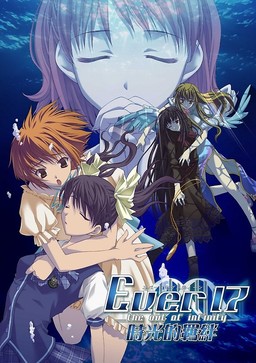
Ever 17 is the tale of seven individuals who come to be trapped within the underwater marine theme park, LeMU, 51 meters below the surface. During an apparently normal day at the park, an incident occurs, placing almost half of the facility underwater. The path to the surface and the communication lines are cut off. In addition, LeMU is under constant assault by severe water pressure, limiting time to find a means of escape to 119 hours. Escape is not the only concern, however; many questions arise as to the legitimacy of the accident and whether or not those trapped there were brought there for a purpose.
As the situation grows more desperate, the people trapped inside LeMU grow closer. They begin to uncover the answers to mysteries about themselves, LeMU, and the situation itself. As the end of LeMU grows nearer, so too do the mysteries and relationships forged by the situation grow deeper. Ultimately, it is up to the characters not only to survive, but to discover the truth behind LeMU and themselves as well.






















Hey could someone help me out. I downloaded the files, extracted them, and mounted them to get at the setup.exe file. But now once I open it, it allows me to set up the installation but it stops and then tells me to insert disc one. Is there anyway to circumvent this problem. Note: I am using a Linux laptop so no daemon tools.
Just install it in other PC with windows OS and copy the installation folder to your PC. Hope work, if not, maybe wine isn’t support with this VN.
unmount the 1st iso then mount the 2nd iso to the path where you mounted the 1st one
use “umount -l”if you get a unmount error
Also quick tip wine will NOT play the vids, but thatsthe only problem, so you’ll get a blank screen when it’s supposed to play. Just hammer the ESC key a few times and you’llbe laughing
i have the same problem , how can i fix it ??
or how can i unmount like waht you said ??
Part 4 has a file not found error…can you fix it?
How do you mount the files or whatever? (sorry if it’s a dumb question, i just don’t know how haha)
Google for Deamon tools.
Usualy you get a single file something.iso (som other times it can be .bin or .cue)
You will need:
1- One program to “read that file” and make it run as an ” Artificial/Virutal/Ghost CD/DVD Driver.
(Ex: that program will creat an ” imaginary dvd/cd driver ” in your compuer. “Mount the image” is the process we call 9 run the CD/DVD in that drive(aka .iso or image you will be downloading here.)
2- Once its “mounted” (open the file u download here with the program – I recommend Deamontolls) its all set.
3- Install it like it was a real CD/DVD you just put on your PC. Instted of a Physical CD/DVD you got a “Virtual” CD/Dvd (that you downloaded here)
I’ve installed it successfully, but i can’t seem to get any sound, help?
Could anyone upload the patches that will enhance this game such as the voice patch?
Thanks in advance!
Does this game work at all? Because I was thinking about downloading the parts for the game, and I really want to play this because its by the same guy who did Nine Hours, Nine Persons, Nine Doors on the DS. Also could someone tell me the specs for the game.
Uh yeah, it works. You can get them legally and very cheap by contacting the owner of Hirameki.
Then you’ll wanna get the 3 patches, the script patch removes a story-breaking glitch, voice/sfx and music gives higher quality.
Keeps asking me for disc2. Yes, I’ve mounted it with Daemon Tools and all that. I have several virtual drivers downloaded on my computer, I just don’t know what to do with them.
I’m also having a problem with Kana Little Sister.
Now it keeps asking me for Disc1.
Buy them legally then 🙂
3 and 4 seem to be broken. Can you fix?
Hello everybody,
I have a big problem with this fabulous game, i wish to continue the story with the Kid but the game freeze and the screen become black, and they say there is a error,
WGLload : File load error black.cpscal_000.cps
What does that mean and how i can fix it ?
Please help me !
Yes, I’m currently having the same problem.
I was currently in the story with the Kid but suddenly the screen turned black and got stuck with the error screen,
WGLload : File load error black.cpscal_000.cps
Can anyone help please? Thank you.
I need desperate help setting up this game. I’m not that good with installing games and would appreciate help. I downloaded all the parts and put them on my desktop. When i open the first part a folder opens with another folder in it named Ever 17. I open it and see for ISO files named Ever 17 The out of infinity cd 1 – cd 4. When i open up the first one it a NTI CD & DVD maker and ask to insert a blank disk. I don’t kno wat to do here plz help
How do you get this game to run? I still haven’t worked that out>>
Actually i over overcame that problem and i download daemon tools. I started the cd 1 and all was goin well. It then asked to insert disc 2 and i have no idea how to solve that problem
Unmount cd1 image, mount cd2 image in it’s place. Click “ok” in installer.
This game is freakin genius! GENIUS, I SAY!
Thanks for the upload!
Okay, I successfully installed the game (mounting different discs when asked). Extracted and placed the patch files inside the folder where I installed the game (installed with BGM and Voice).
Whenever I open the program, the start menu appears (no problem there) then,a window of the game would appear (all white inside the window) and a message saying “Ever 17 – the out of infinity – Premium Edition has stopped working. Only choice I could do was close the program.
Please note that I am using a japanese locale windows 7 laptop (Is it becuase I’m using windows 7 and not XP?).
Anyone know how to fix this (if possible)?
I have the exact same problem and I run on windows 8 as well.
3rd part was dead while im still loading
always crash when started on win8. Any way to fix this?
The patch is cannot to download . . . . can you fix it . ?
Thanks ^^ gosh that true end :O
I seems to have problem where I couldn’t start the game at all… Whenever I tried to start the game, it would stop responding… Is there anything I could do to fix this… btw, I’m using 64bit Windows 8…
same, i am also having an error after starting the launcher. how to fix?? T_T
For those of you on Windows 8.1 and are crashing on startup, here’s a quick patch. Run with this exe: goo.gl/mFdncf
Thank you so much!! I was having the problem with it crashing on startup, but now it is working perfect so far! You are a life-saver~
For some reason the fix isn’t working for me. Both of my computers have 8.1 (the one came with it and the other forcibly updated from Windows 8 at some point – the game ran fine before on that one) and I still get the error message saying the game has crashed. It does get a bit farther than if I just an the original .exe (it gets to the end of SDR Project logo before cutting out) but still crashes nonetheless. Any ideas?
Did you properly put the “ever17PC_Win8.1.exe” in the installation folder ?
Are there differences between this and the official english edition?
This IS official English edition.
Thanks, I thought it was japanese edition.
Somes+parts+seems+to+be+missing,+like+the+part+3.+Can+you+do+something+about+it+?
Hey, so I’ve mounted/installed everything, replaced the script.dat and everything, but when I try to play it, it says I’m missing the chara.dat file? Help? Is there any way I could download that file, or what should I do?
Due to the way this game is programmed, this game will not work on Win 8 or later unless you have this .exe
dropbox.com/s/4k6e45suvnoglpf/ever17PC_us.rar
Credit goes to original uploader. God that took me forever to find a fix for this.
Thanks for this!! I was going mad trying to get this working but that solved it instantly.
(Not sure why I can’t reply to other comments)
SlyCooper’s link saves lives. There is an .exe called and weighing the same, but you need to replace them. Idk if the other one is corrupt, anyway enjoy the game!
Anyone else have a problem with the game temporarily freezing and the window saying “not responding”? It’s happening repeatedly.