English visual novel downloads

Ever 17: The Out of Infinity

Ever 17: The Out of Infinity

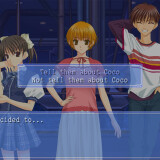
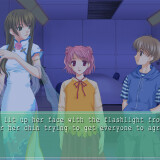
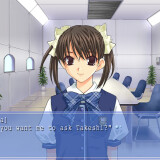
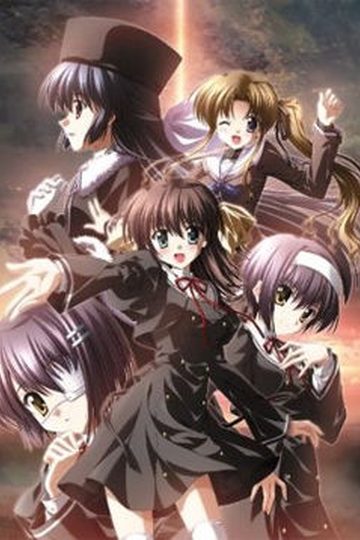
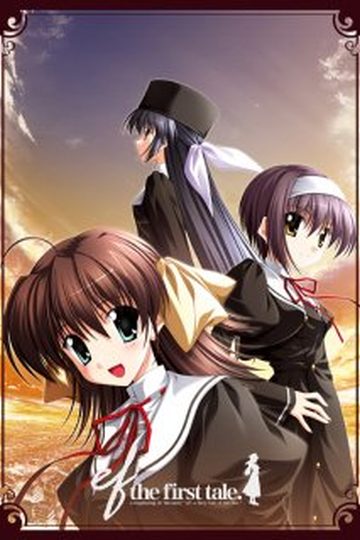
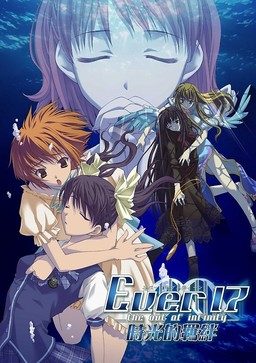
Ever 17 is the tale of seven individuals who come to be trapped within the underwater marine theme park, LeMU, 51 meters below the surface. During an apparently normal day at the park, an incident occurs, placing almost half of the facility underwater. The path to the surface and the communication lines are cut off. In addition, LeMU is under constant assault by severe water pressure, limiting time to find a means of escape to 119 hours. Escape is not the only concern, however; many questions arise as to the legitimacy of the accident and whether or not those trapped there were brought there for a purpose.

As the situation grows more desperate, the people trapped inside LeMU grow closer. They begin to uncover the answers to mysteries about themselves, LeMU, and the situation itself. As the end of LeMU grows nearer, so too do the mysteries and relationships forged by the situation grow deeper. Ultimately, it is up to the characters not only to survive, but to discover the truth behind LeMU and themselves as well.

130 comments

EmilReply
Keeps asking me for disc2. Yes, I've mounted it with Daemon Tools and all that. I have several virtual drivers downloaded on my computer, I just don't know what to do with them.
I'm also having a problem with Kana Little Sister.
EmilReply
Now it keeps asking me for Disc1.
Code Ecchi: Lelouch of the MangagamerReply
Buy them legally then :)
ttReply
3 and 4 seem to be broken. Can you fix?
SnakeReply
Hello everybody,

I have a big problem with this fabulous game, i wish to continue the story with the Kid but the game freeze and the screen become black, and they say there is a error,

WGLload : File load error black.cpscal_000.cps

What does that mean and how i can fix it ?

Please help me !
LessReply
Yes, I'm currently having the same problem.
I was currently in the story with the Kid but suddenly the screen turned black and got stuck with the error screen,

WGLload : File load error black.cpscal_000.cps

Can anyone help please? Thank you.
ClaymoreReply
I need desperate help setting up this game. I'm not that good with installing games and would appreciate help. I downloaded all the parts and put them on my desktop. When i open the first part a folder opens with another folder in it named Ever 17. I open it and see for ISO files named Ever 17 The out of infinity cd 1 - cd 4. When i open up the first one it a NTI CD & DVD maker and ask to insert a blank disk. I don't kno wat to do here plz help
Rain SpectreReply
How do you get this game to run? I still haven't worked that out>>
ClaymoreReply
Actually i over overcame that problem and i download daemon tools. I started the cd 1 and all was goin well. It then asked to insert disc 2 and i have no idea how to solve that problem
adminReply
Unmount cd1 image, mount cd2 image in it's place. Click "ok" in installer.
SaruReply
This game is freakin genius! GENIUS, I SAY!
MaohReply
Thanks for the upload!
Gamerz4505Reply
Okay, I successfully installed the game (mounting different discs when asked). Extracted and placed the patch files inside the folder where I installed the game (installed with BGM and Voice).

Whenever I open the program, the start menu appears (no problem there) then,a window of the game would appear (all white inside the window) and a message saying "Ever 17 - the out of infinity - Premium Edition has stopped working. Only choice I could do was close the program.


Please note that I am using a japanese locale windows 7 laptop (Is it becuase I'm using windows 7 and not XP?).
Anyone know how to fix this (if possible)?
BobReply
I have the exact same problem and I run on windows 8 as well.
harrisReply
3rd part was dead while im still loading
harrisReply
always crash when started on win8. Any way to fix this?
ShauqiReply
The patch is cannot to download . . . . can you fix it . ?
man699Reply
Thanks ^^ gosh that true end :O
KimiReply
I seems to have problem where I couldn't start the game at all... Whenever I tried to start the game, it would stop responding... Is there anything I could do to fix this... btw, I'm using 64bit Windows 8...
ReoReply
same, i am also having an error after starting the launcher. how to fix?? T_T
MarginalizedButterReply
For those of you on Windows 8.1 and are crashing on startup, here's a quick patch. Run with this exe: goo.gl/mFdncf
KatieReply
Thank you so much!! I was having the problem with it crashing on startup, but now it is working perfect so far! You are a life-saver~
ahogehopeReply
For some reason the fix isn't working for me. Both of my computers have 8.1 (the one came with it and the other forcibly updated from Windows 8 at some point - the game ran fine before on that one) and I still get the error message saying the game has crashed. It does get a bit farther than if I just an the original .exe (it gets to the end of SDR Project logo before cutting out) but still crashes nonetheless. Any ideas?
CatgrillsReply
Did you properly put the "ever17PC_Win8.1.exe" in the installation folder ?
jucaReply
Are there differences between this and the official english edition?
adminReply
This IS official English edition.
jucaReply
Thanks, I thought it was japanese edition.
HellidanReply
Somes+parts+seems+to+be+missing,+like+the+part+3.+Can+you+do+something+about+it+?
LeahReply
Hey, so I've mounted/installed everything, replaced the script.dat and everything, but when I try to play it, it says I'm missing the chara.dat file? Help? Is there any way I could download that file, or what should I do?
SlyCooperReply
Due to the way this game is programmed, this game will not work on Win 8 or later unless you have this .exe

dropbox.com/s/4k6e45suvnoglpf/ever17PC_us.rar

Credit goes to original uploader. God that took me forever to find a fix for this.
BakerReply
Thanks for this!! I was going mad trying to get this working but that solved it instantly.
KropicielReply
(Not sure why I can't reply to other comments)
SlyCooper's link saves lives. There is an .exe called and weighing the same, but you need to replace them. Idk if the other one is corrupt, anyway enjoy the game!
freezeReply
Anyone else have a problem with the game temporarily freezing and the window saying "not responding"? It's happening repeatedly.

Leave a comment