
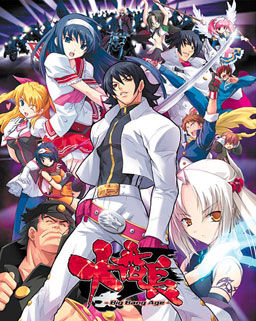
In year 200X, a black hole that would later be called “hellhole” appeared in the center of Japan. Shortly thereafter all contact between Japanese archipelago and the rest of the world got lost.
Giant crystal onyxes named “Crystal B” appeared. Contact with them increased human bodies “B power” and paranormal potential, “special student body” is used to describe those powers young people gained by this change. Emergence of such powers caused panic in the masses and a dark age of violence began.
A few years later a powerful organization appeared, gathering those with the “special student body” to form the nationwide “Students Union” to bring out Japan out of the dark. But the battle was just starting…

















If you did everything right, you will see a screen like this …
I———————————————-I
I I BP[?](Min:00000000 Max:000F423F) I I
I _____________________________________________I
I I
I _______________________ _________ I
I = [_______________________] [___ON____] I
I I
I I
I [ 7 ] [ 8 ] [ 9 ] [ BS ] I
I I
I [ 4 ] [ 5 ] [ 6 ] [ MIN ] I
I I
I [ 1 ] [ 2 ] [ 3 ] [ MAX ] I
I I
I [ 0 ] [ =/- ] [ . ] [ 16xx ] I
I I
I [ A ] [ B ] [ C ] [ D ] [ F ] I
I I
I______________________________________________I
oh, well… I could not show exactly what I wanted, but I think you can you understand … If you need, send me an e-mail
Help when i activate SpoilerAL and do the unlimited DP when i press the button above the BS button, There is an alert an it said: ” Not Defined Error!” and then there is this blue window which said :” スクリプトを展開しました。ツリー上から、書き換えたい項目を選択してください。”
Plz help me.
Send an E-mail. Reynaldoserra hotmail.com
I Keep getting a blank Setup utility Error tring to install this plz help
is it me or does this plot sound a hell of a lot like the one in needless
Hi there~
Thanks as always for the hard work.
My question is if it is neccessary to set the system lenguage or it is possible to run ussing AppLocale.
Thanks in advance.
having problems with the game, cant install it, keep getting an error thats blank and it just says retry.
I’ve tried this n it seems that during the storyline, the characters (heroines) do not talk, i mean, there is no voice..But in the H-scene, there are voices along with the dialogue
Do they have (release) any full voice patch? Without the voice, the game kinda lack its flair n excitement…
I mean, theres a difference between visual novels n comics/book novels, without the voice, its like reading normal comic or books with tends to get dull sometimes…
i have the quite same problem
in the play there’s no bgm and no voice from the character
asking for some help please
I was also having the same problem many others are having with the setup.exe (after clicking to install) in the original game folder popping up with an exclamation mark in a blue circle (alone in the box) and alls it says is “Retry”, which does nothing other than open a different box then re-opens the retry box shortly after, and cancel or close. When I tried what Seithis said, but that whenever I run the System40.exe it just opens the game screen with another pop-up that says DLL [Surface Factory] then some japenese text and after I close that box it is just a black blank screen. Yes my locale is japenese so that has nothing to do with it and yes I tried using applocale and that was also to no avail, if there is any tips/ideas that anyone has that could help me out it would be greatly appreciated, I tried to be as in-depth and informative as possible, but if you need any other info just ask. P.S. I do not know if the .ald or .ain files have any deep significance to their location in the GAMEDATA folder.
Admin do you have any idea why the game can open the datafile.dll with out patch but cant with the patch.
Without the patch I can play just fine but once I patch it
it gives me a error box with datafile.dll as its header.
You need to rename a couple of files.
Would you be willing to tell me what I need to do to what files.
Win 7 64 bit OS
tried:
copying F:\GAMEDATA folder to picked fold of my choosing but did not work after patched.
Checked:
Applocal is japanese.(3 times)
You need to delete 大番長.ain, 大番長DA.ald and 大番長GA.ald. And then rename åÔ·.ain into 大番長.ain, åÔ·DA.ald into 大番長DA.ald and åÔ·GA.ald to 大番長GA.ald. That work for me.
Thanks for the help it seems to work now.
Thanks for the help =)
mine still doesnt work
just copy the file name of the (file).ain and (file).ald and paste it to the åÔ·DA.ald and åÔ·GA.ald and åÔ·.ain. make sure to delete the old file which had the (file).ain and .ald
Renamed and replaced the files, but still get the dll error. Any ideas?
in system.ini replace every 大番長 you see with an alphabet name (i.e. “daibanchou”). then rename all files that has 大番長 in it’s file name to the alphabet name (i.e. 大番長WA.ald to daibanchouWA.ald). then rename the game folder to the alphabet name as well. after that the game should work.
i did what u said and now it has a msg called sys42vm saying J a b jap letters [大番長.ain] more jap and when i click ok another sys42vm thing comes up saying JAB and more japanese >.>
ok sry i forgot to change the system.ini ones to eng but now now that i have its gone back to bringing up the datafile.dll thing >.>
That worked, just started the intro now, thanks.
Thanks
thanks really helped 🙂
thanks man it works.
Thank you Comnislasher!
I even renamed my account after you.
Thanks, that did it for me too.
That really helped, thanks.
Also, I noticed something. If you just copy the first parts aka the kanji and add in the capital english letters by keyboard, it won’t work. It gave me the JAB error thing.
ok i found a dif source for the eng patch and it worked finally >.>
Where did you find this other patch? Please tell me.
The Patch didn’t work…. what should i do??
I seem to be having an issue with the link for part seven. All the other links worked just fine, but for some reason, this link, and this link only, refuses to download.
With all the other links, I was able to download them at 200KB/sec…with part 7, I just start at 40kb then dwindle downwards until I’m at like 2kb. Furthermore, when I click on the link, I gotta wait like five minutes to even start downloading, whereas the rest pretty much start instantly. Mediafire keeps asking if I want to “repair the link”, but nothing changes no matter how many times I try that. And if, by some miracle, I manage to get the download working for more than five minutes, it just randomly stops altogether and disappears from my download list.
I’ve tried downloading using both safari and firefox. Firefox had a better time downloading it, but it still just randomly stopped at only 7.4mb.
I’ve got the same problem. Maybe somebody could re-upload this file?
Yea link 7 appears dead, cheers for fix in advanced
Okay I downloaded from here I downloaded 3 different torrents I have tried everything but I still get a datafile.dll error every single time I open it. I can use it before I apply the patch but after I apply the patch I get that error every single time. I played this game on my laptop about 3 months ago but I got it from a torrent that was pre-patched (but it is dead now) anyway is there anyway to fix it? some people say you need to change the names of the files I did that. I also downloaded the patch from the official website and I applied the text fix patch as well and none of them fixed the problem
nevermind I reinstalled it and only replaced the 大番長.ain 大番長.ald files and it worked.
Seems this isn’t going to work on 64bit systems. I’ve googled and many more have the same problem but no solution. The game freezes after the first battle animations have played. If anyone finds a fix for this, it would be welcomed.
sooo
can i still download this or is the download links down
NVM IGNORE THIS
Found out
can someone tell me how to fix this problem with the setup, it gets stuck at 99% percent than i get a blank error.
guys is there any bug in this game cause i cant make any buildings and the debt and loyalty is making it impossible for a game over …. pls pls does any1 have any solution..
You can’t make buildings because you haven’t visited Hani Engineering, which becomes available in the National Chapter. visit them for the first time to enable building once you grab Yoko Hama.
thank you for answering i visited them 1st then i went to build the curry resturants….. pls can u tell me what to do ?? Thnx again 😀 ..
ummmmm so this game doesn’t have a “FULL” voice patch?
So when I try to play this on my 32 bit system it also freezes during combat when I attack, can anyone help?
Has this been uncensored or not?
how can u play it in english language
Hey guys, can anybody tell me how to defeat/capture Mitamazuka Youki? i just cant, i have watched the events in shinjuku, and when i attack her, she just espaces with 1 hp, what i need to do?
thanks
you need to capture the provins first, then you can capture her, if you want to hire her you need to get the guy called touma kentarou or some such, the owner of the rice cracker store. to get him visit there 3 times, then he will join you. when he has joined you talk to him twice then you can hire youki.
also you cant hire asakura yuma while youki is in your prison, or she will escape
i got youki…^o^…all u have to do is use characters with high capture rate status (ie franchine)..just capture her then bring touma to her ^__^
hay~
when i want to download it after mounting it with Daemon its,a small box appeared with weird words…and i cant install it properly..somehow
someone please tell what can i do?Admin?
someone?
Has anyone got this to work on Windows 7? I get an error message as soon as the game starts and it will let me watch the alicesoft opening but, after that it goes to a black screen and nothing happens regardless if I add the patch or not. So has anyone had the same problem as me and fixed it?
i have got it work on win7.
all you had to do is to manually replace the jpn file (.ain,DA.ald,GA.ald) with the eng patch file and you have to rename the eng patch file using the jpn file`s name.
Can’t get the full screen mode past 640×480. Anyone had the same problem or know of a fix?
then plz can anyone rename the eng patch file using the jpn file`s name cause i dont know how to do it
can anyone tell me where the data save files are located, & could i copy it to another PC?
This is a GREAT game. it has a TON of content(i played it for tens of hours and saw less than 30% of its content),a very good plot,good sex,great gameplay. the only problem is that it is VERY hard.i thought many times that i was done for >_>.
I really liked this game! awesome! i cleared the normal and the hard mode!but of course not in a satisfying way!i got 50% cg’s only!the game is quite hard!if you don’t use your brain you will die!i got at least almost all the characters!
I’m still having trouble playing the game, I’ve installed / changed the names of the ain and ald files with the ones from the english patch but every time I try to launch it only has a black screen. I’m really stuck on how to fix this 🙁
redownloaded and followed the steps that everybody suggested and it worked this time. Took awhile but I have to say from what I’ve played so far it was worth it. Thanks everybody 🙂
I am having trouble with the game, it comes up with an error in japanese with DataFile.dll in the title bar. I have done what was suggested above with no effect.
Hi how do i cheat for daibanchou big bang age
I have a problem, cleared characters dont appear in char clear menu. Does anyone have same problem or knows how to fix this?
interesting game but no voice acting…. well I just started playing it so I don’t really know but the game and the patch works just rename them.
one question though, how to save in this game?
could you change the server so i can download it using jdownloader?
After downloading all the files when I go to Extract them it keeps saying that a part of the archive is missing. Pls help
If you downloaded via DA-Free make sure part 1 to part 7 size is similar.
sizes are similar and has been happening with other rar files I downloaded.
You can try to download the “problematic” archive once again. I have a problem too, but different from yours. After I copy and paste the English Patch, appears message box contains DataFile.dll with some Japanese text then the girl from Alice Soft and blank screen and nothing happens. But without the English Patch, after the girl from Alice Soft appear, the game run smoothly, in Japanese of course >.< Have to try to reinstall again, maybe.
that’s because your rar/archiver doesn’t translate the files in the original context/text instead it uses gibberish. notice the original files in jap?ones ending GA.ald, DA.ald and one with 大番長.ain? while the english patch zip comes with åÔ·GA.ald, åÔ·DA.ald and åÔ·.ain. all you have to do is rename those gibberish english patch file same as those corresponding orginal files and replace. GA.ald/DA.ald and .ain
For thouse having problems with the “Datafile.dll”:
You just need to do this and the problem is solved XD. Thanks to Comnislasher 😉
You need to delete 大番長.ain, 大番長DA.ald and 大番長GA.ald. And then rename åÔ·.ain into 大番長.ain, åÔ·DA.ald into 大番長DA.ald and åÔ·GA.ald to 大番長GA.ald. That work for me.
That worked for me . thanks
OK, i found a way. delete and rename only the .ain and DA.ald ONLY. don’t copy the GA one 😀 try it. (cause when i copy the GA, i can’t start it.)
The GA.ald is broken admin-sama. could you reupload that one ?
i mean the GA one.
When i run the game, menus are in english, its ok. But all dialogues (and names) are in japanese.
In patch file, I found :
DLL folder with
DrawText2.dll
Gpx2Plus.dll
åÔ·GA.ald
System40.exe
System40.ini
and the readme one
i think im missing files like åÔ·.ain, åÔ·DA.ald, can someone help me? plz
For those who keep getting a blank error message during install, you need to install the game with Japanese locale on.
If you’re using AppLocale like I am, go into the CD-ROM’s files and “Run with Japanese locale as administrator” (AppLocale can’t run the file without admin).
Can some one help, I used to be able to play it but now it keeps freezing during combat, anybody know how to fix it?
Ugh so…im trying to play this on Win8(yeah I know) and I can’t see any of the file names listed above im in jap code but all i see for name are like this ___Ԓ_WB.ald so i’m not sure what im supposed to be fixing any help?
help cant play the game whenever i play it sys42VM shows up