
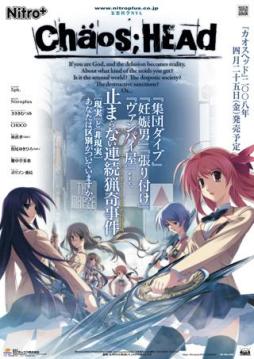
Takumi is a high school student. He is withdrawn and is not interested in 3D things. In his town, a mysterious serial murder case happens and people get panicked. One day, when he chats on the internet, a man suddenly contacts him and gives him an URL. He goes to the website and finds a blog image that suggests a next murder case…. On the next day, it really happens….









One problem after another *sigh*… Alright I somehow managed to get the english patch to work using sparenoone’s RC1 ver but now I get a black screen with sound from the menu and when I try to exit, the exit menu is completely blanked out, it’s just “Close the Game?” with no Yes or No…
Had the same problem with RC1. Go for RC2 http://www.mediafire.com/?xkwwiqzwzm3
Yea…. I’m having the same problems as Arcane. Using RC2 didn’t really make a difference for me either.
When the game is loaded, the Caution text appears first, skipping the Nitro+ Logo. Then the black screen with the menu music appears, and nothing happens. Only can be closed through Task Manager afterwords.
excuse me… anyone, can i ask for help please?
i’ve installed the game, the no dvd.exe, then the patch RC2 version… the game works… but then, when i click the start menu… after a few dialogues… it all suddenly goes black… anyone can help?
sorry… it was my mistake… it only goes back for the “Intro Movie” somehow… (I mean the opening) anyonce can find me a solution? although i can still play the game… 🙂 thanks so much! XD
You probably don’t have codecs installed. Install codec pack and it should be fine.
Hey admin, want to change the directions in the article?
It’s a little, outdated… so to speak.
Excuse me can u help me… the game is showing gibberish… i can’t find a translator for this game…
Download and install this http://www.cccp-project.net/ then it should work fine
thanks so much… 🙂
Excuse me. I tried installing the RC1, then when I clicked start in the game menu, I just got back to the main menu. Then I tried the RC2 and just got the same problem. Help please.
Use applocale, fixed the prob for me.
Download from the MS website: http://www.microsoft.com/downloads/en/details.aspx?FamilyID=8c4e8e0d-45d1-4d9b-b7c0-8430c1ac89ab
Install it, then run game in japanese (the three symbols under language) through applocale.
Hope this helps
that link doesn’t seem to work, so here’s another:
http://www.microsoft.com/download/en/details.aspx?id=13209
tell me, my chaos head (patched with either rc1 or rc2) both won’t work under applocale, the applocale window closes and then nothing happens, any idea?
i installed it but i cannot find the directory to copy the patch. does any one know where it would be on a vista or whats it called?
In the folder containing Chaos;Head in Program Files on the c drive in my computer.
i successfully install it, but when i click start it goes back to the same page. not matter how many times i tried it is still the same
and i cant even do the in-game config
For any of you who just had trouble figuring out how to install this in general, follow this vid:
http://www.youtube.com/watch?v=6ViG6CYgQ6Q
It seriously helped me anyway… :3
nope, it doesn’t help at all, i have no problem at installing,
when i click start, it turn back to the main page.
Have you set your regional settings to Japanese?
@anon
excuse me but the installer isn’t working.. it says it needs something else.. any other link..?
I followed instructions and did everything precisely as it said but the game turn out to be still in Japanese, not in English. I installed the game, and I copied the crack into the folder where Chaos Head is installed. Then I tried to install the English patch of the game (The patch from TL Wiki). I ran the game again and saw the first few lines not in English but in Japanese. So I thought it didn’t work and I tried redo everything up to the part where I have to install the English patch from TL Wiki but instead of that I used the Antifail patch. But everything pretty much stayed the same as the first few lines of the game are still in Japanese. Is this what its suppose to happen? Or did I do something wrong in the step where I have to install the patch.
I downloaded another version through a torrent and I get the game in full Japanese characters, I runned a English patch but since I’m on a vista even with running the BAT file on admin it still denies access to those certain files which I’m guessing is the English patch… everything else works flawlessly except for it not being in English (I tried hard and soft subs both don’t work ((My sub filter is retarded)) anyone got a fix for this?
Just Copy and overwrite the files yourself…
I just installed it and it was running fine until it stops playing. I’m looking at a close up on the main character’s computer screen after you take a look around his place. What I see is the ‘name’, ‘color’, and ‘reload’ with ‘current members’. I’m pretty confused, is it frozen for do I have to press some button for this?
I just mounted and installed the first part and…it seems to be working just fine. What do the other parts do then?
When I try downloading the 3rd part it keeps ending before the whole file is downloaded. Is the file corrupt or is it just my computer? o.o
I am wondering if you could include descriptive instructions to your Instillation instructions. I have daemon, and Extract Frog as programs. Windows 7. Just curious on how to do this whole thing.
Perhaps someone could have a youtube video on mounting, and extracting and ‘cracking’.
Okay, I’ve learned how to mount, installed the game..
did everything to the letter, did the batch file thing..
but I haven’t been able to make the english patch to function
Can u upload it to Megaupload and add link to Chaos_Head_English_Translation_RC2?
Make sure your PC is set to Japanese locale
If you are using Windows 7, you should not install it with the default installation directory that the setup provided “C:\Program Files\Nitroplus”, instead of taking that one,
create your own directory in download folder (documents folder or desktop)
provided by the serial 000-702-000-114
After installation, copy the NoDVD patch (ChaosHead.exe) and place it in the directory you’ve made
(ex: “C:\Documents\Ark\Nitroplus”)
After coying the NoDVD patch, extract the “Chaos_Head_English_Translation_RC1” the game folder but don’t extract the “everything.rar/do not touch.rar”!!” file!
I repeat “DON’T EXTRACT THE “EVERYTHING.RAR/“DO NOT TOUCH.RAR” FILE”
Read “Read Me.txt”
run the Antifail Installer.bat also called the Glorious Installation.bat
Answer to the question: “trickquestion”
Then just follow the other instructions
after that you can play the game with english subtitle!
I’ve tried the instructions on Antifail Installation.bat but it always end with “extracting from movies.rar
Cannot create ./dx/mvOP.ngs
Acces is denied.
Cannot create ./dx/mvINTER01.ngs
Access is denied.
No files to extract
Deleting RAR and extraction files to clean up space
./crass/, Are you sure (Y/N)?”
What should i do?
Both of them deleting the extracting.
Then i clicked the chaoshead.exe from no dvd and nothing happened.
run the patch as administrator.
I am using Windows 7 and have followed every single instruction of installing.
But when the game is loaded, the Caution text appears first, skipping the Nitro+ Logo. Then the black screen with the menu music appears, and nothing happens. Only can be closed through Task Manager afterwords.
Anyone know a solution to fix this?
Can somebody fix this problem: After i see the OP, Chaos;Head crashes after about 10 lines of text then it freezes after i hear the protagonist stand from his chair. It also crashed at the beginning of chapter 2 after the first scene in a very similar fashion when the protagonist is at his computer screen.
i got the same problem as you. did u ever manage to find out how to solve this one?thanks
I am able to play the game, and the dialogues are in English. But how come the text for the CAUTION screen (In the beginning of the game) is still in Japanese as well as the menu? Also, how come the CGs (Example would be the websites that Takumi looks at, the essay in his 4th grade class, etc.) are still in Japanese? Is it suppose to be that way?
I have the pictures all installed in the game folder, and I would see it’s in English. But how come it’s not when I play the game?
J’ai besoin de l’aide! >.< *sniffs*
Nevermind, I have it working now. C:
someone help me plz 🙁 .. i did everything .. but when i click to start the game .. it shows a black screen .. and after few seconds it disappear .. what should i do ?
and thx
You should change regional settings to japan.. some programms will be in japane, but its the only way or just use Applocate- emulate japane ( show the way to exe Chaos_head)
For some reason when I open the downloaded parts, I get the “Unexpected end of Archive” error.
My wifi is a complete pain, so I’ll try downloading again, but until there, anyone have any advice or something?
Seems the file is corrupt, so I guess I really will have to redownload them. –..–
/redundant comments
@ Ziogen: You’re right, you should manually delete the remaining files in your Chaos;Head folder, if you happen to see any. And you would have to uninstall it then install it again.
As for downloading it, I figured out a way for the game to work properly.
First of all, I downloaded all the game parts. Then. I downloaded the NoDVD Patch. Second, instead of the Glorious Installation, I downloaded the old English Patch, the Anti-fail Patch.
Anti-Fail Patch: http://www.mediafire.com/?3p7o0owd4lx1scw
As you install the game, you’ll notice it’s in Japanese, and it will ask for the Serial Number. Concluding that, if your computer is a Windows 7 or Vista, it’s not a good idea to extract the game folder into Program Files. The right way would be sending it to your Desktop. After that, there will be a Japanese question-poppy thingy, and I believe it was asking if you want a shortcut. Click “no” since the game is still in Japanese. Then click finish.
Then, I followed the instructions in this video: http://www.youtube.com/watch?v=6ViG6CYgQ6Q
Note 1: You must follow the user’s instructions consistently.
Note 2: You shouldn’t drag the anti-fail patch like he did. Extract it into your game folder instead. It should extract successfully.
Note 3: Drag the folder to your Program Files this time.
Then double click Antifail Installation.bat.
Follow his instructions from there.
And that’s what I did. The game worked out fine for the most part, but there are certain bugs you should be aware of.
For the walkthrough: http://www.gamefaqs.com/pc/952182-chaoshead/faqs/61850
Happy Gaming!
Part 4 has something wrong with it server side. I’ve tried downloading it from two different locations, and it does not work either time.
Ok, I read through the thread and looked at the different suggestions to get the game to work, including using applocale I still have no luck. I have also tried 3 different translations files… Translations RC 1, RC 2 and antifail patch. It still does not work. Each time I run through one of the translations The game loads up The beginning Caution that is normally in Japanese before Trans. is ran, doesn’t show up. Nothing shows up. It goes straight into the start menu. When I try to start the game it does the normal sounds effects still goes to a black screen then returns back to opening menu. Someone please enlighten me as to what I am doing wrong
How about trying..to go to your folder, right-click the game. Press properties, press the compatibility tab, check the box, “Run this compatibility mode for:” [Windows XP (Service Pack 3)] and look down at Privelege Level, and check the box, “Run this program as an administrator.” If it doesn’t work, remove all files and start all over again. I can help you.
The problem isn’t getting the game to start, it starts up fine. I certain the problem is when I try to put in the english patch. Before I try to put the patch in the game starts and runs fine all except it being in english. I click start and the game begins. But when after I try to run the english patch bats is when the problem starts. As I stated before, The game keeps returning to the start menu after clicking start.
Hmm…I’m not sure how I pulled this off–since I’ve played a game a certain time ago. Wait, so the .bat file doesn’t let you extract the English files?
Um, I’m not sure how to figure that one out. It took me at least three hours to resolve the installation by myself. And surely, I think putting the game folder at best should be in the desktop or in the documents. And have you changed your language to Japanese for your system locale? Hmm, and you’re not supposed to have several errors for it.
So, really. The best way is to start all over again and follow the user says from the tutorial.
When I use the bat file and it goes through the list of files being extracted some of the files don’t get extracted he’s a image of what I mean http://i146.photobucket.com/albums/r259/Russilicious/englishpatchproblems.jpg
Hey, I got the game working after two days of fiddling around with it. However, the english patch doesn’t work. Tried the antifail and RC1. Changes nothing.
to Onigenki go to Control panel\ Regional and Language settings- then third tab and choose Japanese, reset pc and game will run OR just use applocate.
From my imagin I am end the game rout A i think..was set this
mediafire.com/?8u2nx9xao0q318d patch(easy install and translate switch underware)^_^ oh yeah – do not switch if underw. not install
+underwear patch(not necessary its bad for gameplay and hard to find, only on torrents like isohunt 2gb game(patch 480mb)^-) WELL! trouble was on 8 chapter(good if you do save game on darth-spider) cant save game\load\crash, its fine just not to save until chapter 9, then save correct.
imaginary route BB not tried yet..need time for begin new game.
Follow I215’s comment. It worked for me on windows 7 64-bit.
sorry, make that IF25, on previous page.
I keep getting an error when I try to use the Antifail installer.
It says that there is an Error in ChaosHead.exe at line 2252.
How can I fix this?
Ah, found out what to do.
For some reason i tried everything changed my language to japanese, got all these patches and other stuff and yet Still! my screen goes black and returns to the menu after i press start idk what im doing wrong its just depressive ._.
sign change Japanese\lang- its some programms and paths will japane words.. in any case problem into local\settings maybe this loadmypic.com/server1/show.php/92551_pic.jpg.html
is answer
There is this one problem I have with this game, I’m sure it’s a stupid mistake on my part but anyway.
When i start the game it runs perfect with the patch and all, but the CAUTION text in the begining is in Japanese and it’s the same for the movie in the intro
Can anyone help me?
This is normal – patch doesn’t translate opening movie.
Im sorry maybe i shouldn’t have called it “the movie in the intro” i meant that first the english text works perfectly then after awhile under the part that you can’t skip-read, the text is in Japanese.
I read that someone had the same problem but he figured it out, so i thought i did something wrong.
Please help me i download the game and installed it. my problem is the patch i patch the game and it’s still in Japanese with English letter every now and then please help me i been trying to play this for the better half of the day.
Please upload Yami no Koe series …
Cant download part 3. Seems like its broken. thx
I seriously cant download from fileserve. damn they always say I’m currently downloading when I havent even download anything. gt other mirrors?
what do i do with the .ISO i have download everything
i need help a couldn’t download the NoDVD patch
ok i’ve done all that now i run the Glorious Installation and it tell me to reinstall the game becase there was an error in line 2252 i have reinstalld the game but still says the same hlep pleas
oddly enough the issue I have with this game seems to happen near the end of chapter seven (I believe), in which I’m no longer able to load any saves after a certain event. I was wondering if anyone else had this issue and had it fixed.
read my old comment darth-spider
Ummmmmmmmmmm hello, so far i have “Installed it used the antifail ect” But when i go into it its all in japanese, im kinda nooby so how do i get it to be in english. i know its not in the settings or whatever 🙂
Please help~
I’ve already downloaded everything already. Can run the game in original jap language with the voice everything ok. but when I try to run the setup for the eng patch, it says game not found even though I extract the patch to my game folder directly. btw I using RC2. any ideas?
Am I the only one here who isn’t having any problems with installing/playing the game? Mine is working perfectly 😐
Thank you for this upload! ^-^
Do you know if you will be putting up Steins;Gate?
for some reason i tried this :
1. run applocale as administrator, then install this game
2. run applocale as administrator, then install LSC patch
3. run english translation RC2 as administrator
4. run chaos;head with applocale
and then, boom!
nothing comes out, ever
the program works if run without applocale,
but then the start button does nothing, except redirecting back to title page
any idea what’s wrong?
maybe its help… in applocale choose- 日本語
Hello Admin,
Could I ask what is the version of the English Patch of Chaos Head ?
SeerHu
For those who are having problems try upgrading your CCCP then try installing again…that worked for me!
this is just dumb, for some reason deamon tool will not accept the ISOs. so can someone plz explain to me y this is happening n tell me how to fix it -.-
For those who stil have problems.
1- install the game
2- make a copy of “cg.npa” in game folder
3- run patch RC1
4- unzip patch RC2
5- get back the previously copied file “cg.npa” in game folder
it’s a pain but perfecly works for me.
the cautions informations are still in japanese but the game’s full english translated.
what do you mean unzip rc2? do i just unzip it in the folder and not touch it?
yes just unzip it in the folder without touch it
unzip rc2? i thought i found an unzipped rc2 somewhere in these comments, do you mean unzip something and the result is rc2.exe?
so you’re saying that i need to download both patches?
can someone please help me i cant get it to work at all wen i did what Dagon said i could not find “cg.npa” he was talking about and when i did what Mystro-X i did not get the “nodvd crack and overwrite the original executable in the installed ” im really new to this and im running windows 7 32-bit when i tried to start the game [1512] and some other stuff i dont get could someone please help me thx
hey i already installed the game and all but when i extract the english patch there are a lot of archives and i dont know what to do
Where is Rc2 anyways? The voices and BGM won’t work when I download and crack it either. The translation also doesn’t work for me for some reason. Could someone please tell me what I’m doing wrong and how to fix it?