
1.Open control panel (start->control panel)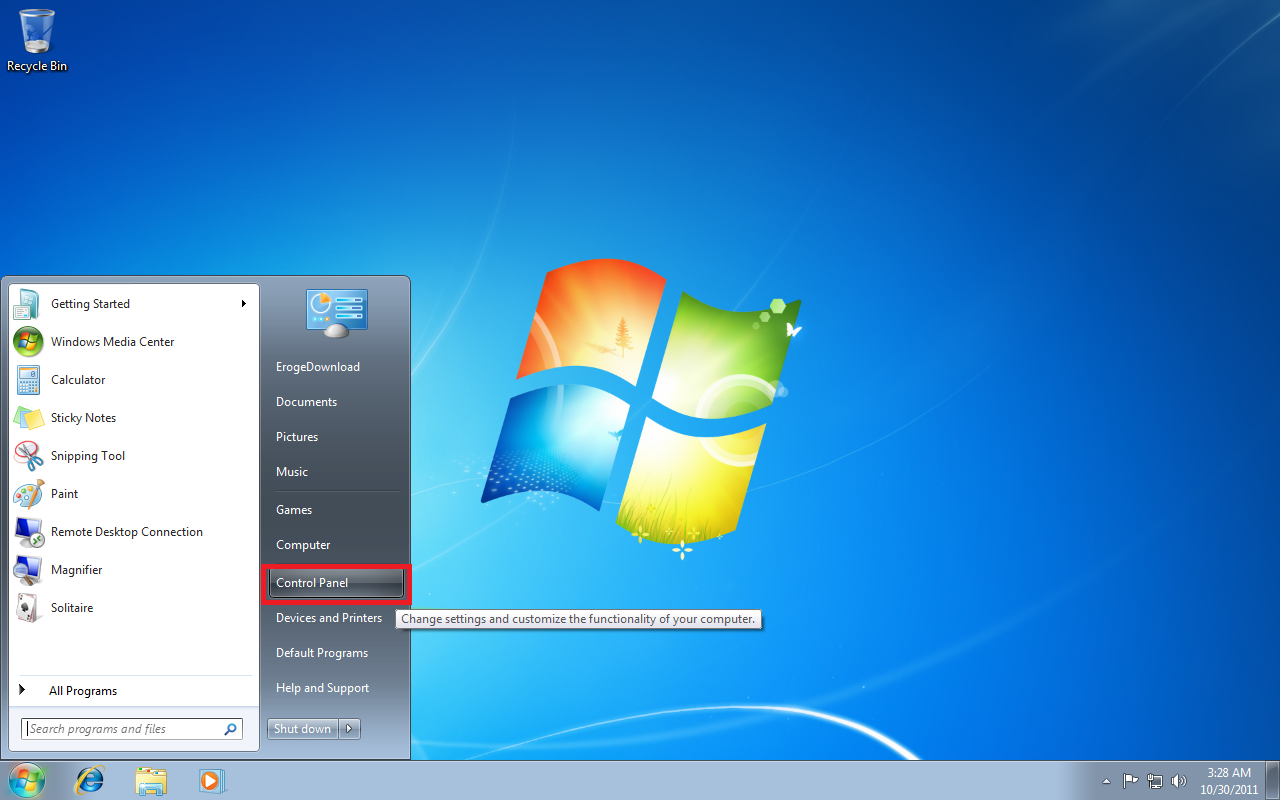
2.Select “Clock, Language and Region”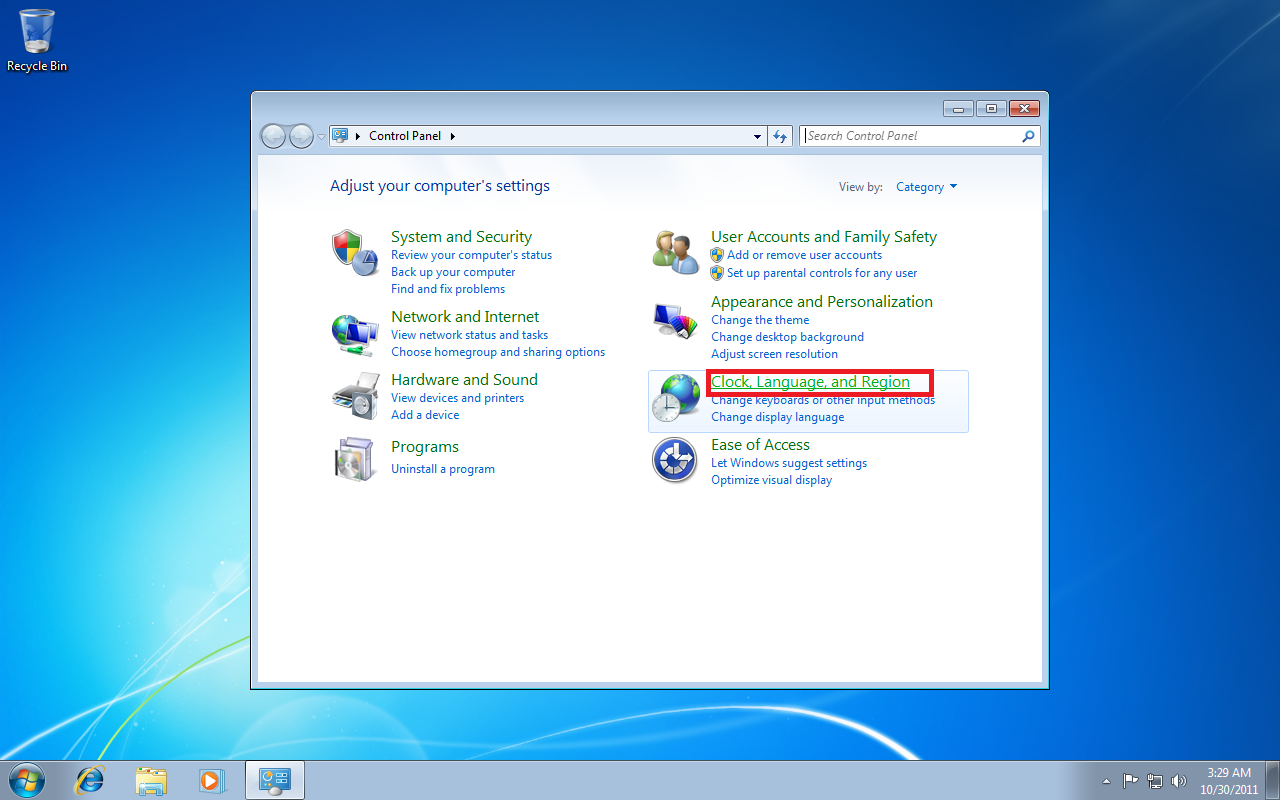
3.Select “Region and Language”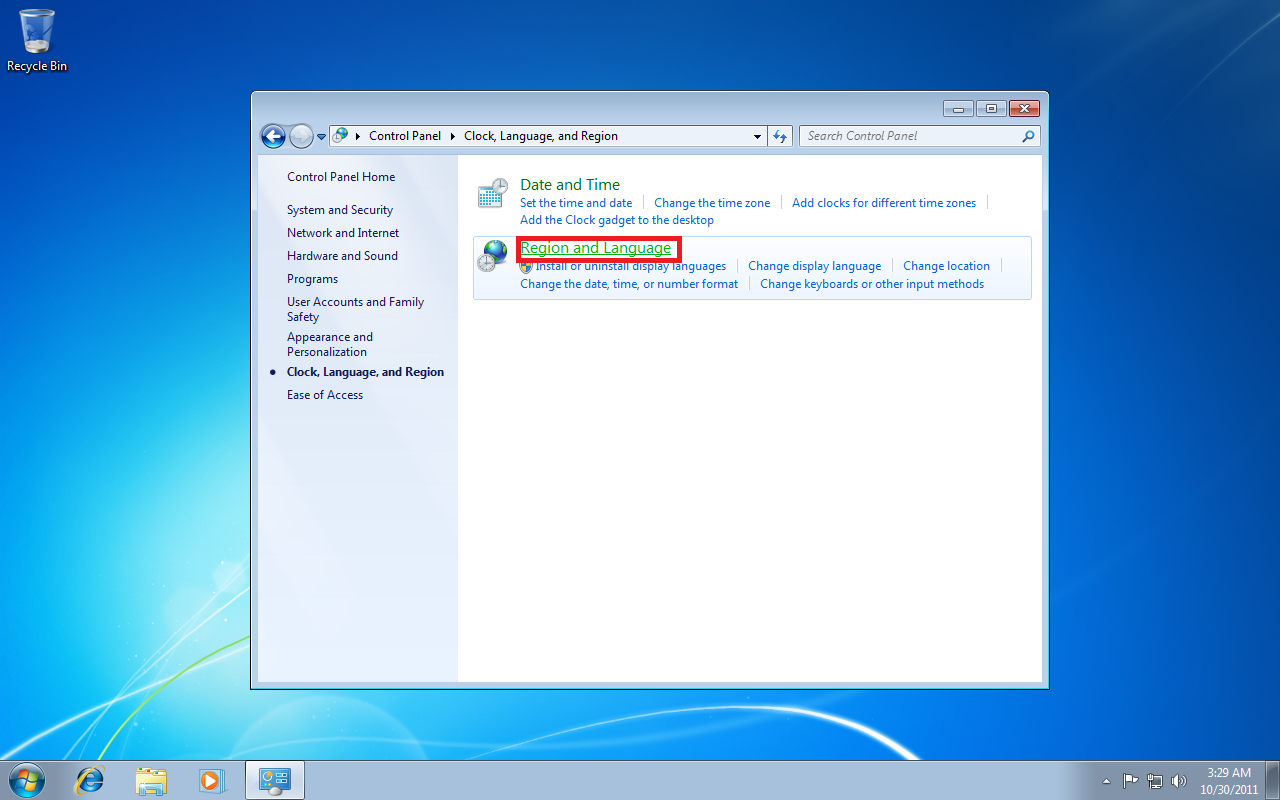
4.Change to “Administrative” tab.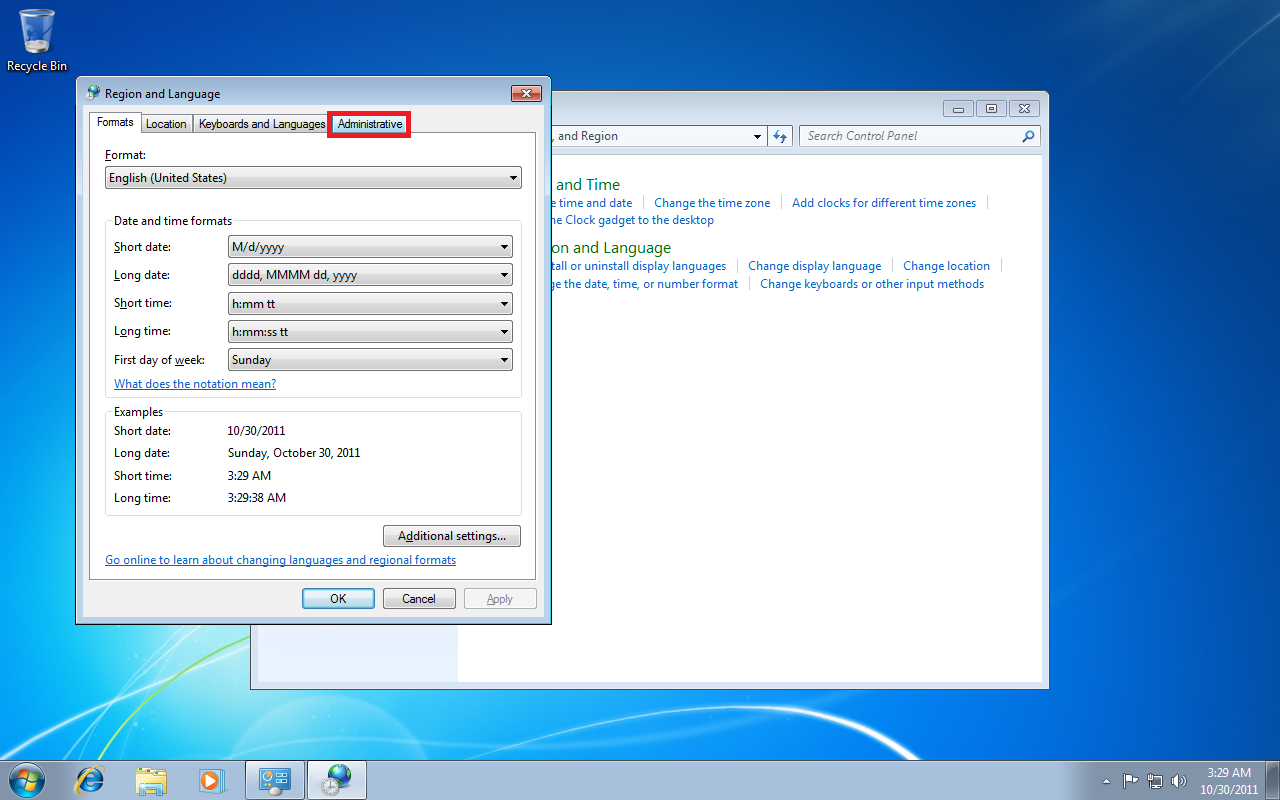
5.Click on “Change system locale”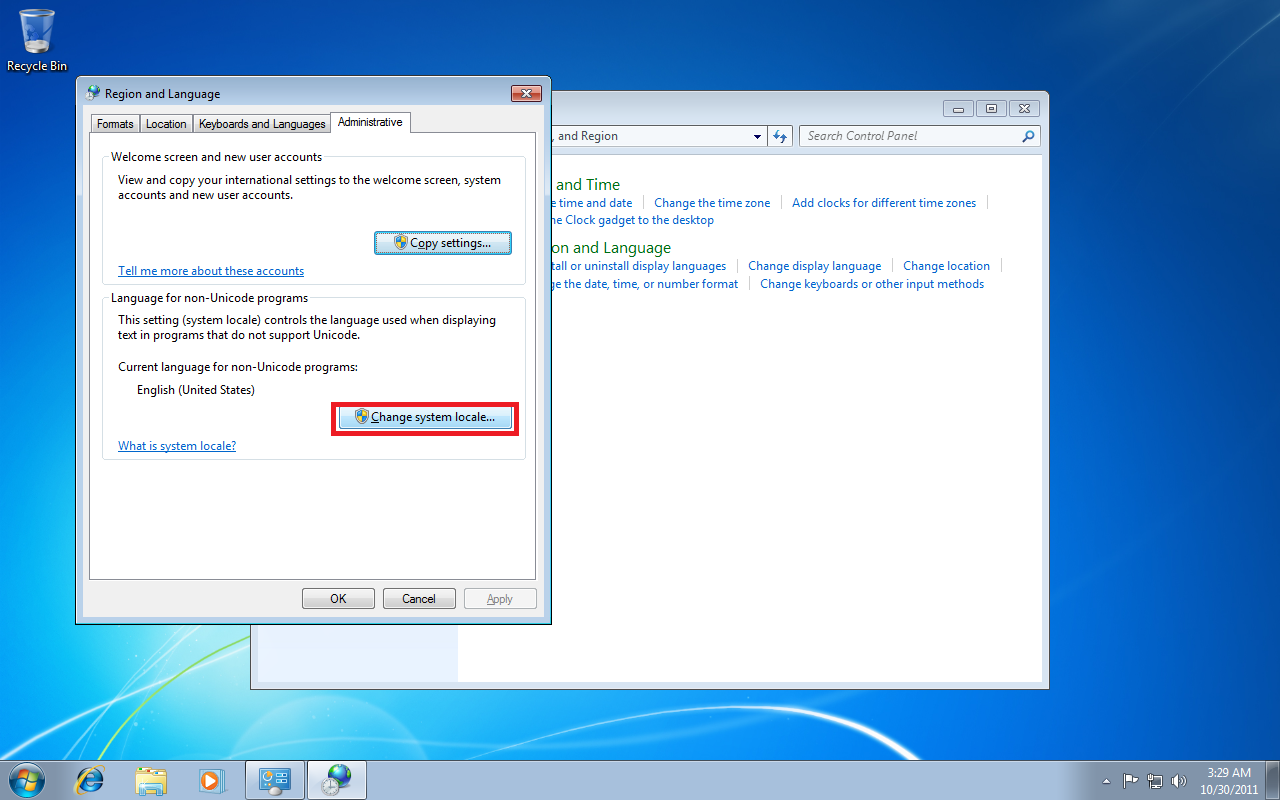
6.Open drop-down menu and select “Japanese(Japan)”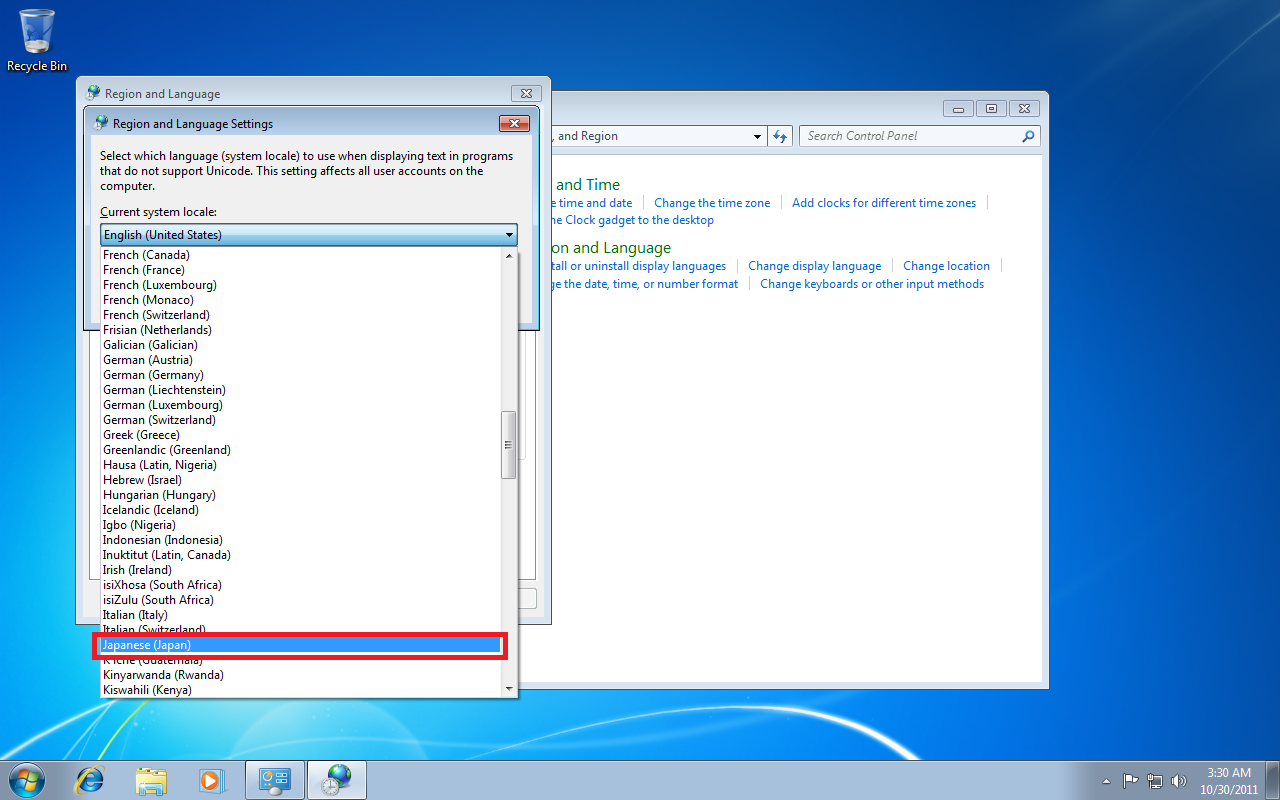
7.Confirm with “Ok”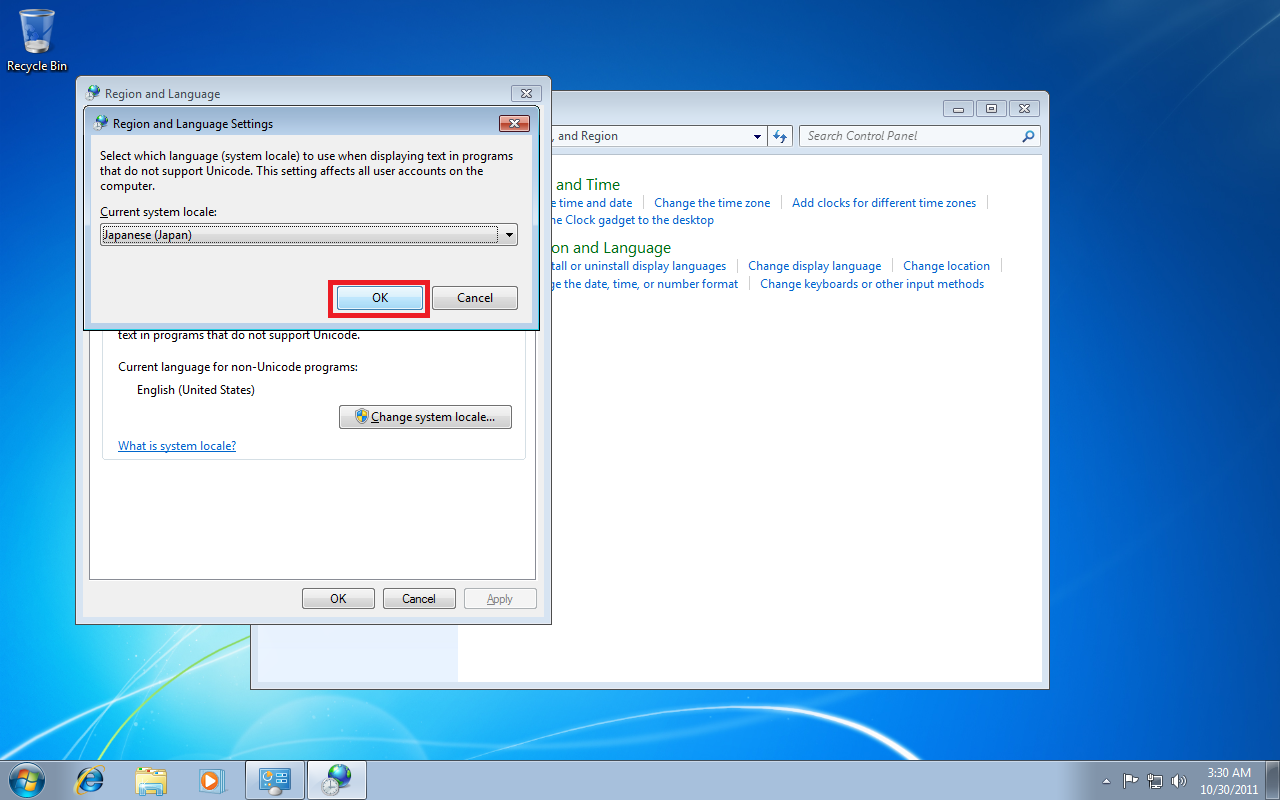
8.Restart windows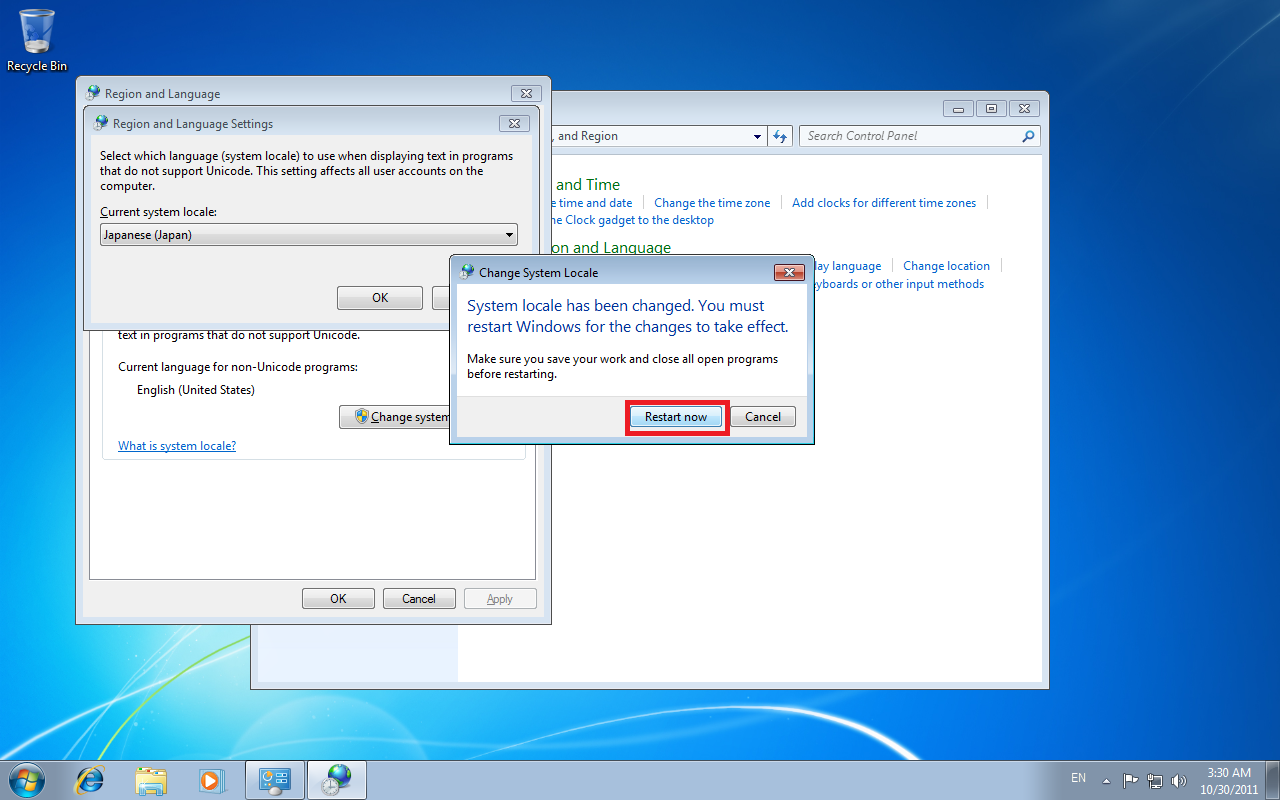
59 comments
Cuz in that case that looks like a whole lot of work and I can already say I'v fucked up my PC if I can't find my way back...
I had to do the change the system settings as described above.
After installation I could change the settings back (were annoying/causing troubles with other software so I wanted it back to my main language again).
Playing/reading actually worked with AppLocale.
If you have similar problems you might try the same (if installation is buggy with AppLocale change your settings but later after installation you can try ... playing/reading might work with AppLocale).
1. From what I read changing ur locale via control panel is something different than using applocal? So, I do one OR the other, right, but not both?
2. It looks like changing ur PC's locale to Japanese is better to do than using just applocal?
3. I'm running Windows 8.1, all info I find (ANYWHERE) is on windows7, vista, and XP. I read on this page (nowhere else, yet) that you NEED to have Japanese language pack installed and these are ONLY available in "Ultimate" and "Home" editions (still a little fuzzy on that). Am I shit out of luck?
Any help would be very appreciated, and if possible please enplane step-by-step as I am very new to everything PC. Thanks in advance.
By the way, friggin' LOVE this site!