English visual novel downloads

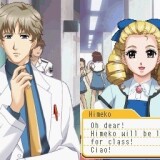
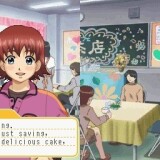
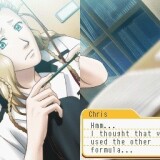
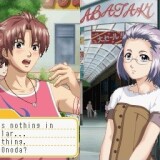
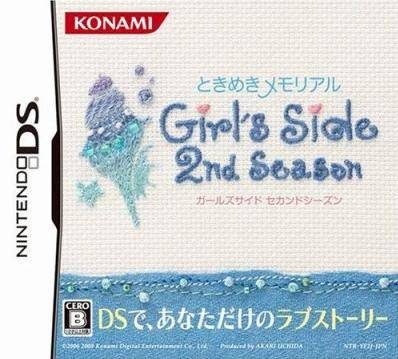
Tokimeki Memorial Girl's Side 2nd Season

Tokimeki Memorial Girl's Side 2nd Season

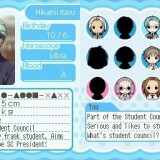
The main stage is Hanegasaki High School, same as the previous game. While communicating with unique characters, players can find their surprising sides and experience more realistic love romance.

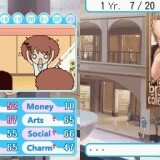
Also, new systems are introduced for this time, “Second Kiss System” that players can enjoy the story born by an accidental kiss and “Approach System” that players can approach their favourite boys. Enjoy “Tokimeki” moment!
110 comments

MomoReply
I'm a little confused and have some questions, I hope no one minds! How come it's split? Do I have to put the two separate files together or something?
GigiReply
why i can't installed it? (╥﹏╥)
DARKDEATH98Reply
Just a fun fact about Tokemeki Memorial: Koji Igarashi (creator of all Castlevania games since Symphony Of The Night) has written the scenarios for these games...
The Green CookieReply
Hey, I love this website, and I love how you guys put up the English patched download files up here. It's super helpful for people who have macs in which programs xDealta won't won't work.

While the download link for Girl's Side 1 works perfectly fine, the link isn't working for this. ):
I was wondering if there's still a file around to download >.<
adminReply
Looks like DA-1click got removed. I'll reupload it tonight (I have copy of every file I'm posting, exactly for situations like this).
GrudgeCANDYReply
Hey, just wondering but I already have a Nintendo DS so is it possible to put this game in the DS's ROM?
FairthReply
Yes, you can play this game on your NDS. However you'll need a R4 card or an Acekard (I have an Acekard 2i, because a lot of R4 are in circulation). You'll have to put your games on a memorycard and the memory in the Acekard which looks just like a DS game card. It's quite easy once you hear about it you won't be buying any game so... it's also illegal.
ShapphireReply
Hi, Admin. Thanks for the otome games! ^0^
I love this website <3 <3 XD (eventhough I don't like the ero one)
Keep moving forward!! I'll always support you!! (except the ero one ^u' hahaha)
MorikoReply
FIXED THE ROBOT SOUND PROBLEM:
Go to
Tools> sound settings>
Set "interpolation" from "linear" to "cosine"
and set "Synchronization mode"to from "dual" to "Synchronous"
Worked for me.
raiReply
The part one is working perfectly but part 2 can't open it
Am I supposed 2 combined it or what
The 4 helpin

Leave a comment