Tokimeki Memorial Girl’s Side 1st Love Plus

Tokimeki Memorial Girl's Side 1st Love Plus
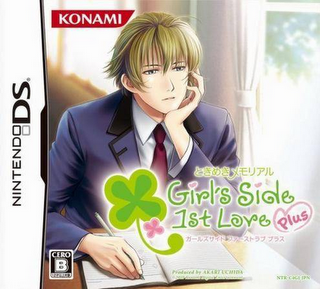
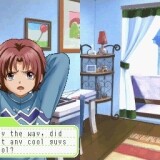
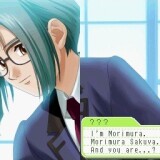
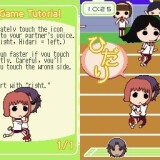
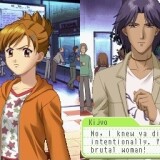
In the game, the player is the main character, a new female student at Habataki High, Habataki City. The goal of the game is to create a relationship with one of the ten males that are available to you, so that on the last day of your high school, you will receive his confession of love at the chapel in the school.

110 thoughts on “Tokimeki Memorial Girl’s Side 1st Love Plus

  1. I absolutely cannot wait for the 2nd one to come out, I’m fairly new to the site and I’ve gotten a few games from here already but this one is by far my favorite. You guys should totally get some more Otome games. I appreciate your hard work too. Thanks a bunch.

  2. Dear admin,
    I suggest you put the credit telling what team did the translation so that I can thank them properly in their website/email.
    thank you.

    1. The leader of the team who made the translation uses the name “jjjewel”. I tried to contact and thank them too, unfortunately, I can’t find any of their contacts. :/ I’m just a fan too, by the way.

  3. Hello Admin. I have problem whit to play Tokimeki Memorial Girl’s Side 1st love Plus. When i play Tokimeki Memorial Girl’s Side 1st love Plus on DesMuMe is workin but is very slow plus the sund is very bad. What can i do for Tokimeki Memorial Girl’s Side 1st love Plus workin on DesMuMe whit good Graphic and sund?

  4. @Princess18

    Try going to the options menu at the very start of the game and turn off all the voices, the problem most likely lies in your computer hardware and not DesMuMe or No$GBA 2X.

  5. Hi, im tryng to play this game with No$GBA but the screen is in vertical, cant change it to horizontal some way?

    1. I’m not translator of theese games – i’m just posting links for downloads.
      That being said, the same team that translated this game is currently translating 2nd kiss, so you can just wait and when it’s done you will find it here 🙂

  6. do you have any idea of the best setting for nocash gba?
    the bmg music sounds fine but the voice of characters doesnt.
    it only could be hear clearly on the end of the sentences…

  7. @MinamiHime I turn off the sound completely, maybe if you have a flashcart you can put it on there and the voices will be normal?

  8. thx for this awesome site ^ – ^

    i have a problem with this game .. the screen is in vertical .. and i don’t how to change it into the horizontal

    plz .. someone help me T T

  9. Thank you very much!!!!
    It’s really hard to find English otome game!>_<
    This is really good
    Please keep doing this…
    I'm looking forward to another season.
    Thanks 10 times ^o^

  10. Hey !!

    I recently just downloaded this game but I’m having a hard time listening to it because when they talk the voice lags and it sounds super scary…so any help to have to make the voice smoother? I’m using the DeSmuMe 0.9.5 version to play this game so any help from anyone that would help me alot! I’ve also played around with the sound settings and it helped a little but it didn’t make the voice lag go away or to the point where its not annoying. It would be great if someone helped me out! Thanks 😀

  11. Hello is somebody so can hjelp me whit Tokimeki Memorial Girl’s Side 1st Love Plus? I have two problem. First is at i have download WinDS and playing No$GBA 2X from that and stil is voice very weird and what can i do for Voice to work? And the Second is at i have download the new patch file for Tokimeki Memorial Girl’s Side 1st Love Plus and what must i do for that patch file?

  12. kyaaa~ finally found the eng ver. XD
    thankyuu so muuuch <3
    lookin forward for the 2nd and 3rd~
    ganbatte nee!! <3
    I really appreciated if u upload more otome game X3
    <3 <3 <3 ~~

  13. The game works perfectly, you just need install it in the folder SLOT.
    It only works for the Windows XP not for the Windows Vista, that’s why someone had problems.
    Thanks for the translation, and for the amazing headache that cause read it upside down. Inspite of everything i’m happy 🙂

  14. Just wanted to give you a huge thank you for hosting this game! I played it through like five times, it was SO much fun! I hope you’ll get more otome games on here in the future. 😀 <3

  15. I also have a problem with mail. Every time I go read the mail I get stuck there I can’t get out!
    Does anyone know how to fix it??

    I’m playing it on No$gba 2x via WinDS PRO.

  16. Hey:) I was wondering if youve figured out the problem you are having. Im having thew same problem:/

    1. I have the same problem!!! I’m playing it on the no cash gba too. If you figure out how to fix it, can you tell me?

  17. I’m also having the same issue! I can’t close the mail screen once opened so it’s impossible to progress the game.

    I’m playing it the English patched version with No$gba and the NDS2xGL2 add-on (which makes it horizontal and enlarges the screen, it’s free for download, google it if you want to flip the screen and have other options with the emulator :)). Is this a rom, emulator, or patch glitch? Has anyone solved this issue? Please help!

  18. Teehee! So glad I own a Nintendo DS. <3
    I hope it all goes well when I download it.

    Thanks for uploading! ^^

  19. The arrows on the mail don’t work so I can’t read the full content. Help? I keep on clicking on the arrow but it doesn’t do anything

    1. not every game posted on this site is eroge – i’m just using this domain, since erogesandvariousnonhentaigames.com was too long.

  20. Would someone please give a step-by-step instruction on how to get the game working via no$gba? I don’t really know how to use it. Thanks.

  21. Yeah, I also need what ShoujoGirl23 needs. WE need step-by-step instruction on the game working via no$gba. Would somebody mind helping us?

  22. Awright, finally figured it out…

    First, load the no$gba application. You’ll get a ‘Unable to read saved data. blah blah blah.’ message. To remedy this, you have to click on ‘Options’, then ‘Emulation Setup’. Look for the ‘NDS Cartridge Backup Media’ drop-down menu and select ‘EEPROM 64KBytes’. Click ‘OK’ and then go to ‘File’ and click ‘Reset Cartridge’. The game should work after resetting of the cartridge.

    It’s better to use the no$gba emulator than DesMuMe since no$gba is relatively faster (although you’ll have to execute another program to rotate the no$gba screen). Although no$gba is faster, the speech of the characters are still slurred, but the BGM is okay. I think this has to do with the fact that DS emulation is still imperfect. We’ll just have to wait for upgrades on no$gba.

    1. if you put the file that you download here on a sd-card, can you play it on the ds? and if it can will the voices still be slurred?

      1. Voice problem is caused by imperfect emulation of current emulators and/or weak PC specs. It should work fine on console itself, but to play pirated software you need to jailbreak it.

  23. The links work fine. If you’re in school, it’s probably because the downloading host sites are blocked by the IT department or it could also be because the internet connection is too slow for the page to load properly.

Leave a Reply

Your email address will not be published. Required fields are marked *