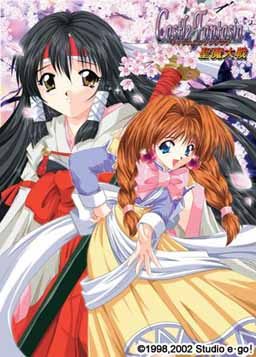
127 thoughts on “Castle Fantasia Renewal 2

  1. Hi, I just finished downloading the rapidshare ver. and extracted everthing and I have no clue what to do now cuz it’s in 3 img files and I changed them to ISO files and mounted them with daemon tools but the game is in japanese, not english… Is there something I missed???

    1. Sorry, my bad. When I moved site from joomla to wordpress i added game, but forgot to add english patch. I’m uploading it now. It will be available in few minutes,

  2. Added missing english patch. once you download it, you have to follow instructions from readme.txt:

    How to apply this translation:
    1) Install the game.
    2) Copy the files “CF2R.exe” and “Game00.dat” from this archive to the directory where you installed the game. Overwrite the old ones.
    3) You’re all set! Run CF2R.exe to start the game.

    Thanks for report!

  3. You don’t have to rename everything – just mount .mds file in deamon tools next time, the same way you did .iso – those cd image formats are really similar and most virtual CD programs support both.

  4. hey ahm the readme says most of the game text is voiced, but i dont hear anything. is it just at the beginning without voices?

  5. Excuse me Admin, I just want to know if you need the CD (of original copy of the game) to play this game. I have a downloaded version from a torrent file, but I try to open the CF2R.exe file and it just crashes.

  6. Sorry if theres a section for this then i did not find it…
    I would be really thankful if you could upload genrin no kishougun…. i found many torrents but none of them was seeded :-/

    1. We don’t have separate section for requests, since i try to keep up to date with english releases and post them as soon as they become available.
      Unfortunately, genrin no kishougun doesn’t have any english release, nor fan translation – on this site i post only games available in english.

  7. I need help..i downloaded the 7 parts and extracted the files then used power iso to activate disk one then started installing it..but the game isnt working as only one file appeared where i downloaded it.I pasted the english patch there.But during the install the language was strange and ?? marks…what shall i do?

    1. You need to enable support for japanese characters in your system.
      Check out “F.A.Q.” section of this website for detailed instructions.

  8. When I attempt to install this game I have no trouble until I actually press install in the games startup window. After being pressed, both the install and the directX buttons become unavailable, but nothing other than that happens. I suspect its a problem with my computer’s 16bit support (which it doesn’t have) but I’m not completely sure. Any clues or suggestions?

  9. It turns out that what I thought was true. No need to answer my above question. Unless someone could provide a fix for 16bit incompatibility?

      1. What do u do?? i got the same problem, do i change compatibility mode, if so, of what? or is it impossible to install for me then, i have windows 7 64-bit.

  10. i think i know how to get the character to talk. when you finished installing the game (including the english patch), run the second cd and click the uppermost option. some kind of sound installer i think. when finished, play the game and you can hear each character’s voice. thats what i did anyway and its more of an accident. but it works.

  11. troubleshooting for no voice….
    1.mount second CD….
    2.copy all files to game folder….
    3.and the game now with voice….

    troubleshooting for no BGM….
    1.mount third CD
    2.copy all files to game folder…..
    3.run the game…..the game will play the BGM sound…

    it’s work….try it

  12. i mounted the second CD, but nothin came up when i did that…same thing also happen with the third CD.
    first CD worked just fine tho…i finished installing the game and copying the english patch and the game works just fine but no voice…

  13. 1) MOunt cd 1 and install the game. You should not need to install directx…
    2) Mount cd 2 and copy the game03.dat file from the cd to the folder where you installed, replaced the
    already existing 44kb file.
    3) Mount cd 3. The autorun might hang up the pc.. (for me it did).If this happen, do ctrl+alt+canc to
    open task manager and terminate the process autorun.exe
    4) copy the music folder from cd 3 to the folder where you installed the game
    5) copy cfr2.exe and game00.dat from the castlefantasia2r_eng.rar file included to the game folder,
    replacing the existing ones
    6) Play the game
    7) If you want to see the movies you have to have installed the indeo video codec. If the game says it
    cannot play the movies, install it. a quick searhc on google should allow you to find it.

    Try this and just in case : the games voice and subs are at times not the same so if game starts to crash try again and if it crash again in the same scene try lowing you’r “VOICE at 0” and after the scene put it back to normal if you don’t want to save after each scene just put you’r voice to 0 and evrythings fine … Good Luck

  14. oh i forgot to mention when you mount cd 2 & 3 open My Computer>Devices with removable storage , then click right button on the game and click Explore to see the files on the disk .. so good luck and have fuv 🙂

  15. Is there a trainer for this game the battles that are only slightly different has gotten me down. I need something to motivate me to get the rest of the endings.

    1. Good thing that this game lets you skip battles you’ve already won in previous gameplays, so it’s much easier to try other routes.

  16. Easy way to install this game:

    1) Mount CD1 and install
    –installs game
    2) Mount CD2 and run the application file
    –installs voice files
    3) Mount CD3 and copy the folder named “music” into the game directory
    –adds music
    4) Extract the files from the english patch into game directory

    For some reason the CD3 autorun does not work for me, maybe its because my antivirus is blocking it, but I’m guessing that is either the game cd (so to play the game) or the setup for music installation

  17. Hey um i downloaded everything and extracted the files from the english patch but for some reason though i moved the english patch files to the folder where i downloaded the game its untranslated for some reason.. is it because japanese locale is still set up or something?

    1. scratch that nooby mistake i forgot to move the game data file as well as the application to the file where i installed the game, im very sorry for this stupid mistake

  18. actually, you don’t need to install it at all. here is what i do
    1.mount disc 1, copy everything and paste it in a folder.
    2.mount disc 2, copy everything and paste it in a folder, overwrite when ask.
    3.mount disc 3, copy everything and paste it in a folder, overwrite when ask.
    4.extract eng patch and overwrite everything and run the game

  19. Hey I have the same problem with the voices. I can hear effects just fine but no voices. I tried what the other guy said about loading the second disk, but after I mount it and click it nothing happens.

    Any ideas?

  20. I downloaded all parts and I have the three iso files. I can install the first disc easy, but it won’t let me install the second or third. Any idea? I love this site, by the way!

  21. does this game have any type of “play” value (some kind of game like in Princess Waltz, Tears to Tiara, Uwatarerumono, Koihime Musou, etc.)? or is it just a normal visual novel, like Shuffle, Soul Link, Snow Sakura, etc.?

  22. Hi..
    Downloaded all part with no problem..

    But when it comes to extracting, my 7Zip says that there’s CRC error in disc (image) no 2 and 3, so it’s unreadable by Daemon Tool.

    It’s true, that you don’t really need CD 2 and 3 to play the game, but it’s kinda curious to hear the voice and the music ..

    Is there anyone experiencing the same problem ?

    Sorry for my bad english..

  23. I didn’t know where to write this but I thought of several english translate visual novels/dating games/RPG H-games that I have playeed and aren’t into this website.

    Nocturnal Illusion and 3 sister’s story are old visual novel classics. Men at work 2 is an RPG H-game. Hanabira ni kuchiz uke wo 1,2 and 3 are short yuri visual novels that are translated (the rest of te series are in progress). There’s one dating game I wanted to add about a student who during 3 months had to gain the love of the girls but I can’t remember the name and that description is pretty generic T_T

    Also, there’s one OEVL RPG H game about bleach that is not half bad called Bleach battle ignition.

    I hope this helps. Have a nice day!

  24. PS: Ugggh, I really am bad at skiming.. I didn’t see the sono hanabira ni kuchizuke games on te list T_T Another mistake… I should abstain of posting so rushly T_T

  25. Download seems to be down. (Or I am absolutly too stupid.) Admin, can you have a look?

    I had another version of the game and I liked it very much, but unfortunally it had a bug creating a ctd at some scenes, hindering me to access or ending. So I would love to try this version.

    Anyway, great work with this page. Thanks for it. 🙂

  26. Ok so i have the game running and the voices work, but there is no music playing, and i cant find a way to get it to work…any ideas?

  27. ive finsished this game entirely and unlocked all the cgs and h scenes but at the credits it always says: “Castle Fantasia II (Demo)” is this the complete game because i think ive seen some cgs that belonged to cf2r that werent in this game.

  28. Is anyone else having issues with the game being highly unstable?

    I’ve installed all three discs, I can start up the game, but it tends to experience errors quite a bit. I managed to get through my first battle, but i can’t reach my second because the game keeps crashing at random points before I can get to a point where I can make save that won’t put me back to start of the current scene.

  29. I would appreciate it if anybody would let me know if they are having program instability in the form of apparently random crashes, and if so, did they mange to find a solution? (This question is aimed at everybody, not just Admin)

    I’ve currently run the game in English Regional settings as well as using AppLocale to simulate Japanese Regional, settings. I haven’t actually tried to switching my computer to Japanese regional settings yet as of yet, though the next time I get back to it, I will try so.

    1. Solutions for crashing problem are:

      1) go to properties of CF2R, than in Compatibility tab tick “Run this program in compatibility mode for:” – choose Windows 98 / Windows ME – as is said in the Readme file going with the crack
      2) if game repeatedly crashes at some point of the game just go to sound options in the game and pull the sliders to the zero – that will allow you to pass that critical point and then you can turn on sound again.

    1. Hi,

      You can have save but you will have to edit it to replace the name of the directory of the save to your directory.
      You can use notepad ++ for it.

  30. I’m experiencing random crashes, much like Outpost Omega J. They don’t seem to be fixed to any particular point in the game. Message skip seems to exacerbate them, which given that you can only save at certain points makes it extra frustrating.

    I’m running Windows XP on a Pentium 4 system. I’ve tried compatibility mode, but Win2k compatibility doesn’t seem to alter the behavior one way or the other and Win 95/98/ME/NT compatibility modes don’t work at all.

    I’ve tried all permutations of the display settings in the radio buttons in the launcher but they don’t seem to have any effect on the crashes either.

    Has anyone else encountered this problem and found a solution?

  31. The crashes aren’t totally random. I’ve experienced them in many places but the last 10 times in a row that they’ve occurred it’s been in chapter 5, right after Hewie says “I can’t eat that much.” I’ve seen the game not crash there and made it to the start of Chapter 6 once but the game crashed at the chapter start and the autosave file for the chapter start is unloadable.

    I’d really like to play this game, I just finished Utawarerumono (which was great) and I read a comment that this game was along a similar vein but it’s unplayable with all these crashes.

  32. Make sure you’re in japanese locale when installing & running.

    If any of the autorun programs for installation aren’t working for you, right click the .exe, go to properties, & make sure you change the compatibility to Windows 98. That fixed it all for me.

Leave a Reply

Your email address will not be published. Required fields are marked *