
This guide will show you how to install English version of Clannad.
1. Download all 17 parts.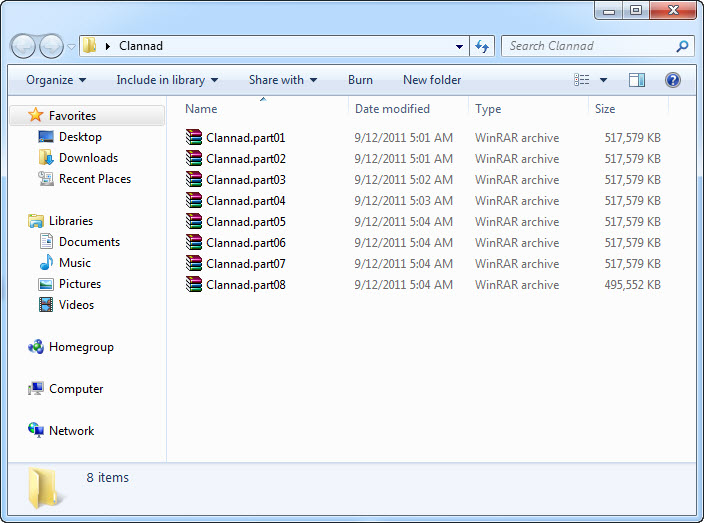
2. Right-click on first part and select “Extract here”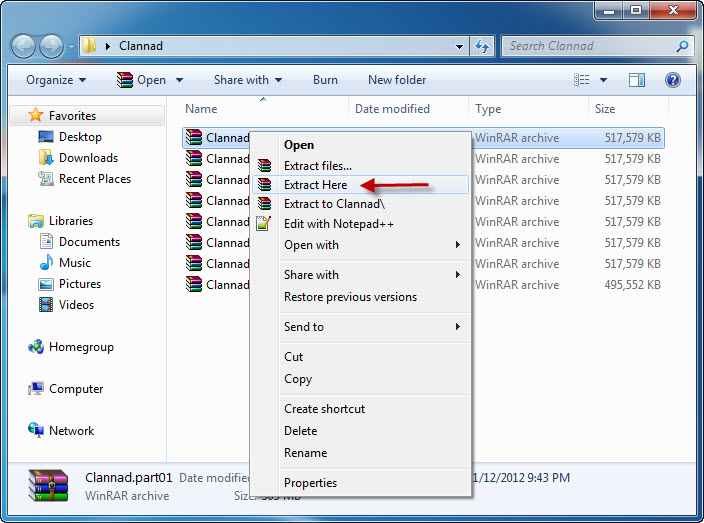
3. Extraction might take a while. Once it’s complete, open newly created folder and start the game with REALLIVE.EXE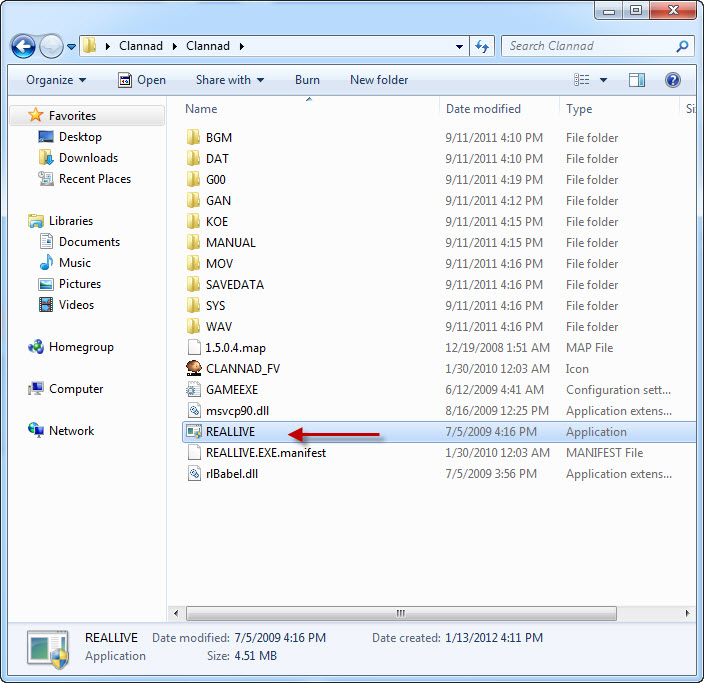
Common Clannad Errors:
After starting the game, there’s only black screen with cursor working
This problem occurs usually on 64bit systems. To fix it download this patch and replace 4 files in game folder.
Patch download (9 MB)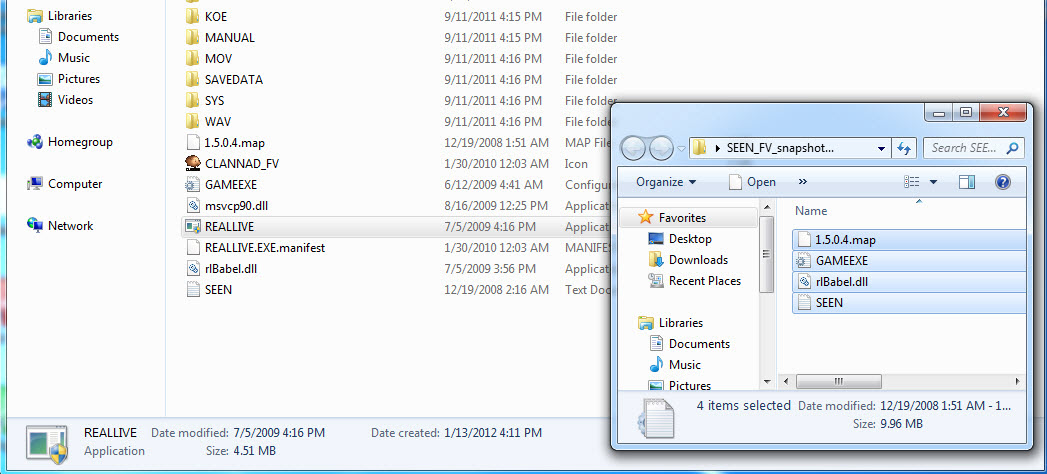
66 comments
tr;dr No valid string…make a ticket = tomoya, in most cases at least I think. Not sure though because I finished it a while ago. I'm sorry that doesn't really do much.
I'm on mac, i can't play the game and don't know what to do.
Also, the link that nightgalez gave in the comment are dead... Hope i will have an answer soon :)
I'm experiencing the black screen without the cursor working (i.e. I have a white cursor, no flower cursor).
I'm on windows 8 (64 bit).
I did all the other installation steps and could get the game running so long as I didn't try to get the English patch up.
I have switched over to Japanese Local, Location, and Format.
I restarted my computer.
I have installed the fix it patch by replacing all 4 of the files in the game folder.
It still doesn't work. I'll try repeating the steps later.