
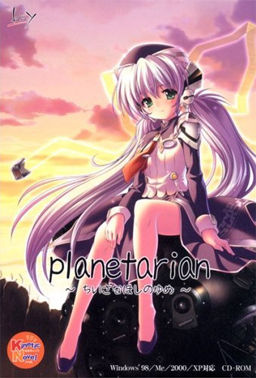
The unceasing Rain──
The 『sealed city』,
abandoned 30 years ago after a sudden biochemical warhead strike.
The uninhabited ruins,
ruled over only by autonomous battle drones.
The man came to this place,
finding shelter inside a tall building as he grew exhausted,
and there he came across
a planetarium,
a room that once filled the hearts of men
with the wonders of all the stars in all the sky.
And there, he met a young woman
whose name was 「Reverie」.
A member of the planetarium’s help staff
who had continued to wait for customers for over 30 years;
a broken robot──
Entreated by 「Reverie」,
he lost track of time as he repaired
the nonfunctional planetarium projector.
The continuous Rain.
Those quiet days spent with 「Reverie」.
A long-lost nostalgia that began to arise in the man’s heart.
What will he think about this sky of manmade stars?
And what is the fate of this 「Reverie」 of a little planet?





















I do like to correctly install this novel
I install the game icon gray, then pacth with the translation, then the crack
but everytime i try to play, it opens full screen and hangs the first image after the screen appears saying that the program is not responding …
can someone explain me how to do?
need to do something different (AppLocale or change the location for Japanese)
this is already the sugnda time I find a novel that interested me and that I can not play … ¬ ¬
Okay, Okay, okay
I managed to solve it …
all I had to do was change the location …
japan needs to be in place to exit the screen that hangs …
btw ….y the english patch is not working always error.. but the japanese version is ok i can play it?? and i follow the instruction correctly?
how’d you do it again? i mean what did you mean japan needs to be in place>
Yes, I changed the location to in my settings to Japan. But it didn’t do anything.
So what did you do that made it stop hanging?
i from indonesia.
i have playing this game.
actually i already read a review this game, and when i playing this game in at beginning,
i’m already cry about what will happening to that girl robot. i’m enjoying this game very much, and at final chapter i’m really sad.
i’m still thinking that girl robot will happly life with that Junker. why this game dont have multiple ending?
but thanks for this game.
somehow a opening music look alike from my country, “tanah air beta” that a title in my country.
it,s not ‘tanah air beta., it,s ‘ibu pertiwi’. the op based on hym what a Friend We Have in Jesus by Charles Crozat, you can read in wikipedia…
46 mb? it is very short game ,right?
sorry for my english
This isnt the full version, its a RIP missing the voice track.
long time ago i “played” this novel and i havnt think about the name miss jena…. and i have to lived 20 years of my live in this town jena in germany and also i knowing “carl zeiss” to know that such thing in in a japan novell make me very happy and i never will forget this novell
enjoy it when you reading this its a wonderfull story
I had the same problem as leon999 but couldn’t solve it, if anyone ever even reads this any help would be appreciated
Can’t play it. After the first image apears, the game freezes. It doesn’t closes itself, but is stuck in a “No Response” state.
it,s not ‘tanah air beta., it,s ‘ibu pertiwi’. the op based on hym what a Friend We Have in Jesus by Charles Crozat, you can read in wikipedia…
My install notes from Win 7
-“Region for non-unicode programs” MUST be set to Japan, then restart. It’s not enough just to change the language. big frustration for me at first.
-Download and install Sazanami-gothic font. It may help with a known issue. Available from a variety of places on the ‘net
– If you don’t cry at the end you have no soul. You were warned.
I didn’t because I can’t seem to figure out how to download this. I can download 35 other VNs without a problem but not this one.
Ok so I had some trouble downloading this so here’s how I got it to work.
1. Download the first file and run the retail copy with Jap locale to install it.
2. Download the english patch and move it to the same folder you have the first file in, and run that with jap locale as well.
3. Find the “planetarian” folder in your program files, and copy and paste that into your folder with everything else so far.
4. Take the no dvd crack and move it to the folder you obtained from the program files and run with jap locale, this removes the error asking for a key
5. to run the game, run either “kinetic.exe” or “start.exe” in jap locale
Hope this helps as I saw people were having trouble
forgot to add but to get the voices download the voice file and merge the “KINETICDATA” folder with the one of the same name in the “planetarian” folder you obtained from your program files
Thank you, I finally was able to play this.
I first saw this two years ago and attempted to play it, but I could never figure it out. Then I came back, read this and was finally able to play it. Thanks
if you all don’t cry after playing this, you don’t have any soul.
Hey admin can you upload the sekai project version of planetarian (from steam) it has professional grade translation.
something has lost from my heart…. :'( uwaaaa
Yumemi…
PLS HALP. It tells me to buy the game for some reason when I start the game. The font is in some unrecognized unicode, and i have already changed the applocale to japan. PLS HALP
Admin, I’m seriously stumped lol.
I installed everything in the following order:
1. Install PlanetarianRetail.exe
2. Copy the planetarian.exe crack into install dir and run
3. Install the english patch into install dir
4. Merge the voice patch into Kinetic folder in the install dir
5. Run Start.exe, StartJP.exe, Kinetic.exe
But nothing seems to be working. An error box pops up saying something in Japanese which I don’t understand at all. Exactly what am I missing here? I only got the menu to appear but every time I click on Play the error box pops out.
Have you tried installing it in Japanese?
My AppLocale for non-unicode program is already set to Japanese, and the setup PlanetarianRetail.exe runs in Japanese. If you can get it to run please share how. I’d really appreciate it 😀
Hello,
can you please upload the Steam Version?
i can’t play it because the patchui keep making my pc freeze
Thank you very much
this VN made me cry for a whole night and the next morning
If anyone is having problems running the game please try following these steps. I had trouble the first few times, specially with the game freezing right on the first line.
(Also try running all programs with Japanese Locale and maybe as admin)
-Install the ‘PlanetarianRetail’
-Install the english patch (make sure it’s going to install on the same folder the game was installed)
-Copy the crack exe to the game folder and run it once, it should add a few files.
-Change your PC language for non-unicode programs to Japanese (this is what fixed the game crashing right at the beggining because it’s trying to load text)
-Try running the game, if it doesn’t crash when at first line (the one on the first image, NOT those lines in the black background)
then copy the files from the Voice Patch (KINETICDATA) to the game folder with the same name.
You can also run the game directly with Kinetic.exe
Finally got the game to work after doing the following.
For Windows 10/11: if you are STILL having problems with the game crashing after the intro…
Go under non-unicode settings, set for Japanese, and UNCHECK, “Beta: Use unicode UTF-8 for worldwide language support.”
Hope this helps 🙂
So how come everyone seems to be able to read Japanese ??
I’ve got the game running fine provided that is you can read Japanese!
Last line in English is “after 10,000 days” and then everything after that is Japanese including all menus (have worked out how to save and load but that’s about it!)
Jap locale installed and also installed on multiple laptops (Win10 + XP)
OK, found the issue. Totally forgot to check the “FREE DOWNLOAD” tab which is where you find the english conversion patch