In the near future.
In a not so distant place.
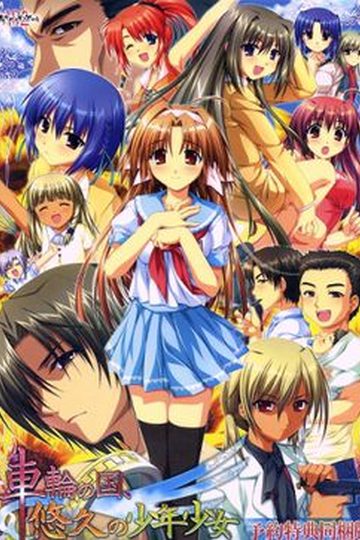
There exists a society where law is based upon deterrence and criminals are assigned “obligations” fitting for their crimes.
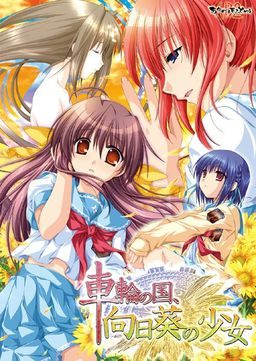
Within this society, a man named Morita Kenichi aspires to the position of Special High Class Individual, one who holds authority over said criminals.
For the purpose of fulfilling his ambition, Kenichi returns to the town he once called home. There he will encounter three girls bearing “obligations” and there he will encounter the past he left behind.
Won’t you join him in this story about how people relate to their society?
In this story about how a society relates to its people.
In this story about the girl amid the sunflowers growing in the country spinning like a wheel.


Just so you know, the Fandisk for this (Sharin no Kuni, Yuukyuu no Shounenshoujo) has also been partially translated. The Translation patch includes Houzuki’s Route but removes the other girl’s epilogues (seems there are no plans to translate those).
does’t work on Windows 7; pop up some strange signs and window and nothing happens
Did you run with under japanese locale? On vista it crashed for me, but once i started it with app locale it ran without problem.
can it work on windows 7 or XP if i change the jap. locale
Yeah, thnx so much. AppLocale installed without a problem but now it shows me this error “Please make the application specific is valid”
Sorry this problem is fixed now, but unfortunately I have another error : with the strange signs again and location of the file. Sorry for all trouble to You but this cost me too much nerves so i will resign of this game. Thanx for help
I think you need to install this game with JP locale, not only start it.
thnx so much, you were right, now everthing its ok :]
I have a problem here. i can play the game and already download the English patch but why its not translated ?
hey i have a problem here, after i download it why i can’t extract it? it always error
i just can’t extract it, and when i try to open the part 1 and part 2 its says need the cd. but when i try to extract the part 3 it says error. please help me admin T.T
Highlight all the parts and then extract. Think of them as 3 parts of 1 big file.
Okay guys from heeros difficulties and my own experience here is what you must do when installing on vista:
You must set your system locale (Found under region and language options in control panel) to Japanese BEFORE installing and leave it that way while you play.
Can someone please post a step-by-step tutorial on how to run this. I don’t know how to work this properly. I’m using Vista.
Thanks in advacance
You mount the iso, you install the game, you put the content of the patch in the new created file. You play using the ‘sharin.exe’ application. But you have to set the locale of window to japanese beforehand.
Positively absolutely wonderful game, I loved it! Do you think you could upload the fandisck too?
may i ask something? when i tried to play it, a blue screen appeared with lots of program language in it and it won’t play? and i still confused with this japanese locale
i tried what was told but i still cant patch the game or even play the game
1. set locale to japanese*
2. mount iso
3. install game
4. copy the content of the patch folder into the main folder of the game
5. start sharin.exe
*
1.Start button –> Control Panel –> Clock, Language, and Region –> Regional and Language Options.
2.Administrative tab –> Language for non-Unicode programs (System Locale) –> Change system locale.
3.Select the language –> restart pc
if i change it to jap. loacale what will happen to other files do they turn to jap language???
It’s completely harmless – only difference you’ll see is that “/” symbol in file paths will look like yen currency symbol. If you use some non-english applications they might display some characters incorrectly, but you can always change your locale back once you’re done playing.
ok thanks 4 that one, but do i need a disk or something to turn it to jap locale? like on XP or windows 7??
Ah never mind, I found a way to work around it. Thanks!
I followed the instructions outlined by several kind people here and am still unable to get the game to work. Everytime I try to run the sharin.exe file that I moved to the mainfolder I get an error mostly comprised of japanese with ‘krdevui.dll’ being the only thing I can make out. Anyone have a solution?
I have the same error shown to me.
Awesome game best Visual Novel I’ve read in a while ty admin
If you liked this one, you should check out http://erogedownload.com/downloads/g-senjou-no-maou/ . It’s made by the same company and has kinda similar “feel” but imo is much better.
my heart almost stoped from the sachi route when u go cave exploring lol
This is an awesome game…like all akabeisoft2 games…too bad only 2 full game and 1 fan disc have been translated to english =(
Is there any plans to get the fandisc for sharin no kuni himawari no shoujo uploaded on this site? The english patch for that game is done and available from TLwiki, same guys who published the english patch for this game. It would be awesome if the fandisc was also available since I’ve read it is an epilogue for this game
I’ve got a problem with this one, i’m on Vista , i mount the Iso on Daemon but it said that my device is not ready but i did the same with other Vn, and i’ve never encouter this problem, got an idea ?
Anyway , great site you have here, keep up the good work
I also have a problem.
I even re-downloaded from somewhere else ….
I mount the iso with Daemon Tools and then, nothing happens,just my computers which lags a lot.
I’m on vista.
I experienced the same problem and I just left it on and waited. After a good 30 or so mins, the setup started loading for me and everything went smoothly after that
It’s a Very good game,i can say it’s the better Vn i played.
I had the problem of the slow instalation,the daemon tool take some time to open the setup,but in 10 mins the setup run.
Now i will try the g senjou no maou,let’s see if is good as Sharin 😛
i click on the game and all these weird languages come up error syntax error
Well when I click your name strange things happen. Explain that one, buddy =O
Seriously though, I just noticed a couple people on this page have links in their names that seem to go nowhere. Whatsup?
Very well translated, thanks as always.
It’s not, but you can find it through Google. The English patch is 100% complete I think.
I know it’s been said here and there already, but for anyone who has trouble installing this game and is new to all this… I too just started and will give you some steps towards getting this game to work (without mocking you!)
1. Download the 3 parts and the english patch, linked above.
2. Download WinRAR and Daemon Tools (both are free and will cause your computer no problem; they are your friend)
3. “Extract” both the english patch and part 1 of the game (will automatically work for all parts).
4. (this step is more unique to this particular game) Go to control panel, clock/region/language, change country/region, and under “administravtice” you’ll be able to change the ‘locale’ of your computer. Change it to japanese… this will allow the japanese text to appear as, well, japanese and not nonsense. (this restarts the computer)
5. Open daemon tools. Click to add an SCSI drive and then find/add the file “syarin.ISO” to it. Now you can go to your “computer” and find an imaginary CD drive on your computer that opens up the game install. (be patient.. its slow to start up AND all in japanese, but you can figure out what to click to install it.)
6. Find the file “patch.xp3” that you extracted from the english patch. Copy. Now find the location of your newly installed game, wherever you chose to save it, and paste the patch.xp3 right into the list of other program files found in the game’s main folder. NOW you’re set and ready. Enjoy!!
(note, your computer MUST be set to Japanese ‘locale’ in order for the game to work. No, this doesn’t turn your whole computer into japanese and leave you lost with a foreign computer. Just allows japanese text to appear properly, plus you can always change it back if you’d like.
The installer Setup doesn’t seem to run. I have mounted the ISO with Daemon Tools and attempt to run the setup. It asked me if I want to allow it to run and I say yes, but nothing happens after that. I’m using Windows 7, and yes I have it set to Japanese unicode setting. Not really sure what the problem is.
Never mind. After doing I other stuff for a while I returned to my computer to find that the setup was open. I guess it just took some time?
does it need a disk or something to make it a jap locale on windows 7 or XP
and one more thing to change it to jap locale was it the format button(windows 7)???
Wow…..what a finale, amazing stuff.
so is the patch in the links section at 100%??? i cant play something incomplete it will make me go crazy 🙁
Yes, all pacthes are 100% english ( unless stated otherwise)
i’ve extracted it but how do do i integrate the patch into the setup or use use the patch at all
I just think it’s hilarious that the MC in this game smokes weed.
@Admin, do you thing you could give me a VN suggestion like this?
P.S Ive already played G-Senjou-No-Maou(loved it) any VN would be fine
@Admin I would very happy if you would upload “Sharin no Kuni, Yuukyuu no Shounenshoujo” the sequel of this VN on this site.
uh that VN hasnt been fully translated yet, so its likely that its no going up soon
That’s too bad. I heard they only translated Houzuki’s route. Do you know anyone who can or might translate this game?
Actualy it’s almost translated. All of Sachi’s, Natsumi’s and Ririko”s scripts are already translated, 4 of 13 Touka scripts have been translated so far.
nice to know, so are theyre any other VNs like this?
G-senjou no maou is really similar and made by the same studio.
I have already played that.(Loved it like hell) any other suggestions?
hotfile keeps asking me for a login and pass but nowhere on this website do I find any info on that. what am I supposed to fill in there?
the file is gone i was too slow !_!
admin
can you upload the sequel or prequel maybe?
with the title sharin no kuni yukyuu shounen shouju
oh, you must run the patch in full Japanese system locale..haha
What… run the patch? How do you install an .xp3 file? Because that’s the only file in the patchfile.
http://i240.photobucket.com/albums/ff99/Cedric5859/Game/fefg.jpg
You don’t “run” it – just place it inside game folder.
I had the same prob, you just need to keep the image mounted on DAEMON Tools or whatever program you used.
If you liked this one then you should definetely check out “Devil on a G-string”/”G-senjou no maou” ( available for download on this site) which was made by the same company and got kinda similar plot.
*reads the katakana*
try mounting the disk image while you run it
Quote:
“I know it’s been said here and there already, but for anyone who has trouble installing this game and is new to all this… I too just started and will give you some steps towards getting this game to work (without mocking you!)
1. Download the 3 parts and the english patch, linked above.
2. Download WinRAR and Daemon Tools (both are free and will cause your computer no problem; they are your friend)
3. “Extract” both the english patch and part 1 of the game (will automatically work for all parts).
4. (this step is more unique to this particular game) Go to control panel, clock/region/language, change country/region, and under “administravtice” you’ll be able to change the ‘locale’ of your computer. Change it to japanese… this will allow the japanese text to appear as, well, japanese and not nonsense. (this restarts the computer)
5. Open daemon tools. Click to add an SCSI drive and then find/add the file “syarin.ISO” to it. Now you can go to your “computer” and find an imaginary CD drive on your computer that opens up the game install. (be patient.. its slow to start up AND all in japanese, but you can figure out what to click to install it.)
6. Find the file “patch.xp3″ that you extracted from the english patch. Copy. Now find the location of your newly installed game, wherever you chose to save it, and paste the patch.xp3 right into the list of other program files found in the game’s main folder. NOW you’re set and ready. Enjoy!!
(note, your computer MUST be set to Japanese ‘locale’ in order for the game to work. No, this doesn’t turn your whole computer into japanese and leave you lost with a foreign computer. Just allows japanese text to appear properly, plus you can always change it back if you’d like.”
I did this, my applocale was already set to Japanese, copied patch.xp3 into the game directory, and when i launch the game this happens: http://i240.photobucket.com/albums/ff99/Cedric5859/Game/fefg.jpg
Afterwards, when i press OK, the game shuts down. I tried it both on Win 7 (32/64 bit).
Help me with this problem, i did everything correctly.
http://i240.photobucket.com/albums/ff99/Cedric5859/Game/fefg.jpg
This error says that game cannot load files from DVD. make sure game disc is mounted while you start the game.
Nevermind. But you just have to put the file there.
Jeah i know, finished the first route now ( Sachi)… and damn, i’m really starting to like Akabeisoft as a dev for their awesome stories. This is a very very good eroge (although G senjou no Maou is still better though :p)
I have a problem … i instal the game , copy the patch play and everything is fine… but after i close a cpu and open it again and try to play again it gives me an eror on the black loading screen (I’ve already set the cpu to system locale japanese).
Admin how is the translation of Sharin no Kuni, Yuukyuu no Shounenshoujo coming along? Will you post it when translation is fully finished? Cause i’ve only been able to find the game with english patch for Houzuki route….
It’s been completed few days ago, but i’ve been too busy fixing removed files to post it. I’ll upload it today.
Really? Could you upload the full english patch or give a link? (I already downloaded the jap game). I tried googling for it, but didn’t find anything useful.
admin i have a question are you going to upload Sharin no Kuni, Yuukyuu no Shounenshoujo
Why is there only 2 Parts there and 1 Patch? I mean I’m getting error during extracting it. It errors during 98%? You said there’s 3 Parts, but why is there only 2 Parts on the description??
LOL.Just delete the earlier post…
i’m having some difficulty with the english patch, im able to play the game but its not being translated. i extracted the patch and placed it inside the game folder and im pretty sure i did everything else correctly. any idea whats wrong?
Running on vista i’ve never had to set the language I’m curious why this seems to affect other vista users
This is a 2nd game that doesn’t work to me , i mean it looks the same two windows are opened when starting with a empty error and nothing help.