
This patch restores removed content ( hentai scenes, kissing, dirty jokes etc. – basically everything that localization company deemed unsuitable for 12 year old French girls ) in English release of “If My Heart Had Wings” (“Kono Oozora ni, Tsubasa wo Hirogete”).
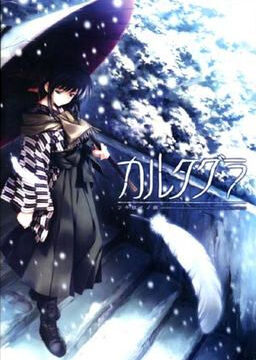
Cartagra ~Affliction of the Soul~
The hero of this story is Takashiro Shugo. An ex-police officer that is now unemployed and freeloading at a brothel. From time to time he takes on detective work from…

Elves Christmas Hentai Puzzle
On Elves Christmas Hentai Puzzle, you have to complete each girl’s picture by relocating, rotating, or swapping different tiles. Explore the small endearing castle full of paintings of beautiful elves,…
Taimanin Asagi Chaos Arena
Anti-Demon Ninja Asagi – Chaos Arena, describes a lewd fight in the Chaos Arena that couldn’t be depicted in the original Anti-Demon Ninja Asagi. Things heat up with the addition…







Wow 7 parts for a patch, that is the biggest patch i have seen so far on this website.
Well it, more or less, is half of the game that is being restored with this patch ^^
duel savior patch is wayyyyyy bigger than this. (2.3 GB)
there is also the koihime musou patch that added all the voices back into the game which was as big or bigger than the actual game itself.
Umineko chiru better cg patch + voice patch is much much bigger than this. Around 4.5 gb i think
the bigger the patch the good and best the game will be right..
and thanks for the patch..(y)
Whoever made this, THANKS. Finally this game is actually playable. I could have lived withouht the hentai scenes but everything else was just plain crazy. Once again, THANKS to the creator of this patch!!
Yeah. Sex scenes aside, why would they remove kissing, dirty jokes + some adult talks? Blasphemy! It totally ruined the game. Kudos to people who made this patch.
Does this fix the translations as well? If not, will that patch be uploaded in the future?
As far as I remember, yes. But it will take more time, obviously ^_^
whoever made this thankyou!!! love it!!! thanks for posting
Yeah.(I’m glad I waited for this instead of playing without it)
Why leave it out in the first place.If they wanted all ages they should have translate an all ages game. To me leaving out the romance and the H is like building a house and not putting the roof on it.
More like building the house on shitty ground without fixing it, making your initial time in it good, but then you realize you’re fucked as the house slowly slides out of position before it collapses.
Two important notes here:
1) This is not the final version of the patch, there will be bug- and translation fixes in the next few weeks, so if you want a REALLY finished translation, wit for those.
2) There is a version of this patch that can be applied on the original Japanese game and does not require the English version.
yeah that what they said in the site where you can find this patch. Hey Admin hey! wrote it that it is not finish
There are bugs?
I see
Thanks for this information
I’ll just wait for that
There’s no solution to play this game on 1024×768? :S
Unfortunately none as far as I know. The minimum resolution is 1280×720.
bugs ? I hope they are not serious…
if there are only minor bugs like typos, line breaking .v.v. then it’s ok for me 🙂
aside from a few typos i havent found anything wrong with this patch (completed all routes), only problem i had was that i had to use applocale otherwise it errors at the start.
if you are really picky on your grammar you could wait, but imo its fine as is.
err i’d wait for the final version of the patch before downloading an incomplete and error filled patch…
you forgot something important. On Vista and up IMHHW should be moved to non-system location, otherwise patch won’t work. (at least not without manually changing .bat file)
Thanks man
i have tried several times to play this, however the game still doesn’t work the way it’s supposed to be…
there are several errors such as the CG is not in order, the Hscenes only have voices and texts without pictures
someone please help me to install the patch pls
As per the official fansub website, more updated versions will be released during the month.
Another full release )version 2.0) further down the track.
Instructions can be found on the site on how to install this but if you really want to enjoy the game I would wait until the bugs are fixed which should be finished around the end of the month.
Admin I really love you nigga
Why specifically “French girls”? oO
It’s a quote from interview that english version producer when asked about why they cut so much stuff 😛
“For example, we want 12 year old French girls who like anime to know about it as well, and make it so that there is no problem appealing it to these girls. Thus we will need to make it easy for such girls to tell their friends who also like the same type of anime.”
I don’t need H-scenes too, if I’m horny beyond 100% I’ll watch hentai or play full blown eroge, so for a VN like this it is not needed. However, rewriting a route completely is not something that I appreciate so I’ll definitely use the patch… when it’s done right.
It’s not about the H Scenes. Moenovel removed plenty of scripts that were deemed to “inappropriate” and wrote their own alternate ones. This led to some of the routes to be kinda awkward cause one of the heroine routes involves a plot about sex friends.
Will this patch work on the version of the game i downloaded from mangagamer?
fuku website also has a modified batch file for windows 7/8 64 bit users. You should run it as admin for either patch to ensure it goes through. I know because I had to install with the newer one since the old one wasn’t working.
thxs admin but i’ll wait another few months for the final patch
repeated playing it(im sure you know the reason)with the patch and its good horray to 12 yrs old french girls!
if you get access denied or file not found when using the apply_diffs.bat just move the moenovel folder from programme files ( i put it in C:) and apply again. some places say to install both again but you dont need to.
Somehow when i copy the whole patch into my installation directory and run the .bat file, it always says he can’t find a load of files and it kinda doesnt work. Does anyone else have the same problem
Thanks for the patch. Even if the game could perfectly do without the H part the rest of the contents that where left aside made the game quite tasteless. Thanks again. \(^_^)/
I have a problem with the game that might need fixing on either my part or yous admin. 🙂 I downloaded the game and then patched it with the new stuff but hen I play the game, there are no pictures of the characters. Just the background and the text.
Got exactly the same problem. If it helps its error code is 0x000000039
me too, to many crit
Should I have the apply_diffs.bat running when I launch the game to apply the patch? If not, is there any way to ensure that the patch has been installed correctly? The game works fine for me at a quick glance, but I really don’t want to play 10 hours only to realize I’ve been playing the butchered version.
Ageha’s route still seems like a mess. I actually gave up on it. Asa and Yoru’s routes seem fine though. Though considering the content perhaps they weren’t tampered with as much as Ageha’s was despite what I heard.
you mean even after installing the patch ?
Yes finally !!!!! Thanks for the patch, I really hate censorship .
I really do not understand why people just have to be so mean and force you to clear a route you do not wish to have anything to do with in order to unlock the one you want 🙁
So I was wondering would someone be kind enough and share a link of a save file with Kotori’s route cleared please ?
At which point does the common route end?
Downloaded the game from this site and I cut+paste the patch into the installation folder, however when I try to run the batch file it says “access denied”
So I tried to run it via admin and I get these error messages “the system cannot find the file specified” and “xdelta3.exe is not recognized”
Anyone know what the deal is? Did the patch work even though I got these things?
Thanks.
can anyone tell me what kind of bug is in this patch?
minor or serious?
not sure if u can count this one, but some cgs in the gallery cant be viewed in full
No kidding?! weeeee!!! tnx admin!
Thank God All Mighty the PATCH HAS COME!
Patch doesn’t work well for me, the game will play through, but it will stutter between scenes, and won’t show the character’s figures/expressions anymore, trying to load the H-scenes that are now available simply causes an error to pop up without going into the scene. There’s loads of critical errors as well while playing, though it can keep going.
Not worth downloading until they get a working version out at least, I would be fine with typos, but not not things that just about break the game.
It’s typical symptoms for those who installed the patch and run the game not under japanese locale. Patch itself is not that buggy.
Haha, no, I’ve played hundreds of Japanese games, so I by default have my settings set to japanese locale. So that’s not it, this isn’t patching properly, it even says so when it patches, it patches most of it, but gets errors because it can’t find certain files.
Then when the game plays, it will start stringing errors every time a character picture is going to be displayed.
And why I didn’t have anything like that? Maybe it’s because you using win7/8 and there can be problems with lack of admin rights or protection of system directories during patching. I have winxp and didn’t experience any kind of errors – all sprites/pics are showing correctly 😉
Fixed it, and it was pretty complicated. The main site addresses the problem, it is when sprites don’t show up. Locale is only one of the potential solutions, the other is to do a complete re-install, not in program files, and use an improved bat file they made (which you have to get from their site). Re-installing with the improved bat file worked for me.
Is it just me or the 7 parts all contain the same thing?
the files i got all asked me to overwrite the existing files that got extracted from the previous rar file?.
the file name as follows:
apply_diffs.bat
Chip1.arc.diff
Chip2.arc.diff
Chip3.arc.diff
Chip4.arc.diff
Chip5.arc.diff
Chip6.arc.diff
Graphic.arc.diff
Rio.arc.new
Uncensor Patch – ErogeDownload.com
Voice.arc.diff
xdelta3.exe
Please let me know
thanks!
Archive contains the same files, but they are split over several parts, due to large size. Since WinRar recognizes such multi-part archives and automatically pulls data from following parts, it’s enough if you extract data from first archive – program will automatically open later parts.
Ok can somebody tell me how i know it’s working i mean like that guy say “i don’t want to play 10 hrs just to know i lost many thing” Help here ok ?
Early in the story, there’s a scene with Kotori wanting to take a bath by herself. There’s also a scene where all the girls take a bath together. If they don’t appear until the second opening plays, the patch apparently isn’t working.
Thank you superfid2006 ! Mine is still censured by the way i can make it work :<
I got the scene with Kotori in bath and it wasn’t censored like in the CG gallery, but no 2nd bath scene. Maybe it show up later, I’ll keep reading for now.
Okay it works, the second bath scene comes a little later on.
Thank you so much, i thought i would need to wait for years 🙂
You mean there are still people using 1024?!?
is that the patch is in English and is it corrects the bug ?
Is there any way to tell if the patch is working before you play the whole story? like extra slots in the cg section or something?
There is a logo from MN in the main menu if your game isn’t patched (read that on the patch forums).
Also there is a bath scene in the common route. If the girl is with a towel your game is censored, if naked, then it’s patched.
Also, i think you guys should wait. A better patch will come with all the game being tlc.
can someone download this in this page EROGE! Sex and Games Make Sexy Games
that game isnt released yet.
something wrong when i patch this game.
first, there’s no animation from girls.
second, so many crit from this patch
so what’s wrong, how i am install this game or the patch?
sorry my english bad
It was all going well until part way into the Ageha route. English becomes incomprehensible. I assume this is the original translation? It’s like they did it with ATLAS, no PR at all, no checking to see if the sentences were cohesive. Every other route seems to be fine.
Thank god for these patchers, looks like moenovel has no clue what they are doing
This isn’t the final patch, but it still takes a butchered LN and makes it readable. Still needs a little editing and script work though. The gallery is missing cgs from recall and there is no scene recall from the title menu. Not sure if they plan on fixing that or not though.
I just finish kotori route and all the way from start to finish I NEVER encounter any single error at all!
all text match all dialog perfectly. no overlap message window too.
– laptop lenovo y560
– win 7 ultimate 32 bit
– Japanese local
– play in full-screen only
want to ask about this game
is this game don`t have pic when they talk..?
im still very new to ero games and not positive i can install a patch like this. so i was wondering if theres a way to know if it worked correctly right i the start. also if i could get a small summary of how to install it that would be awesome.
how to install this patch? please let me know.
iam already patch it, but always have error or crits in windmill scane, and there’s no picture of the girl character
me too
have you already fix it??
Anyone know about how far into the story will need to get before you can tell if patch worked?
read the comments before and you will know it
hello i love this game. but when i got done instilling the patch and then start to play the game i started to get an error message, How do i fix this?
I am completely new to this games.
In order to make this patch and game works you need:
1.- Install the game in C:
2.- add the path files and rune the instaler.
or if you already installed in program files
2.- add the path files to the installer carpet
3.- Move the installer carpet to Port C:
4.- use the Run apply_diffs.bat
5.- Move the carpet again to program files
in an other carpet.
number 5.- is just move the carpet again to progam files.
It tells me that it can’t find d3dx9_43.dll . However, I did all what you said. What do you call the “installer carpet”, what file is it ?
Sounds like DirectX issue on your PC. Go to microsoft and download the DirectX.exe file and run it. It’s a few KB.
It works now, but my screensize is too small, the game can’t be launched… I’m cursed T_T. Thank you anyway, i’ll try with an other computer soon :p.