
The unceasing Rain──
The 『sealed city』,
abandoned 30 years ago after a sudden biochemical warhead strike.
The uninhabited ruins,
ruled over only by autonomous battle drones.
The man came to this place,
finding shelter inside a tall building as he grew exhausted,
and there he came across
a planetarium,
a room that once filled the hearts of men
with the wonders of all the stars in all the sky.
And there, he met a young woman
whose name was 「Reverie」.
A member of the planetarium’s help staff
who had continued to wait for customers for over 30 years;
a broken robot──
Entreated by 「Reverie」,
he lost track of time as he repaired
the nonfunctional planetarium projector.
The continuous Rain.
Those quiet days spent with 「Reverie」.
A long-lost nostalgia that began to arise in the man’s heart.
What will he think about this sky of manmade stars?
And what is the fate of this 「Reverie」 of a little planet?
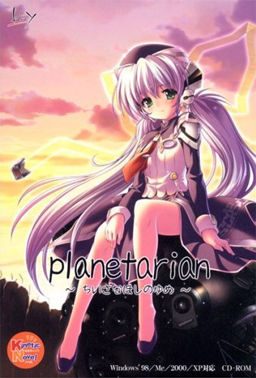
Planetarian





115 comments
I first saw this two years ago and attempted to play it, but I could never figure it out. Then I came back, read this and was finally able to play it. Thanks
Yumemi...
I installed everything in the following order:
1. Install PlanetarianRetail.exe
2. Copy the planetarian.exe crack into install dir and run
3. Install the english patch into install dir
4. Merge the voice patch into Kinetic folder in the install dir
5. Run Start.exe, StartJP.exe, Kinetic.exe
But nothing seems to be working. An error box pops up saying something in Japanese which I don't understand at all. Exactly what am I missing here? I only got the menu to appear but every time I click on Play the error box pops out.
can you please upload the Steam Version?
i can't play it because the patchui keep making my pc freeze
Thank you very much
(Also try running all programs with Japanese Locale and maybe as admin)
-Install the 'PlanetarianRetail'
-Install the english patch (make sure it's going to install on the same folder the game was installed)
-Copy the crack exe to the game folder and run it once, it should add a few files.
-Change your PC language for non-unicode programs to Japanese (this is what fixed the game crashing right at the beggining because it's trying to load text)
-Try running the game, if it doesn't crash when at first line (the one on the first image, NOT those lines in the black background)
then copy the files from the Voice Patch (KINETICDATA) to the game folder with the same name.
For Windows 10/11: if you are STILL having problems with the game crashing after the intro...
Go under non-unicode settings, set for Japanese, and UNCHECK, "Beta: Use unicode UTF-8 for worldwide language support."
Hope this helps :)
I've got the game running fine provided that is you can read Japanese!
Last line in English is "after 10,000 days" and then everything after that is Japanese including all menus (have worked out how to save and load but that's about it!)
Jap locale installed and also installed on multiple laptops (Win10 + XP)