

This is a kill or be killed brutal and deadly love story. Can you stay alive all the way to the ending?
The girls are all violently possessive and go head over heels after sex. Every single one of them is sick!!
Please be aware that there are elements in the story that the faint of heart may find too grotesque.


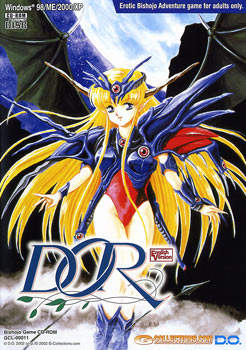


















still not working installing is giving errors and when you try to start the game it give this little blue screen and wont start can anyone help me with this shit ? cuz i really wanna play this game
http://erogedownload.com/faq/changing-to-japanese-locale-on-windows-7/
when i download these files. i only get two vlc media files and cant do anything with them.i have tried redownloading it multiple times to see if my internet was messing up and wasnt downloading things properly. Please help.
mount the file YANDERE.cue in daemontools or power iso, then run it normaly
Cannot get game past load screen, which gives a pop up in Japanese and then closes
I have jap locale and directx
Problem solved! I hadnt properly mounted the file in powerISO
how tf to make it work in windows 10 … when i start the game it shows me japanese writing and then crashes
wtf
Problems with the Maika glitch:
I found the location of the saves, at least in my case.
C:\Users\[your name here]\AppData\Roaming\RenPy
I’m about to see if it works
Actually nevermind, it turned out to be files from another game. I’ll keep looking
I found it, try this:
C:\Users\[you]\AppData\Local\VirtualStore\Program Files (x86)\NEKOMARUDOW\NEKO20\NEKO20
It won’t be there if you haven’t started the game yet. Start it then close it and delete the save. I deleted all of NEKOMARUDOW just to be safe. Now you can start the game to see if it worked.
I got the game to work finally but there is no voice sound? is that normal?
In case anyone got stuck with the installation like me, here’s how it went for me.
What you need:
1. Download the Japan language pack on your computer.
2. Change your region to Japan. Google if you need help.
3. Locale Emulator already downloaded. Make sure the locale is already set to Japan. (May require a restart or shutdown)
4. A Virtual Driver (DAEMON Tools Lite or PowerISO) to open a .bin file
Extraction/Install:
1. After downloading all the game files and english patch, extract both yandere files. The new folder will contain a .bin file and a .cue file. Extract the english patch.
2. You’re going to need a virtual driver because Windows 10 won’t mount it for you. Try DAEMON Tools Lite because it’s free. Download Daemon and make and add a drive. Uncheck the promotional software while your installing DAEMON to avoid useless downloads.
3. Go back to the .bin file and open it with DAEMON Tools. The disk should have appeared in your file manager.
4. IMPORTANT! Find the “Install” application. Right-Click on it and use Locale Emulator Run in Japanese (Admin).
5. A new window should appear in japanese font for the installation. Continue the installation by clicking the middle button. The button with a “N”. The check marks are for a desktop icon and a automatic pop up. Stop the automatic pop up by unchecking the box on the last page (When there are only to buttons left).
5. Go copy the files in the english patch.
Go to installment folder for the game application in your program files.
“C:/Program Files/NEKOMARUDOW/NEKO20/NEKO20”
Paste the files and overwrite all.
6. Right-click the Yandere application and run in Locale Emulator.
Good luck.
Heyo, so I tried what you did,except when I right clicked on the Install.exe file in UltraIso, the Locale Emulator option didn’t appear even though I installed it. Any help would do.
Disregard that, I tried to copy the files from the English Patch to the installment folder to rewrite it, but it says “There is not enough space on GAME_20. You need 197 MB to copy these files.
You install the patch in the folder within your computer (C:programfiles/nekomaru or something/NEKO20/NEKO20. Not inside the Mounted disc drive or else it’d say not enough mb.
Everyone, make sure to install using Locale Emulator and open the game with Locale Emulator. – this worked for me.
For those who can’t unlock the last 3 CGs:
A. Do her
B. Go eat with Maika
C. Tell everyone to get out
D. Accompany Maika
E. Tell Saki I need to use the bathroom
F. Invite Saki to do it
G. Go to Maika as usual
H. Escape to the restroom
I. Find a way to escape
J. Hear her out
K. Just a little bit should be fine
Honestly, everyone says that the main character is a womanizing asshole. What I don’t understand is why, since the main character finds all the girls to be annoying, just why does he have sex with them? I’ve been rejected for having a penis that’s only 7 inches long, yet the rejection based on penis size doesn’t bother me to this day — I’m not that desperate for sex.
Maybe the common viewpoint about the main character is correct, but then I started to think about how all these women are crazy, and that the main character isn’t a womanizing asshole, he’s a fucking idiot.
I appreciate your honesty smol pee-pee man.
The fact is, you managed to court a woman. You forged a bond with her through friendship, and mutual trust. After 2 years of dating and meeting eachothers family you decided to take your relationship to the next level. As you were kissing her, making her hot and heavy. You finally pulled out your below average, seven-inch-long mini penis. And she burst into laughter. She lost all the respect for you that you built over the years. You tried to shove it in, but she blocked her pussy. “Come back when you have an average-sized foot-long schlong” she said. After that night she stopped answering your calls. She ended your friendship. And her family and friends laugh at you. But you didnt let it get you down. And for that, here’s your crown king, the one you dropped. Personally, I reccomend dating shorter women. Petite girls who are 5″2 and below. Tall girls have long vaginas, and short girls have short ones. Shorty’s gonna complain that you’re slamming her cervix. but at least to her, you’re just the right size.