
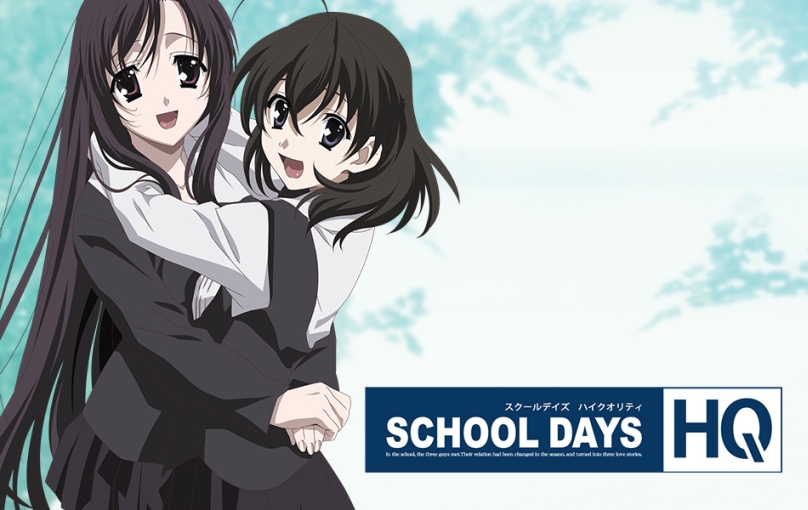
In the school the three people met. Their relation had been changed in the season, and turned into three love stories.
Makoto has been admiring a girl he has seen on the train. That girl is Kotonoha Katsura, and he even managed to take a photo of her with his cell phone. Due to new seating in his class, he ends up next to Sekai Saionji, a nosy, but sweet and sincere girl. As she snoops for his cell phone while talking to him, she discovers his crush and vows to help him until Kotonoha agrees to go out with him. When Sekai finally gets them together, she realizes her own feelings after finding out that the person Kotonoha liked was, in fact, Makoto. While waiting for her train next to Makoto, who was waiting for Kotonoha, she has him talking about how he can repay her for all of her help. Before leaving for her train, she kisses him and cries when she boards the way home. Kotonoha happily arrives for her date with Makoto shortly after. With all three main characters carrying different expressions on their faces, the story begins.


















This game just goes above and beyond fucked up -.-
Wait woah!
It wont let the 0.2 movie file download for some reason!
I clicked on the trouble shooting link and It was perfectly fine!
why is it doing this! QAQ
como instalo el juego school days para pc por fa
Shit! 50 parts of 200mb?! And i need to wait 5 minutes to download one by one…
Sorry if my english isn’t good, i don’t speak fluently… because i im brazil =*3*=
So comment yeah blu
i cant get past the 2nd disk park of the install. i mount the the other disk eject the first one then click ok but the popup asking for 2nd disks just comes back again. What am i doing wrong?
hi guys just downloaded the game and install seemed to run no problem but stops at SysSe.GPK.
I read the troubleshoot/installation help and found the same problem for video files,
i just wanted to ask wether it works analogue or if any of u had a solution.
thx very much for any answers.
For the problem with SysSe.GPK file durring instalation.
Dont close the instalation.
Open packs folder copy SysSe.GPK file to desktop. Delete this file from packs folder and copy this file from desktop to packs folder.
Instalation should continue.
That solution worked for me, thanks. 🙂
Although, after following those instructions the installation didn’t continue until I clicked once on the little installation window, so I thought it hadn’t worked at first, but it did.
Thanks for the solution dude, I copied the file but I replaced the one on my instalation and didnt work, now as you said deleting the file works perfectly.
Hi there everyone I have a very serious problem with the game and I tried to find a conclusion but after so many attempts I have failed. So the problem is, I was playing school days fine and it was working for 3 days. But after I attempted to play it. It wouldn’t lanch, I attempted to uninstall but it said ”You are attempting to start at DVD-ROM” and nothing happens. So I attempted to unintstall from the application itself. I would let me uninstall but it wouldnt actually uninstall. after it ”uninstall” I would click install and it would pop out the uninstall button again. I would uninstall and then nothing would happen. This repeats non-stop. So I decided to unmount the virtual drive and just completely delete the game from my laptop. I redownloaded it again. And when I start the application. it would lead to the same screen. I would click game start and it wouldnt do notihng. I would uninstall and same problem. I’m not sure if the game itself is still in my lap top. I went to control panel and tried to find it so i can uninstall. but it wasnt in there. If someone have any idea or solution of any kind. Please do let me know asap. Thank you very much.
i was playing the game fine until after the ending of episode 6 were the screen went straight back to the home screen.i have tried loading over my save file but it keeps happening has the route ended or somethig or technical issues because it ended abruptly.
also i cannot get to install patch v1.02 it wont install after it says select folder.
How can I play School Days HQ on Mac?
I don’t want to use a Windows emulator like bootcamp….
Did I have to play it on a Windows PC?
someone can tell me if and compatible with Windows 8.1?
“Eroge rule #162: No matter how much of a douche bag the main character is, any major or minor girl character will want to have sex with him. This is known as the Itou Makoto Effect.”
That pretty much summarize the entire game.
So I can’t even install. Halp Admin! I tried extracting teh two discs and running from there, and when it asks for disc two, I tried everything with disc two and it won’t accept it!
I tried Daemon Tools and it’s saying it didn’t install properly when I try to run the SEtup on DIsc one, and now teh setup is stuck on my computer and wont go away.
So I found a video of someone downloading it here perfectly fine but he used a cracked version of the pro advanced edition of daemon tools. Does anyone know if this makes a difference? If so, where is a download link for it that actually works? All the ones I’ve tried lead me through a bunch of BS that I think is just selling all my fake personal info.
Also, with Daemon Tools standard, I install disc one, I eject it and mount disc two, run teh setup and click okay, I’ve inserted disc two, and keep trying to click it away, but it refuses to accept the disc. My last option is to burn the data to actual discs and run it off of there. Is this teh best option? Or can someone find a free DL of cracked Daemon pro advanced?
how do i get the visual novel?
I have the game installed on my computer and everything is running fine, but when I play the game I can not hear any of the characters talking. Male voices are on and I have character voice volume turned up so I don’t know what’s wrong.
I have the game installed on my computer and everything is running fine, but when I play the game I can not hear any of the characters talking. Male voices are on and I have character voice volume turned up so I don’t know what’s wrong. Please help
I have the game installed on my computer and everything is running fine, but when I play the game I can not hear any of the characters talking. Male voices are on and I have character voice volume turned up so I don’t know what’s wrong. Please help me
Well, for you it’s 5 minutes for one file of 200 mb but for me it’s half an hour for one file of 200 mb :'(
doesnt work for me all i get is school days hq has stopped working
all i get is ran into a problem when i open it
i cant seem to download, i try to download the parts but in the site when i click ‘free download’ I click and only shows a blank page. What should I do. LOL
I have attempted to download this three times. I bought the premium version of the download site and at 99% it will say Network Error. What do I need to do? The download takes 14 hours.
obrigado
~~Hi+everyone!+troubleshooting’s+here+to+solve+your+problems+>>
=Voice+Issue:
Install+DirectX+again,+precisly,+you+need+both+D3DX9_43.dll,+D3DX9_42.dll+AND+(optional)+d3dx9_38.dll.+throw+then+in+game+folder.
–Why+that+happen?
You+miss+these+files+in+your+DirectX+database,+using+Windows+XP/Vista+or+Windows+cant+find+these+files+in+your+PC
=Start+Crashes:
1.+You+live+in+india/russia/some+other+country’s,+change+time+zone+to+american/mexico/england+and+time+to+00:00
2.+Your+are+running+windows+in+16+bit+color,+change+it+back+to+32+bit+color.
3.+You+miss+D3DX9_42.dll+file.
4.+You+have+a+octacore+processor,+idk+but+this+affects+me,+just+patch+the+game.
5.Irregular+Screen+Size,+change+to+1024×768,+or+patch+the+game+and+see+if+it+works.
=Random+Crashes\laggy+game:
1.This+>+https://www.youtube.com/watch?v=MdsfuZ_WGdg
2.Sound+driver+incompatible…+update,+download+a+new+one,+try+to+play.
3.You+need+Japanese+App+locale+(haven’t+tested)
4.Play+as+administrator.
=Download+Problems
1.+When+it+gets+99%,+it+crashes!>+use+another+web+browser,+or+download+in+another+partiton,+your+disk+is+with+badblock.
2.too+slow>+try+downloading+it+via+Torrent.
still cant get past insert disk 2 part
please help both parts extract well with no error
each part will install individually just not both together
on either win 7 or 10 ….
I donwloaded the 1 click thingy 3 times now and I always get an CRC Error in the first Iso at about 30%.
I just tested it and it downloaded and extracted fine. Make sure your antivirus or other software doesn’t interfere with the process. Also, are you trying to extract it to SD card or USB drive? Some of those are using FAT32 filesystem, which doesn’t support files larger than 4GB.
I downloaded it to my 3 TB Harddrive so it should have no probs with Fat32, but I just finished the Multi part one and will try that.
There’s an issue with the 1-click DL. The free version works fine though. For giggles I re-DL’ed the 1-click on another box and the same error at the same point rears its head.
That worked for me, so no more complains.
Is it in English? Is it english subbed only? Don’t like English dubbed but subbed is necessary
Yes, Japanese voices, English text.
the one click download seems to be broken….when i tried extracting the files it told me that disc one file is broken, what should i do???
I can’t install the 2nd disc. After it installs the 1st disc it asks you to insert the 2nd, then when I click okay it keeps asking me to insert it. How do I install the 2nd disc?
Ok, so if you’re using disk mounting software like deamon tools you need to make sure you mount both disk 1 and disk 2 to the same virtual drive, ex. dive J. If you mount disk one to say drive I and the disk 2 to any other drive besides I, the program wont be able to locate disk 2.
I turn Automode off but it runs in Automode all the time
???
Downloaded+all+49+parts+but+do+I+click+the+.exe+on+Disc+1+or+2?+Just+how+do+I+start+playing!?+And+when+I+tried+clicking+on+Disc+to+to+play,+it+said+’insert+disc+2’+but+it+wouldn’t!+What+do+I+do?
Found better instructions!
Instead of going directly to the folder, just go to the Daemon Tools and click “Quick Mount”. Then, select “Disk 1”. You should be able to install it.
After a while, a message will pop out: “Please insert Disk 2”. Just eject “Disk 1” then mount “Disk 2”. Then press “Ok” from the installation setup.
I heard that this vn has tragic endings. I’m afraid a little ;__;
Any protips?
i tried the DA-1 click download but after the download the game does not open? why is that?
Muchas gracias! no lo encontraba por ningun lado. Son unos genios!
Ah, if someone have problems whit the black screen, but you can hear voices, you just need download the patch of japanese language in your computer. Then just play the game from one of the virtual disks.
DA-1 Click linked files, when extracted have a file error in Disk1.iso. Tried it twice (18 GBs). Looks like most people that downloaded the 50 parts get it to work though.
I just checked again and it extracts without problem. Make sure that the place you’re extracting to is using NTFS filesystem (many pendrives for example still use FAT32) – Disc1.iso is 8GB after unpacking and FAT32 doesn’t support such large files.
Having the same problem as Nickolia. The drive is using NTFS filesystem. WinRAR says Disc1.iso is corrupt.
I’m using 7-Zip to extract the files and right when it’s about to finish it stops and says Data Error : SchoolDays¥Disc 1.iso
i dowloaded the 1 click and i can confirm is “corrupted”, the disk is a 1 TB and File system is NTFS as reported in disk properties. I’m extracting using winrar, if you suggest any others please let me know.
Best regards and thanks in advance
Sk
Disc 1 iso in the 1 part 9gb archive is corrupted on my system too.
Can also confirm.
Confirmed 2019 it’s still corrupted
Part+31**+is+not+rated+for+download+:””””””””””””(+i+dont+belive+on+that
Can+you+arrange+this?+im+bagging+here
admin in my antivirus keep detecting that event00 up to event03 is have a win32 malware-gen is this just a false positive pls help
I am having alot of issues with this game.
– When I try to installed the game, first disk is fine but when I try the second one it doesn’t work at all.
– When I just moved the files (extracted from ISO-2) to the main file, It just do the title screen over and over and over again. I need help.
I have a problem.I have installed the game and it starts without problems until the main menu but,after I click on the button “Start”,the game,obviously,begins but there are black screens and I can only hear the voices,see the subtitles,and choose the options.How can I fix this problem?I also want to add that,to start the game,I needed to install 2 .dll files:wmvcore.dll and wmasf.dll.Sorry for my English,it’s not my native tongue.
Fucking hell. Isn’t there a “normal” non-HQ version of this that doesn’t have a billion parts?
Sure, it’s in the mouth of the gift horse, but you have to look really hard.
At the end of the day, it doesn’t take that much effort to download all the parts, just fuck around with it while you watch youtube for a couple hours.
Or, just buy a premium account for ten bucks, still a pretty cheap game.
Found a fix to the corrupt file issue with the 1st iso. Use 7zip.
7zip did’nt work for me either, I ended up having to download the free 49 part version even though I paid for the 7 day subscription to the download service sigh.
I’ve got audio sync issues in all of the H scenes so far as well and the loops and transistions in these scenes seem kinda bad too… Is that just how they were made?
is something wrong with 1 click download? i did that but only got disc 2 not disc 1
Well, after downloading the 49 parts, I discovered I can’t install the game. I mounted the isos in Daemon Tools and everything went perfectly up until I reached disc 2. After mounting disc 2 and continuing installation, it gets stuck and just stops doing anything. No error messages or anything, it just stops reading the disc and stays stuck there.
They’re not isos, but “rar”. First, you have to download it in chrome, because mozilla will give you mistakes, I don’t know about other explorers. Second, you have to “extract here” them and that’s all.
Welp… Got the one click download since I have premium. At first I couldn’t unpack Disk 1 because it said it’s corrupted. Tried it with 7zip and it worked BUT now I get the “Failed to copy files” error while installing.
Guess I have to painfully download all 49 parts individually :/
You need to make sure that your region is set to japan and that you turn off your anti virus. it’s probably blocking the install and after that add it to exclude programs from scans or it will erase the packs folder.
So i tried uninstalling and reinstalling the game after a glitch but upon reinstall, it would keep asking to uninstall the program and then when I installed it would only install two blank folders. I found that the patch alters the registry data so it does not uninstall properly. you will need to delete the registry data manually. to delete the registration data you need to start by running “regedit” and going to => HKEY_CURRENT_USER => Software => Overflow => SCHOOLDAYS HQ and delete this file. this should allow to reinstall the game without any issues. if your install gets stuck then the anti virus is blocking the install and needs to be turned off. Just some FYI for those with the same problem.
This was a VN? I guess you learn something new everyday.