
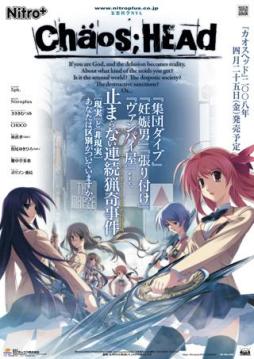
Takumi is a high school student. He is withdrawn and is not interested in 3D things. In his town, a mysterious serial murder case happens and people get panicked. One day, when he chats on the internet, a man suddenly contacts him and gives him an URL. He goes to the website and finds a blog image that suggests a next murder case…. On the next day, it really happens….













the only file that should be zipped is “crass”
try deleting that zipped file.
no wait D:
dont delete “crass”
i mean the antifail chaos head patch zipped
i like this game .-.
Ok…I did…and still a black screen with the music playing*BAWLS*
aww :/
im thinking ;/
Okay lets go over the important steps
-Install game to desktop (or my documents).Not to (C: )disk
-Get the noDVD.exe and paste it to Chaos;Head folder.
-Be sure to replace the .exe inside the folder with noDVD.exe
-Get the english path, and extract it directly to chaos;head.
-Do not unzip “DO NOT TOUCH” rar
-Run Antifail batch.
-After is done, the only zipped file is “crass”
-Get applocale installed.
-Run the game with applocale.
so do you see something that you think you forgot?
Alright, I’m going to uninstall and try from scratch.
ye i was going to suggest that
I should just need to delete the anti fail patch right?(shouldn’t need to download the exe again right, should I delete the chaos;head folder?(don’t know if its there still gonna check)
if you used daemon tools to install it, you can mount the .iso file again and open the installer window. You shouldsee the option to unistall from there.
Dont delete the files you downloaded from here, but you can delete anything else you extracted from them
Ok, didn’t delete the rar files 1-4. Everything else is gone.(just the english exe and the antifail witch I’m have in my dock now)
okay then start installing it ^^
Ok, in my downloads. I have the Chaos;Head.Exe from your rapid link and the antifail patch…mounting the iso dvd file thing now…
Ok, sorry(if you don’t want to walk me through this…again. I understand. Not -_-;;)
Also, should I just game install it or directX install?
nah i dont mind at all ^.^
just game install
im pretty sure your computer has directX installed, is used daily
Ok, I placed it on my desktop.(Says C:User Nekonapper Desktop
wait
eh…comes up with some japanese…should I just click yes?
Doing this step by step. Thanks for taking the time to do this.
okay, just checking if it was okay “C:User Nekonapper Desktop”
Yup
okay now you can extract the english patch
yes the installer is in japanese (if thats where you are)
just to verify, which step are you doing
and your welcome
At the install wizard part.
Should I leave the box checked?
okay
just watch out when you see, “programfiles(86)…” something like that.
when it asks for it, thats when you change to install desktop
yes leave the box checked.
thats for making a shortcut
and the last box is for running the game
just so that you know, if the game gets installed in (C: )disk,
when you run the “antifail. batch” it will not decompress the files of “DO NOT TOUCH”rar, it will say that the installation is done but nothing will be change.
thats why the game has to be set to install at desktop.
Ok…I just got an 1512 error…
thats normal
when you try to run the japanese game is going to bring that error asking for the cd.
now you need to noDVD.exe that you downloaded.
copy and paste it to chaos;head and replace the .exe that you just run.
Just drag it from my downloads to the folder right?
i would prefer copy and paste, just in case you may need it again
Or copy paste?(copied and pasted)
yup, it should ask to replace a file, *replace*
Ok, I replaced it.
Should I try playing the game?
yes
you should be available now
you will see a nitroplus sing then another sing, a caution screen, then the menu of the game (with no music i believe)
you should also be available to change things in config, and to start the game
Ok, got the menu(with music playing along with sound effects) and I’m able to change things in the config.(didn’t since I don’t know a lick of japanese.
oh music 😮
well maybe i didnt have headphones at that moment.
well lets install the english patch now
go to the chaos head english file, and extract it direclty to the chaos;head fodler
Ok…that’s opening the antifail zip…do I extract it in the chaoshead folder or on the desktop(don’t think the desktop)
to the chaoshead folder
K…its under the voice.npa extracting it now.
Ok, did it.
kk
So run the anti fail instillation right?
wait run the exe first
you will see the same nitro sign, but no caution and a black screen(a bit long) before the menu.
check that you cant change anything in config
click start, to see if it send you back to menu