English visual novel downloads

Togainu no Chi

Togainu no Chi

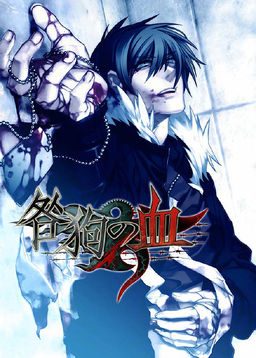
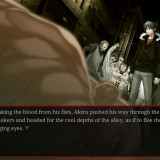
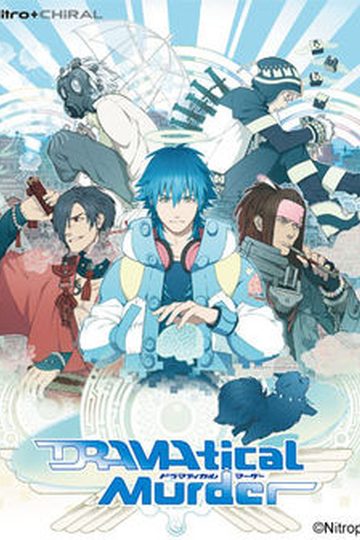
After being devastated in the third World War (known as The Third Division), Japan was divided in two. Several years after the end of the war, a crime organization called Vischio has taken control of the destroyed city of Toshima (formerly Tokyo, Japan’s capital city), where they are holding a battle game known as “Igura”. The game’s main character, a young man named Akira, is falsely accused of a crime. Once arrested, a mysterious woman appears before him, offering him freedom if he agrees to participate in Igura and defeat Igura’s strongest man: the king, or “Il re”. The story follows Akira’s life in the harsh, lawless Toshima as he fights both to survive and to unravel the mysteries developing around him.

89 comments

HelpReply
I followed every step. But when I open the game, it says something about the disk CD in Japanese and then automatically closes. Please help?
NeedHelpReply
Same problem here.
SolutionReply
Do not use daemons tools. Use a different mount program.
KeitaReply
i mounted the image on daemontools ran it and clicked game start but it wont launch so i tried the install directx option but it keeps saying "this version of directx is not compatible with the version of windows currently installed" what do i do?
KillStealReply
I have the same problem tooo >.< I don't know what to do TT^TT I just want to play I've tried updating dX but well windows 10 is shit im sorry i updated *sobs* i just want to play the game wahhh~~~~
BucketReply
You too? I thought it was my laptop at first, but it looks like quite a few people are having this problem. I tried installing the game at least 6 times!
Whenever I click on the desktop icon, nothing happens. When I tried to update DirectX, I got the whole “this version of DirectX is not compatible with the version of windows currently installed” too.

And I was so happy about win10 replacing win8! Now I absolutely hate it.
Did anyone come across any solution for it yet?
IeqaReply
Im having the same problem like you . I follow all the step but when i try to open the game , nothing happen . Can someone help on this problem ? I really want to play this game
Light-chanReply
Have already someone a way to fix the problem with the freezing screen? I tried with reinstall the game on my XP (PC without japanes-location), but it didn't helped.

Happens this only in one route, or is this in other routes too? Because otherwise I could play a other route (hopefully without freezing screen).
psychobabeReply
So I got the game to run and everything but now when I try to play it, something in Japanese pops up about Administrator and then shuts down.
I've tried giving it Admin privileges but that doesn't work either.
Please help! I was almost finished with the game! T.T
lay13Reply
seems like part 1 and the english patch links are broken
AmandaReply
Playing this game sometimes makes me forget it's BL XD. That is, until it gets to the sexy scenes. I always end up feel so engrossed to the storyline that my brain just forgets. Man, I love this game.
HelpMePlzReply
I download everything and extract . But I get the message that the disc image is corrupted.Help
CheshireNyaReply
You need to install Daemon Tools first. Then try to open the .img file again with the program.
VN SmileyReply
How do you install this game? I'm confused, XD sorry I really need help, I'm new around this stuff 0.0 done downloading btw
OmiReply
I have a problem ;(I can't copy the script in the togainu no chi installation directory because I don't have enough memory in that directory T_T
ElenaReply
For those of you who don't like that it's yaoi or has sexual content, there has been an anime based off of it if you want the plot.
KimReply
I have just installed the game and followed all the instructions, but it comes up with a japanese message about adminstrator. I have tried running the program as administrator but it does not work. Please help!
SasameReply
Did You fix it? I have same problem and don't know, how to bite it.
KF727Reply
so, installed the game and the patch just fine, I think. Though when I click the EXE it does nothing, nothing is running in the task manager and it won't let me run it in JPN locale when I right click on the exe. I have win10 and my region is set to have non-unicode programs set to Japanese. Even if I click on the mounted image where I installed it and click game start, nothing happens, no indication that it was launched at all.
berrybriReply
It could be becouse the game needs directX 9 which is incompatibile with win10
shemiReply
I have the same problem. I had installed this game two years ago and it worked fine, but now I reinstalled it and exe is not responding. I remember that I had to change exe file with another exe to run the game but it's nowhere to be found in the files I downloaded from here. Where can I find togainunochi.exe?
alolimousReply
Installed it just fine, but the EXE won't run, even though I have Windows 7 and it's running on Japanese locale. Did anybody find a solution for it?
YamiReply
Hey there Admin, it says that the file is corrupted when i tried to mount it. I downloaded it again, just in case, but it's still corrupted.
BunnyReply
I have the same issue as Yami. I do hope this gets fixed cos I was rally looking forward to playing it ; ;
AnonymousReply
hello i hate to disturb but everytime i click in the disc image file it gives me error and it says the file is corrupted, how can i fix this error? thanks by the way i have windows 10 thanks again
sakuradaReply
I NEED HELP! I really want to play this game and I did everything correctly. Only I have Window 10. I tried updating directx but it says its not compatible!! I change to Japan local, mount the small game icon, installed it but it won't run? And also how to I paste the "sTEP3" of the english patch in the mount file location? It says insufficient space. And when I copy paste all the item from the mount file to another, then the intall icon doesnt work even if i RUN as administrator. Someone help me! I'm so sad these awsome bl games are not available on steam >.<
LTReply
I found help here when I couldn't get the game to run: https://aarinfantasy.com/forum/f49/t188768-togainu-no-chi-administrator.html

https://mega.nz/#!5dYwnDwD!D27r8LJP63SzO-Bu0vS9rjDR-1cdOLANBXHrHqveYhc

Use this link. Extract the file and copy into the game folder location.
AnimemonReply
With the help of the comments I have managed to get the game to run in english and I found out that pressing F makes it full screen.
But there are still a few really bad problems with the game.
So far I haven't progressed in the game at all, I just checked to see if the basic mechanics work.
I found that although it seems you can save by pressing S the game freezes as soon as you make the save and the only way I could manage to close it then is by force-closing it with the task manager. This part isn't too big of a problem but if I try to load the game it just loads it and then instantly freezes just like when I saved.
But it doesn't freeze like games normally do in these cases. The music is still playing and the icon for progressing the dialogue is still blinking. It's like the game is still running but refuses to accept any input. I can't even move the game window around.
I don't mind games that have slight bugs but a visual novel where you can't load your saves just makes it almost unplayable.
I would really appreciate any help with these problems.
AnimemonReply
After messing around with the keyboard a bit, I learned a few new functions
T brings up an option in japanese. Choosing yes will restart the game but no matter what option you choose it will freeze.
A starts automatic dialogue progression. this does not freeze the game.
C brings up the options menu but since it's in Japanese I didn't want to mess around with it. This does not freeze the game.
B brings up dialogue history. This does not freeze the game.
Holding shift skips dialogue. This does not freeze the game.
Space hides the UI. This does not freeze the game.

In con clusion the problems seem to be Saving, Loading and Restarting. Once again, I would really appreciate any help with this.
shoshooReply
is this the full game or just a demo plz tell me ??
adminReply
I'm not posting demo's here. All games are full versions.
Iczer1Reply
I have the same problem as alolimous
momoReply
To unfreeze the game open the task manager, choose 'stop task', in the prompt that opens up click 'cancel', within the game there should now be the next promt, again click 'no', the game should now be running again.
CarooReply
Dear Admin, are you going to upload the Jast Blue version? thanks :D
MeaReply
Can you please upload the uncensored/restoration patch for the JAST-Blue version of the game? Thank you in advance!
SayaReply
Hi, the game here is the censored version? Or uncensored?
nekomekoReply
It's censored with mosaics. I'm new to the whole yaoi thing so it didn't bother me, I'm more interested in the plot (which is far better in text form than the anime!)
nekomekoReply
I got this game running perfectly in Linux; saving, loading, videos, everything works. If anyone's confused about the options, I've added what works in-game for me below:
[Space] Hide dialog box
[A] Auto mode*
[Shift] Skip mode*
[Ctrl+B] Reverts back to last choice you made, if you've made a choice beforehand
[B] Backlog
[S] Save (will prompt you for save description, optional in Settings)
[L] Load (will prompt you Y or N, not optional)
[F] Fullscreen
[C] Config. Opens Settings in new window
[T] Return to title screen (will prompt you Y or N, not optional)
[Esc] Exit game (will prompt you Y or N, not optional)
nekomekoReply
*Auto: Runs through text at a readable pace, synced with voice. Mouse click or Spacebar to end auto mode.
*Skip: Fastest run-through in the game, skips ALL voices & text (sound FX will still play). Use this for quickly getting to choices.
Ctrl+N held down & released will start automatically skipping text (only stopping at choices or mouse/spacebar input)
Shift key held down will skip for as long as the key is held down.

To get to the typical CG/movie/scene viewer, you HAVE to clear a "complete" ending before the viewer option will appear on the title screen (as EXTRA). For instance I got to Keisuke's good ending after a while but was only able to access this option after completing that ending fully, it didn't trigger with any of Keisuke's bad endings. Also word-wrap is pretty terrible in English, sadly the patch can't fix that.

Leave a comment