
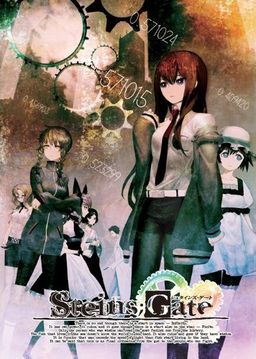
The story of Steins;Gate takes place in Akihabara and is about a group of friends who have customized their microwave into a device that can send text messages to the past. As they perform different experiments, an organization named SERN who has been doing their own research on time travel tracks them down and now the characters have to find a way to avoid being captured by them.



















Im also getting the libvorbisfile.dll is missing message if anyone can fix this for me it would be a great help. Thanks
Isn’t this the teaser patch ?
If that the case you should say it’s a trial patch and not a complete patch.
There are no partial patches on this site. Patches for trial versions are clearly market. This is complete patch.
Yeah i saw it right after i commented that it was a full patch but not edited.
But i wasn’t able to delete my comment 🙂
Whats the gameplay like? linear story or is there something else?
The story is very linear and you don’t get any dialogue choices to pursue different girls 😀
But you can only advance to the next scenairo buy answering certain phonecalls (you get many and most of them are meaningless), while only specific calls will let you reach the true ending^^
i have checked the official site of the group that made the translation and there were no problems reported. Tried google for problems and no reports whatsoever. It seems it concerns only small group of people.
the libvorbisfile.dll is missing @.@ how should i fix it?
Good job Admin. But maybe someone could help me . Games run near perfect. My problem is when i try to save i cant. When im using quick save games crash and when im using normal save when I click on first save slot its show massage saved but its still empty and inactive:X Any suggestions?
Game is patched etc.
The simplest way to install this game is to run Microsoft Applocale. Mount SG.mds on a virtual drive, run Applocale, navigate to the drive with Steins;Gate CD/DVD, open it up and select SGSetup.exe. Applocale should’ve auto detected Japanese language, if not it’s the very bottom one. Install the game, I just kept clicking Next and installed everything. After that, run Applocale again, navigate to where SgUpdate110.exe is and run that, double check the path. Copy STEINSGATE.exe from the Crack folder and overwrite the one in your game folder(default: C:\Program Files\NitroPlus\STEINS;GATE\STEINSGATE.exe). If you have the English patch downloaded, copy nss.npa and STEINSGATE-patched.exe to your game folder like the crack, overwrite nss.npa when asked. Now to play the game, run Applocale, navigate to where STEINSGATE-patched.exe was just placed in the game folder and run that. I recommend you let Applocale create a shortcut in your start menu, then you can always drag and drop that shortcut where you want. English movie subtitles and game menu haven’t been patched yet but everything up to this point works.
If you’ve got the three .ngs English movie subtitle files, overwrite the current ones in your dx folder which is located in your game folder. Then when you get the English systems patch file named cg.npa, overwrite the one in your game folder.
Regarding the chapter 2 SERN explanation crash, I myself have confirmed it. At this point we just have to wait for the English patch fix, as proof I got ‘FONT incolor=”#ff7080″ outcolor=”#000000″>HTML…’ message in the game text box when it crashed. So the speculation about the translator’s input error regarding text color syntax causing the crash is probably true…
Yes, there’s “<" in "<FONT>" missing and it causes the game to crash. I'll try to upload a fix for this today.
does anyone know how i can switch this to full screen.
will help me a lot
ah never mind didnt see the new patches
Any MU upload? It seems I can’t download it neither from filesonic nor fileserve. They’re too slow (20kbps), I usually get 50kbps from MegaUpload.
MU will most likely take put it down due to copyright infringement
50 kb/s…x.x *Beats head with caveman club.*
He said kbps not kb/s it’s still slow but he should go at around 400 KB/S with MU and 120kb/s with FSE and FSO
160kb/s not 120 and damn sometime i hate how we can’t edit or delete here.
can you post a walkthrough for this
I’m still a little new to this, usually when I extract the file the application would be set up for me, but I’m guessing this game is a little different so how do I actually install this probably? I know I have to mount it, but everything after wards is kind of a blur…to me, can someone dumb it down a bit for me lol? I downloaded everything that was needed for the game so now I just need the instructor thanks in advance!
after putting in the 3rd patch no text is displayed in the menue so I cant start the game i need help with this
OMGG THANKS GOD, THANKS EROGEDOWNLOAD.COM i waiting this game a lot of time
i have no idea what to do, i downloaded it, have no idea how to put in the patch, and when i start the short cut it says i need a license id with 20 digits. can anyone help me out? can’t find the stuff you guys are talking about in the game folder
dont start the shortcut but open the game through the actual gamefolder where you have downloaded the game. same thing with the patcgh, extract it and put it inside the gamefolder
actually sry my bad what i meant is open the folder where it is installed (gamefolder)
Can someone help to install this game?
when i try to open the game, i get a “missing libvorbisfile.dll”.
i’ve tried to mount the game, but for some reason, i get an error saying can’t mount the MDS file either.
Does anyone know a solution?
I’m not sure which virtual drive program you are using, but I know that “DAEMON Tools Lite” works,you can download that for free, so use it to mount SG.mds, and as far as “missing libvorbisfile.dll” goes, you’re skipping steps and running the .exe outside of where the game folder was installed, which if you look, that’s where the “libvorbisfile.dll” is located. The game should be ran from “STEINSGATE-patched.exe” located in “C:\Program Files\NitroPlus\STEINS;GATE\”, you can go ahead and delete the shortcuts that had automatically been placed on your desktop as well, since they are no good. If your system locale isn’t set to Japanese, run “STEINSGATE-patched.exe” with “Microsoft Applocale”, you can download this for free too.
Thanks a million, I’ve really been looking forward to this game.
As for those who’re having problems installing it:
1. Set the locale of your system to Japanese (might need to stay in it while playing too)
2. Extract and install the main game. When this is complete, and it automatically starts up a new install process for the authentication software, quit.
4. Update the game to version 1.1 (possibly optional)
5. Apply the unedited English translation patch by copying the extracted files into the folder the game was installed in (should be something along the lines of C:/Program files/NitroPlus/STEINS;GATE).
6. (optional) apply the menu screen and/or subtitled opening video by copying the files into the folder the game was installed in.
7. Launch the game through the STEINSGATE-patch.exe file that came with the English translation patch (i.e. not the shortcut it might have placed on your desktop).
I’m going to borrow this one and add to main post.
By all means.
It’s what worked for me on Windows 7 x64. Though I can’t really guarantee it’ll work for everyone, nor that it’ll fix that “libvorbisfile.dll” problem some folks seem to be having (never ran into that one myself).
Thanks again for all your effort with this game and the site in general. Really appreciate it.
libvorbisfile.dll is needed to decode vorbis files ( .ogg , .oga ).
Seems like people who get this error simply doesn’t have any codec pack installed, as it’s part of like every codec pack in existence.
Also, don’t forget to apply the crack after step 4.
For some reason when I play until chapter two when Daru explaining about SERN the game exits itself and give me an error message. Anyone encounter this problem?
This is what the error said:
Problem Event Name: BEX
Application Name: STEINSGATE-patched.exe
Application Version: 1.2.0.1
Application Timestamp: 4c91f8f0
Fault Module Name: STEINSGATE-patched.exe
Fault Module Version: 1.2.0.1
Fault Module Timestamp: 4c91f8f0
Exception Offset: 0013a92f
Exception Code: c0000417
Exception Data: 00000000
OS Version: 6.1.7600.2.0.0.768.3
Locale ID: 5129
Additional Information 1: 4eb2
Additional Information 2: 4eb242512fc3b0914098eabb07226544
Additional Information 3: b229
Additional Information 4: b229f4a48956626d49a15224c394762d
Anyone know what should I do with this?
P.S. Sorry if my English is bad, English is not my 1st language
Translator forgot to put one char to close a tag properly and game crashes as a result. I’ll post new patch that fixes this today, but you can read older comments for walkaround as well.
The current version of the unedited translation patch is bugged, and always crash at that point (there’s some colouring coding in the script file that spills into the text box). There appear to be no way around this bug but waiting for an updated version of the patch.
Oh guy…i have installed and try to run the .exe..then the steins;gate open normally….but when i press start…nothing happen, the screen turn black and after a while back to menu…why is this happening?
Make sure make sure your installation and patching have been done in the correct order. Run STEINSGATE-patched.exe from the game folder of your installation.
The translate patch still trial duh. Don’t expect much from it.
While it seems that I have successfully installed the game, I find myself unable to start a new game. I click start, the screen goes black, then after a few seconds returns to the main screen. Help anyone?
Set your computer to Japanese locale then run STEINSGATE-patched.exe or otherwise, the other option is to run STEINSGATE-patched.exe using Microsoft Applocale.
I already set my computer to japanese locale :-\
When you exit out of the game do you get an error?
I do. But it’s the generic, Steins;Gate has stopped working one.
I tried reinstalling everything in the correct order, however that still didn’t work. I believe a simple solution would be to upload a savegame on the first frame for everyone to download. That way we could bypass pressing the start button?
Could be a video codec problem, as it start out playing two videos before going to the actual prologue gameplay.
Try staying on the main menu without doing anything for 1-2 minutes, and it should autolaunch a trailer for the game. If that one doesn’t run either, then it’s probably a lack of support for the video files the game use.
You could also try to download the English movies subtitles patch, which translate the opening video, and see if it’ll launch using that.
I see the opening video, so it’s not a codec issue. Just tried the subtitles and no dice.
Do you can an error when you exit out of the game?
I do. But it’s the generic, Steins;Gate has stopped working one.
Alright, I think at this point you should uninstall the game, delete anything remaining in the directory. So you’re already in Japanese locale just reinstall the game, then apply 1.10 update, make sure the path is correct. Apply the crack, apply the English patch, and apply whatever is left that you want. Go to where the game is installed and run the game using STEINSGATE-patched.exe.
When I install it, it automatically installs to 1.10…So i cant patch it.
keep going, and tell me if that solved the problem.
Did not solve the problem 🙁
Well now I’m out of my wits end, I installed mine in English locale, using Microsoft Applocale, you can go ahead and try this method, just scroll up to my earlier post and it’s a walk-through instruction.
Thanks, appreciate the time and effort 🙂
Do you have to apply the crack or can you play without it?
I know that the game runs with the crack, I don’t know if it can run without it.
The STEINSGATE-patched.exe file from the English patch seem to function as a crack as well when running the game through it. I haven’t touched the ordinary .exe, and I can play the game just fine (up ’til the SERN explanation crash in chapter 2)
Hmm can you tell me where steins gate keep saves?
Can you give me full adress
They’re kept in C:\Users\[YOUR USER ACCOUNT NAME]\AppData\Roaming\Nitroplus
AppData is a hidden folder by default, but you can simply navigate to your user folder and add \AppData to the path at the top of the window. Or go to control panel, folder settings, and enable the showing of hidden folders.
I think my problem its about that: game is unable to create savedata folder so I cant save. So I think if i now the location where game create that I could manually create that. So pleae tell me the location for your steins gate save data:D
Sorry for double post.
If there aren’t any folder at the path specified above, create one called “STEINS;GATE”, then one in that called either “1.000” or “1.100” depending on whether you have the updated version or not.
I don’t believe that’d help though.
Thanks Imperator. I had that files but still im unable to save . Its still crash on quick save and show saved word without saving. Its real pain in the ass.
Run the game as administrator.
a group of friends who have customized their microwave into a device that can send text messages to the past.
wtfamireading.jpg
I have the game installed and when I click start the screen goes black for a few seconds and then takes me back to the start menu
i have the same problem
someone help!
I got the game to work without any problem but I am wondering how important “Tips” are to the progression of the story. I know games like higurashi Tips are incredibly important to the story. Just wondering if I should hold up playing till they translate the tips.
I can’t seem to find the FullScreen option, is it there at all?
Press the F key
Thank you Very Much!!!!
Wooooot 🙂 i dropped the anime cause i wanted to play the game first ^^
Hi everyone, everytime I try loading Steins;Gate patched.exe I get the message ‘The procedure entry point_analysis_output_always could not be located in the dynamic link library libvorbis.dlll.’
Does anyone know how to fix this??
I’m having the exact same problem. But it’s not the computer. I’ve tested installing 4 different downloads of the game, 5 different libvorbis.dll files, and 3 versions of the english patch (in all possible combos/orders too) on 5 different computers, ranging from XP to Win7. The issue seems to be that something is not right with the .dll files. I can run the game fine unpatched & uncracked (reg pops up) but once I apply the patch the .dll errors emerge.
I’m doing more testing, but if anyone has any answers or suggestions, I’d be very grateful.
Why does this only happen to a few people too 🙁
is it possible for someone to give me a link for the software required to edit the translation patch?
thanks
Keep up the good work! erogedownload.. hope the chapter 2 error will be fixed by tomorow
I’ve downloaded english system menu and winrar says it’s corrupt~~ :/
never mind~~ sorry my bad for not checking the volume of RAR~~ XD~~
how do i update it to 1.1?? after i installed it and all
i installed the game patched.
when im on the title screen and try to start new game it doesnt start at all and stays at the title screen please help
Try to restart/reboot your PC .
I can’t load a save file .. anyone has the same problem ? Saving is not a problem
I happen to have sometimes this kind of problem .
In fact , but only some rare times , it crashes when I try to load .
why does this game crash at chapter 1 when i met kurisu makise about the message from the future?
is the sern crash issue fixed yet admin?
Yes, new patch posted.
im stuck at the tittle screen and when i press new gam its a black screen, nothing happens
pleassss help
can you post a walkthrough for this game please
Everything is running swimmingly, thank you admin, now I can get pass the SERN crash. Also for those who updated to version 1.2, it changes your game save directory. If you’re an XP user go to C:\Documents and Settings\”your user name here”\Application Data\Nitroplus\STEINS;GATE, to manage your save files. Application Data file is hidden by default, you can go to your Control Panel > Folder Options to toggle hidden files.
CANNOT seem to get this to install correctly (Always get this “the required operation requires elevation” error when trying to upload) so I’ll try again when the full translating is finished.
X Upload, *Update to 1.1
Run the updater as administrator.
I’m the only user on the laptop; and I don’t get an automatic Authorization check. I just get the regular install and something like an update. Like I said, I’ll retry everything when the full patch is out.
Okay, Everything’s working correctly now, except everything looks blurry. I know it’s probably something to do with resolution, but I can’t figure out how to correct it.
Make sure you run the game in fullscreen ( “F” key) – this game is conversion from console, and there can be many display issues when in window mode.
Okay, I’ll do that for this game. For most games I’ve downloaded the resolution worked better in window mode… but this one looks better Full Screen. Still waiting for the fully completed translation before playing. Thanks for the help!
Hmm..anyone still meet the problem that the game crashed whenever you try to load the savefile? I mean after all the current update. The crash only happens if i run the game with STEINSGATE-patched.exe. I can load saves just fine with the normal exe.
I can just play the game with the normal exe but with that i will be missing a lot of stuff, for example : stuff that appear on the phone become remained untranslated.
Just downloaded the new patch, replaced the older files, tried playing the game again, and yay, passed the sern screen crash, but a while after, when daru talks again, it crashes again T_T, anyone else having this problem?
Yeah, the game crash again after Rintarou say “What’s the possibility of that actually happening?” when they talks about black hole :/
Yea I am getting the same problem too. Shame since I was so looking forward to playing it….
I noticed when I loaded the game right where the game crashed, it crashed again after I put the new patch. However from loading further back I was able to play fine.
I already finished Chapter 2. If anything just try playing again from the beginning and skipping up until the SERN part and then play normally.
Oh, right. I forgot to mention. Saves contain some parts of current text parts you’re reading (both back and forward from save point), so if you saved with corrupted script around, you need to load earlier save and start over.
Thanks, it’s works now 🙂
yeah it crashes there for me too i backtracked and it also crashed at different places too im planning to go back to v1 patch to see if it can get me past that point
OWH YEAH, STEINS GATE OUT STEINS GATE OUT STEINS GATE OUT!!!~~~ X3~~~~
the english patch from filesonic is down —
it can’t be download
nevermind, i can download it now .
Anyone getting a new crash even with the new translation patch, just after the other one? When daru continues his explanation, a couple of lines ahead.
so is there going to be udpate again other time? confuse a bit,not yet play but already install,so i dont know abt the crash