
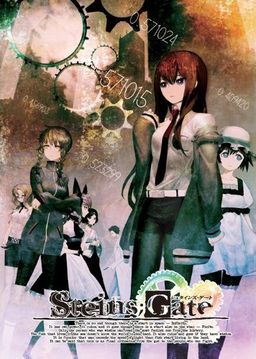
The story of Steins;Gate takes place in Akihabara and is about a group of friends who have customized their microwave into a device that can send text messages to the past. As they perform different experiments, an organization named SERN who has been doing their own research on time travel tracks them down and now the characters have to find a way to avoid being captured by them.




















Well, try playing the game anyways i’m reinstaling atm, it could be just me with this problem… The new patch has been up for a few hours now and no one has complained yet bisides me… xD
Never mind, how n00b of me, like they say in the internet, LURK MORE, just read some of the old post and found my problem…nvm
I try installing the game and I keep getting CRC error. It usually gets to installing either the cg.npa file or voice.npa file and then it says I get the error. I’ll try re-downloading the files but i’m not sure its going to change.
what does the 1.20 update do to the game? am i missing out if i dont update at all?
why does game crash at chapter 1 for me?
For me it crashes just in the second chapter
Wth .. it still crashes at the SERN explanation in Chapter 2 … did I install it correctly ?
1. Mount ISO
2. Install the game normally
3. Install Update 1.20
4. Copy english patch
5. copy the rest
Save files contain parts of backlog and bit of futher scripts. Try loading earlier save if your save still got some corrupted bits that cause crash.
Hi admin there i thi game i have i eng patch that isnt on this server eny intrest of puting it up for downloud sorry for eny misspels!
Ps. Name of the game Sensei 2
?
there are so many things to download here… so I think I’m gonna wait until I’m back home b4 I start downloading it…
Steins;Gate.part3.rar Packed Data CRC failed in Steins\SG.mdf The volume is corrupt.
Steins;Gate.part5.rar Packed Data CRC failed in Steins\SG.mdf The file is corrupt.
Can’t unzip them.
You didn’t download that part properly. Redownload.
THIS IS NOT A COMPLETE PATCH. BE MORE PATIENT UNTIL THE TRANSLATORS ARE ACTUALLY DONE.
Actually, the only thing left for them to do is some translation-checking: the patch itself already contains all of the game’s translated scripts.
However, errors like the chapter 2 SERN error may occur, so if you don’t wanna encounter stuff like that, just wait for ’em guys to finish checking everything.
Guys i need a walkhytought with urgency 🙁
So I used the updated patch and kept getting the crash. I read I would need to go back to an older save so I went back to the quick save at the start of chapter 2. Now my game is crashing at the flashback before you receive the new text from Shining Finger. Anyone else getting this?
Don’t worry, I’m in the same situation.
Probably it’s something that they still need to fix.
We have to wait, even though we love the game so much.
Did you update to 1.2? I thought I had but was still using 1.1. Seems to have fixed my problem. A warning though. It will kill your saves.
Is this 100% english translations?
Yes.
I have a weird problem
whenever I click “Start” it throws me back to the main menu
I tried the patch, translation patch, system patch, and run as admin
any fix for this problem?
I’m using Win7 64bit btw
got the same problem, admin pls help (=.=)
not sure about this problem though I still haven’t set my region lang to jap yet..have you unknown?? (0___0)
That happened to my client when I had locale set to english. After I reset it to japanese, it worked well.
Hi there, are the steins gate file above interchangeable?
Cause i download from both sites, filesonic and fileserve
Yes they are the same sets of files.
for xxAyu’s problem there is an error in the script in the second chapter that causes the game to crash every time one of the lines is said while they’re looking in the sern folder in the game, they left off the < in front of the font tags in the line that says something about being the birthplace of the world wide web, adding those back in and repacking the script gets past this problem
That was just the first version of patch that was posted here. Second version (current one posted) has it already fixed.
Savegame might still contain corrupted scripts in question so you might need to load earlier save or start over.
ah didn’t realize it had been updated, thanks downloading that now in case there’s other issues fixed by it
is this all age game?
is this 18+ or all ages?
All Ages.The 2nd game of the science adventure series of 5pb&Nitro+.
it work just fine after update this game to 1.20 without a crash.
when play chapter 1 with Steins;Gate update 1.20 it with crash the same when play with update 1.10
anyone know how to auto read or auto move?or skip the txt?like click “F” for fullscreen,and “S” for save,
“A” for auto, skip “Cntrl” but i think u need to “m2” and select the option “you should recognize it by A of auto S save etc
is this the english full patch?
does anyone has the save file from the start of chapter 11?
did any1 ever get in error that says this game is japan only…..and on my other game i got an error that says ….microsft visual c++ runtime error…if any1 know how to fix it can you plz tell me thx
o and i have my settings on japan
we still have to update it to become ver 1.2?
what a difference from ver 1.1?
sorry, i have ask something about patch file
when i already update it to be ver 1.2
then im replace it again with English patch?
CMIIW please
need info about that
cause im still not really understand
ty
seriously 100% fully translated?
needed also a walkthrough for this. if there is any
when ever i try to open the tips section my game crashes, what gives? 🙁
Known bug. Tips aren’t translated yet anyway.
I have a weird problem
whenever I click “Start” it throws me back to the main menu
I’ve the same problem here. My steps were the following:
0- Extract game
1- Load/mount iso
2- Install game successfully
3- Patch to 1.20
4- Extract english patch files (patched exe and another file)
5- Extract movie subs patch
6- Extract menu/etc patch
7- Run patched .exe
8- I can enter every menu but when i click on -Start- it takes me back to the main menu where i had pressed -Start- after 1 or 2 sec
The only thing different i noticed from the steps that were indicated in the guide is that the version is not 1.1 but 1.20. Or am i missing something else afterall? Thanks for your time and awesome job at translating btw.
Btw, forgot to mention, every file was put in the main game folder and overwritten the files when asked.
Did you start out by having/putting your system in Japanese locale?
I cant get past the part in chapter 1 when akarin checks the @channel forums on his phone, ive got a close up on the phone and i cant figure out what to click to continue?
oops my bad, gotta scroll down
Hi admin, appreciate that you upload the game. I noticed the remarks over here regarding English menu screen, is there any bug there?
For the translation wise should i wait until further update?
And for the patch update? is this a final version?
Sorry for asking so many question at a time
Hmm i tried running version 1.0 with the patches but i still go trough black screen and taken back to the main menu after selecting Start.
As some other guy mentioned before who is also having the same problem, i’m running windows 7
u didnt changed the region to japan before installing it
Thanks m8, it seems it was that the issue afterall. I forgot that there was to change the language/region settings. How dumb =_=
Game works fine now
Hi, I reached Chapter 11, and after the credits I get to line “Slowly, she finally turns her head towards me–” then the game crashes. It wasn’t accidental, I can’t proceed after this point… It’s kinda anticlimatic to stop playing here, do I miss much after this?
Anyone else get a crash in Chapter 5 when you open that Faris email you get inside the braun shop? It’s the only email I’ve gotten so far that crashes the game so I’m not sure what exactly is the problem.
I have it too, luckily no ending requires it to be read.
Yeah, luckily the route choices are more obvious than a tangled jumble of emails or so I heard, but if you want to read everything it’s kinda annoying.
I don’t know if I’m putting things in the right folder…
I mounted the SG.mds file onto my daemon tools and I installed it.
I went to the crack and it says cannot find libvorbisfile
okay, so I check the Update110 and it says http://i161.photobucket.com/albums/t231/dimsumboy22/haker.jpg
dunno what that means… oh well..
So I get the Stein;Gate English Patch and put the whole folder into my Stein;Gate folder in the program files…
I double-click on STEINSGATE-patched.exe and I get the same error:
“it says cannot find libvorbisfile”
okay, I have libvorbisfile in my steins;gate folder and to double check I put another libvorbisfile in the steins;gate English patch folder… still can’t find it.
so I’m stuck… any suggestions?
The text seems to not be connected after each line, is it b/c the translation is unedited or something?
Is anyone else not getting any voices? ‘Cuz only the introduction monologue thingie was voiced for me.
I follow all the steps, but when I went to access the game it told me that the libovorbisfile.dll file was missing I actually don’t understand what that means can someone help me on this, also thx for the steps it helped a lot lol
How did you fix that problem, since i am having the same one with libvorbisfile.dll which is not opening the vorbis_window…
OKAY I FIX IT ON MY OWN, but before I play is there anyone who was able to not crash while using the 1.10?
now its livvorbis.dll, anyone help me with this please?
this game is an all ages…tsk damn..and here i am thinking finally have a chance to rape kurisu (=__=)
hmm game works well….just cant figure out how to get to Makise Kurisu Ending….anyone know?
guys,
when i go to config menu , then i back again to tittle menu
it always crash when exit or load to the game.
did anyone have some problem like me?
try changing you region language to japanese
Start > Control Panel > Region Lang > change it to japan
that’s not what i mean
it just appcrash
is that normal?
but that happened while i try to go to config menu then leave to tittle menu again. when im try to load game or exit the game
it always crash. stop working something like that.
any solution?
Do you have the system messages/menu screens patch installed?
If so, then it’s probably due to that. These aren’t finalized versions of the patches, so if you’re able to play the game by not messing with the config menu beforehand, then it doesn’t sound like much of a practical problem.
So for the movies subs, English system menus ect and the update once I’ve installed the game, do I move all those files to the main game folder?
Or do I move them somewhere else? First time installing anything of steins gate so I haven’t waited for translation updates or anything.
I’m getting the error libvorbisfile.dlll is missing. Anyone else run into this…I bet(don’t wanna surf through all 200pages lol) how do I fix this problem X3 Help would be appreciated.
WHAT ARE THE TAGS
Cool!
Thanks admin
I’m really waiting for this game
You’re the best!!
ah, got everything working for the game except the opening. is the opening unsubbed/no karaoke?