

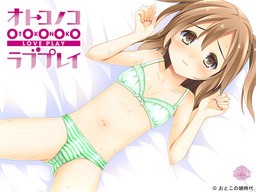
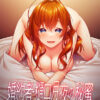
Kei is now looking for a job. He is in love with Honoka, his neighbor, but she is already married and pregnant. One day, he saves a man who gets injured in a traffic accident. The man asks Kei to visit the obstetrics and tell his message. Kei visits there, but the doctor mistakenly thinks him as a teacher of preparation lesson for pregnant mothers. The doctor says, “Do you like pregnant girls?” Kei quickly answers, “Yes, I love them!” Like this, he starts working there…. When he opens the door of the classroom on his first day at work, there are Honoka and other pregnant mothers….










i keep having “disc read error when checking disk….”
can sb help me?
i keep having ‘the disc key you entered does not correspond to the disc in the drive. make sure you use the correct disc key’ can help me?
I have installed the game and even played through one of the routes but my question is how do I look at the back log?
VNDB doesnt have a no backlog tag so I assume there is one and search using google hasnt helped. The following is so this comment gets picked up on search engines.
Maman Kyoushitsu ~Mirai no H na Obenkyou~
no backlog problem
I click FREE in download
It wont’ appear DOWNLOAD.
not like before that after I click the FREE next to JUNGLE
it wont do nothing now.
shame cd key doesn’t work :c
For those of you who have the cd key problem, open the disc file (Don’t just double click it, after you mount it go to your computer and right click it and select open) you extracted from the .rar files, open the japanese folder, and then proceed to open the folder on the bottom (If you have them ordered by name it should be on the bottom). Inside you should find an exe file named mmscex, drag and drop that into the folder you installed the game in (Default Path being C:Program Files (x86)SwanEyePlusままん教室~未来のHなお勉強~). Run that exe file instead of the default one, and you should be good to go!
based anon
wut
Can you please make the paragraph a little more simple and little more easy to understand. I’m confuse on WTF to do next!
Domo arigato!
Dont work for me , with the normal .exe it ask a CD key and well there is no readme with a CD key in it unless I missed it :/
I tried to thing with changing the .exe with the one in the “CD” , changed windows regional options to japan but it just display an error message in japanese when I try to launch it.
Tried executing as admin or with XP compatibility but nothing works
someone have any idea ?
Would anyone be willing to explain how to add the english patch, it appears I don’t know how. (It’s still in it original language for me)
11/20/2014
Did you manage to install the game and be able to play it? if you did you are only missing 2 things. make sure the patch is in the game folder. second, go to directly to the rar file of the patch, there should be a program called “patch.xp3” extract this file to the game folder as well. that should do it.
i have cd key problem , someone can tell me ?
I still not sure how you guys install it , is there a video or picture to show how ?
i wasnt sure either at first lol but if you downloaded the DA-free like me you can use daemon tools lite to install it but if you dont know how let me know
The mmscex.exe says that the version of this file is not compatible with the version of windows that im running. What does that mean?? how can i fix it??
(I have 64bit windows)
Where’s the full 100% savedata. My progress is still 98% complete.
Well, I’ve tried every tip I’ve ever used, but this won’t run on my Windows 8.1 system, using the mmscex. I’m sure I have this game on ONE of my PCs, so I’ll keep lookling.
Admin, you are my hero. Thx.
Extracted/mounted into an external HD, and I’m not even seeing an mmscex.exe file anywhere – just mmsc.exe, and getting the same problem as the others regarding the CD key.
And figured it out after uninstalling to retry, with partial thanks to AnonHelper!
Do NOT install via Auto-run – instead, right-click the image in DT, click “Open Containing Folder”, then go through the top folder, then bottom (when there’s only 3 folders appearing), and you should reach “mmscex.exe” – drag and drop that to wherever you install it, and you should be set.
And my slight mistake – you should Open Containing Folder when mounting the image, not via right-click, since that directs you to the folder you unzipped to instead.
Welp, nix that – got a completely new error when attempting that particular idea, so I’m lost.
Can someone help me?
I can play this game but its all in japanese.
How can I change it into the english translation?
uhm… put the “English patch” in?…
But… how?
I’ve a problem… everything I do send me to the “scenario1” and I can’t go further… anyone can help me please?
I’m also experiencing the same problem. No words come out only the chat box is there. its when saera is giving birth.
The problem seems to be with the translation. I reinstalled the game and tried playing without installing the english patch. Started from the beginning, skipped until I reached the part where the game crashed during Saera’s delivery, and this time I was able to get past that point without the game crashing. I then copy-pasted the patch, and the game so far is running fine.
ncbncncvn
I did what you told, but when I open mmscex, it appears “syntax error…” So, what should I do ?
Found the solution online and i’m just copying and pasting.
1.) Install it in Japanese region settings
2.)Have the disc image on your harddrive, and only install the game onto your harddrive. What this means: No mounting the image from an external harddrive or installing the game onto a USB drive or anything like that. It tends to make the game not work.
3.) Do NOT install Mamankyoushitsu into your Programs Files. Put it somewhere else on your hd, preferably under your username in the Documents or Downloads folder. (I have it in a folder on my desktop)
4.) Once installed, don’t bother with a CD-Key or crack to bypass the security. All you need to do is get the .exe of the game’s trial version. This can be downloaded online, but Swaneye was nice enough to include it on the disc, so when you have the disc mounted, open it (right click the disc in My Computer and select Open from the drop down menu) and go to the おまけ folder and then the ままん教室!体験版 folder. Inside will be mmscex.exe. This is the trial version of the game. Copy it directly into the folder you installed the game to (so it’s in the same folder as the real maman .exe). Use mmscex.exe to run the game
5.) Only use the mmscex.exe to run the game. It should be installed properly now.
If you want to use my english patch, make sure you have the game properly installed (like described above), and have a legit version of the patch. I recommend the LoeQuality blog, but that’s because it’s me.
1.)Extract the patch files/folder from their archive directly into Mamankyoushitsu’s folder (so now you’ll have patch.xp3 and a patch folder with a lot of .ks files in it inside the Maman folder with the trial .exe, the game’s files, and everything else).
2. Delete every file inside the savedata folder before starting the game.
3. Run the game (again, using only mmscex.exe). It should be in horribad unrevised english, since revising would have delayed the patch so long.
If you encounter a problem where you only see half of any given cg in the story, you have a windows update downloaded which breaks this (and many other) Swan games. They can be safely removed, and are the KB files listed by Swaneye here, on this page:
http://www.swaneye.com/sup.html
If you ever encounter a script error when starting or playing the game, I’m going to guess you didn’t install the game like above and/or you didn’t delete the savedata files after applying the patch (which causes an error when the game detects the new english text instead of the Japanese text that should be there. This breaks the game.) The usual best bet is to delete everything and reinstall all over, from scratch, following the steps above. I apologize if this is tl;dr, but it’s the safest way of getting it all to work and stay working. I also apologize for the quality of the english patch. I didn’t intend for it to be this low, but revising it would have delayed release for ages, and I didn’t think people really cared that much about quality for a nukige release. Just note that whenever you encounter Japanese text in the game, it is not an untranslated line. What it is is that I missed typing one “;” in the script, in front of the original Japanese text (which would have prevented it from displaying), so now the Japanese line appears before the english translation of said line. I swear I didn’t do it so half-assed that I just skipped translating some lines; I just missed entering a couple script commands, which fuck up how some things are/aren’t displayed. It’s also unrevised, so most of it is in that really weird semi-literal Japanese to English translation state, rather than more coherent english. My apologies”
where do you find the ‘savedata’ file? i cant find it i think i’ve got every other step. its just this last one. when i try to start the game through mmscex 3 windows come out. one blue one, one small window and one error message. how do i solve this? thanks!
http://erogedownload.com/faq/changing-to-japanese-locale-on-windows-7/
Thanks for the quick reply admin! However, i’m still facing a problem even after changing the locale to Japanese. i run on windows 7 home premium by the way. When i try to launch via doubleclick/run as admin, a single error box comes out that starts off with Japanese words then ‘C:\?U?U?’ and some other weird letters, then ‘\mmscex.exe’, then ending with more japanese words. thats how the error message looks like. Any idea on how to solve this? thanks!
i cant save the game please help
can help after extract file will be mdf i dont know how to change it…can help me plss
When I try to extract it saves as a mdf file and my computer wont play it can someone help me?
Hello im newbie here…i try to install it and it appears the installer is not in english…can someone please tell me what should i do from the very beginning to install those .mdf and .mds files..
thank you
Thanks admin, it works now. One more thing admin, if i change back my region to old one (United State), is it gonna crash the game?
so i got the game installed and the patch is in but when i start the game i get a lube box and an error
I assume, it’s supposed to be “blue box”, not lube, and the error says something among the lines of “syntax error” -> Basically, your computer is not set up to recognize Japanese characters. Refer to FAQ for instruction on how to change it ( eg. http://erogedownload.com/faq/changing-to-japanese-locale-on-windows-7/ )
The game can be launched but blanks out/ no words form in the chat box when saera is giving birth. then an error box comes out that has scenario 1. i reckon its linked to the ‘scenario1.ks’ file in the patch. how do i go about this? thanks
I’m having the same problem also. Did you happen to fix the problem and find a solution?
i’m able to play the game but it is still in japanese. i have the japanese locale on and all the files from the patch rar on the installed game folder. is there something else to do?
Could you get past saera’s scene of giving birth? by the way, have you deleted the saved data files before starting the client? 3 files should be deleted first.
Can anyone tell me how to do mimeri’s route?
syntax error unexpected T symbol what know? what is that?? how to fix it???
Change locale to Japanese.
ehemp can you give me litle help..i already follow that step but why this still in the japanese ??
does this site or the ErogeGames forums have any more games from the same gamemaker?
There’s HaraPara and I think one more. I’m trying to find a copy of HaraMin, which sounds like teh best one for me.
Do you have any other game of swan in this site?
are there any swan eye games here?
I have only a black screen where H-scenes are supposed to happen… Any known fix for that?
How can i play this on Win10?, i use to play on win7, but after update i cant play these games that needs applocate or changing to japan location
Hey admin you may need to upload the pre-patched version of this. It would help with those people having problems installing the game since the pre-patched version doesn’t need to be installed.
Reposting this from Abandon12 since everyone asked it and missed this
Walkthrough:
(girl of choice)
Maternity Yoga
To help relax and train muscles for growth
(girl of choice)
Lactating moms should
its easier for the baby
(Girl of choice)
(girl of choice)
Helping people out
Its fine *note for honoka pick you cant*
(Girl of choice) *note go alone for emiko*
-this choice decides who’s route your on-
Gentle and soothing (honoka)
intellectual but wild (Saera)
bubbly and cheerful (emiko)
cute and spirited (momo)
sporty and energetic (mimeri)
For harem clear all routes and instead of saying its fine or you cant for one choice another one saying \only with me\ will appear
Also when i say girl of choice its whoever’s route you want to go on
hi,admin.
newbie here,i just wanna ask a question.
how to install this game?
can you explain to me step by step?
i’ve tried the DudeBro’s installing step but it didn’t work.
need instant reply.
SwanEyePlus really understands its fanbase. Love it!
Guys, need help here… i’ve done all the route just like asuraicHermit said, BUT there is some problems. 1st one is my CGs is only 99% (my scene mode and animation mode both 100%). 2nd is my ending list is one left unclear (i’ve got Honoka, Mimeri, Saera, Momo, Emiko, Emiko+Momo, and Harem Ending. 7 of 8 ending). 3rd is there is one option in Gallery still “????” (I don’t know hot to open it or what is that). Can someone or Admin give full walktrough on this game so everyone can complete it. It’s frustating that only a bit more to complete and not the mention all the letter in menu all japanesse.
The 8th ending is the one you get if you don’t get onto any of the girl’s routes. Just spread out your choices among the girls and choose the bad options when talking about pregancy stuff, it should work.
As for the CG gallery, I’m stuck at 99% too even with all 8 endings. I think it might be bugged. I’m guessing the ???? on the extras menu unlocks once you 100% the game, but if it is bugged then that’s not possible.
For those who are stuck at 99% mine was selecting nothing really when asked how you felt about work. To get 100% you need to chose every choice once.
Beautiful Human Submarines 🙂
Hi there,
Does anyone have all routes clear?
Am stuck in sarea Route !
Any help will be excelent
My animated cg doesn’t move. What should i do? Please helm?
im a little new to eroge downloading and so far the few i’ve downloaded were already patched so i didnt have to patch it myself. Just to be be sure i did it right, only the text from the actually story is translated right? The menu boxed are still japanesse, i did it right?
Is there somewhere i can buy the game from cause i cant figure out what is wrong?
I need help, I try to put the key but I get error
Where did you go to put the key?
When i try to run the game there is a thing that says Production System (Pro) and it wants the Disc so how do i get around it?
Does not work. Key does not work and the install methods do not work. Don’t bother with this fail pirate version.
For those who can`t play it. Should change before installing the locale to japonese and after install it put in the installation folder the mmscex.exe that is in the install disc and next the english patch and for play you can use the mmscex.exe.
some free download link is dead
Yep. Tried download part 10 several times, but it keeps failing halfway through.
Just tested. Downloaded without issues. PEBKAC