YU-NO Voice Files.
Download YU-NO English game
Extract voice files into your ClassicsYUNO folder.
Start the game with AI5ENG_VOICE.exe.

YU-NO Voice Files.
Download YU-NO English game
Extract voice files into your ClassicsYUNO folder.
Start the game with AI5ENG_VOICE.exe.
Hide ugly UI: higurashi-noframe.rar – 615 B Extract these files to your higurashiwhentheycry folder. Be sure to set the right-click function to show menu instead of hide frame. Font hack:…
This patch imports PS2 voices to PC version of the game. Extract archive contents to main game directory.
This patch restores removed content ( hentai scenes, kissing, dirty jokes etc. – basically everything that localization company deemed unsuitable for 12 year old French girls ) in English release…
The following patch will add voices in English version of the game.
A program that will replace the censored CGs in Eien no Aselia -Kono Dachi no Hate de with the uncensored ones from the original game. Changes include: -No towels/fog in…













My younger sister is due to be born, so I’m going to Natsukaze Village, where my maternal relatives, the Yumesaki family, live, for the summer holidays. Natsukaze Village is a [...]

An escaped slave seeks revenge against the masters, but first he must gather a warband to go to war. The post Dungeon Explorers appeared first on Hentai-RPG. [...]
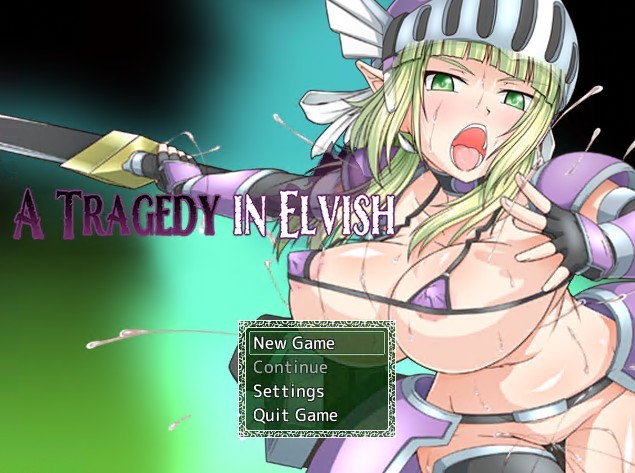
In the kingdom of Karmabüttel, elves and men live side by side, but not as equals. Once an elven island, the land was seized a century ago in a brutal [...]

Behold the Elf specimen! Long ears. Beautiful features. Long lives. Exotic… They gather together for mutual protection, build villages, and help nurture forests rich with Fey and mana. As guardians [...]

Ayumi goes to the abandoned schoolhouse with 8 male classmates, but soon awakens in a classroom all by herself… As she tries to ascertain her surroundings, she’s struck with a [...]

Two strangers, one mysterious island, and a fate they never saw coming. When a sudden accident leaves two young women shipwrecked on the shores of a seemingly deserted tropical [...]

Becoming a gigolo seemed like the perfect gig, until one seductive contract pulled you into a web of lies, manipulation, and power. Years later, you're free... or so you think. [...]

You experience the story through the eyes of Mei, the wife of Chang, a simple villager. Their world is upended by a nearby military conflict, creating an atmosphere of desperation [...]

A quiet night in Oakridge Valley turns into a nightmare when a mysterious phone call leads a U.S. Marshal to an abandoned church. Inside lies a wounded girl and the [...]


just a quick question. what exactly do these voice files do?
are they english voices?
No, Japanese voices, English text.
That’s actually a rule here – there’s only one game of this type with English voices in existence.
oh, okay, thanks!
there is a english language (voiced) vn?
intersting cant remember having heard of/played that, mind telling witch?
Casual Romance Club has both Japanese and English voices to choose from.
That would be “Sakura Wars – So long my love”
“there’s only one game of this type with English voices in existence”
No. Original Giniro bundled with its Complete Edition has both Japanese and English, voiced by the same actors. But English voices were left out of Complete one for some reason so it has Japanese voices only.
just wanted to ask we can choose between three sets of voices?
Is this game only partially voiced? I’ve played into the prologue as far as walking down the stairs, but I haven’t heard any voice clips yet.
“Start the game with AI5ENG_VOICE.exe.”
Do I still need to start the game with that file after patching it to the English translation?
can anyone upload the files required to play with english voices like the AI5END_VOICE.exe i put them in folder and installed patch and it puts a shortcut on desktop however it does not link to anyfile and will not play english voices without the .exe and the .ini file i guess… no idea why they dont install
i think avast antivirus deletes the exe during installation for some reason
ahhhh i am indeed running avast… thanks for the heads up on that one
yep…. aslong as avast is running it will deleate this file over and over…. kinda annoying its what iv used for years and never had a problem with it so far on this sorta thing… any ideas on why its causing it
ok this is for anyone else who gets the issue and wants it resolved, right click on avast icon and go to avast sheild control… disable for ten minutes, install the patch english patch again, now open avast in full and go to settings and excusions add the file name to the list
eg D:\Program Files (x86)\Classics\YUNO\AI5ENG_VOICE.EXE
click ok now go to realtime sheilds and file system sheild, hit exspert settings and roll to exclusions add the same line again and click ok…. avast will now ignore it from deep scans and realtime sheilds and it will work…
I installed while running a recent version of Avast with no problems.
hey, Admin, i Would Like to ask, about Eden*
it has the demo here, but the full isn’t out yet?
just came across me when browsing here…..
There’s no full version translated, and unlikely there’ll be one in anytime near.
I wondered this before, but why don’t you guys use Mediafire? It’s free and quite unlimited for file hosting. BTW, thanks for the upload, it’s really boring to have to play a game and it’s practically dead silent save for the music.
Admin have answered this question many times…
–> The size limit is 200 MB…
–> There is a higher chance of people reporting the link…
–> Admin has been working with these servers for many years… so they have some sort of better understanding…
Want a detailed answer?
Search.
Is there anyway to change the sound balance? The music tends to overwhelm the voices somewhat.
Where does the file AI5ENG_VOICE.exe specifically comes from, because it’s not located in either YuNo.partX.rar or YuNoVoices.partX.rar, and I’m not seeing a download link for it. Or is the file generated by the English Patch .exe file, and does not specifically have anything to do with the voice files, other than starting the game in English and not Japanese?
Note: I downloaded these files late November of 2011 and haven’t actually gotten around to trying to install any of it yet, so it is possible the three part download listed here is no longer the three part download I have. Been playing other VNs.
Ok, now my game is in english but I can’t hear anything. I have three files (A, B and C), how I install that voice files? I don’t even know if Yuno voice’s file is A, B or C…
i just wanted to point out that you need to start a brand NEW game for the voices to actually work. If you just continue, then it wont work. at least thats what happened to me
i have trouble with the AI5ENG_VOICE.exe file i disabled my antivir and re unzipped everything game and patch but cant find the file Pease help
How can I play the japanese text version with those voice files, i.e in AI5WIN.exe? Those voices only seem to work in the english text version AI5ENG(_VOICE).exe
I downloaded the part, extracted, then transferred them to the root folder. Opened the AI5ENG_VOICE.exe file, but got the error “Process located, but injection failed”. Anybody knows how to fix this?
nvm, it’s working now. I had to run it in compatibility settings.