
The following patch will add voices in English version of the game.

Sexy Beats
Sex Beats is an adult rhythm game crafted for mature players, perfectly blending precise beat-hitting with scorching anime CG. Every song is a visual & auditory orgasm—notes dance, erotic animations…

Forest Fortress
Our protagonist Dale goes to the cursed forest to learn more about the origins of a disease that affected a neighboring village. In his search Dale meets a squirrel-girl Rika,…
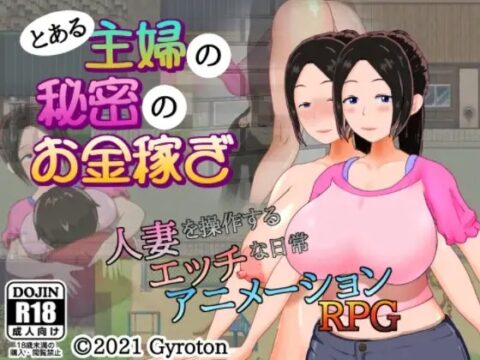
A Certain Housewife’s Secret Side-job
This is the story of a normal married couple. Or, at least it starts that way… The husband works to pay the bills, and his wife, having gotten used to…

Discouraged Workers
A hospital coordinator, Ga-Yeon, fell in love with a doctor at the hospital she was working in and they had an affair even though the doctor was a married man….
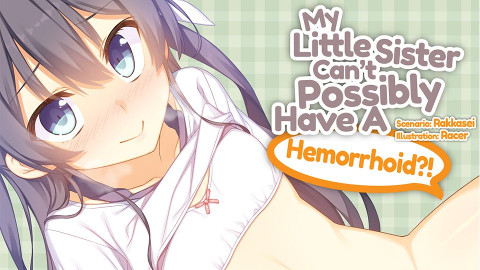
My Little Sister Can’t Possibly Have A Hemorrhoid?!
My kind, beautiful little sister has a hemorrhoid?! It all begins when the protagonist’s little sister opens up to him about her awkward dilemma, leading him to buy a suppository…




one question, when visiting tme why does chouryuu is the only onw with voice and other doesnt? is it like that?
where is the mian game directory
please help!!!
also i loaded everything and the game works but every so often when someone is going to talk a pop-up occurs that “this game failed to load a file in PlayDSB0.
i don’t understand
and again please help any assistance is useful
Yea, all this does is add the japanese voices back in. The folks who localized the game didn’t buy the rights to the voices, for whatever godawful reason.
sorry for so many posts but does this patch turn the japanese voices to english?
No.
I think i recall only one eroge/hentai game/visual novel with english dub – Casual Romance Club. For every other game voice patch add japanese voices which were somehow missing (licensing issues etc.)
worked great thanks
same problem as jeffry says fail to loade a file
admin could you help
You need to put both voice patch and voice files into main game directory. Make sure you didn’t extract them to some sub-directory.
I just posted this in another area but everything was loaded into the same location as the game but no voices are coming out and also just got the PlayDSB( error.
I have all eight parts plus the 2mb patch.
Is something not being done that should be?
Make sure you delete the previous soundpacksevo files.
Admin, I patched the voice patch but still no voices. I also looked through the comments in the other post but can’t see the solution for my problem. This will be my first time playing an eroge as per recommendation of my friend, so I can say that I’m a n00b when it comes to tinkering my eroge and no way knowledgeable with all that bug fixing stuff.
Simply saying, How can I install the voice patch right? I already installed the voice patch but still no voices when I restart the game. What do I do?
If you did everything properly then you just need to wait. Voices start only once you meet first girls.
No voice. I already met Kanu and Choushi after they saved MC from the 3 yellow turban guys but still no voice.
Hi there! Sorry to bother you Admin just wondering, do I just need all the files mentioned above or do I still have to get the ones from the previous post
You need both game and voice patch files if you want to play with voices.
Sorry to bother you again but just to clarify I the first 6 parts from the previous post were the game files and these new 8 parts and the 1.9MB files are all solely for the voice patch. am I correct sir?
Yes.
Thanks, well better get started XD
Why I still don’t hve any voices?
I already put the sound patch into the main folder (koihime) and it still voiceless… does being in another drive instead of drive C: affect the voice?
ok, im confused from the previous entries. does this originally have japanese sound, or is it soundless?
i havent played the game yet so idk.
Sorry to bother you guys but can anyone actually point out the actual point where the voices appear?(Ex. In a “town” or while talking to “person x” or something)
After the first fight with yellow turbans as far as i remember.
I am such an idiot!!! I’m sure I wasn’t the first to make this stupid mistake but I guess I’ll have to be the first one to admit it. Ya know how we all get excited after downloading all the parts, well I forgot the 1.9MB patch XD just extract too in the same folder
And again Sorry for wasting your time Admin :3
No problem.
You can read earlier comments – there was someone else with exactly the same problem 🙂
admin i have a question
i have koihime musou jap (this site version and not shin version) game and that has voice.
can i use the voice file from the jap version and just use the voice patch to install it in the eng version?
(sorry my eng is very bad) 😀
Admin-sama! I’ve searched all over the internets but I can’t seem to find a solution. After Sousou’s arc I finally start off with Sousen but the game keeps crashing(menu,quick save, or skip) all of these lead to a crash, I heard people complaining everywhere but I haven’t seen any answers, there must be a way since some people from this site say they’ve completed it…HELP!
Read older comments.
Hmmm according to
k90:
March 19, 2011 at 6:04 pm
The only option seem to basically play the game nonstop from that point on(although this seemed to be the best solution I could get the others were just awkward silences after the questions) I still don’t know if the same will happen again if I finally finish the game once though maybe it’ll fix itself. Although it’s weird how only a limited number of users fell prey to the crashes, maybe it’s not limited to the game and more on the more unnoticed things like OS and such since I’m currently using Windows XP I wonder if those who were left unscathed were Win 7 users and such…oh well either way this is still going to be an all-nighter after all *sigh* thank anyway Admin-sama
Hai Hai! Hmmm heh hahaha But no seriously “Nante Usuroshi Koto!” Or just plain unfair after experimenting I have found out that the bug only seems to affect us worshipers of Sei *sob*. This bug at least, only starts after you go through Sei’s episode where she basically finds about here menma stolen by her Lord…anyway the bug activates when after you view that scene in which immediately after you can save but at the start of Sonken’s ark you cannot do anything else except click and enter
Solution: If you are a fellow worshiper of Sei but wishes to play the game afterwords then simply skip through her scenes and finish the game to get the “New Game+” after that it’s simply loading back to her scene and playing the game from there nonstop just press ctrl I think to skip the scenes you watched and wait for the HomeBase phases to finish all of Sei’s CGs up to the very end of the game
Sorry for the long post feel free to point out mistake as I would very much appreciate a far more better solution than this
I don’t think it’s an XP problem, my pc runs window 7 and has the same crash but I haven’t even begin sousou’s arc yet…so I’ve got ways to go before I can finish the game So the only way to go is to play non-stop??? yeah!!! what Fun
Hey, I don’t know if its the same bug but I manage to fix mine. I realized that the reason why it crashed is because the sequence is out of order, the dialogue sequence I got was repeated and out of order, so I copy the save folder, make a separate folder with koihime musou without voice and load the save. Sure enough, I got a different sequence and after that part I just save, put the new save in the old, voiced folder, and continue playing, haven’t had a program since.
hi
after installing the voice patch all sound disappeared
i extracted both archives to the maingame directory just as said..
what did i do wrong…
nvm for some reason windows muted the game sounds…
Thanks
im stuck in a never endding loop while plaing rinrin’s route. is there a way to fix this?
when i install the voice patch and files i noticed that the voices weren’t in sync with the text. For example, the voice with go on even after you have passed the text for it. It won’t stop until it finishes or another part of the dialogue comes deals with voices. It is a minor inconvenience but i was wondering if i could fix it.
Yes, that’s normal. This voice patch uses playsound calls, instead of normal voice ones. I don’t remember why, but that’s the way this patch was written. You need to deal with it.
admin, why do i keep getting runtime error message when in your first fight with Saji after i install the voice patch and voice files?is there anyway to fix this because it never happen before when i’m playing the game without voice?
I am going to list some of the problems i got while playing and the solutions i found on the web and by myself.
First off… You will need to download a NON-voiced game and one that has the voice patch already installed.
1. The battle between Chouun and one of the generals of GI crashes after 5 days giving you a “The game failed to load in Graphic-Files in LoadLayer ()”. SOLUTION= download a 100% save/unlocker, backup your “SAVE__.LCS” in the save folder or rename it, Load that save and you will have the option to SKIP that battle wich you should choose to do so… Save after you skip it and place back the your original “SAVE__.LCS” and load the save you made after that battle.
2. Some H-scenes loop. SOLUTION= Copy all of your save data and paste it in the Sav folder of the NON-voiced version and play the scene all the way through, save then copy the data back to the Voiced version and continue.
3.Game crashes sometimes when you press “Skip” “Save” bottons or rightclick to go to the System screen. SOLUTION= copy the save data and paste it in the Sav folder of your NON-voiced version and load an earlier save and continue the game to where it crashes and continue it a bit/check if you can save before copying the sav data back to your voiced version. *NOTE – usually that crash happens after you pick some girls in the home base and decide to continue the story.. if it still crashes even in the non-voice version load an earlier save BEFORE you picked the girls in the home base and go trough their dialog again but in the non-voiced version. The voice patch sometimes skips some dialog wich results in errors and and makes the game crash*.
4.Game crashes in the main menu after you finish a girl route. SOlUTION = Replay an earlier save in the non-voiced version and when you get to the main menu after finishing the route press “Quit game” and open it again it.
Sorry for writing so much but i liked this game and it frustrated me with all those errors really wished it was 100% voiced *all the girls atleast* and it didnt loop/crash =(
How is someone supposed to download a 100% save unlocker when there don’t appear to be any? Even google is failing to find one.
Ugh, wow, there’s alot to do here. I’m starting to wonder if I should even play it. It’s buggy & crashes alot, and the solutions sound tiring.
Beautiful art, great story, nice humor, overall great game it kept me going even with all the problems i got with it.
REAAAALLY wish someone would fix all those bugs though.
where is the 2mb patch?
I have one question. Will the game work without these voice patch ?
Yes, game will work just fine (and even better without it – there are some issue with this patch that don’t occur without it). This download is completely optional – I’m always posting the stuff that is necessary to run the game on main game page.
Hmm… I have no problems with the voice patch whatsoever. voices add a ‘LOT’ to the game atmosphere. Maybe I’m just lucky, but I’ve never had it crash on me and I finished all of the routes and I’ve unlocked everything.
Damn. The voice patch pretty much as big as the game itself. Just like real life. Talking takes a lot of energy.
I’ve encountered a problem recently with the voice patch. Recently whenever I play the game with the voice patch I get a message upon loading up telling a Graphics file failed to load or something and then it seemly loads the scene up, but when the scene changes in anyway I get a message telling me that the program encountered an error and needed to close. When I extracted the game again from my orginal download folder and put my saves in it I got a message telling a sound file wouldn’t load but it played the scene perfectly.
They with this huge file.. I still have to add this to the game?
Is this just the voice file itself?
Do I need download Koihime Musou Voice Files and voice patch ???
If you want to have voices ingame, then yes – you need both. Otherwise just download the game alone and enjoy.
Thanks for your reply MR.Admin,…
I hope in my game,not have bug and error just like those guy say,….
Greetings~
I just recently finished D/L the Voice parts and am encountering a problem with the extraction. I’m getting an error that says, “Data error in ‘SoundPackSEVo’. File is broken” at around 90% extracted. I always use 7-Zip and tried using Winzip as well but, it too encounters the problem. I thought it could be from d/l parts from both Rapidshare and Mediafire but, I haven’t had that be a problem yet. Am going to try d/l the rest of the parts for each individual site and hope that works.
After looking over the parts once more I noticed part 8 d/l incompletely for whatever unknown reason… Guessing that downloading that completely will fix the error…orz
thankx for relinking mediafire
Excuse me but i think i can`t download the part 4 of the voice patch can you please re-upload thx in advance
How do I put the voice patch into the directory and where is it
Admin I want to clarify if the Koihime Musou in this site is English already? and also wat language will this voice patch add?
the game text in the koihime musou download is in english, this voice patch will also cause the characters to be voiced (the audio is in english since there has been no official dub of it)
wow, i totally meant to say the audio is in japanese. sorry for any confusion i just put in
Could anyone please tell me where to find the main game directory and how to extracct the voice patch inot it.
after applying the voice patch, the log and auto buttons don’t work anymore..
Is there any way to get things uploaded to Mediafire again? This downloadani.me shit is fucking horrible. I can’t even get a single file to download from it without error.
there is only one thing i didn´t understand to make the voices work i just need to download the patch or: SoundPackSEVo and SoundPackSEVo.lst??
if i download them what do i need to do with them, please help me admin!
there are instructions at the top of the page just under the download links. so when you download the patch (which is SoundPackSEVo and SoundPackSEVo.lst) you place them into the main game directory
could u tell me
“KoihimeVoices.rar – 1.7 GB”
and
“KoihimeVoices.part01.rar – 199.3 MB
KoihimeVoices.part02.rar – 199.3 MB
KoihimeVoices.part03.rar – 199.3 MB
KoihimeVoices.part04.rar – 199.3 MB
KoihimeVoices.part05.rar – 199.3 MB
KoihimeVoices.part06.rar – 199.3 MB
KoihimeVoices.part07.rar – 199.3 MB
KoihimeVoices.part08.rar – 199.3 MB
KoihimeVoices.part09.rar – 111.8 MB”
is that same??
how i can add voice to the game??
Yes, those both contain the same content – i’m splitting it like that, since users having premium account can download whole file in one click, while others can download it for free, as 200MB parts.
if i want voice then i must download voice file here even after i download the game??
yes, because the english release was created by a company without enough money to purchase the rights to the voices (or something like that) so this patch is just rewriting the relevant files to include the voices from the original version
Part 04 of the voices files could not be found, no matter how many times i entered the capture that’s all it’s basically saying, any chance of a reupload?? thanks
‘Error 6 (net::ERR_FILE_NOT_FOUND): The file or directory could not be found’ is the message i keep getting
I got the same problem with you….
Admin-san,
Can you reupload the Koihime Voice Patch….. because the part3 to 9 are broken…. Onegai Shimasu!!
I find it Funny that the voices patch is bigger than the GAME ITSELF
ok i must be doing something wrong. when i take the voice files into the main game directory, i assume i have to have them overwrite the old SoundPackSEVo files, but once i do that i still have absolutely no voices, the rest of the sound still plays properly though. i have gotten to the part with the voiced characters and even completed like 6 battles. is the main game directory the place where we extracted the koihime musou game or does it create something somewhere else when you run it? (i doubt the latter, but i have to ask)
i have absolutely no idea what i have done wrong, but nothing i try works and i still dont have voices
ok i got sound for like one line (ganryuu falls in a cave and shouts hello which echoes off the wall. the echo was voiced) can someone with an unvoiced version see if this happens in every version or if mine is just partially patched or something. still wish i had voices though. i’ve already beaten the game on aisha’s path and unlocked about 75% of the cg and h-scenes
scratch that, I have completed the entire game and unlocked all scenes. i only had once instance of a voice which i could easily be convinced was not removed in the first place since it was an echo which might’ve had a weird piece of code behind it.
I downloaded everything, copied and pasted everything in the Koihime folder and started lcsebody, but when I started the game, something like NECEMEM.SNI is missing or something like that. What should I do?
i am getting the same error but i didnt get it until just now. when i was watching the final ending and the game crashed in the middle of it. Now i cant open the game and view anything of my completions =/
ok i backed up my saves and re-extracted the game and voice files and it works again. though i found a forum somewhere that said this particular error was caused by the voice patch so you can probably just reinstall that
I downloaded and copied it in the main directory and still no sound 🙁
I downloaded everything and replaced the sound files and no voices. Am i supposed to put it in a particular folder or just add without replacing?
reupload the voice patch please because most of them cant be found
the voice patch is so much bigger than the actual game -.-
When I install the patches separated in parts (200MB), it asks me if I should replace the file (Ex. “Replace Part [n] with Part [n+1]?” [n= Part #]) and so on, do I do this or will it delete Part n?
what you want to do is take every single one of the files you downloaded, select them all and right click part of the selection. find an option given by your extraction software in the following menu and choose to extract the files (doesnt matter where, probably dont want to go straight to the game directory yet). the extraction software should be smart enough to realize that all these files are part of the same archive and will combine them properly. now move the extracted files to the game directory and overwrite the previous sound files
I’m having an issue that others have had. I extracted and replaced the voice files but I’m not getting any voices still. I have played through 2 battles and still not a peep out of Aisha or Rinrin. Any ideas on what I should do?
OK I downloaded this again from a torrent and the sound works now. Not the problem is once I get a good way into the game. When hostilities break out with Go the game crashes whenever I go to the options screen. I guess no saving for me.
It seems Sei’s route is the problem.
the game will crash after you run her third to last scene (the scene where she found out you and rinirn and sui stole her menma)
just ignore her route before that point and proceed to the end, after finish the end, then load back to the beginning of the last 4 home base scenes and complete her route (dont save or right click or scroll) press control instead of press skip, process till the end, then close the game.
if you dont do that, even if you finish the game and you save on new game, the game will crash and when you open a new one, it still on the status of not finish her route
note that you will get her last cg on her final scene
Sei´s Route is the Problem ^^”