

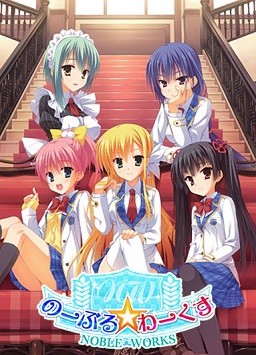
Yuuma is a second year student at the prestigious public school Hoshioka Gakuen. It is known for offering a fulfilling school life, but he has yet to experience love and spends his days lacking any satisfaction. He hasn’t made any progress with his classmates nor his osananajimi. All he can do is look at his love interest, the student council leader Midori, from a distance.
One day, he saw her with a troubled face. It seemed that the remaining members of the school cafeteria improvement committee had resigned. After giving it some thought, he volunteered to lead the committee. After that fateful moment, his surroundings became a lot more lively and before long, his first love had blossomed.

















This VN is just so good.
Maya is the best girl
I hardly could made myself played other routes , It feels like i cheated on her xD
i cry a lot when yuma tell her to **** that Scene before end
i feel the same as you but gonna try other route it shd be great as maya route
gonna buy this game for support this company tho
This is the only game that I have not been able to get to run. Tried on windows 8.1 and 10 and it will not play on either. It gives me some bizarre error that is only in Japanese and I have no idea what it says.
You need to change your system local to japan it might fix your problem
—————————
Hatsukoi 1/1
—————————
[2017/05/18 19:21:15.0633]
マウスカーソル _cursor03 が見つかりませんでした。
_cursor03
[Support Info]
You can copy this message by pressing Ctrl+C on your keyboard.
—————————
OK
—————————
I don’t understand this at all, every time I click on the lauche.exe file, this error message appear. What did I do wrong?
Version environment adjustment data is not updated.
Please restart the game after deleting the saved data.
thats the translation it just apear to me today literaly just an hour ago i was playing the game
Some Windows update messed up with some files?
i also want some answers
I got the same problem. Figured it was windows related as it worked fine for me before.
It just randomly appears sometimes after reinstalling, and after 2 system restarts it adds up again. I can’t get a grip on it.
Does changing the folders name do anything? Because I start to get the feeling that it does. I had similar issues with Rewrite.
Just Delete your save data
How do you delete the save data? I just downloaded and have no idea what files are the save files.
1. Mount hatsukoi_disc1.mds
2. Click autorun
3. there will a be menu in japanese, click the first one.
4. It will install the game.
5. When it ask disc2, unmount disc1 and mount disc2.
6. click continue.
7. copy and extract the english patch to the installed game folder, overwriting files.
8. click launcher.exe and enjoy the game, you perverts. ?
Thanks a million
You mentioned in one of your steps that you need to unmount disc 1 and mount the second one when it prompts. I have the prompt, I think and I unmount the first disc and mount the second, but I don’t know what to do from here. I keep clicking ok and I try to run the Autorun application in the second, but nothing is happening. How do I mount the second disc and continue the installation of the game?
Thanks in advance!
Did you use Daemon tools?
When it asks to mount disc2, it will installed halfway, right?.
Hide the window, don’t close it.
Unmount disc1 and then mount disc2.
When you open the window again, there will be a box with the word ‘Continue’ in it, click it and wait until it install the game completely.
I’m using Daemon tool lite, btw.
Thanks! I managed to install it, but now I get the following error:
—————————
SiglusEngine.exe – System Error
—————————
The program can’t start because kDays.dll is missing from your computer. Try reinstalling the program to fix this problem.
—————————
OK
—————————
Normally, I would just google the .dll I’m missing and download it, but I can’t find it anywhere and most of the sites are sketchy. Should I just try reinstalling the program? Or is there another work around.
Maybe you should reinstalling the game.
I haven’t face any problem like that and the game works perfectly fine for me.
Though the only problem for me is the one that you need to delete the save data.
After I delete the save data, the game works again.
Sorry, i just want to ask.. I think there are side stories or after story right for Maya, Kyou and Yukino.
Are they also included in this one?
Or they are still untranslated?
It’s not translated and not in this game here
this is an airy but fun vn. nice and fancy graphics/engine and solid characters; i think there will be a heroine for almost every reader. but don’t expect to walk away from your computer contemplating mortality, the meaning of life or contemporary politics. just enjoy banging your osananajimi or courting the quiet, mysterious girl that gives you the cold shoulder. expect lots of coming-of-age realizations and teenage moments…
for some reason I cant download anything from downloadani I have downloaded quite a number of VN using it so it has happened just recently
am i the only one facing this problem?
Thank you for your reply, and i want to ask one more thing.
As far as I know, some visual novels are translated into chinese. So can I play it in traditional chinese instead of the simplified one?
Help Plz!!! Why does it say “It’s lacking in a file necessary to star. Please check the object-time error of installation and the folder abnormality which starts, etc..” when I open the .exe file?
What’s the game font? I’m having problems with it.
thanks
so+i+cant+even+extract+this.+keeps+telling+me+my+disk+is+full.+i+download+to+external+HD+for+all+these+games+and+its+a+1TB+HD+with+a+good+370ish+GB+left.+how+the+h***+am+i+’out+of+space’?+;-;+it+seems+that+the+mds+for+both+disks+and+mdf+for+disk+1+extracts+but+the+mdf+for+disk+2+doesnt+no+matter+how+i+try
no idea what happened with my comment. but i said i cant extract because im ‘out of space’ on my external HD even though i have 370ish GB left free. at least thats the error message i get. help?
after i install when run the laucher it brought me to some support site which require the ID. so what is the ID ?
When i run the game pop-ups just keep coming up every second. I close one and another pops up. Is anyone having this problem or had this problem before and know the fix for this? Thank you
I had this problem too. Did you ever find a solution? I’m probably going to try re-downloading later today.
This VN is pretty good, it look cliche at first, but dont be fooled! the cliches are only there to throw you off! once you get into a route the story always go against expectation and prediction.
I installed the game, but when it comes time to display a choice option I don’t get any. Has anyone else experiences this? I can’t get past the first text message i receive.
Why does in Yukino route the game freezes in May 18
I have a problem with the game, everytime the scene where yuumi talks to me in my room, the game crashes. how do i fix this?
Thank you very much for the upload. I enjoyed this game a lot.
Is it possible to play the prologue also?
If so could some explain it to me?
Thanks!
Kyou’s route was a surprising disappointment. What was the point of the MC being a former basketball player if not to make them stand on the same stage? That and other problems made it only mediocre. Maybe the others are better.
I thought the translation for this got cancelled! I can’t believe that it’s here after all these years. Amazing translators and amazing admin, thankyou!
kDays.dll is missing, any help?
Hopefully the dlc for this will be released. Can’t wait to see further the story.
I received a prompt asking me about the font. I pick something and now I can’t see any words. Please help.
“A debugger has been found running in your system. Please, unload it from memory and restart your program.”
Anyone got any ideas what this is about?
it could be your anti-virus, I had the same issue. All I did was disable my anti-virus it for a while, you might have to stop it completely.
I have some problem… i try delete save data.. but it does’nt work… anybody can help me?
All five routes have great story.
I’m starting to like Tone Work’s VN.
If you liked this one, play Hoshi Ori. Its alot better.
Can someone post the control scheme for this game, no skip button for dialog ive already seen is painful for a vn this long. Plus not having autoplay is hurting my hand…
Wow… I’m a dumbace… there was a menu at the bottom the whole time… I didn’t see it because I had it on windowed mode….
can someone help me?? i can run the game with the english patch but the game played without sound. No sound at all.
No Append translation, duh…
The translators have said they will work on the appends after they finish translation Tsujidou Jun’Ai Road.
guys.. can you help me with the installation process from the start until last? really want to play this
Sorry, I’m really confused… this is my first game, can someone be the guide?
Can someone help me how to mount mds file
Use Daemon tools.
GOD! Thanks
does this contain the Additional Scenario Yukino ”after” Promise Winter patch?
Did you use Daemon tools?
When it asks to mount disc2, it will installed halfway, right?.
Hide the window, don’t close it.
Unmount disc1 and then mount disc2.
When you open the window again, there will be a box with the word ‘Continue’ in it, click it and wait until it install the game completely.
I’m using Daemon tool lite, btw.
I have a question, why isn’t this on the downloads page?
This+is+the+message+i+get+when+i+click+on+the+launcher.
—————————
Hatsukoi+1/1
—————————
[2017/09/12+23:00:36.0441]+
ãã¦ã¹ã«ã¼ã½ã«+_cursor00+ãè¦ã¤ããã¾ããã§ããã
_cursor00
[Support+Info]
You+can+copy+this+message+by+pressing+Ctrl+C+on+your+keyboard.
—————————
OK+++
—————————
+I’ve+got+tons+of+those+and+then+the+main+screen+of+the+game+has+no+background+picture,+anyone+knows+how+to+solve+that?
http://erogedownload.com/faq/changing-to-japanese-locale-on-windows-7/
Had the same problem and after some work I figured out that the game dont like if you move it from the place where you installed it so if you did that just return it (for example I tried to remove it from “toneworks” folder so I dont have folder in folder and it started giving me that error but after I returned it inside it worked just fine)
when i try to patch the game, i get this from winrar.
! C:\Program Files (x86)\toneworks\Hatsukoi\HatsukoiEN.rar: Cannot create Launcher.exe
! Accès refusé.
! C:\Program Files (x86)\toneworks\Hatsukoi\HatsukoiEN.rar: Cannot create SCPatch.dll
! Accès refusé.
! C:\Program Files (x86)\toneworks\Hatsukoi\HatsukoiEN.rar: Cannot create SiglusDRM.dll
! Accès refusé.
! C:\Program Files (x86)\toneworks\Hatsukoi\HatsukoiEN.rar: Cannot create SiglusEngine.exe
! Accès refusé.
basically, it denies me access.
Does anybody have a 100% cleared (all CGs etc.) save file they could share? I’d appreciate it.
I’m still looking for that save file, if anybody has one – please help me out.
Followed the guide step by step. Also have system local in japanese. Even disabled the antivirus. But after patching to english and trying to run the launcher it says that “Siglus stopped working”. Any ideas?
Maybe you have same problem like others and the solution is not to move game from where you installed it or not to rename folder (any changes to folders or location will give you error) so if it is the same then just return it or reinstall it and it should work
Had the same problem and after some work I figured out that the game dont like if you move it from the place where you installed it so if you did that just return it (for example I tried to remove it from “toneworks” folder so I dont have folder in folder and it started giving me that error but after I returned it inside it worked just fine)
Can someone help me. I have done install all game and patch in the english version, when i press launcher and then the black screen pop out asking to insert disc 1. can someone tell me how?
Oh i have found solution for that, you need mount disc 1 in demon tool (don’t do anything about the disc 1 when you done mount, just leave there). and then got back to your folder that you have install with english patch then launch it, then you good to go. but with the disc 1 in demon tool, because it need confirmation about the game copyright. without that, it will cause the error keep popinp out even you done all the step on installation. SO have fun guy.
Is this uncensored?
So despite having the install work well and the game running smoothly. After Extracting the english patch into the game folder, no text shows up at all in-game. Are there any known occurrences of this/ possible fixes?
Go to settings and change the font style or font option thing.
I had the same problem and accidentally changed the settings and after that everything was fine
my god, maya route are memorable enough and her hcg are high level indeed
Anyone crashing in Midoris route? To be specific, it’s the scene after the school festival is over, and you go back to the school to meet Kishi and Midoris Dad. I crash when Yuuma and Midoris dad talks.
Hi everyone!
I finally managed to install this game yesterday and i was happily playing it today until this message showed up ruining my fun because i can’t find a solution.
—————————
Hatsukoi 1/1
—————————
[2018/06/28 21:50:03.0920]
環境設定データのバージョンが古いです。
セーブデータを削除してから再度ゲームを起動して下さい。
[Support Info]
You can copy this message by pressing Ctrl+C on your keyboard.
—————————
OK
—————————
This what it say in english with google trad
—————————
Hatsukoi 1/1
—————————
[2018/06/28 21: 50: 03.0920]
The version of the configuration data is old.
Please delete the saved data and start the game again.
[Support Info]
You can copy this message by pressing Ctrl + C on your keyboard.
—————————
OK
—————————
So I thought about deleting files that may be the save data, but i didn’t manage to repair it. I even deleted the game entirely to reinstall it new but the problem occured again immediately.
Help me please :'(
Wow ! So lucky !
I managed to solve my problem.
So for those who may go through the same problem.
You must delete the “config.sav” that is in the “toneworks” in your “Documents” instead of searching in the “toneworks” in the “Program Files (x86)”.
No problems with game other than the protagonist is a real dufus ie so dumb/stupid it’s almost laughable, is there truly any guy in this world like this? hard to believe even in my wildest dreams!
follow up to my last comment, I’m running win7 X64 didn’t need to delete anything, didn’t need to run in 32 bit mode either.
you need to load cd image to start the game though, but it’s a 1 time thing just to register it as legit.
Got a question for the uploaders why are the images in silly formats when iso format works just as well….i converted it to iso’s before install, as i hate using loads of different Cd programs and it works perfectly.
For those people like me, who just want to load it into a virtual drive, convert the images with “AnyToISO” it’s worked perfectly on every conversion of image i have downloaded.
help me when i run setup it show some japanese word please show me how can i solve this problem