
Takuya Arima is a young student whose father, a historian who has conducted various researches, disappeared recently. During a summer vacation Takuya receives a peculiar package from his missing father, along with a letter containing information about the existence of various parallel worlds. At first Takuya doesn’t take it seriously, but soon he realizes that he possesses a device that allows him to travel to alternate dimensions. Is his father alive, after all? If so, where is he?
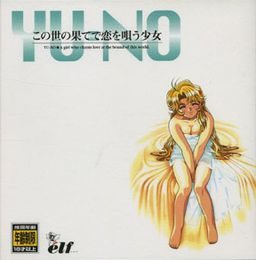
YU-NO - The Girl that Chants Love at the Edge of the World






202 comments
Don't care how good the game might be if that's how it starts it would be foolish to continue playing.
I could be mistaken of course and the problem is that I didn't click the right pixel enough times, which isn't any better.
1. How do you get the jewel in the Eriko/sub teacher route? The one that requires interaction with the storehouse right before you meet the teacher at the well. I think it's gotten via opening the door in the back but I haven't managed to get to/find it.
2. I'm at the part in Mio route right after the thunderstrike and the crowd pelting Ayumi wth eggs. Left geotec, went to the gate and saw the Foxy mama. The site guide is telling me to see the sub teacher and mio in the schools second corridor but I'm not getting anything when I head up there/search.
I've read both this sites walkthrough and the admins walkthrough that was posted on this earlier and I still can't figure this out. Can Anyone help me?
Thanks.
download the classics, from the YUNO file, copy the BG.arc file into the english YU-NO folder and delete the zBG.arc file, then go to the settings(AI5ENG) and change the ARCBGNAME from ARCBGNAME=zBG.ARC to ARCBGNAME=BG.ARC
1) Copy "ClassicsYUNOBG.ARC" to "ClassicsBG.ARC"
2) Edit AI5ENG.ini and change "ARCBGNAME=zBG.ARC" to "ARCBGNAME=BG.ARC"
3) Run AI5ENG.EXE.
Right after clicking "play with colors".
I would love to be able to play this VN.
1.go into the folder where you installed yu-no.
2.open AI5ENG.INI in notepad.
3.Somewhere in there should be something that looks like the following:
[MONITOR]
SCREEN=1
4.Change SCREEN=1 to SCREEN=0
5.Save and exit
That will restore Yu-no to windowed mode.
Reply
You can just scroll with the cursor to the top of the screen, even in fullscreen mode, to see the settings again.
Whoops.
windows 8
plz help
1.go into the folder where you installed yu-no.
2.open AI5ENG.INI in notepad.
3.Somewhere in there should be something that looks like the following:
[MONITOR]
SCREEN=1
4.Change SCREEN=1 to SCREEN=0
5.Save and exit
That will restore Yu-no to windowed mode.
But when I started playing the game I noticed I had no sound of voices.
No voice or Japanese or English, nor have the "AI5ENG_VOICE.exe" file.
I'm playing the game using the "AI5ENG.EXE" file.
Note: I had trouble installing the game because I had several options to choose, and I chose to "500mb-600mb" something, later, in the other options I do not know what I chose.
I also found two folders of other games that came included with YU-NO Game, and are: SH1 and SH2 meaning ?, I delete them or how I can play ?.
Note: Each folder of SH1 and SH2 containing the executable "AI5WIN.EXE".
Furthermore, I would like to know how to increase the resolution or increase the size of the game in "windowed" mode.
I would also say that I can not record video in the game when I use "fraps" and other programs to record videos of your games.
Note: anyone know if there is any texture pack or know how I can replace the other images of the game improved?
I personally did these images:
https://i.imgur.com/nW4AVpe.jpg
https://i.imgur.com/7eD1X6U.jpg
Be warned, the installer is in Japanese. You'll probably have to use applocale or change your regional settings to install it.