In the near future.
In a not so distant place.
There exists a society where law is based upon deterrence and criminals are assigned “obligations” fitting for their crimes.
Within this society, a man named Morita Kenichi aspires to the position of Special High Class Individual, one who holds authority over said criminals.
For the purpose of fulfilling his ambition, Kenichi returns to the town he once called home. There he will encounter three girls bearing “obligations” and there he will encounter the past he left behind.
Won’t you join him in this story about how people relate to their society?
In this story about how a society relates to its people.
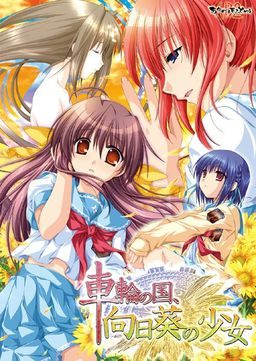
In this story about the girl amid the sunflowers growing in the country spinning like a wheel.
Sharin no Kuni, Himawari no Shoujo







236 comments
You must set your system locale (Found under region and language options in control panel) to Japanese BEFORE installing and leave it that way while you play.
Thanks in advacance
Positively absolutely wonderful game, I loved it! Do you think you could upload the fandisck too?
2. mount iso
3. install game
4. copy the content of the patch folder into the main folder of the game
5. start sharin.exe
*
1.Start button --> Control Panel --> Clock, Language, and Region --> Regional and Language Options.
2.Administrative tab --> Language for non-Unicode programs (System Locale) --> Change system locale.
3.Select the language --> restart pc
Is there any plans to get the fandisc for sharin no kuni himawari no shoujo uploaded on this site? The english patch for that game is done and available from TLwiki, same guys who published the english patch for this game. It would be awesome if the fandisc was also available since I've read it is an epilogue for this game
Anyway , great site you have here, keep up the good work
I even re-downloaded from somewhere else ....
I mount the iso with Daemon Tools and then, nothing happens,just my computers which lags a lot.
I'm on vista.
I had the problem of the slow instalation,the daemon tool take some time to open the setup,but in 10 mins the setup run.
Now i will try the g senjou no maou,let's see if is good as Sharin :P
Seriously though, I just noticed a couple people on this page have links in their names that seem to go nowhere. Whatsup?
1. Download the 3 parts and the english patch, linked above.
2. Download WinRAR and Daemon Tools (both are free and will cause your computer no problem; they are your friend)
3. "Extract" both the english patch and part 1 of the game (will automatically work for all parts).
4. (this step is more unique to this particular game) Go to control panel, clock/region/language, change country/region, and under "administravtice" you'll be able to change the 'locale' of your computer. Change it to japanese... this will allow the japanese text to appear as, well, japanese and not nonsense. (this restarts the computer)
5. Open daemon tools. Click to add an SCSI drive and then find/add the file "syarin.ISO" to it. Now you can go to your "computer" and find an imaginary CD drive on your computer that opens up the game install. (be patient.. its slow to start up AND all in japanese, but you can figure out what to click to install it.)
6. Find the file "patch.xp3" that you extracted from the english patch. Copy. Now find the location of your newly installed game, wherever you chose to save it, and paste the patch.xp3 right into the list of other program files found in the game's main folder. NOW you're set and ready. Enjoy!!
(note, your computer MUST be set to Japanese 'locale' in order for the game to work. No, this doesn't turn your whole computer into japanese and leave you lost with a foreign computer. Just allows japanese text to appear properly, plus you can always change it back if you'd like.
P.S Ive already played G-Senjou-No-Maou(loved it) any VN would be fine
can you upload the sequel or prequel maybe?
with the title sharin no kuni yukyuu shounen shouju
http://i240.photobucket.com/albums/ff99/Cedric5859/Game/fefg.jpg
try mounting the disk image while you run it
"I know it’s been said here and there already, but for anyone who has trouble installing this game and is new to all this… I too just started and will give you some steps towards getting this game to work (without mocking you!)
1. Download the 3 parts and the english patch, linked above.
2. Download WinRAR and Daemon Tools (both are free and will cause your computer no problem; they are your friend)
3. “Extract” both the english patch and part 1 of the game (will automatically work for all parts).
4. (this step is more unique to this particular game) Go to control panel, clock/region/language, change country/region, and under “administravtice” you’ll be able to change the ‘locale’ of your computer. Change it to japanese… this will allow the japanese text to appear as, well, japanese and not nonsense. (this restarts the computer)
5. Open daemon tools. Click to add an SCSI drive and then find/add the file “syarin.ISO” to it. Now you can go to your “computer” and find an imaginary CD drive on your computer that opens up the game install. (be patient.. its slow to start up AND all in japanese, but you can figure out what to click to install it.)
6. Find the file “patch.xp3″ that you extracted from the english patch. Copy. Now find the location of your newly installed game, wherever you chose to save it, and paste the patch.xp3 right into the list of other program files found in the game’s main folder. NOW you’re set and ready. Enjoy!!
(note, your computer MUST be set to Japanese ‘locale’ in order for the game to work. No, this doesn’t turn your whole computer into japanese and leave you lost with a foreign computer. Just allows japanese text to appear properly, plus you can always change it back if you’d like."
I did this, my applocale was already set to Japanese, copied patch.xp3 into the game directory, and when i launch the game this happens: http://i240.photobucket.com/albums/ff99/Cedric5859/Game/fefg.jpg
Afterwards, when i press OK, the game shuts down. I tried it both on Win 7 (32/64 bit).
http://i240.photobucket.com/albums/ff99/Cedric5859/Game/fefg.jpg
I Still Get Sachi's Ending
Is That Normal Anyone?
It has 3 characters only so it stands out
This is what happens when I try to open it, what do I do?
This ONLY happens when I have the patch file inside, when it's not there it runs perfectly fine.
I obviously need the patch so I don't know what to do.
I'm sure it's just a false positive but I just thought you should know.
Having figured that out the hard way, is there some sort or NoDVD crack or something for this game? I don't really like having this image mounted up all the time just to play it.
1) Run the game setup (setup.exe) of the mounted game with japanese locale
2) copy the patch.xp3 into the game directory (there are also other *.xp3 files)
3) run the game syarin.exe as administrator in japanese locale
4) if you didn't do step 3 in the correct way make sure everything game related is closed (every debug window) and try again
The ending is great exept for the censorship, but dont let that put you off!
I get this f*cking message ..
Any help?
There is no big problem, but I just wanted to know why if my PC does not recognize the English patch? I have it on the Japanese game, but as I said this is not a big problem. I wait your answer.
Sayounara!
they say the link has expired
Uhm... when I download from fileserve, it always says that the link expired? Did something happen?
Thanks Admin. :)
Do i have to restart my pc for the locale to change, or am i doing something else wrong? this is my second time i install a japanese game of any kind, so i would appreciate any help - from the admin or the people nevertheless. -thank you in advance - Isi
i want to play it <.< i playerd g-senjou no maou already too i want to PLAY IT!!!!
help pls (location is japanese and i always start it as adminstrator)
Would you recommend anything else possibly bittersweet / mystery?
I've been staring at Katahane for awhile, but haven't been particularly interested in trying it out >_<!!
1. Download all five parts, and the patch.
2. Download Applocale
3. Mount the .ISO using Daemon Tools, or whatever you prefer
4. Run applocale in Administrator mode, then run the install file on the mounted CD using Japanese. INSTALL
5. Move the patch.xp3 file to the main directory of the game
6. Run the game in Applocale, use Administrator mode again with Applocale.
Can't see how anyone can't get it working with those steps. Hope it helps.
Thank you for the download, in any case.
Thank you for the uploads admin as always it's a great help
Mediafire Links are down.
It says Invalid or Deleted File.
P.S. the other ones were Devil on G string(G - Senjou No Maou), Heartwork, Bazooka Cafe, Katawa Shoujo and Soul Link. Also I'm running Win 7 Professional if that helps.
Thanks.
Seriously I really liked G Senjou so I want to play this. Any help is very much appreciated. Thanks.
I really want to play this so any help is very much appreciated.
Thanks.
After a bit of searching I finnally got it to work.
If anyone has a similar problem I'll be gald to help.
I used that program.
I think I also used the normal or original applocale(downloaded from microsoft) in tandem with this but I'm not sure if you need both.
Hope this helps.
Not that it matters, this visual-novel is a piece of shit. The protagonist won't stop blowing his own asshole the entire time, it's like an 8 years old wrote a bloody Garry-stu fanfic with so much self-assertions and the most idiotic setting imaginable ("obligation" bullcrap), that I am more than surprised this shit received funding, and that anyone is actually recommending this abomination.
Now the moment I put the patch in I started having the error "blah blah cur.cur blah blah" in Japanese and cur.cur was the only thing that I could understand. After reading here in the comments section somewhere I felt an alarm bell go off at the back of my head. Someone said "Click sharin.exe to start the game." I was like "huh" I have yukuyu.exe not sharin.exe and then I realized the fvk up on my end.
I ended up downloading Sharin no Kuni, Yuukyuu no Shounenshoujo INSTEAD OF Sharin no Kuni, Himawari no Shoujo which this is. I used a torrent to download and so ended up screwing things up by misinterpreting it >_<! Anywayz the reason you guys are getting cur.cur error is cause you are all using the wrong patch mentioned here. Please check the game you installed cause I am almost 99% sure you download the game from somewhere else and ended up like me looking for help here. No use asking help from here cause I am sure even the admin will be baffled since the patch works perfectly.

*FOR WINDOWS 7 USERS*
In case people are still having trouble. Proper steps to get this working from start to finish. ~Windows 7~
1. Download all five parts, and the patch.
2. Download Applocale
3. Mount the .ISO using Daemon Tools, or whatever you prefer
4. Run applocale in Administrator mode, then run the install file on the mounted CD using Japanese. INSTALL
5. Move the patch.xp3 file to the main directory of the game
6. Run the game in Applocale, use Administrator mode again with Applocale.
Can’t see how anyone can’t get it working with those steps. Hope it helps.
I tried downloading a torrent, but it just had an identicle .ISO file, but it also had a file that said "[NoDVD patch].exe". I put that file in the main directory, and ran it, and it fixed the problem!
I uploaded the file here:
http://www.sendspace.com/file/whg97x
If you're having problems running the program (blue window/errors) you need to follow these steps (make sure the ISO is mounted before starting, just don't install it):
1) Download and install "AppLocale" (free aviable from Microsoft) but DON'T install it;
2) Go to start menu and search "cmd.exe" DON'T PRESS ENTER then right click the icon and "Run as Administrator";
3) Now you can use cmd to install AppLocale, write the path to the installer (ex: "..Desktop\AppLoc.msi") then press enter;
4) In AppLocale click browse and select the file "setup.exe" which is inside the ISO you mounted before (in the virtual device);
5) Click next untill AppLocale asks which language you want to use, select the very last in the list (日本) then click next again and run it;
6) Just install it, everything should be fine (click always Next) and when it's finished don't run the program;
7) - IMPORTANT - Open CMD again as administrator like before and run AppLocale (NOT .MSI) from the console (it should be in "C:\Windows\AppPatch\AppLoc.exe");
8) Click browse and select "syarin.exe" which is inside the installed game folder, then click next and select "日本" again;
9) Have Fun!
Remember: from step 1 to step 9, the ISO must ALWAYS stay mounted, if it isn't then you get "something something DVD something something" error.
And yes you've to always run the program from CMD and AppLocale every freaking time.. it's boring but it works, just read again from step "7" if you don't remember how to do it. To install the patch extract the archive in the game folder.
-mike
I've tried running it with Japanese locale and I put the English patch in the correct folder. I'm running on XP Home, if that makes a difference.
Any help would be appreciated.
I already found one.
is there any way to support this site and the people who make it possible?
until my system found a trojan in the files (syarin.exe)
and then he delete everything
and I became sad TT__TT
It's one of those things where you're scratching your head the whole time, trying to figure out why in the hell people act as screwy as they do, and then ...
Then you go "OHHHHHHHHHHHHHHHH, holy shit! Now I get it!"
In other words, keep at the story, is my advice. It's worth it. (And yes, the "retarded" stuff turned me off at first too)
There's a reason for that, which has nothing to do with Kenichi being a pervert or retarded.
Here are the steps....
1)Download all the files and extract.
2)Mount the iso with any virtual image device(preferably one that's compatible with your os)
3)Use applocale to run the installer.
4)Install to your preferred drive.
5)Then copy the patch to your game directory.
6)Also you have to keep the iso mounted to play.
P.S: This is one of the more frightening and unique VN's.
Well the did make G senjou maou so I guess it's expected.
I have the same issue with Utawarerumono, when I chose full screen, it just expands a black screen all over my monitor, and moves the picture to the corner, without changing the size
any help please?
Just WOW, nothing else I can say.
I played and finished 90% of the games on this site and much more besides that but this one is just amazing.
Very similar to G Senjou no maou, but doesn't come close.
Just amazing.
Thanks for giving me the opportunity to play such a game.
However, when I try to run the .exe, it comes up with some random error where everything is in Japanese except for "DVD" and so, I'd like to know, any help? Please?
Can someone please upload the nodvd patch..
Thankz in advance...
The technical stuff is very good imo, the musical background is nice, and dialogues are really really well written.
Anyway the characters are likable imo, though I kinda dislike tsundere girls in VNs, Touka was the best heroine for me, though both Sachi and Natsumi had their charm. The main character is the strong point in this story, probably one of the best protagonists in any VN I have read so far, so it's a big plus for Kenichi.
The story itself got my feelings kinda mixed up. As someone who studies law and had to spend an entire semester learning about punishment theories and such the whole idea of obligations was ridiculous, but as the story goes on and more facts are revealed it became an interesting read.
The routes of the girls were ok, but the (good) ending of the first two was really predictable, and the chatarsic stuff was way too mushy for me. Seeing as it was made by akabei soft I was expecting a lot of plot twists, and I managed to predict most of them in second half of the game, which was a bit of a let down.
Anyways, in my opinion this VN is really worth the read, especially if it's your first time to experince something that Looseboy has written, though do not expect it to be as good as G-senjou no Maou.
This game's nowhere near 'The Devil on G-String'. Though it's not the worst visual novel, I expected much more from Akabei Soft2. This is fairly average.
Anyway, thanks for the upload :)
if any you don't know how to install the game or you're getting that "algorithm error":
All you need to do is install the game using Applocale
then, copy the patch file to the game install directory
and finally, run the game using Applocale.
works fine in W7 (x64)
http://www21.zippyshare.com/v/58937401/file.html
The second thing is I have been searching for a game now for over a couple of years but I keep getting dead ends. I remember scrolling down and clicking on a link and coming across this game and its description was really interesting. This game was something about the protagonist having to go to a school for people who where either delinquents or couldn't fit into society due to their issues. from what I got it was about living with said problems and how they end up dealing with it. What I remember most was the picture at the top of the page and it showed all the characters hanging out on the school's stair case just chilling out. Please I really would like to find this Visual Novel because it looked like it had a really good story to it. Thank you
here is the link of the no-dvd crack i found
So if you delate all info from savedata, it's going clearly and nicely.
I'm just instaling this game, so for most people this info will be all to late... but still, maybe, someday it will help someone. ;)
It works Perfectly (My System Locale is Set to Japan) but when I restarted my PC there is a message popup now whenever I open the game and i can't play it because this message is in japanese and when i close that message it closes the game also :(
tried the japanese locale thing but it didnt work