
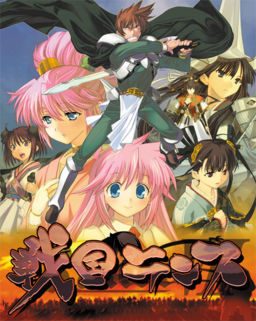
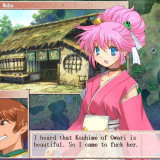
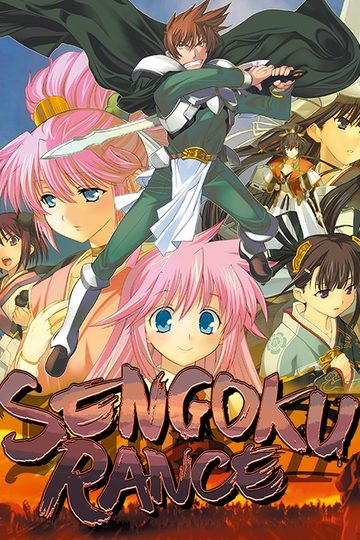
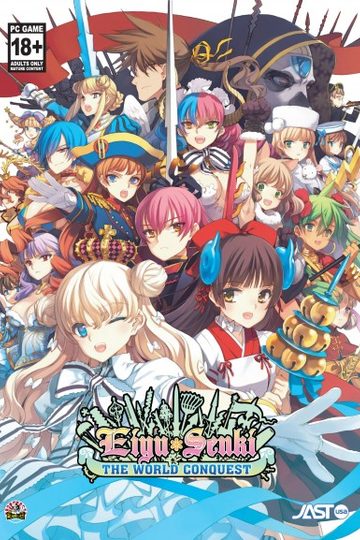
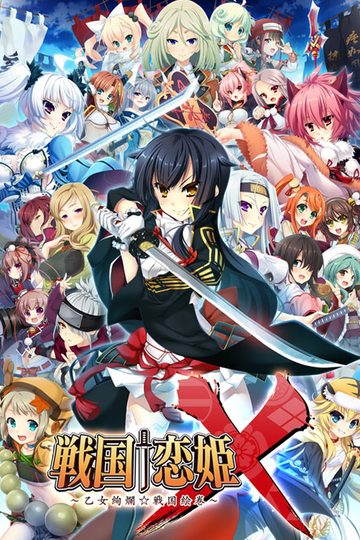
The story takes place during the 4th Sengoku (warring states) era of Japan, an area of the Rance World which parodies medieval real-world Japan.
Sengoku Rance picks up where Rance 6 left off. Rance, after saving the nation of Zeth from destruction, ran away so he won’t have to marry the princess. He and Sill ended up in Japan for a hotspring trip, upsetting the power balance of Japan, and sets the unification of its provinces in motion. Meanwhile, an ancient evil power stirs from its slumber…
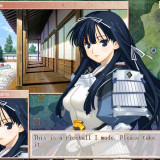
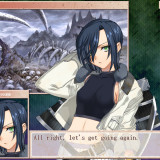
Meet the alternate reality versions of Oda Nobunaga, Uesugi Kenshin, Takeda Shingen, Tokugawa Ieyasu, Mori Motonari, One Eyed Masamune, Hojo Soun, Sakamoto Ryouma, Yamamoto Isoroku, Saint Francis Xavier, and many more famous Japanese historical figures in the world of Rance!
Sengoku Rance
- SengokuRance.part01.rar - 199.3 MB
- SengokuRance.part02.rar - 199.3 MB
- SengokuRance.part03.rar - 199.3 MB
- SengokuRance.part04.rar - 199.3 MB
- SengokuRance.part05.rar - 199.3 MB
- SengokuRance.part06.rar - 199.3 MB
- SengokuRance.part07.rar - 199.3 MB
- SengokuRance.part08.rar - 199.3 MB
- SengokuRance.part09.rar - 199.3 MB
- SengokuRance.part10.rar - 199.3 MB
- SengokuRance.part11.rar - 199.3 MB
- SengokuRance.part12.rar - 199.3 MB
- SengokuRance.part13.rar - 199.3 MB
- SengokuRance.part14.rar - 199.3 MB
- SengokuRance.part15.rar - 161.2 MB
- Sengoku_Rance_English_v1.01.exe - 62.3 MB




308 comments
part 13 also down
I think I mounted the game correctly as I get to the Japanese untranslated setup menu.
The first time I tried the English patch it installed correctly and started up, it went to a small intro with a girl then it stopped and said system40 error with untranslated words below it, with no other option but to press ok..
I tried to re install the English Patch but I am now getting a System40.exe error with this
"The program can't start because ijl15.dll is missing from your computer"
I've tried to re install again and it keeps coming up, any suggestions on how to fix this?
i tried your suggest but it still wont work
need more help please
open english patch...choose custom install...include the game file as well...
DONE....you can just play it as usual....
any help??
My thoughts are the link expired and there's a need to reupload it or something... But I'm no expert.
i know i'm supposed to get all the characters and go into battle with them, however i have only ever been able to get their tactician, so can someone please tell me how it is done?
I've seen good support, bad support, and everything in-between but I gotta admit that for a not so well known site for a not so well known hobby, the admins are great.
If Rance could be a little more gentle to the other girl
he should be able to fuck them without using dirty tactic or using force to other girl .. Anyway i don't really like this game ver much , Monster Girl Request is much better in my opinion!!
(Though be warned, there is no such thing as a failproof download method; there are individual differences depending on your machine and something always goes wrong...)
1. If you don´t have it yet, you need "WinRar" (search google, first result, download, install, it´s free).
2. If you don´t have it yet, you need "Daemon Tools" (check the FAQ on this site for download link and detailed installation guide; it´s also free if you choose the lite version, which is more than enough for this)
3. Now for the actual download: Scroll upward-> click DA-free: Game Download -> click the first link. You will have to enter a captcha and wait two minutes until you can start the download;(make sure you chose WinRar archiver to open it; it should be default though) depending on your net connection that may take a while, the files are not exactly small.
4. Now I hope you brought some time, because you will be repeating step 3 with all the other 14 links as well. Only once you got all of them, you can procceed.
5. Now comes the tricky part: You got the entire game on your hard drive. You just have to "put the 15 pieces together" to make it work:
Open WinRar-> search for the "SengokuRance.part01.rar" file you just downloaded (if you can´t find it just double click it in your browser´s download list to jump directly there) ->right click -> choose "Extract files.." -> choose an nice place to extract them to (maybe create a desktop folder called "Sengoku Rance" and put it there; you can also just click ok to use default location) -> drink tea and wait.
6. The folder you extracted them to should now contain a file that ends .iso Time to open "Daemon Tools" (basically a program that creates virtual disc drives)-> click "Add Image" -> search for the folder you just extracted the stuff to and double click the .iso file -> it should now be in your "image library" in daemon tools -> just double click again to mount it. Your computer is now officially fooled into believing you actually own the Sengoku Rance CD.
7. The rest ist relatively easy; come back to this website, click the "DA-free: English patch download" directly beneath the game download and repeat step 3 with the "Sengoku_Rance_English(...).exe."
After you successfully downloaded it, double click in your download list to run it (sometimes it runs automatically, nevermind). A setup will appear and you can just install the game like you would with any normal game.
After that, just click the desktop icon, start the game, play, enjoy. If for some reason it still won´t work (as I mentioned, something always goes wrong)...well...just hope it doesn´t.
Still, this website has a pretty amazing community, so if you run into problems, just read the comments above, 9 out of 10 cases it was already asked about and solved.
Well, that was a rather lengthy comment^^ I hope it is somewhat understandable; at the end of the day, getting this thing to work without any experience is a tough job and I don´t have enough space to go into more detail. Just try to follow those directions closely and write another comment if you got questions.
Good Luck
I've downloaded all the parts, 1-15, and extracted them. No problems there. I've mounted the rance iso and used the English Patch 1.01 to install the game. Again, no problems with the installation or any other error-messages there.
When I run the game though, I get the intro with the girl and the company logo - along with the music - to show, after that though, the window goes black and a message pops up in non-intellible letters (not japanese) and I'm given the option of "ok" and "cancel". If I press "Ok", the mssage repeats infinetely, if I press "cancel", the game shuts down.
I've tried unsintalling and re-installing, as well as using both Custom Installation and Quick Installation, I've also tried installing it into different folders - nothing has thus far worked though.
If anyone has had a similar problem and know of a way to solve it, I'd be very happy because I really want to try the game. :<
Solved it by doing as chaosyoukai suggested and running the game via NTLEA.
Just google and download it, make sure "Add to shortcut menu" is enabled and then try to start the game by right-clicking on the Sengoku Rance desktop shortcut and select "Execute by NTLEA". Works 100%
ροsts іn this sοгt οf space .
Exploring in Yahoo I at last stumbleԁ upon this web site.
Reаdіng this information So i am glad to exргesѕ that I've an incredibly excellent uncanny feeling I found out just what I needed. I most no doubt will make certain to don?t forget this web site and provides it a look regularly.