
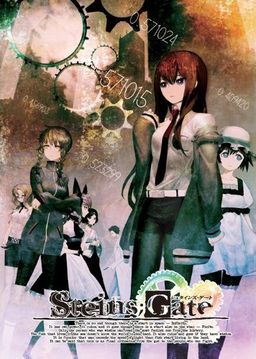
The story of Steins;Gate takes place in Akihabara and is about a group of friends who have customized their microwave into a device that can send text messages to the past. As they perform different experiments, an organization named SERN who has been doing their own research on time travel tracks them down and now the characters have to find a way to avoid being captured by them.





















So I got Suzu-chan’s ending…damn near had a heart attack thinking that was the “ending” but I’d like to get the Faris ending, anyone have a walkthrough for that, after that I was gonna screw around and reply not reply after that ending and see what endings I can get before doing the true route ending.
along with not replying to mails, fuuuuuuuuu this shit is so confuuuusing.
wait for the part where kyouma chooses to send a cancellation dmail or time leaping…………… pick sending a dmail by opening your phone during that part…… it’s the part after the lab mems read suzuha’s msg given by mr. Braun~!!!
I got that one too.
I’ll try loading the save and using the d-mail instead
I got struck in the same part ahahah…when you are talking with amyuri about using the d-mail you ahve to open the celphone and disc the d-mail number than he will stop it
Is AppLocale enough for the XP japanese locale?
What are the system requirements?
Here are the requirements:
Supported OS: Windows XPhome / XPPro (Japanese) (since SP2)
32bit only for Windows Vista / 7 ※
CPU: Pentium4 3GHz or higher, Core2Duo or higher recommended
HDD: 3.0GB or more free space
DirectX: DirectX9.0c or better
Memory: Win XP 512/1GB recommended
Win Vista/7 1GB/1.5GB recommended
Screen size: 1024 × 768 32 bit TrueColor (wide-screen game [1024 × 576] specification).
VGA: DirectX9.0c capable Video card, 64MB minimum. higher is recommended.
i don’t know about the Applocale.
Hi guys.. i installed this game the first time and it runs just fine.. but i had to re-install it because problems came up with the menu patch.. then when i open it again.. it gives me the visual C++ runtime error.. what wrong? already set to JP locale btw
nevermind i found the problem..
now it works flawlessly~ ^^
Think you could explain what you did to fix this? I’ve had a lot of problems all around recently (it’s worked before), and this one suddenly came up. Not sure what to do this time.
Just Extract and re-copy the “Steins;Gate english patch” files into the directory of the game. but be sure to EXTRACT it first then copy->paste. i do this everytime i play the game..
Hey people.. did anyone get this problem?
When I tried to open the glossary, my game crashed. But other than that overall the game works perfectly.
Anyone here who knows how to fix this problem? Thanks 🙂
I got the same problem. Should I wait for the editted translation to solve this problem, or there is solution out there already?
many people have that problem (me included) nobody ever gave a solution so i think we just have to wait for the new patch with the glosary translated
Followed the instructions, copied files for English patch, start it up…
And “Steins;Gate has stopped responding” window pops up after the CAUTION logo in the beginning.
Reinstalled 5 times, and still can’t find why its not working.
Same problem here. Any idea why it happens? I patched it the way I should’ve. Does one of those patches cause this?
Hi great job in the translation, but I want to ask something, when I open the glossary or the tips, the game crashes, it that normal? I thought that ,since it’s not translate , to be simply in japanese, but not the game crashing.
I’m having the same problem to be honest. Most of it you can follow without the TIPS (though the stuff that explains Japanese jokes and the like are beyond most) but it would be nice to be able to use it.
I’ve been having trouble getting the last CG, I’m at 98.16%, and I’m not getting the mail for it, any ideas why?
I’m assuming that the CGS are the congratulations CGS, based on what I know, they should appear in an unopened mail if you get all the achievements. Or I could be terribly wrong and completely off the mark.
My Achievements are at 39/42 atm, and the last 3 are the 100% CG, the Congrats achievement and the Gerokaeru achievement, (Currently having trouble since I think the house part is bugged). Not sure if its required that you need 40/42 of the achievements though (Or even 41)
Not sure on this but, if its because of the 3rd last achievement I need, then I’m having trouble getting it since It wont pop up for me. The achievement is [End of the epidemic Kaerun] (English)/(Japanese) 「ありのまま、今起こったことを話すぜ」 where you need to collect the frog pictures, the last ones being in chapter 7. I can get one of them, but not the other and obviously don’t know why. Any Ideas?
Hello. I have a question. I believe I’m following the instructions step by step, but every time I click on the, “STEINSGATE-patch.exe” I just get some Windows error and that’s that. Could anyone please help me out here? I’d love to finally play this dang game.
Also, I’m not totally sure if I exited the screen before the authentication software be installed. I think I did, but since it’s all in Japanese I’m not completely sure. I’ve uninstalled the game and reinstalled it whilst closing out of various windows thus far and I always get the same kind of Windows error. I’d really appreciate it if someone could help me out here.
Well nevermind. I finally got it to work. Now I just need to figure out how to full screen the game.
You can get fullscreen by pressing “f”. Alternately, you can get fullscreen from the pause menu that’s accessed from right clicking. :3
Can you tell me what you did to gwt the error to stop coming up?
need some help here…
every time i click the new game menu, the menu screen show up again and the game didn’t start. i’ve already re-installed it several times and still i only could go as far to the menu screen
I’m afraid that you need to give more details. Is your applocale Japanese? Is the computer something other than an XP or Vista? How exactly did you follow the instructions? Let me list the basics that should be done. Anyone can feel free to ask what I mean if the phrases are confusing.
This list assumes you downloaded all the files available, the five parts for the game, the English patch, the movie subtitles patch, the menu patch. It also assumes you’re using XP or Vista.
1. Once you’ve downloaded the game open part 1 of the first five files. Extract that to somewhere (My Documents can be a good place to put it).
2. Use a program like Daemon Tools Lite to mount the MDS file SG. It will ask you if you want to install. Say yes. It will be in Japanese so there isn’t much you can do except click on the button with ‘N’ on it whenever it comes up. At one point you will be brought to a contract in Japanese, don’t worry about it. Click on the selection that will let you hit ‘N’. As a note you don’t have to install it in Program Files, but do so. It’s easier than installing it elsewhere.
3. Once it’s finished installing don’t play just yet. Open up the file with the English patch (SteinsGateEnglishPatch2). Go to a place probably like this (as mentioned by the people on this site) C:/Program files/NitroPlus/STEINS;GATE . You get there usually by opening Computer, go to the Hard Drive Disk, go to Program Files, go to the NitroPlus folder, then go to STEINS;GATE folder.
4. Now take the STEINSGATE-patched.exe and nss.npa and move them into the STEINS;GATE folder. Don’t try to move the other one named SteinsGateEnglishPatch. First the computer will want permission to do this (make sure the account you’re on has administrator access). Then it might need you to give it permission again. Then it will tell you that there is another nss.npa. Click on the choice to ‘Move and Replace’. That’s the basic stuff taken care of.
5. At this point you should have the game’s text in English (to make sure open it by clicking on the file STEINSGATE-patched, should look like Makise’s face). However the movies, menus and cell phone won’t be. X out the game and go to the next step, step 6.
6. Open the file SteinsGateMovies. Then go to the STEINS;GATE folder and go to the DX folder in it. It should be the only folder inside so you can’t miss it.
7. Move the following from SteinsGateMovies into the DX folder: prologue01.ngs, prologue02.ngs, imv041.ngs. Again the computer will ask for your permission and you will need to choose ‘Move and Replace’ when the option comes up. Now you can understand what Okarin is saying in the first movie. Open the game again to make sure. After that X out the game and go to step 8. Note that this isn’t absolutely necessary to play the game but it is interesting.
8. Now open the part 1 of the last two files you downloaded. SteinsGateCGPatch.part1 (part 2 you can’t use). There is just one file in it, cg.npa. In your Program Files go back from DX folder to the STEINS;GATE folder. Move the cg.npa file into it. Once again you’ll probably have to give permission and use ‘Move and Replace’. Now you can understand those TIPS at the top of the screen, the menu and you can understand what the game’s telling you about the cell phone. It isn’t strictly necessary to use this to play, but it will be much more difficult without it.
Hope this helps people who aren’t familiar with VNs.
It seems I have the same problem with Yuubo, I followed the Steins;Gate Installation Instructions on the site. re-installed it a couple of times. but By clicking “Start”, the Screen will just Black out then the menu will show up again it does not start at all.
I’m using Windows 7 32bit.
Core2Duo
2GB ram
1GB Vid card
30Gb Free space on HDD
Direct X11
is there a different way to install it in Win7 OS?
After suffering the same problem it would appear that Jash is correct. I had set my applocale to English for some installations and forgot to change it back afterwards. Checking the applocale should be done when you have this problem.
Hi! I had the same proble, but solved after setting the system locale to japanese
So… not to keep bringing this up, but it sounds like some people have made it past chapter 2. If someone would be so kind, could you let me know how to make it past the crash? In dummy terms? The story made it just far enough to get me hooked and I’m dyin’ here! Please and thank you! XD
Mine crashed here too. I got a new patch update and then reinstalled the game. First install game, then 1.20 patch, then english patch in that order. Hope this helps.
I’ve now completed all the end’s except kurisu’s end (but I got true-end).
Hi, What is the patch update called? Better yet, if you could link me, that will be very much appreciated :3
nvm. wow im blind.
Is someone willing to help me out? For whatever reason the game crashed (I think it was getting to one of those “decision” point in the game), the part when the main character wondered if he should give his real name to Moeka. Everything else worked fine until that moment (except the obvious ‘glossary game crash’). Also the system is at 1.20.
Nevermind, turns out the game crashed due to being played for a long enough time (on my computer).
how come when i press start, the menu screen just pops up again????
WTF I keep getting set back in to main menu when i press new game. I see many people had this problem. Any fixes?
You need to start in either Japanese Unicode or in Japanese AppLocale. I had a similar problem for Chaos Head
what does that means?
I’m getting an error from windows saying “libvorbis.dll” is missing when I try running the english patch or the game. Can anyone please help me with that? Thanks in advance!
The libvorbis.dll file exists within my computer, it’s there but the error keeps saying I’m missing it.. >_<
I have a problem.
The game crashes after Daru explains what SERN is
and I’m not sure why…
Is there a way to fix this?
You’re using old translation patch. update
Okay, thanks
When I am talking to Daru the game crahs. I installed the version 1.20, the pasted the english files again (because it became in japanese somehow after installing v 1.20) and than it keeped crashing… what should i do?
I’m having trouble just starting the game. Each time it goes to run, it says it stopped responding and closes. It doesn’t even bring anything up.
Installed:
Steins;Gate
Steins;Gate Cosplay Patch
Steins;Gate 1.10 Patch
Steins;Gate 1.20 Patch
Steins;Gate CG Patch
Steins;Gate English Patch
Steins;Gate Movie Patch
It’s probably the cosplay patch. It didn’t work well with my game after I installed the english patch. So just remove the cosplay patch and the files that it comes with and it should work fine.
Has there been a patch yet for the tips section? I’m still waiting for it to be translated.
Oh yeah just to let you all know this game will not install properly on 64bit system. You have to install it on a 32bit OS and it won’t work on a virtual pc. I completed the game but i can’t seem to get all the cgi. I need “present from lab members” and the frog achievement. I think i’m like 98 percent complete on achievements.
Sorry, but that’s wrong. I’m on W7 64bit and it works like a charm.
I can’t use the game because I apparently don’t have libvorbisfile.dll, but when I downloaded that and moved it to the folder, nothing happened. Help?
The Steins Gate Animation is the one I’ve watched. Its the best Story EVER for me.
But I’m thinking why Steins Gate is in Eroge section but it doesn’t seem to have sexual content….
No sexual content, unless you class taking a peek at mayuri and kurisu in the shower is…well, you don’t see anything naughty. Same goes for chaos head though – no sexual content.
well, for Chaos;Head there’s more
stuff like that than in S;G…
Usually during Takumi’s delusions(L)
After finishing the game for some reason I am missing two cgs. Last cg on page 2 and last cg on page 7. If anyone had idea what scenes I missed let me know.
Well I found both of them. Seems it was a alternate scenario route in chapter 6 where you can either call Mayuri or Ruka. Took me over a hour on google to find it though 😡
When I was installing the game, there was a “libvorbis.dll” error. Can anyone help me with this problem?
i have a problem with fileserve and filesonic was it possible to upload it in mediafire?
just the movie and system message/menu patch…
can someone pls upload it to mediafire???…i really wanted to play this…
I tried install step by step as all instruction & suggestion here.
But the game won’t work for me.
When I double clik “STEINSGATE-patched.exe” nothing’s happened.
How could I solve this problem ?
same problem here.
Same here. I’m really getting pissed.
i tried to install it but i got an error…”STEINSGATE-patched.exe – Entry Point Not Found” something like this… what do i do wrong? can anyone help me
Hi, I’v downloaded S;G 5 hours ago. I have installed it properly, but there’s one problem. It doesn’t save game. When I do ‘quick save’
the game stops responding, and when I do ‘save’ it shows a message that game is saved, but it isn’t. I’d be very grateful if someone would tell me how to surpass this problem.
Same problem here. Does anyone know how to fix it? HELP!
can you tell me os this psp game or pc sorry bad english
pc
can someone tell me how important the tips are? for some reason the game crash when I try to read them, the same with the glossary
They aren’t too important they are there more for a reference for things you might not understand
Thanks, I though that maybe I was missing important information, extra CGs or something like that
So, if I have all well done and understood (sorry if my english is a little bad), I can’t play to steins because I am on windows 7 64 bits and no 34 ?
this worlds hates me…
but that s strange…
chaos;head works perfectly now but i am always under 64 bits…
why steins don’t work ?
got all but when game starts, always a blackwindow with no error signalized… just dark…
no dumbass only 64 bit programs cant work on lower the 32 ones work fine and they go in the Program files folder the normal one seriously stop being idiots when it comes to 32 and 64 windows
Alright, just for anyone who has the same issue, patched game would not launch, said something about vorbis frame. I changed the folder name from steins;gate to steinsgate, it now launches fine.
The game runs fine but I have a problem with the sub. They won’t come up in the conversations. What should I do?
I’m just asking, for the latest patch release, October version, does anyone else crash at the true end? not gonna explain where cause i dont wanna ruin it for anyone but its when okabe turns around? Thx
Yeah same here crashes at the same please help
yeah i dont think there is a fix yet, i extracted the game files and couldnt find the problem but i finished reading it there are about 10 lines left after that part.
Also those last few lines were exactly the same as was said in the last ep of the anime
im new here, was wondering if i can play this on win7 home premium i changed locale to jap but still cant install game whenever i extract i get files are corrupt mssgs and only get around half of the stuff in it and it wont run im using isobuster so can anyone help with this? I really want to play this game but cant get it to work =(
Help please? I can’t play the movies. even the intros don’t work. I’ve installed k-lite codecs but it doesn’t help. Is there something else that might be causing it?
I’m having issues playing the movies as well. I’ll hear the first snippet of audio but then nothing else and a blank screen. i can click to skip past the intro movies but i would like to get them working.
is there any translation for the achivements for steins gate
Will anyone help me to find a IBM 5100 ?
im guessing this is fully eng patched ? or not???
not yet fully…
Thank You Admin! ^^
Yeh you need DAEMON Tools to fix the libvorbis.dll problem.
Followed the instructions, copied files for English patch, started it up…
And “Steins;Gate has stopped responding” window pops up after the CAUTION logo in the beginning.
i finished installing its ok when i run it. but when I start the game, it always comesback to the main menu..what should I do?
you need the japanese installed in your PC, if you already have it just use applocale
Is this the full game? on different websites theres only trial verison but i know this one gets the full verison from some place somehow (english)
So is it just me, or will none of the movies play. Intro, endings, idle menu screen movie…? I hear just the initial sound starting of the movie and then it stops and goes to a black screen. Any advice on how to fix this? I’ve already uninstalled and reinstalled the game so that’s out of the question. :/
Download and install “cccp codec pack”. this should fix it.
some people are saying the translator might have commited suicide,which would be why he hasn’t given any update about finishing the editing even though everything has been translated…
Treat anything you hear about translation community with a grain of salt. We had “people going to prison for loli manga”, “hdd failures”, “accidental deletes of completed projects”, “finished projects being distributed privately, due to abuse from people wanting translation *now*”, and many others. Fake suicide wouldn’t suprise me at all…
its a good thing I played chaos head b4 this one… there are many reference to it in this one :3
whee, I just got *FES wallpaper
*FES from chaos;head X3
character from chaos head
Irritated Query: Has there been any new info on the release of the patch for the achievements?
Sarcastic Statement: Unfortunately, out of all the thousands of languages programmed into my vocabulary module, standard Earthling Japanese was not amongst them.
Statement: The TIPS screen of the menu still crashes when an attempt to open it. This would be much appreciated if a patch for this were to be found. I have already found all of HK’s alternative routes for the squishy meatbags populating he lab, as well as the main one, and now am at 97% completion.
Hypocritical Escapism: It would be too much effort to need to translate these achievements myself, and find how how later, so if any news arrives please inform me as soon as possible. I shall now hide myself in the world of Skyrim until that time arrives.
Quote: “El Psy Congroo.”, H ‘Hououin’ K ‘Kyouma’ -47
my game always crashes in chapter 2 when daru explains me what SERN is >.< to give specific information it crushes after i leftklick after the phrase "What's the possibility of that actually happening?"
I'm dying of not beeing able to play the game pls help me 🙁
a lot of people had that exact same problem, try reading all the posts, I think someone posted a solution but i’m not sure
You’re using old patch. Update.
how can i update to the new patch? i jus5t can download the patch of this site but it doesn’t work and is from the 19/9/2011 :/
I know I’m weird about this type of thing, but I get hung up on the meaning of “True End” and all that.
I haven’t finished the game at all. Only on Chapter 4, so no spoilers please, but theoretically since this is a story that involves multiple world lines, couldn’t all routes technically be canon in their own world line? Why does there have to be one “true” ending?
I just hate when games call an ending the “True” ending because I feel, what is the point of going through the other routes if they never really happened.
Again I know I am odd and am thinking too hard about it.
I just want someone to say “True End doesn’t mean Canon End”, and have proof to back it up. I know that is a tall order. *sigh*
cuz its the true ending the writer(s) came up with, and the rest are there simply to applease ‘derpina x okabe’ fans which can be nice here or there but would totally torch the story if it was the real one plus they’re a total piss-off (im lookin at YOU, Suzuha) if you werent ready and didn’t save before hand., forcing you to re-run through a chapter with ctrl held down, entertaing yourself with random facial expressions here and there.
And dont get me started on screwing up true end!
Is this the Complete Patch?