
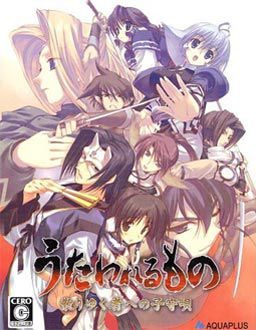
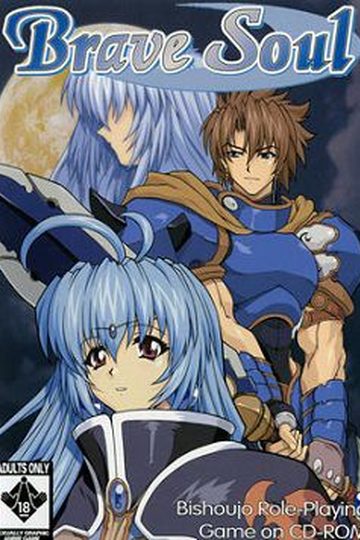
Suffering from a fatal wound, you have lost your memories and were taken back to Eruru’s village. The villagers not only gave you a place to stay, but also a new identity, Hakuoro.
To return their kindness, you helped them by farming and harvesting crops and doing small favours.
However this tiny north eastern village is under the iron clad rule of a difficult daimyo. This greedy person wants to take all of the crops you have worked so hard to harvest as taxes. Rescue the kind people who have looked after you and rise against the lord.




262 comments
"Cannot find Japanese DVD at specified location. Please insert disc into your DVD-ROM drive and enter full path to its root directory, for example E:\"
What am I suppose to do then? All the readme files are useless since they aren't in english. Am I missing something?
“Cannot find Japanese DVD at specified location. Please insert disc into your DVD-ROM drive and enter full path to its root directory, for example E:\”
What am I suppose to do then? All the readme files are useless since they aren’t in english. Am I missing something?
2. Then click Regional and Language
3. Once there click the "Advance" tab this will lead you to an option to click in a box to operate non Unicode programs or programs that do not operate based on the language settings.
4. Click in the insert box and change it to Japanese this now allows you to operate Japanese programs.
5. Restart
6. Install game and enjoy.
Side notes: If you cant find Japanese in the box then you will need to add additional languages into your computer
How to:
Same as 1. and 2. Instead go to the second tab called "languages"
Near the bottom of the text there is are two boxes one says install files for East Asian Languages.
Click it will ask you if you have space in your computer and then ask you to install the file via disk or folder.
And you know that Microsoft installed all those programs into your boot up disc so put that in and it will give you the files.
It will probably ask you to restart so do that and change the setting to Japanese under the Advance tab and install the game and once again enjoy.
doesn't work can some1 help me. I copy adn paste on password and said wrong password. >.<
this is the first game i've ever downloaded
I instaled all of them into my documents but i cant get it to work!
So to speak Im kinda new on this genre. But Im willing to learn. Ok I finally download the 3parts and extracted them. I didnt download the English voice patch is that ok. Coz for me I still like the original VA (japanese).
Sorry for being a noob, if anyone can help me here: When I extracted the 3parts I manage to obtain One DVD winrar (1.2GB) and Utawarerumono English v1.1 so do I have to extract the DVD winrar then after whats next?
Im just following the step by step instruction of the English Utawarerumono then finally manage to get on this stage where its looking for the Japanese Game DVD.
To be precise: Locate DVD
Set up need to know the location of the Japanese game DVD.
SO what shall I do?
Check out this tutorial http://erogedownload.com/faq/mounting-cd-images-with-daemon-tools/
Follow those instruction to mount Utawarerumono iso image, then install it.
anybody know a remedy?
HotFile is a pain because of the 30min waiting period between downloads other than that love the site
So this game is, um, difficult to even install.
Ill try some other way but yes it may be unplayable to some.
To return their kindness, you helped them by farming and harvesting crops and doing small favours."
for some reason, this make me think of rune factory 3 : a fantasy harvest moon XD
Please help...
Thanks in advance.
2.)Unzip the first file and then it will automatically unzip the rest of the files. (so you don't need to unzip the other files.)
3.)If you don't have "Daemon tools," my advise would be to download "Daemon tools" and with "Daemon tools" open it and mount the "ISO" or "UTAWARE_DVD" found in the folder "Utawareumono" from which the file you have unzipped.
4.)Once you mount the "ISO" into Daemon tools a another window will pop up and it will show you all the files that is within the "ISO." You don't need to do anything, but to close the window that just popped up because you only need to have the "ISO" mounted into Daemon tools.
5.)You can now open the program file "Utawarerumono_English_v1.1"
6.)Once it opens click "next."
7.)"agree" and click "next."
8.)click "next" again.
9.)This part asks you for the specific location of the "DVD" or "ISO". If you see that "D:/" change it into "E:/"
10.)click "next" again.
11.)After this, it should start installing the game and if you have computer protection like me, you might see a constant flow of pop ups asking you if you should allow this program to continue, if so, keep clicking allow.
12.)Lastly have fun. ^^
using windows 7 ultimate, anyone have any ideas as to why its crashing so much?
i like this game.....
i thinks it's SRPG type.....