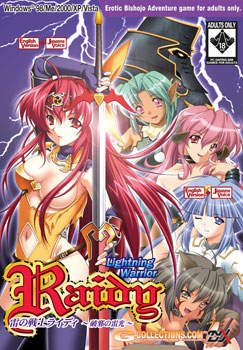
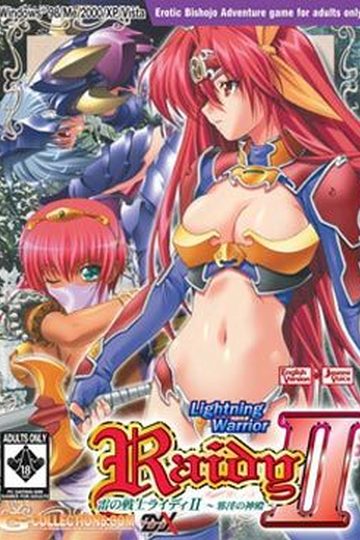
I am Raidy, wandering this continent of Else far and wide as an adventurer. I can freely bend the power of thunder to my will, so people have taken to calling me the “Lightning Warrior”. Why am I standing here in front of this tower, you ask? The cause lies in the village of Saad that I visited recently. I got there to find it in decay, deserted and transformed almost completely into a ghost town…
Apparently it became that way due to the monsters living in this tower. They’d been stealing away all of the young maidens from the village, and none of the men who went to rescue them ever returned… a harsh and terrible tale. Being who I am I could’t hear that story and stand by idle, so now I find myself here, facing the tower…




164 comments
Anyway - we serve over 200 GB of visual novels already, and mirroring them all would take a lot of time and bandwidth.
If you have problem with hotfile, you can always use direct download option.
my first was yukizakura so it hooked me up but the second battle raper 2 was a little bit lacking of contents and logic
i hope this will be better
I only can save 1 times when raidy bathing
after that the message of encountered error came, so I can't save the game again
Im really confused, could someone help me out?
here's step by step procedure:
1. Download Daemon tools (don't worry it's freeware)
2. An icon will appear in your system tray, right click the thunder icon then choose virtual cd/dvd rom > device 0 no media > then browse the iso file in the folder where your saved the lwr file.
3. An installation will start and install the game.
Could you re-upload please?
Welcome to Hotfile.com - Free one-click file hosting! With us you can share big files easily and securely:
Just choose a file, click the "Upload" button and send the download link to your friends and anyone you know.
There are three different image files and a ".sub" that I have no ideia of what it is...
Anyway, every time I try to burn the game with any of the three other files (using Astroburn), the operation fails even before the burning process starts. What do I do?
Every time I try to open one of the image files directly with Daemon Tools, it sends an error message.
what am i need to do ?
That's an error message I got when trying to unrar it. Is there something I need to do to unrar and unpack the two together to not get the message or what?
>WinRAR noob.
And it seems like I can't save the game when I'm playing in windowed mode. Any solutions?
Download both parts to one folder. Start extracting first part - second part will be automaticaly found and extracted. enjoy the game.
Then you don't have to suffer!!!
SE file initialization failed. Error code 00030001
Any ideas to what i can do to fix it?
You know those anti-bot security questions you get prior to a download where it shows you a picture of 2 (non-sense) words usually visually distorted, the idea being computer software can't "read" them (I think there called "Captcha"s)? Well two out of three times I can't make heads or tails of them and I'm the human.
Putting aside the question of which file to which image, are the two images identical, or is there some difference. Also, the two non-image files are of different sizes, which seems to suggest the images are different. After mounting each image, the auto load starts up what appears to be the same installation program regardless of which image I use.
Could somebody please provide a little clarification?
to make it easier to download, the uploader made a compressed file of the game (the .rar). with that still being very large he then split it into to parts so that it would take less time to download (yes 1 hour is less time...trust me)so in order to use it you must put the pieces back together by extracting them at the same time, from the same source folder, into the same destination folder
sorry for the overly simplified step by step process, but it seems like most people are just posting the same questions over and over, so hopefully this will help them under stand better
I have downloaded both parts to the same location (495 MB and 240 MB respectfully) , and extracted them as appropriate. The results where a file folder containing 4 files as follows:
RAIDY.cdd (772 bytes)
RAIDY.cue (69 bytes)
RAIDY.img (787 MB)
RAIDY.sub (32 MB)
Daemon Tools recognizes the first two files as images. Given that there is nowhere near enough data for an game that is not purely text based (and might not even be enough to for that), I figure the second two files are somehow linked to the first two provided the actual image data.
Here are my questions, which of the second two files belongs to which of the first two files? Both images, when mounted, bring up the auto-play to the same "You are about to install..." window. Which should I use to install? Assuming one to one pairing of the first and second set of files, 32 MB is no where near 787 MB, so how can both images be able to install the game? I did check for hidden files in the folder, but there where none.
I am familiar with winRAR and .rar files. I am familiar with DAEMON Tools. My knowledge actual disc image files is severely limited to end-user grade content, and none of the tech specs about what makes one format different from another (Mount the image with Daemon tools, and it runs like a normal disc),
I would appreciate some clarification of what's different between the two images (content wise, not tech spec wise). Or did I just get a bum download and need to re-download them?
That answers my question.
Now a question or two out of intellectual curiosity aimed at any one who has the knowledge, time, and inclination to answer.
Does the fact that I can use either the .ccd or the .cue mean their both linked to the second set of files?
If so, does that mean that the .ccd is an earlier/later version of .cue, sorta like .mds and .mdx?
(Might want to make any responses to this an actual new post instead of a reply. If the current board formatting holds, we are going to end with one word per a row.)
Second paragraph: aimed, not aim
Fourth Paragraph: ... .ccd is an earlier/later version of .cue, sorta...
do it until raidy decide to going inside.
I’m the fan of Raidy series, I play LWR 1 and LWR 2. It’s really sad to hear that LWR 3 maybe will be not produce.
BTW, I’m looking for LWR 2 scanlation antology manga. I allready read the LWR 1 scanlation manga, and now I search for LWR 2 Scanlation manga but I can’t find it!
Please somebody, if you know the link for free download LWR 2 scanlation manga, please share it on here. :D
thanks before. :D
LWR3 will not be remade because their was no LWR3 to remake to begin with.
But where the translation?
Somebody please translate it!
does changing it to iso prevent that?
or is it just me ? admin need help
No ISO file??? Use the IMG file instead.
Don't know how to mount the file??? You don't have to! Use WinRAR to open and extract.
Does it work on Windows 7??? If it doesn't then just use the Compatibility feature!!!
Download links not working??? Reset your internet and try again or use a proxy to access the download sites as 95% of the time it's your ISP blocking the file sharing sites.
http://jdownloader.org/download/dln
I check the settings in WinRAR to make sure that it was marked to open .iso files and it had already been marked.
A: It might be an AVG screw up
B: if another antivirus detects it please explain
To answer the others questions,after extract, Mount the .cue or .cdd files on Daemon tolls and they will load the information from the .img that will run normally, no need to change formats (to .iso in this case) unless explicitly indicated by admin
-A scene of some man and girl hafing party.. :v
-and 3 mising scene from Knight Errant "Fighting scene" to Raidy lose and having a horse raiding.
Is there an eror or something?
and also how to play it...
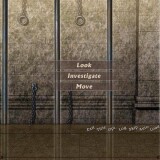
I can't find the map of the 2d floor, is there a trick ??
But i fixed it by turning it to full screen.. try it if it will work on you guys ! ^_^
But when I try to mount it my computer tells me that the file is corrupted. Any suggestions?
Just there is no more sound in the game, and even reinstall won't help.
When i try to fix it in options, the game will just shut.
>why do you ask?
cuz the comments so quiet. -.-
Only problem I had were the saves not saving, but I had forgot to run the setup program. After doing so and playing in fullscreen mode, saving works.
Hope this helps.
I downloaded the 4 Raidy patches but I don't see any setup and even no password to start the installation
Can someone help me next? (I do not speak fluent English I am using google translation, I am en x))
Install it in Windows safe mode. I can't guarantee anything, but it worked for me. And once you've installed it in safe mode, you can play it in normal mode just fine.