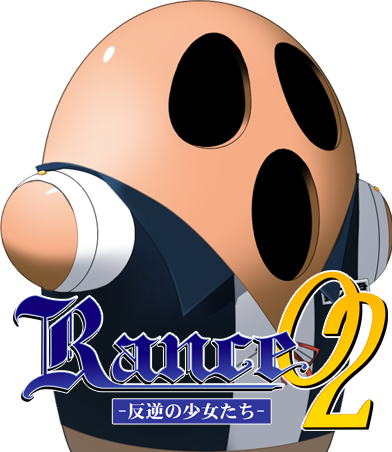
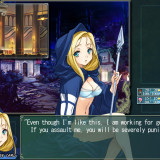
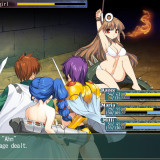
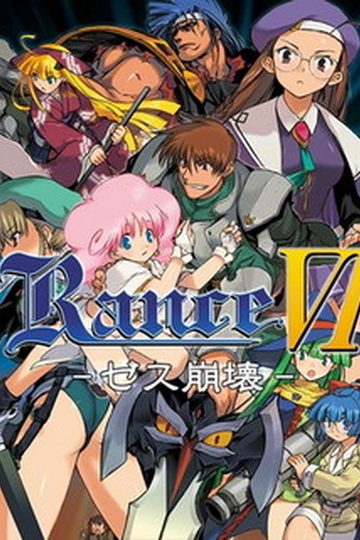
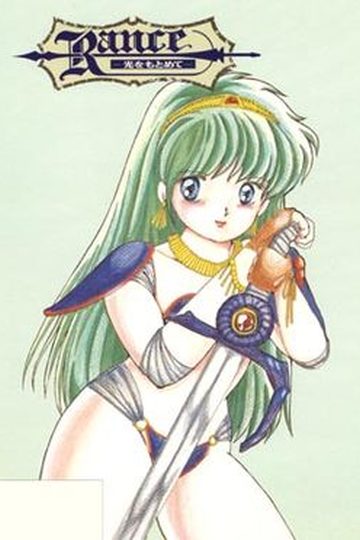
Ten years ago in the town of Custard four young girls were appointed as disciples to old mage Ragithis. They were to be raised as mages and then to work as town’s guardians. But after the ten years of training due to unknown reason girls rebelled against Ragithis and killed him. During the harsh magic battle a whole town were entombed in the underground and a barrier spell was put on town preventing everyone from going out.
This is when Rance appears with Sill on his side, and taking a job of defeating magician maidens and saving the town. But after some research he finds out that actual evil guy was Ragithis himself, who put four magical rings on four maidens. That rings are giving a great boost of magical power to it’s bearers, but aslo able to steal magic power from virgin sorceresses and after collecting magic power of 40 maidens anyone could use these rings to obtain unlimited power. The leader of girls, Masou Shizuka, figured out Ragithis’s plan and rebelled against him but it was too late - cursed rings could not be removed and the curse started to dive maidens crazy. Now they are sheltered in the labirinth beneath the town abducting young girls from the town and killing everyone who tried to go into the labirinth and stop them. It seems that the only way to release them from the curse of the rings is to steal a virginity from them, and the only man up to this job is Rance.
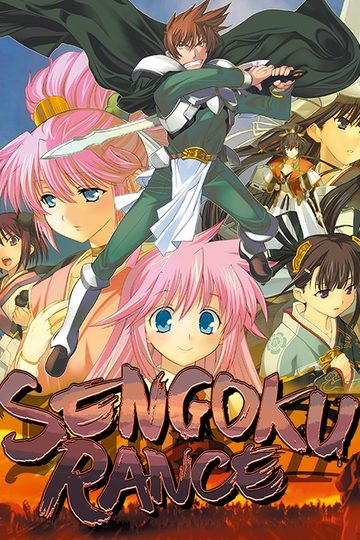
(This is 2010 remake, English pre-patched)


180 comments
I'll spare you downloading of 3GB of other data if that's the only thing that was translated.
her computer is having problems and you need to fix it
click any thing of the choices until you get electrocuted then enjoy your cg ^^ sorry for the inaccurate info i was in a skip mode and it happened so fast
Optional: Return to the city and go to the item shop, look at the chest and you will be asked to find it's "Mother". Buy one "Wood of Return" if you don't already own one.
Enter the Maze and use the teleporter which leads to the dead body. At the Passage west to where the dead body is, near the end of the path you can find a button (Search Surroundings). Press it.
Teleport back and walk to the Hanny statue and look at it. Go to the end of the corridor to activate the trap. Flee to the statue and use the wood of return there.
Return to the Statue and pick up the "Mother". Bring her to the Item-Shop for the CG.
sry for taking up so much room
Thanks for your hard work !
can you help me?
If I start the game all I get is moonspeak, and after that just a black screen....
But I still get the same error j described, and it's still all moonspeak...
I someone knows what to do, it would help...
We have to do something to enable the English patch... or it's a misunderstanding?
FIRST download it and extract it, preferably using winrar
Next is to change your locale to japan
for vista, xp, and 7, go to control panel, click on region icon, click change region, and then set it to Japanese.
After that, you restart your comp and try clicking on the extension
Are there other Rance games, besides Sengoku Rance, that have been translated by the way? I know that a group is working/was working on Rance 3 and Rance Quest (Which is Rance 8 I think.)
But I also heard good things about Rance 6, and I don't know if there is a translated version.
when i start the game it shows the black screen and just exits out (Y_Y)
for windows vista and seven: change unicode to Japanese (Japan)
1. open control panel and click in "Change display language"
2. in the tab "Administrative", click in "Change system locale"
3. change the system locale to japanese
4. if necessary, restart the computer
in my case, it worked (although you have to play again some games because the old save files dosen't work in the new unicode)
i don't know what to do anymore,change locale, change language, doesn't work at all.. God please help me..
But then my brain think something random, i change the "___02. bla bla bla" in the file name to "ランス02.bla bla bla" and miraculously it works, so far so good. change all the unread (the "___" ones)file names to "ランス02" and you are ready to go. once again, thanks for the game Admin!
did you do something else except for changing the names of the datas?
Whenever I try to unpack them with Winrar, an error pops up. Something about not being able to name the files. It renames them into ____02.ain for example.
Whenever I try to start the game, only unreadable text pops up.
I already switched to japanese locale.
Whenever I try to unpack them with Winrar, an error pops up. And there is no exe file, only 7 file that cannot be open.
really weird -.-
The reason why i only have 7 file after i unpack the file is because part2 are not downloaded properly thus making it corrupt. When i check the size of part2 that i've download, the file size is 190, on mediafire the file size was 191 mb, so basically it short 1 MB. Can you guys believe it, 1 MB. Only a few second more until finish, than suddenly the download went corrupt. Arghh....... I din't notice it before because winrar give me many error message about the file name, so i ignore the last message about corrupted file.... How careless i am.
P/S
For those who still have trouble playing this VN, especially the file name, here is the solution.
1. unpack part1
2. rename any file with ??? to ランス.
For Example - ???02GA.wai to ランス02GA.wai
3. Run the game. At first, you will be unable to do anything when you click your mouse or hit your keyboard except Esc, but don't worry, just wait until the opening is finish than
you can play this VN. ( this will happen only on the first time you run this VN, after that, you will no longer have to wait the opening to finish. Just skip it by clicking the mouse)
-I have changed the file names like Ryoichi said
-I have my system locale in japanese, and have played many VNs before this.
Any help would be greatly appreciated.
download and update your codec, then it should be fine.
1. open AliceStart.ini
2. Search for the Game Code,
3. There should be a file called ランス02.ain
now this is the the difference, if you copy the ランス02 from here you will get what you see here, but what the game want was the "ランス02" from the AliceStart.ini. if you copy from alice start you will get a bit different string it's almost like there's a space between the 0 and 2
"ランス0 2" <=(don't copy this one though)
after this just copy it to all your "___" file and try it, it worked for me so could anyone verify it??
Thanks
*Ak5shays*
Thanks!
That's what happens, and then the window is just a black screen. Please help.
Would anybody help me?
My local is set to Japanese for a long time now...
note that I get lots of WinRAR diagnostic messages.. about 36 error..
Could use some help
If anyone has found a fix, please share.
Hope this helps anyone else getting caught by this.
this was for the problem jerryvang and dekusuta were having.
Oops, lol.
all that comes up is:
Oops! Google Chrome could not connect to 208.53.158.148:182
ive cleared by cache & cookies, tried multiple browsers & nothing
The filename, directory name, or volume label syntax is incorrect.
! \Rance2.part1.rar: Attempting to correct the invalid file name
! \Rance2.part1.rar: Cannot create Rance2\???02BA.bgi
The filename, directory name, or volume label syntax is incorrect.
! \Rance2.part1.rar: Attempting to correct the invalid file name
! \Rance2.part1.rar: Cannot create Rance2\???02BA.ald
The filename, directory name, or volume label syntax is incorrect.
! \Rance2.part1.rar: Attempting to correct the invalid file name
! \Rance2.part1.rar: Cannot create Rance2\???02WA.ald
The filename, directory name, or volume label syntax is incorrect.
! \Rance2.part1.rar: Attempting to correct the invalid file name
! \Rance2.part1.rar: Cannot create Rance2\???02WA.wai
The filename, directory name, or volume label syntax is incorrect.
! \Rance2.part1.rar: Attempting to correct the invalid file name
! \Rance2.part1.rar: Cannot create Rance2\???02GA.ald
The filename, directory name, or volume label syntax is incorrect.
! \Rance2.part1.rar: Attempting to correct the invalid file name
! \Rance2.part2.rar: Cannot create Rance2\???02.alm
The filename, directory name, or volume label syntax is incorrect.
! \Rance2.part2.rar: Attempting to correct the invalid file name
! \Rance2.part2.rar: Cannot create Rance2\???02.bak
The filename, directory name, or volume label syntax is incorrect.
! \Rance2.part2.rar: Attempting to correct the invalid file name
! \Rance2.part2.rar: Cannot create Rance2\???02.ain
The filename, directory name, or volume label syntax is incorrect.
! \Rance2.part2.rar: Attempting to correct the invalid file name
These are the errors I got when trying to unzip it. Removed the directory, but the rest is as it appeared.
So would you mind reuploading this one since it seems those "???02.files" need to be fixed or something.
After files are extracted:
"Rename the “____02″ files with “ランス02” and it worked."
Thanks.
I do not have a clue how to get Japanese writing...
would copy paste work?
Anybody who can help me?
Greetings and expecting a quick response,
Hope this helps anyone else getting caught by this.
rename all the files except these 3
___02GA.ald
___02GA.bak
___02WA.ald
renaming these 3 seems to cause issues as they will have the same name as other files in the download
the only problem i seem to have is that the bgm doesn't seem to play, it works during the intro movie but after that it doesn't the BGM mode causes quite a few errors too, but for those just wanting to experience the game.... i hope this helped, any info on getting the music working would be much obliged :3
Good luck,
1-Rename the ___02 files with rance02
2-enter on alicestart.ini
3- in gamename put rance02,in codename rance02.ain
4-open rance02 and ignore the mistake and select the second choice (the center ??).
I know, my english sucks, but works.
1. Unzip your pants eh... files with winrar or 7zip. Don't pay attention to the errormessages popping up. Ignore them
2.) Rename every "___" or so to "ランス02" line in your gamefolder.
ATTENTION: If there's a "GA", "BA" or "WA" at the end, dont forget to put it after ランス02. That's the most common misunderstanding.
So one files name is ランス02GA for example
3.) Start the game with Applocale or set your windows to japanese mode
Thanks for this,the game works fine with sound now
i'm sure i tried this before and it didn't work, yet it does now... how very odd, anyway, thanks again
now everything works fine, and i am playing the game, like it was meant to be played... BUT NAKED! kidding but still, it's nice to play
and start load page not in fit size
ランス02BA.ald in other words only highlight and change the __02 parts.
anyways, thanks for uploading
2. Rename every “___02” or so to “ランス02” line in your gamefolder.
ATTENTION: There are 8 files 2 of them have noting at the end so you put just ランス02 but there are also 2 “GA”, 2 “BA” and 2 “WA” files at the end (not an extension but file name like\____02BA.ald\ you need to make it \ランス02BA.ald\), so dont remove them! That’s the most common misunderstanding.
So one files name is ランス02GA for example
3.) Start the game with Applocale or set your windows to japanese mode
To everyone trying to get the game running follow these instructions.
just open the file alice.ini
(seems that this is the configuration setting), then change the qoutation ????.ain into rance02.ain
save it then look for the filename ????.ain (written ____02.ain literally) in the same directory, change the ____02.ain into rance02.ain and DONE!
open the main game .exe you will see the 3 or 4 choices, click on the center choice and you're done..
remmber only the .ain file is the trick to open this game.
the .dll files will pop as you open the games but just continue clicking. it works well and also has sound. gudlck!
Since I too struggled to get this working with AppLocale & renaming the __02 files, let me share how I got it working.
Credits goes to John V on Oct 2012. And here is a more english-friendly version what what he said. Thanks John!
Install Instructions
Extract .RAR's
In the extracted directory, do the following
1. Rename the eight files prefixed with "___02" with "rance02"
2. Edit alicestart.ini with notepad
3. Replace parameter [gamename] with "rance02" and parameter [codename] "rance02.ain"
4. Launch Rance02.exe, ignore the popup message, select the button "(the center ??)" and contine
Viloa, sound, music, eng patched :D
No need for App Locale
No need to run Rance02.exe in Wins XP Compability mode
Thanks for posting this! hehe so excited to play this (just beat rance 1 earlier today)
Just did what you said with help of a simple SH file* and it works perfectly on Linux using Wine (sounds included)
Thanks to all guys who mounted this.
(Goes to play)
*: Why rename file-by-file if I can write a simple Shell Script do to this for me? ;)
It looks like this:
http://oi58.tinypic.com/33cbrrl.jpg
and display a black Window...
messed up menu => error in file naming, basically all have to have same name beginning, menus are *WA.ald file
Sys42VM Error Box => run it with jap locale, since you have jap names in file names you cant run it otherwise, with english names you can use english locale, but get messy characters in text
theres only 2 windows poping up one with 24vm with some giberish in japanese not giving up yet ill try to collect all of the rance games available
Just a bad upload, imo.
bad upload indeed.
Firstly, it was compressed wrong, so the Japanese characters in the filenames get messed up on unpacking. This leads to errors and ___02 filenames. Those are actually perfectly fine. Just go into AliceStart.ini and change GameName to "___02" and CodeName to "___02.ain". You don't even have to change the locale for this. Honestly it's even better if you don't, since this way you can more easily ensure the encoding of the names is identical (make sure to delete everything of the original settings, including the " characters, to make sure you got all the invisible ones). Optionally, you can replace the ___02 part in your filenames with whatever you want, so long as you then put the same thing into those two options.
The game will work now, but the number displays will likely be messed up. To fix that, switch the system to the Japanese locale, or install AppLocale and run it through that with Japanese as your choice of language. You can make a shortcut which does that, so with that route the initial setting is a one-time thing. Presumably other locale emulators will work too, though I haven't tested any.
1)rename 9 files( ランス02 , ランス02BA , ランス02GA , ランス02WA (use this for copy) )
2)Use english patch from vndb.org
THIS IS REALLY WORK
Go to Windows Settings >
Time & Language >
Click "Language" on left >
Click "Administrative language settings" on right >
Below "Language for non-Unicode programs" click "Change system locale..." >
Change to Chinese (Simplified, China) >
Restart computer THEN ONLY extract the game file
Then play the game with Chinese locale and no more problems at all
Patch English translation if needed after extraction
im kinda stupid on doing these stuff
i mean step by step
please respond i really wanna play this game :(
Ive got the fan patch from alicesoft.fandom.com and replaced the _____02.ain with the patch file.
ThenI renamed every _____ file to rance02 .
After this ive got in the alicestart.ini and wrote before the .ain rance02 .