English visual novel downloads

Utawarerumono - voice patch

Utawarerumono - voice patch

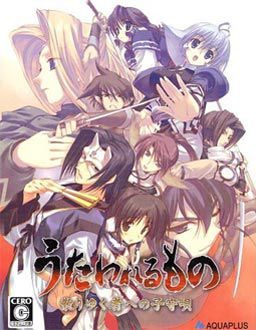
With this patch Utawarerumono will use Japanese voices from PS2 version on PC.

61 comments

smsidReply
Part 2 of the voice files has been deleted.
adminReply
Thanks for report.
I've uploaded fresh links for hotfile and also as direct download from our server.
SenjutsuReply
The hotfile suddenly removed the files. I've downloaded part one then tried part 2 (2 hours) but the files are removed. Tried part one again and it is also removed.
SenjutsuReply
Ah forget it. Sorry, Didn't see your new site.
By the way I'm thankful for all the visual novels you were able post. Thanks for sharing them.
HarutoReply
still having problems saying that it can't find the necessary stuff even if I put them in the same folder
choujilorReply
I only have the file "UTSOUND.SFS" from the patch I downloaded, where's the "utaware-voice.exe" and "utaware-voice.dll"?
SenjutsuReply
It seems the majority (if not all) of the hotlink files have been removed..?
KMKReply
will this cause the same problem as the voice patch for Koihime Musou (at certain points causing the game to crash if anything beside left clicking is done)? Because if it does, i'd rather play the game once before intalling the patch
adminReply
No, i played this game from start to finish with voice patch, and there were no problems.
nikolasReply
really? because in the part where aruru is saying"erunga"(lol) the game crashes
MugenNoSeiKenReply
To bypass this, you have to play it in window mode. Then after the Erungaa dialogue, you can return it in fullscreen mode. AFAIK, the game crashes at that point only.
KMKReply
okay thanks. Now It's time to install the game, english and voice patches and let's see what the story in here is. Also the "Turn based strategy" tag intrigues me XD
KylieaReply
When I went to extract the files, part 2 was corrrupted and nothign extracted because of it. Is it my computer or the file?
falconpunchReply
You have to download it again because the download got disturb like maybe the internet connection was bad or your computer was to slow to collect the data.
falconpunchReply
wait is this the full game with patch or i have to download the game and this? plz reply, thanks.
KaleidoscopReply
From what I understand from this page is that the game itself for PC doesn't have voices, and this is like a voice-over taken from the PSP game that was released more recently and has voices.
adminReply
No. This is only patch itself. You need also to download the game separately (http://erogedownload.com/downloads/utawarerumono/)
falconpunchReply
awww its so big!!!
oh well.
but can i still play it without voices?
adminReply
Yes, you can.
I'd really recommend getting voices for this game tho - it really adds to play experience.
TRMshadowReply
It seems I'm having the same problem a couple other people have referenced. I'm a newb so please be gentle.

I've downloaded everything and things work fine, but I can't seem to get the voice patch to work. I've downloaded and installed the english patch, so the game works fine in that aspect, but I can't seem to get the voice stuff to work. The game is mounted and I've downloaded the SFS file as well as the two other files contained in the voice patch. Those three as well as the .iso DVD file in a folder on my desktop. Is that where they all need to be? or am I doing something completely wrong?

Please help, and thank you.
TRMshadowReply
Never mind, another hour and a half of noodling helped me figure it out. (Though one of the back-and-forth conversations between the admin and someone else on the previous page really helped)

Thanks anyway, I look forward to being around here more. Wish me luck in getting into eroge ^_^
FairypupReply
I think I am having the same problem you were having. Could you please tell me how you fixed it.
nooguyReply
still don't understand what I do with the files, i've downloaded the patch and voice files, now what
MaxReply
never mind, I figured it out
yusakuReply
I placed the UTSOUND.SFS in the game directory, but somehow there aren't any voice played during the H scenes. Did I miss anything?
adminReply
No, this is normal. This patch uses voices from PS2 version, which doesn't have h-scenes, so no voices for them as well.
Everything else is voiced.
toshiiReply
when i click on the new voice patch exe. to start the game, it tells me it couldn't find the necessary file, I'm at a loss as what to do.
xieh tieReply
Is there any link for the UTSOUND.SFS FILE? I've browse the internet hoping to find one... but I failed miserably. please help me, I'm still a noobs...
xieh tieReply
never mind... I really am noobs... I failed to recognize that the large file you provide IS THE UTSOUND.SFS file...

Thanks for your hard work! I really enjoyed Sengoku Rance and Big Bang Daibanchou. Hope to gain enjoyable experience from this one. Keep up the good work!
deer horseReply
i placed the SFS file into the game folder but i don't seem to have the utaware-voice.exe and utaware-voice.dll files in it though.
deer horseReply
nevermind i forgot to download the 57kb file, sorry for the hassle
jjohnson1992Reply
evrytime i try and play the voices exe it just keeps saying it cant find the necesary file all the files are in the same folder the dvds mounted ive no idea what to do
jjohnson1992Reply
never mind somehow worked it out
RyoichiReply
So.... so much file.
Thats it then. I have decided to let the character not having voice......
adminReply
I think the voices add a lot to this game - helps you immerse in the world even more.
KelvinReply
I've played the up until the part where these monkeys show up, and the this window keeps popping up saying that there was a problem causing utaware-voice.exe to stop working. Any ideas on how to stop this?
KayReply
Same thing happening to me...
would appreciate some help with this =)
maximorphReply
Placed the utaware-voice.exe and utaware-voice.dll in the same foulder as the game and the UTSOUND.SFS
not working
says it can't read it
BlueRobinReply
Actually you gotta drag and drop UTSOUND.SFS onto utaware-voice.exe for it class as "same directory" and ditto with the others, took me awhile to figure that out and its sorta like "Connect the Dots"
BlueRobinReply
I used the free version of WinRar extractor to exctract the 5 UTSOUNDS.SFS parts all together but had to wait for the downlod cooldown in between until the extractor hit 100% to get the UTSOUNDS.SFS file.

Spent hours on the web researching but never found an answer, just on whim, dragged and dropped it (The most simplest thing to do turned out to be the answer to the Read me Riddle that threw me for a loop), would it kill them to type " Drag and Drop This onto That (same directory)" just one more sentence would save us hours of our time.
NYXReply
There's no voice in the H-scenes! NUUUUUUUU!!!
FaindaaReply
sorry to disturb but... there's something wrong with the MF Links.. :v it says it belongs to a suspended account...

anyway... Thank you for the hard work admin.. :D
AlexisniisamaReply
downloaded, installed and working :D
Thanks!!!
buddyReply
part 5 doesn't seem to work, re-upload plz?
TheRipperReply
Part 3 asks me to put in the code, but then it just says the page cannot be found when I go to download.
TheRipperReply
Fuck, nevermind.
anonymousReply
Whenever I run Super Anti Spyware, I get trojan alerts from the voice patch and voice.dll. Is it safe to assume that these are false positives?
BarloWzReply
When I try to download part 3 it says it's inexistent
reggie999Reply
part 3 down. Pls reupload it.
symphonic.minoriReply
I found a solution to the recent issues with downloading the files. With the download links provided here, the host website give the "missing file" page whenever I attempt to start a download with two others already running from that host site. I have successfully downloaded all six files linked from this webpage by limiting my downloads to two at a time.

I hope that helps =)
KayReply
whenever i save the game a window pops up saying that utaware-voice.exe has stopped working and crashes the game, is there some way to fix this? I've been restarting the game every single time which gets me past this problem temporarily, but nonetheless is extremely annoying to do every single time.
jonathanReply
lider eres el mejor e querido jugar esta juego legendario pero no lo encontraba porque los link estaba roto y en esta pagina es lo mejor porque estan al tanto de los juegos estoyyyyyyyyyyyyyyyyyyy agradecido
YuukiReply
Do I need Utawarerumono Voice Patch and UTSOUND.SFS to play the game with voice ?veg out
YuujiReply
Care to help a frustrated friend? >_<

i've installed the game and everything but when I try to open it via the utaware-voice.exe it keeps saying "cannot find necessary file". I have the files in the same directory and it is mounted on Daemon and i can play it normally but there's no voices ://

Thanks for all the hard work admin :)
LilenaReply
Hello~

I downloaded everything, moved the .dll and utaware-voice.exe filed to the game directory, and copied the UTSOUND.SFS file to the same directory, but when I try to open the game with the utaware-voice.exe, it gives me the following error message:

Error: UTSOUND.SFS has wrong size 37605120, should be 1272057856

Can anyone help? Thank you ;-;
AbudzReply
Thanks for you're hard work .. it works ..
I Enjoy it ..
AbudzReply
Thanks for you're hard work .. it got no problem ..
I Enjoy the game ..
PhilReply
What are the 5 different parts used for?
polerliReply
Having the same issue here...
i think the 5 parts are suppose to "merge" somehow/someway,but i'm lost T.T
ziomekReply
Lol what a noobs :P
yuuuReply
hi, i know i am late but i hope to find some answers.

i've installed the game and everything but when I try to open it via the utaware-voice.exe it keeps saying "cannot find necessary file". I have the files in the same directory and it is mounted on Daemon and i can play it normally but there's no voices ://

Thanks and hope i can get a reply

Leave a comment