English visual novel downloads

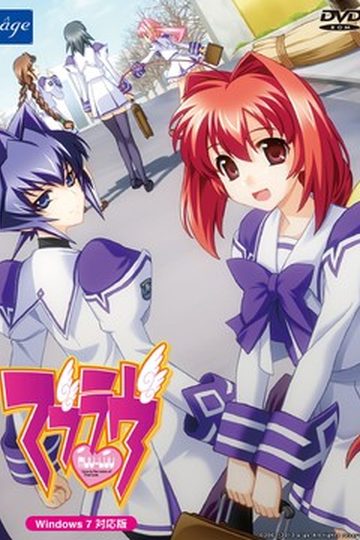
Muv-Luv

Muv-Luv

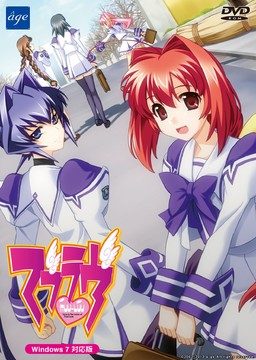
This game consists of two parts: Muv-Luv Extra and Muv-Luv Unlimited. Unlimited is unlocked after you get the endings of the two main heroines (Sumika and Meiya) in Extra.

Muv-Luv Extra:
Shirogane Takeru is a typical high school student with a lazy attitude and a love for the virtual reality mecha battle game Valgern-on. Even though he didn’t really wanted it, he is popular in school mainly due to his daily fights with his osananajimi (Sumika) attracting too much attention. His life takes an unexpected turn when he finds a girl (Meiya) he doesn’t remember ever meeting in his bed one morning. Whom later revealed to be the heiress of one of the biggest zaibatsu. She immediately moves to his house and starts changing his life for the good with her one-track-mind and unlimited resources…

Muv-Luv Extra, the main part of Muv-Luv, takes place in the same world (and general area) as Kimi ga Nozomu Eien and Kimi ga Ita Kisetsu. The Sky Temple family restaurant is mentioned and visited, and Suzumiya Akane makes an appearance.

Muv-Luv Unlimited:
One day Takeru wakes up late, wondering why Sumika or Meiya didn’t wake him up this morning. Not seeing any signs of them he gets a bit worried and goes out of his house to only see the town he lived all his life in ruins. After getting past the initial shock he decides that this must be a dream and decides to enjoy it as much as he can…

This is old, fantranslated version. You should download this updated one instead.

615 comments

cerealkillerReply
Thanks.
OniruneReply
I tried several times to download part 5 and it fails every time. Download simply didn't start but link wasn't broken. Is there any mirrors for that part?
harkozReply
Do i have to finish all of the Muv-Luv extra routes to play Muv-Luv unlimited?
adminReply
No, only two "major" ones - Sumika and Meya.
harkozReply
thanks for quick reply
Evan FlesherReply
for ppl that are having trouble installing the game extract the file youll have a .ccd file an .img file a .mds file and an iso file mount the .ccd file and use the english patch download to install during the install ittl look like it isnt installimg to wait on it and take a break it fooled me. so just wait on it to complete then ittl ask for disc 2 mount the file muv unlimited .mds and hit ok that should be it enjoy
LTReply
My problem is that the patch doesn't recognize that I've mounted the .mds file for disk 2. Does anyone have a fix for this? It seems to recognize disk one fine.
MWReply
I'm having the same problem as LT. It won't recognize that I've mounted disc two and I just keep clicking "OK". Anyone able to help?
Another thiefReply
change your window unicode locale to japan before install
MWReply
Thank you. Changing the unicode locale solved the problem.
Tarla111Reply
i'm having the same problem as LT. i've downloaded everything,unrared it, started installing from the patch. disc 1 starts installing then after a short time it says to install disc 2. so i mounted disc 2 and pressed ok but it does nothing, just keeps coming up with press ok or cancel. i read Another Thiefs post and changed locale to japan but still get the same problem.
is there something i'm am missing or not doing right, i've never had any problems installing games before?
Tarla111Reply
forgot to mention that when i try to install the first disc it comes up with a mesage saying "this doesn't appear to be the correct version of Muv-Luv DVD-ROM Ver (2004/04/30). Do you still want to patch this game? (USE AT YOUR OWN RISK).
Did anyone else get this message? I clicked OK anyway but it still won't recognize disc 2 when i mount it.
Tarla111Reply
OK, i finally got the game to install. Worked out that you have to unmount disc one before mounting disc 2 for it to work. BUT, now that it's installed i click on icon to start the game and get the message
"MFC42.DLL is either not designed to run on Windows or it contaigns an error.Try installing the program again using the original installation media or contact your system administrator or the software vendor for support.
I am running windows 7 ultimate, i think it's 32bit and never had any problems before.
I tried the troubleshoot thing and it comes up with,
"compatable with windows xp (service pack 2) and tried running the game with those settings but still got the error message.
Can this game run on windows 7? If so PLEASE someone tell me what i need to do to get it to work. Thankyou.
AnonReply
Same problem here, I get the MFC42.DLL error whenever I try to run the game.
AmeReply
I have the same problem as:
'C:\Users\\Downloads\MuvLuv.part2.rar: CRC failed in MuvLuv\MUVLUV_EXTRA.img. The file is corrupt'

But no matter how many times I download part 2 it doesnt change. The weird things is even after it gives this error it continues to extract but I can't install the game after this.
Please help.
AndrewReply
Is this the most complete English patch there is because i played all the way through only to get to the end and have it revert back to Japanese.
TeddyBearReply
Does this game work for 64 bit Windows 7? I found someone else's upload and it doesn't seems to work for me.
FangReply
so i've downloaded all the stuffand i've tried mounting it......and i'm not used to this kind of stuff could i maybe get some help please
binglebobReply
I managed to install the game and get to the menu screen. So far so good.
I haven't probed further yet, but my problem currently is that I can't find a functioning .exe anywhere in the files. Everytime I get the game to run was from installing it (after uninstalling it) and choosing the [Run Muv Luv] option at the end of the installation process.

What is happening and how do I fix it? ;_;
MaćkoReply
I can't install the game, because my PC says that the entire Muv Luv Unlimited is corrupt. Secondly, when I try to install EXTRA, then nothing appears.
ZellossReply
For Install:

1) System in japanese (config windows)
2) Load the image muv-luv iso with daemon (but not install!!!!!!)
3) Download Patch and click. The patch say muv-luv is not installed and he install for you.
ZellossReply
And the game works with windows seven 64bit.
Click right with the mouse in the patch and select "with the administrator right" (not sure in english, i am french).
NoZakuReply
The patch doesn't seem to translate Unlimited. Is there a newer version available?
hilwanzReply
Really? for me it work just fine and all routes have been translated
AkiraDonoReply
Can somebody tell me the exact order off wich iso to mount
Because it keeps telling me put in cd 2
ZellossReply
1) muv-luv.iso
2) when telling you cd 2, load the cd unlimited with daemon and continue install
hilwanzReply
try using my method, I hope it will work for you.
http://www.mediafire.com/download.php?drdi0bedsyfdvyt

PS: After you unlock Unlimited route, the game will ask you to mount Unlimited Disc in japanese language, so just mount unlimited disc
VastolordeReply
Can someone help me??? I can't play Muv-Luv Unlimited even after finishing 2 main heroine

Everytime I choose Muv-Luv Unlimited it always error
ZellossReply
Unlimited is unlock if you see the menu game have a picture changed.
And Unlimited load with the same .exe, it's just you have 2 choice now: new game ==> extra or unlimited.
VastolordeReply
Yes I already know that but every time I choose new game > Unlimited, it asked about something in japan and come up with choice abort, retry, and ignore.When I try to pick one of the three they just quiting the game
hilwanzReply
I think it's asking you to mount Unlimited Disc, try to mount it and click OK.
MaćkoReply
Dammit. I've changed the system yo Japanese, started to install the game via patch, keeps telling me to insert disc 2, when the disc is actually in already. Any thoughts how to change this situation?
hilwanzReply
Try using this method
http://www.mediafire.com/?drdi0bedsyfdvyt
i hope it works for you :D
MaćkoReply
Thanks DUDE. May you and your offspring be blessed.
adminReply
That's really nice tutorial. You mind if i add it to first post and later to erogegames.com installation guides?
hilwanzReply
I don't mind, feel free to add it to your site
MaćkoReply
Error occurred. Can't install the game.
hilwanzReply
can you post the Screenshot when the error occurred? I've tried this method with other computer both with win 7 and XP operating system and it works just fine
blizzReply
i am sorry i am fairly new to this but when i download the installation guide what should i do because no matter what i open it with it comes up in gibbirish which i cant read. if you could help me out at all it would be much appreciated thanks any ways though.
RomulusReply
Well, I "un-rared" the files and I mounted the .ccd image and tried to download it. However it came up with this.
http://s1190.photobucket.com/albums/z450/Romulus5/?action=view&current=Derp2.jpg
http://s1190.photobucket.com/albums/z450/Romulus5/?action=view&current=derp.jpg
(I am sorry if there is some different way I am supposed to put up pictures but this seemed to be the best way.)
I don't understand what to do from here, all I know is that it will not let me download it.
hilwanzReply
Open it with adobe reader or other similiar program
blizzReply
ty very much but one more question. when i started to install it my Norton said it detected a Trojan so i immediately stopped installing it should i just try to re download all the links or just ignore.

ps. sorry for being such a trouble
hilwanzReply
You've download it from here right?
then it should be okay, i think it just false alarm from your AV
hilwanzReply
@Romulus
try this one, you need no-dvdpatch
1. Make a temporary installation folder in your harddisk
2. Mount extra disc and copy the contents to your temporary installation folder.
3. run the setup

now, if the setup process goes without fail, then you're ready for the next step.

4. try to run the game, if it asking you to mount the original disc install muvluv nodvdpatch to bypass it.
5. Run the game, and wait until the setup(again) completed

I know, When it comes to installation process this game is really pain in the ass. The solution for each person seem different, so it kinda make difficult to write installation tutorial for everyone
RomulusReply
Thanks for the help however,I got the No-Dvd Patch and it says the same thing about (Something Japanese)11.exe. I tried to do what you said but that didn't help either, I'm not quite sure what I am doing wrong but any further help would be greatly appreciated.
shiro95Reply
Is there a problem with the fifth part? I can't download it
SerialRavistReply
One thing worth noting is that this install appears to work differently with different mounting tools. For example, it worked for me using Daemon Tools but not MagicISO (system locale was Japanese in both cases, etc). When running in MagicISO (which I had because I use it for work) all that happened when I started the install was it spawned a separate command prompt window that immediately disappeared, too quickly for me even to get a screenshot of the error, if any, on it. And this is despite MagicISO working for other games as well, like Sharin no Kuni, Himawari no Shoujo.

In short, even if you have a functioning virtual drive manager that works with other games, for this one it seems you specifically need Daemon Tools. Thought I'd mention this since everyone suggests you get it anyway, but they seldom say why.
SavarianReply
Is something wrong with the 1rst part it wont let me download it the others are doing fine so far
LightReply
The first part is constantly getting "interrupted" and stops the file

Leave a comment