English visual novel downloads

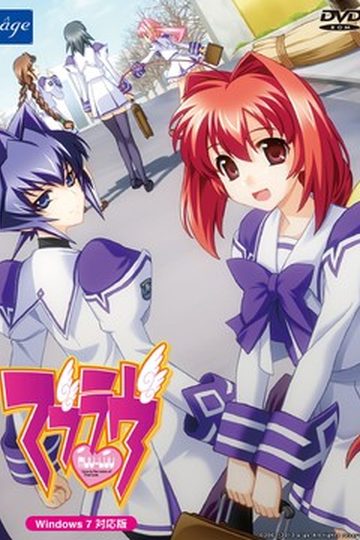
Muv-Luv

Muv-Luv

This game consists of two parts: Muv-Luv Extra and Muv-Luv Unlimited. Unlimited is unlocked after you get the endings of the two main heroines (Sumika and Meiya) in Extra.

Muv-Luv Extra:
Shirogane Takeru is a typical high school student with a lazy attitude and a love for the virtual reality mecha battle game Valgern-on. Even though he didn’t really wanted it, he is popular in school mainly due to his daily fights with his osananajimi (Sumika) attracting too much attention. His life takes an unexpected turn when he finds a girl (Meiya) he doesn’t remember ever meeting in his bed one morning. Whom later revealed to be the heiress of one of the biggest zaibatsu. She immediately moves to his house and starts changing his life for the good with her one-track-mind and unlimited resources…

Muv-Luv Extra, the main part of Muv-Luv, takes place in the same world (and general area) as Kimi ga Nozomu Eien and Kimi ga Ita Kisetsu. The Sky Temple family restaurant is mentioned and visited, and Suzumiya Akane makes an appearance.

Muv-Luv Unlimited:
One day Takeru wakes up late, wondering why Sumika or Meiya didn’t wake him up this morning. Not seeing any signs of them he gets a bit worried and goes out of his house to only see the town he lived all his life in ruins. After getting past the initial shock he decides that this must be a dream and decides to enjoy it as much as he can…

This is old, fantranslated version. You should download this updated one instead.

615 comments

BrizzleReply
Is it supposed to revert to Japanese right near the end (at least in Meiya's route)?
That one guyReply
It did that to me to but it goes back to normal if you close the visual novel then start it up again. Or at lest it did for me.
RenaReply
Is there any translation for Takeru's ending speach ? I be fine with just text.
MamoruReply
Is it just me or is the 5th link broken? I've been trying to download it for the last 2 days but still no luck.
inquisitorReply
PLEASE HELP. in muv luv unlimited, nov 1, which option do i choose?"because it's an effective technique" or "because we'll be fighting people someday". no walkthroughs tell me!!
fredwardReply
this game need a walkthrough that i can understaned
SwissReply
Im having a problem mounting the muvluv extra ccd file with daemon tools. It keeps saying that its unable to mount the image file. Can anyone help. Thanks in advance
DannyReply
Ok... so i extracted my stuff.. but there was a problem. I use Deamon, Mounted MUVLUV_EXTRA.ccd, the installation screen opened, i clicked install, i click next... next...next and then all of sudden it wouldn't install... Like NO installing process at all.. someone help please. Im using a Vista computer, 64bit
Revengematron3Reply
I'm having Danny's same problem. I'm running Windows 7, so I don't think it's the operating system...
JGGiant915Reply
Ok, incredibly noobish question here, but how exactly do I go about installing these? I know how to use Daemon tools, but my confusion comes from the 5 WinRAR files. All 5 seem to have the same files including ISO and IMG. Do I unpack all of them into different folders or the same one, or instead do I just unpack one and let the install do the rest?

Normally I can figure these things out, but since my error messages are in Japanese I don't have any clue on whether I just need to re-download the files or if I simply unpacked them incorrectly.

(I've mainly been following the PDF installation guide here rather than using the english patch to install. I tried that method once, but after I mounted disc 1 and it started the install, it never moved. I came back about 45 minutes after it started and it was in the same spot. I had to CtrlAltDel it shut)
God of ConquestReply
What you do is get ur PC and throw it in the garbage jk xD... well after DLing the 5 files u extract the part1 and it will go all the way to part5 then u would get a .ccd, .img, .sub and the ISO file... first u mount the damn .ccd file and install it first in japanese(make sure ur locale is Japanese) then after that if u downloaded the English Patch above(if not download it) then run it, and just press next next next till ur done... then that's just about it... if it asks for a disc then mount the ISO file... simple as pie xD
extelionReply
is this an all age version or does it have H scene?
extelionReply
unpack only 1 I unpack the first 1 then use daemon on it but my suggestion is install the Japanese version and don't forget to put ur locale to japan its in control panel region then while installing it try disabling ur anti virus cuz for some reason mine(norton) was giving me error until i disable it then after u instal the Japanese version install the English patch its much easier this way cuz its a common problem in muv luv that the English patch cant read the disc 2 if u try installing it with the English patch so its better to instal Japanese first then use patch
R1ch4L1feReply
Ignore my request for help ^.^. It seems that the problem is that ONLY Daemon Tools works, while other Emulators," in my cares MagicISO" dont seem to know how to run Muv-Luv.
ZeonsReply
Part 1 and Part 3 are corrupted. I had downloaded them twice, but they're still corrupted...
DannyReply
will no one help me on my problem???
Ok… so i extracted my stuff.. but there was a problem. I use Deamon, Mounted MUVLUV_EXTRA.ccd, the installation screen opened, i clicked install, i click next… next…next and then all of sudden it wouldn’t install… Like NO installing process at all.. someone help please. Im using a Vista computer, 64bit
HelixReply
I had the same problem with my installation onto Windows 7. I tried every approach I could think of, but I've just managaed to get it to finish.

While I had the installer running (the image mounted with DAEMON tools) I opened up the Task manager to close a few processes in an attempt to speed it up. I noticed that there were two processes named after the installer (ml-r6) one of which took up an alternating amount of CPU the other none. I closed the seemingly inactive one and when I came to check if it had any result it was asking for the second disk.

Now I've only opened and played the game to the first decision point to check it out but I found no problems.

Hope that helps.
ZeonsReply
Help! I got mfc42.dll error when I tried to start the game
God of ConquestReply
hmmm i suggest reinstalling the whole thing(well uninstall it first xD) then if that won't work try searching google for "mfc42.dll" or any other dll files u need and paste it on the same folder as the application file(i meant the .exe file that runs the game)
God of ConquestReply
Great game xD... I love this site lol... DLing Muv Luv Alternative... since the manga confused the crap out of me i'll play the game xD
SnowedReply
Just tried to install the game, and I followed the guide through the next next thing but during installation, I got warning/error signs and installation is cancelled... Also,
my anti-virus picked up a trojan file in the ccd of Extra...
SnowedReply
Trojan file appeared after installation was cancelled and the cd image still mounted.
hilwanzReply
I think it was a false positive from your AV. so just disable your AV when you want to install this game.
ReiReply
For anyone who cannot install or their set up just ends.

1. Mount Muv luv extra ccd., but do NOT run set up. Just mount it with nothing else.
2. Run the ENGLISH PATCH.

The english patch should automatically install the game for you.
SomeoneReply
I let the english patch install the game, and when I tried to open the game, this error showed up: http://i.imgur.com/obeFQ.png.
What does it mean?
SomeoneReply
Nevermind. Just needed to run as administrator.
AnonymousReply
I have the same problem as Romulus, when I click on install after mounting the extra it shows something similar to the photos he posted. http://s1190.photobucket.com/albums/z450/Romulus5/?action=view&current=Derp2.jpg
I tried what hilwanz told him too and it doesnt really work.
I'm using windows xp on japanese locale, anyone knows what i'm doing wrong? I'd appreciate any help.
jimkricketReply
I've downloaded the English patch to my desktop twice already, when it finishes, it disappears entirely. I used the search on my computer to search for ml-r6 but nothing comes up. Any idea why the English patch file I downloaded would disappear like that?
polo2005Reply
can be your virus program
jimkricketReply
Good advice polo2005, I disabled my AV before I downloaded, and it now appears on my desktop. So it turns out my AV kept blocking it.
AnonReply
So when I download this I want to extract all parts into one area.
I can't seem to find part 1's rar file?
When I use the english patch to install the game I can mount disk one but I can't mount disk two, because in order to extract it disk 1 needs to be extracted first?
AnonReply
I think my problem is, part 1 is already extracted?
I believe my part 1 came as a folder?
Is that how it should be?
AnonReply
Well, I figured out that my part 1 was not downloaded properly so I redownloaded it and extracted all parts to one location like it was supposed to be.
I installed it by using the english patch for the set up program.
Everything seems to install correctly but when I try to run the game I get this MFC42.DLL error.
This has really turned out to be quite the headache..
;____;
adminReply
http://support.microsoft.com/kb/259403
wantitsobadReply
managed to download part 3 but im having the same problem as the others here rugp.exe bad image The application or DLL MFC42.DLL is not a valid windows image. can you please help me admin....
Almost Give UpReply
I can't run the english patch while the computer is in Japanese locale. Did I miss a step? The game while run fine in Jap but having problems getting it to English.
SuperbiaReply
This is perhaps the first time I've run into an installation problem.

Setup.EXE doesn't seem to run properly; even after running as admin (Windows 7 Ultimate) only a black cmd appears and closes instantly.

That's disk one; disk two isn't able to do anything without disk one. Any fixes to this would be greatly appreciated.
JReply
I have this same exact problem.
danterevanReply
hmmm maybe if you explore the disc and just copy and paste the contents into a folder that might work i had to do this for another game when the setup was going weird so try that i think it may work but sorry if im wrong
kijin666Reply
I feel like an idiot for asking, but how do you save your progress?
habeoReply
use the right mouse
gottesurteilReply
Question: So i remember being interested in this game like a year ago, but at that time only one of the two parts was translated. Now that Alternative is out, does that mean all of this is finished?
shinminhoReply
it seem part 3 & 5 is corrupt,muvluv_extra.img the file is corupt & muvluv_unlimited.iso the volume is corrupt in part 3 and muvluv_unlimited.iso the file is corrupt.it doesn't seem have recovery record.
please admin can you reupload it?thx
adminReply
Copy on server is working. It must got corrupted when you were downloading it. Redownload.
shinminhoReply
i'll try redownload part 3 but it seem broken.
shinminhoReply
from filesonic.
someoneReply
i installed muvluv but when i tried to play it say Error: could not open data.ami what is that Need help !!!!!!!!!!!
shinminhoReply
i try to install but my avg warn me there some trojan,it's fake report or no?or i just redownload again?

Leave a comment