
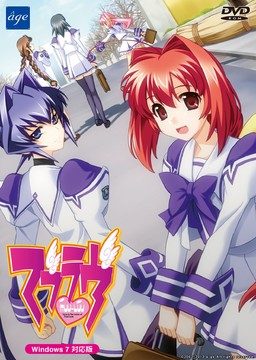
This game consists of two parts: Muv-Luv Extra and Muv-Luv Unlimited. Unlimited is unlocked after you get the endings of the two main heroines (Sumika and Meiya) in Extra.
Muv-Luv Extra:
Shirogane Takeru is a typical high school student with a lazy attitude and a love for the virtual reality mecha battle game Valgern-on. Even though he didn’t really wanted it, he is popular in school mainly due to his daily fights with his osananajimi (Sumika) attracting too much attention. His life takes an unexpected turn when he finds a girl (Meiya) he doesn’t remember ever meeting in his bed one morning. Whom later revealed to be the heiress of one of the biggest zaibatsu. She immediately moves to his house and starts changing his life for the good with her one-track-mind and unlimited resources…
Muv-Luv Extra, the main part of Muv-Luv, takes place in the same world (and general area) as Kimi ga Nozomu Eien and Kimi ga Ita Kisetsu. The Sky Temple family restaurant is mentioned and visited, and Suzumiya Akane makes an appearance.
Muv-Luv Unlimited:
One day Takeru wakes up late, wondering why Sumika or Meiya didn’t wake him up this morning. Not seeing any signs of them he gets a bit worried and goes out of his house to only see the town he lived all his life in ruins. After getting past the initial shock he decides that this must be a dream and decides to enjoy it as much as he can…
This is old, fantranslated version. You should download this updated one instead.




615 comments
What I'm supposed to do???
For the installation follow this step:
1. Mount extra disc and copy the contents to your hardisk & make a temporary folder for installation (ex: D:\MLSetup)
2. Mount unlimited disc and copy マブラヴ11.rio.002 to your temporary folder
3. run the setup
4. Install muvluv no dvdpatch (use google to search it)
5. Run the game, and wait until the setup(again) completed
6. Run english patch, and after that you can play Muvluv
Hope it will work for you
The game won't run with applocale, so you must change your system language
-set the system in japanese language to install the game
-change it to whatever my country is to use the patch
-change it back to japanese to run the game?
That's some messed up installation...
Moreover, there is several files that seems to be the same thing, but have differents file extension (EXTRA.CCD, EXTRA.img, EXTRA.sub, UNLIMITED.iso,Unlimited.MDS)
Which one do I have to use?
I'm using EXTRA.img and Unlimited.ISO
And how am I supposed to use the file on the unlimited disc?
It's not a setup, just some system file.
anyway thank you for trying to help :)
And how am I supposed to use the file on the unlimited disc?
It’s not a setup, just some system file.
how about this one:
1. change your system language to japan
2. mount muvluv extra and run the installer
3. just wait until the setup completed
4. Now,install the english patch, it will automatically detect your muvluv installation folder
5. muvluv is ready to played, you can install muvluv no-dvdpatch if you want.
I know this is weird, but the system doesn't ask me to mount CD 2 (unlimited disk).
I've tried this method to install muvluv on my friend's computer with win7, and it's work.
you can look the installation screenshot here http://www.mediafire.com/?6bdgboaanickv
I've tried searching for a save file, but still no luck..
Not only that, but I can no longer unmount Disc 1 and my computer freezes up when I try.
Anyone else have this problem and find a solution to it??
Alternative better be worth all this shit.
Figured it out.
Turns out it's supposed to freeze at that spot for a little while.
I'll write out what I did for any others experiencing what I did.
I won't explain what errors I got or what I was doing wrong, because I think I did everything wrong.
So this is what I did to get it working.
1) Mounted MUVLUV_EXTRA.ccd
2) Ran the patch and clicked next a bunch etc
3) This part I don't QUITE remember, but it will either ask you for Disc 1 or Disc 2.
4) If it asks for Disc 1, go ahead and mount MUVLUV_EXTRA (the disc image file)
5) If it asks for Disc 2 then mount MUVLUV_UNLIMITED (again, the disc image file).
6) After that just let it install and it's all good!
If the installer doesn't look like it's moving, just let it sit. It'll work.
Hope it works for everyone! (Though in the end, my technique didn't really differ much from what everyone else was saying to do.)
I followed hilwanz's method (using the original muvluv extra installer, not the patch one), and it's work!
If you're using XP, make sure you have installed microsoft visual c++ 2005, and using Daemon tools to mount the image (not sure if alcohol worked).
After finished installing, just run the english patch...
Hope this useful
in order to install this game you must change your sytem language first.
1.I run the original installer...nothing pop out
2.using the English installer...cannot read disc2
3.using autorun....something weird came out(error i think )
it should be all right..
i follow the same instruction~
Don’t use eng-patch to install the game, use the original game setup instead.
For the installation follow this step:
1. Mount extra disc and copy the contents to your hardisk & make a temporary folder for installation (ex: D:\MLSetup)
2. Mount unlimited disc and copy マブラヴ11.rio.002 to your temporary folder
3. run the setup
4. Install muvluv no dvdpatch (use google to search it)
5. Run the game, and wait until the setup(again) completed
6. Run english patch, and after that you can play Muvluv
Hope it will work for you
The game won’t run with applocale, so you must change your system language
You probably don't have visual c++ 2005 libraries installed. Go to microsoft site and download it from there.
I did have visual c++ 2005
*Originally I tried running it on daemontools. Mounted the extra disk, hit run (the run file had no image on it, btw) and up pops the games installer/uninstaller/quit screen. I try to hit install and messages popup in moonrunes. The first message is repeated twice, and the second message done once before the entire thing stops. I don't think it even starts the installation.
*I managed to locate a patch, though i'm not sure if it's the same one this site had. Loaded it up and it asked for disk 1. Mounted it, hit next. Couple seconds later is asks for disk 2. The biggest problem seems to be disk 2, for when I mount it the thing breaks appart like it's a folder. I click to open it and find a MOONRUNEs.11rio.002 file extension which my computer can't read. Click it, follow the computers link to the site that may have the answer about file 002 extensions and ended up downloading the following in the process.
*7-zip
*jzip
*Microsoft visual C++ 2005 redistribute (because someone on the page had recommended to have it).
Which all seem to do nothing for the file. I'll be going back over the given site this time (and actually take the time to read it over instead of skimming)but can anyone offer me some help in this? Thanks.
why can't I install this!WHY!!!!!!!
I used hilwanz's way to install the game and it worked after some modifications.
First and foremost, like he already said, the system locale needs to be japanese. You can install the game with some other locale but you will have to run the setup with applocale->japanese, however the game itself will NOT work with applocale, it really requires the system locale to be set to japanese. Pretty stupid but yeah.
Creating temp folder to install the game is a must, because it will spew some error message in japanese if you try to install the game from your virtual drive. Choose the top option when installing, then specify where you want the game to be installed. What I find stupid is that you can't specify the game folder name, it will stay in japanese, so you can only set a location where this folder will be installed.
The installation is really short, because it doesn't actually copy the entire game. After the short installation, run the english patch and it will install automatically. After this step, the game will prompt you for disks. This is the reason why you need to copy that file from 2nd disk into that temp folder, and from here on it will actually copy the stuff into the installation folder.
No DVD patch is NOT required and it doesn't really do anything, just use the shortcut the english patch created. Keep in mind you MUST have your system locale set to japanese at this point, else the game will throw an error and won't lauch.
Now, hopefully this helps, and I'm onto my real question here. Is there any way of running this in windowed mode? I have a pretty big screen, and running this in fullscreen doesn't look nice and I am not used to it, since all VNs I pla...read I used windowed mode.
When I follow any installation methods, I find myself getting an error message saying that the setup.exe file is not compatible with my version of windows, and i should check whether im 32-bit or 64-bit. I'm 64-bit, how do I install the game?
Here is my error:
! C:\Users\\Downloads\MuvLuv.part4.rar: CRC failed in MuvLuv\MUVLUV_EXTRA.img. The file is corrupt
! C:\Users\\Downloads\MuvLuv.part4.rar: Unexpected end of archive
! C:\Users\\Downloads\MuvLuv.part4.rar: Packed data CRC failed in MuvLuv\MUVLUV_EXTRA.img. The volume is corrupt
Same error during the Rance extraction on part 7. I'm guessing it's a problem on my side but I'm unsure how to solve it. Thanks.