
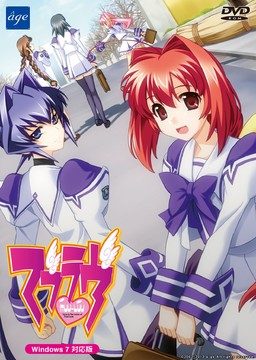
This game consists of two parts: Muv-Luv Extra and Muv-Luv Unlimited. Unlimited is unlocked after you get the endings of the two main heroines (Sumika and Meiya) in Extra.
Muv-Luv Extra:
Shirogane Takeru is a typical high school student with a lazy attitude and a love for the virtual reality mecha battle game Valgern-on. Even though he didn’t really wanted it, he is popular in school mainly due to his daily fights with his osananajimi (Sumika) attracting too much attention. His life takes an unexpected turn when he finds a girl (Meiya) he doesn’t remember ever meeting in his bed one morning. Whom later revealed to be the heiress of one of the biggest zaibatsu. She immediately moves to his house and starts changing his life for the good with her one-track-mind and unlimited resources…
Muv-Luv Extra, the main part of Muv-Luv, takes place in the same world (and general area) as Kimi ga Nozomu Eien and Kimi ga Ita Kisetsu. The Sky Temple family restaurant is mentioned and visited, and Suzumiya Akane makes an appearance.
Muv-Luv Unlimited:
One day Takeru wakes up late, wondering why Sumika or Meiya didn’t wake him up this morning. Not seeing any signs of them he gets a bit worried and goes out of his house to only see the town he lived all his life in ruins. After getting past the initial shock he decides that this must be a dream and decides to enjoy it as much as he can…
This is old, fantranslated version. You should download this updated one instead.




615 comments
Installation however does not continue, I get the message a message in Japanese, the same one that seemed to indicate that installation was completed before hand but that is all. The game will not launch as it seems installation is not in fact complete.
Can someone please provide help? Thank you all.
I have tried running the english patch but when i have the IMG file mounted, it says it is not the correct version :S can someone please help me? i have been looking forward to this game for quite a bit (took long to download)
I've downloaded this game years ago and so far, this game is the best VN I ever played. So to Install this game, this is what I did on Windows 8.1 with AVG antivirus.
0. Change your locale to Japanese
1. Disable AVG antivirus
2. Mount Muv Luv Extra & Install on the default directory (Just hit Ok or next, it should be fine)
3. Run English patch (The 29.5mb file)
4. Exclude the installation folder from AVG scan list? (C:age)
To exclude it on AVG. Open AVG > Options > Advanced Settings > Exceptions > Add Exception > Exception Type = Folder Then find the installation folder.
5. Exclude the Muv Luv application from AVG. Open Avg > Options > Advanced Settings > Exceptions > Add Exceptions > Exception Type = File Then inside the age folder select the muv luv application \マブラヴ11\
6. Mount Muv Luv Unlimited. It contains a single file \マブラヴ11.rio.002\ copy it in the installation folder and hit REPLACE.
That's about it, hope you can play it ASAP. If the installation process display some kind of errors, it might be because of your antivirus. If yours isn't AVG, you have to find a way to exclude the folder and application.
This issue is so amazingly stupid it baffles me, some people with 64 systems are able to play it while some cannot.
This is so stupid, but it works.
If you happen to use Virtual CloneDrive, get this : It FUCKS UP THE GODDAMN SETUP.
Install Daemon Tools (I installed the trial-ver of DT-pro), and it will bloody operate like fucking jackasses on a field.
And yes, I am mad. This solution is so stupid it hurts me in the soul. ugh.
Tags: not compatible 64 bit 64bit version windows patch solution working clone drive clonedrive muv-luv muvluv
I hate this game.
I started hating this VN even before I had the chance of playing it.
If any of you are getting : "Error! Loader Unable to initialize service!" or something of that sort, this is the order of things I have done :
1. Install the game with Daemon tools,
2. Run the english-patch (most likely receive errors about the two '.exes', telling you to either Abort, Ignore, or Retry. Choose "Ignore" for both),
3. Run the english-patch AGAIN.
It should now pop up a window in Jap after the installation process.
(Note : If for some reason this does not work for you, I restarted my computer after I patched the game one time, and after the restart I patched it again)
I am so not kidding.
Muv-Luv's installation process was more excruciating than the retarded installation-process of Chaos;head, in which you had to manually patch the patcher of the game as it attempts to patch the game. Try to get around that.
The only reason Muv-Luv's installation is worse than Chaos;head's, is because C;H's retardery is at least documented. I swear, nobody shared this simple bloody solution of : "Install the english patch *twice*".
<_<
At this point I'm just venting out my choler upon this thing, and I don't even feel like touching this VN now.
Have fucking fun, I guess.
P.S: During the installation process, I only had "Extra" in my drive. Not sure if it is relevant or not, but when it comes to Muv-Luv, any sort of stupid shit is possible.
1. Don't go on a date with Sumika. Choose someone else and you can still finish Sumika's route.
2. There are other possible solutions to skipping end credits (sometimes worked fine) but here's how I did it: Before the end credits start to roll, just rapidly click left mouse button and Ctrl key to skip the credits. I was surprised that this worked so I tried it again and it worked again (I did this on Sumika's route). After that the main menu picture should change and you are able to play Unlimited (when you have finished both routes).
If anyone has any problems or questions about the game, just reply to this message and I(or someone else) will answer to it. Thanks for admin for posting this great vn.
-question mark?
You need to install the English-patch twice, after installing the game with Daemon-tools.
...
No, really.
Apply the patch once, probably get two errors (choose to 'ignore'), and then apply the same patch again.
After the second time, a screen with Jap text all over it should pop up.
This is what you all need to do, change your system to japanese locale and restart. You have to have your computer on japanese locale just to run this which sucks but you can always remove and change it back after you're done with this. Then mount the .CCD file then double click that mounted file to open up the program with the "install" "uninstall" those kind of buttons. Click install and keep pressing next and make sure you install it to the location of your choosing at the part where it shows you the remaining size of your drive and your necessary amount of space to install. after all that's done, double click the english patch and it will automatically find your install location and keep pressing next until you're done. Now you can play Muv Luv Extra.
There are 2 annoying crashes that happen when using windows 8.1. It crashes during the date with Sumika and right before the end credits in Meiya's route. If you want to not crash right before the credits, right click on the desktop icon of muv luv and go to the compatibility tab and chose Windows XP service pack 3 then check reduced color mode and pick 8 bit. Now run the game again and hold down CTRL and spam click and the credits will now roll instead of crash, you can always save it after that part then change the settings back (disabling BGM, voice, sound, and graphic effects might also prevent the crash). The Sumika date crash can be passed by just choosing another person to go on a date and you can continue going her route as if nothing happened.
Muv Luv Unlimited will now unlock and it might be a problem for some. For me the file for the Unlimited part of the game didn't even exist for some dumb reason.. and it ended up not even being translated. This is what I had to do to get it to work. Mount the .CCD file that you used to install the game in the beginning and this time click "uninstall". Afterwards, install the game again in the exact same location you did the first time and run the English patch once more. NOW.. you will still have your save game files and it will still show the Unlimited style Title screen, this time start a new game and click Unlimited again and it should say something with the options "OK" and one other thing. Before you press "ok" mount the file called "MUVLUV_UNLIMITED" or whatever thats like 1.4 GB and now press "ok". You will have a bar showing that something is installing. And now it should be translated and working. Hope that works for anyone having trouble because holy shit did I get frustrated trying to get this all to work just to get to Alternative and play that :)
P.S.:I really wanted to play all of Muv-Luv so i could pass to Alternative, and thanks again :P
THUMBS UP xD
-I did do locale Japanese, though I'm not sure if it was required
-I HAD to disable my antivirus (It wasn't AVG) for installation to work.
-I mounted the three main files using daemontools
To begin installation after all of the above, I ran the english patch/installer.
Hope this helps those struggling. I was about ready to give up on it until I realized I had to disable antivirus before installation worked appropriately.
I installed NTLEA which is an alternative to AppLocale that can add \run in Japanese Locale\ to the right-click menu (and works on Windows 10).
I mounted both disks in Alcohol 120% (Daemon might work just as well), but when I tried to run the English installer, it would not see disk 2, regardless of that. Given what I did below putting them in a folder, I'm not sure this is actually necessary.
I tried running the regular installer with Jap. Locale, and it gave an error instantly, but I tried just copying all the files from both disks into a single folder on the main hard drive, then ran the Setup.exe with Jap. Locale (right-click, as admin, etc...), and it finally installed. Not sure if it had to do with me trying to install it from a different HD or not.
Then I ran the English installer, which saw the installation and then poof...worked.