English visual novel downloads

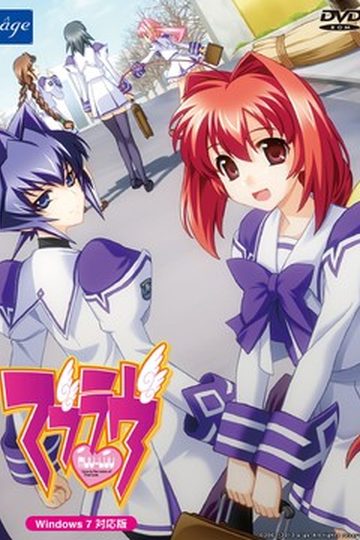
Muv-Luv

Muv-Luv

This game consists of two parts: Muv-Luv Extra and Muv-Luv Unlimited. Unlimited is unlocked after you get the endings of the two main heroines (Sumika and Meiya) in Extra.

Muv-Luv Extra:
Shirogane Takeru is a typical high school student with a lazy attitude and a love for the virtual reality mecha battle game Valgern-on. Even though he didn’t really wanted it, he is popular in school mainly due to his daily fights with his osananajimi (Sumika) attracting too much attention. His life takes an unexpected turn when he finds a girl (Meiya) he doesn’t remember ever meeting in his bed one morning. Whom later revealed to be the heiress of one of the biggest zaibatsu. She immediately moves to his house and starts changing his life for the good with her one-track-mind and unlimited resources…

Muv-Luv Extra, the main part of Muv-Luv, takes place in the same world (and general area) as Kimi ga Nozomu Eien and Kimi ga Ita Kisetsu. The Sky Temple family restaurant is mentioned and visited, and Suzumiya Akane makes an appearance.

Muv-Luv Unlimited:
One day Takeru wakes up late, wondering why Sumika or Meiya didn’t wake him up this morning. Not seeing any signs of them he gets a bit worried and goes out of his house to only see the town he lived all his life in ruins. After getting past the initial shock he decides that this must be a dream and decides to enjoy it as much as he can…

This is old, fantranslated version. You should download this updated one instead.

615 comments

wabafetReply
I just began unlimited, and noticed that all of a sudden takeru had a voice actor...but then it stopped a few minutes later. Is this supposed to happen? No spoilers please if this happens for story reasons.
Jakeman77Reply
It only happens in certain places, such as when he's having a flashback or dreaming (or thinks he's dreaming, lol).
GuardianReply
I just downloaded the game, but whenever i try to install it my antivirus claims that the program has a Trojan and halts installation. What should I do?

Thanks
helloReply
can i ask assistance,,,,,,,,,already finish downloading and extracting this game,,,when i mount it,,,,,,it contains only .rio file,,,,,,what does it mean....plss help......=((
zippyReply
The file you are mounting is more than likely MuvLuv Unlimited ISO. The .rio acts as a switch for when you finish the two main stories of MuvLuv so it can go to MuvLuv Unlimited.

If you are trying to play MuvLuv Unlimited first, I have no idea how to do that except by finishing MuvLuv Extra.

Follow Big Gym's method so you can play the game.

If you want just a brief telling of MuvLuv Unlimited, then I suggest read the manga as it tells the Meiya route in the game. I did this before playing the game because I did not know that MuvLuv was a Visual Novel.
Dark enigmaReply
I tried playing Unlimited but it's not translated, is there somthing i'm missing or did I install the game wrong? I tried Big Gym's adivce and it didint work so if you could help me it would be much appreictated.
zippyReply
My question to you is "After mounting the MuvLuv Extra stuff (Disc 1) did you immediatly mount MuvLuv Unlimited ISO (Disc 2)?" If so, then uninstall, try again, and wait an hour or two after mounting Disc 1.
SatoshiReply
I had the same problem with Guardian.Each time I tried to install the game my antivirus blocks it.I could only install at the cost my antivirus being disabled.What should I do?Any advice anyone?
WildReply
You could disable it, install the game then enable back? Or you can add it to the anti-virus exceptions too
zippyReply
This is an adaption of Big Gym's method.

1. Uninstall MuvLuv if you already installed and failed at getting the game to work.
2. Run the patch
3. Run Deamon tools lite and mount MuvLuv Extra ccd or img
4. Wait an hour or two for it to finish copying
5. Seriously!!!, wait till it finishes and do not interupt it!!!
6. After it finishes, mount MuvLuv Unlimited ISO
7. When it finishes with the second half of install you should be ready to play.

This should ignore the anti-virus alert. I had the same problem, tried this method a few hours ago, and wa-la...the game is working.
zippyReply
For those who want to move to MuvLuv Alternative after playing MuvLuv Unlimited:

I suggest you watch the anime "MuvLuv Alternative:Total Eclipse" as it gives you some insight on the politics that occur in MuvLuv Alternative. It also gives you a better picture of how the mechs and the BETA look.
Be prepared for sadness and a lot of internal conflict with the protagonist. MuvLuv Alternative is long and serious and expands the heroines' backstories from Unlimited.
Alternative also shares some characters from other anime and VN that were made before the game was released.
Kimi ga Nozomu Eien and Kimi ga Ita Kisetsu are two VN that have characters that make appearances in the game.

For those interested in the adult content:
There are only two scenes and they are at the near end of the game, like 50 hours after starting the game.
If you want more info on the adult content go to the visual novel database and is pretty accurate.
AkaiReply
How do I save? I checked "Double click list to save/load"but I don't know what to do.
AkaiReply
Nevermind. Allyou have to do is right click the game and press save.
wisecrackReply
When I install the game I get an error called rugp. This is when installin git via daemon tools light after mounting. This error occurs while installing and it cancels the installion before it finishes.
If I install via the english patcher, the game goes through and installs fine, but when I start the game up the rugp error comes up again and closes the game rightaway.
Anyone help?
wisecrackReply
Nvm, i figured it out. Turns out u need to mount the ccd first, did not know that.
RailerReply
Anyone help please, i'm trying to get this running on my macbook pro with crossover and the crossover lang app, but I only get to the point where it says insert disc 2. I figured mounting it on daemon tools would work but it didn't, can anyone please give me a step by step for the mac.
J.M.E.Reply
Whenever I try to extract I keep 'Bad Block' error #25116 what's wrong?
AkotoReply
When I try to install, after an abnormally short time installing disc 1, it asks for disc 2, but even after mounting disc 2, it keeps asking for it. I'm using Daemon Tools Lite also.
peterReply
I have the same problem. I am using Daemon Tools Lite 4.46.1.0328

Thanks in advance for the help!
ShanksReply
had the same problem
i managed to fix it by changing my system locale and location to japan.
hopefully that should work for you guys too
DuhDuh24Reply
never mind, it was a problem on my end.
Frustrated anonReply
It’s been months since I finished Extra/UL and Alternative, needless to say they’ve been my favorite VNs since then.

However, I noticed that since I installed Alternative, Extra/UL wouldn’t work anymore, it doesn’t even get to the main menu (something about rUGP being a different version, I can’t read moonrunes so the error message made no sense whatsoever to me). Any of you have had the same problem?

I’m posting this on Alternative and Extra pages as it kinda concerns both.
Frustrated anonReply
You know what, scratch that. I reinstalled Extra/UL and now they both work fine. Disregard my post.
godexiaReply
weird i downloaded the game but when i mount the Muv Luv Extra ccd file with daemon tool everything seemed fine and i click that setup which is intall thing and i keep clicking next and next and then it install the game file but suddenly it stopped before 100% complete installing and i got an error like idk cuz it's japanese word but i do know it saying Muv Luv 11.1 and bla bla bla idk japanese == what kind of error is that and what it said? am using window 7 btw
ASDFReply
same someone help me
stupidvietReply
yea so i downloaded the 12 parts but when i did what i did. it didnt let me play it like it didnt have the application icon for me to click and play
ASDFReply
i have tried everything even though i have finished all the routes i can't get to unlimited also the extra sign on the start page is blacked out
JjredReply
im having the same problem as ASDF, whats up with this D:?
ambReply
help, i don't understand in what order i mount the files.
I am on windows 7 and using japanese local.
it never installs, it won't register a disc 2.
kakalxlaxReply
when i try to install it, it says that its not compatible with my windows version (i have windows 7 ultimate 64bit)
as the guide said, i changed my language to Japanese, still not working
kakalxlaxReply
edit. using daemon i got to the installation screen, but when i click install, a bunch of japanese text pops up
kakalxlaxReply
edit.edit..
i get to the, next, next part, but the it says. error, loader could't initialize service
CyberDragonReply
I figured out why non-Daemon Tools mounting doesn't work and causes such trouble for install - it's because you need to mount the .ccd, while most other mounting programs mount the .img directly. I imagine that's because the layout of the track on the cd is important in this case (clone cd makes a full copy of the disk, putting things exactly where they are on the original, while most other types of images simply copy the data)
RavagerReply
I have a problem that I can't change my language to Japanese in the language menu and I need to buy a Windows XP Professional disc to get the option to install Japanese. Is there any way around that? I have Windows XP at the moment but it is the home edition and I do not want to fork out money for the Professional version when it is so outdated now. Any help would be appreciated
RattleSnakeSwarmReply
Upgrade to Windows 7 or 8? If you could find this website I'm sure you can find one that has that.
guest0227Reply
---Spoiler alert for Muv-Luv Unlimited---


Damn, what happened to Takeru's real world?
Also, what happened to Sumika? I missed her bubbly personality...


And by the way, that ending if you choose "Please live" (After the credits) is really sad... ;-;
Well done, [Age]. Thanks to the admin for uploading this game too
Duncan IdahoReply
Anyway i can play this in windowed mode and not full screen?
Ann83Reply
Hello there, the setup isn't working for me. I already changed computer locale to Japanese.
KadeReply
I was having issues as well. I found that the english patch will actually install the game for you as well and that cleared up the problems I was having. Just mount the extra disc and start the patch then when it asks for disc two mount the unlimited disc. I dunno if this'll work for you but it did for me.
MetisPhoReply
Hello there, i mounted the img and when i click on setup its saying its not compatible with my OS? im using 64 bit Win7.

Please help! >_<
crimsonwolf8439Reply
Hi man. I got the same problem. You see, muv luv is a 16 bit application. Which means that it can only run on windows 8 x32 or windows 7 x32. It is precisely because you are running x64 bit that the game cannot start. I think there is a patch though
MetisPhoReply
please help ADMIN T________T
luikunReply
hey is this 5CDs release or the 2DVDs release? thanks in advance! :D
KadeReply
This is probably the 2dvd release since there's only one disc image for extra and one for unlimited.
MetisPhoReply
Admin-Sama please help! >_<
jomamaReply
マブラヴ11.exe has stopped working. im using win7 home premium with japense locale. i have tried running as admin and run the program as winxp 2 and 3 and win vista 2 and 3. how can i fix this problem?
JoeReply
Hi I've finished the extra game but when I try to play unlimited a message comes up and I am unsure of what to do. I says something about unlimited and DVDROM but the rest is in Japanese and I don't understand. It gives me thre options yes no and cancel, if I press cancel it gives me options to abort retry or ignore.
KadeReply
It's probably asking you to install unlimited. It tells you in the installation instructions that when you start up unlimited it'll ask you to mount the unlimited disc.
AlexReply
Okay, so I downloaded everything.
The folder has 5 files, 3 of which can mount on daemon.
these 3 are
muvluv_extra ccd file
muvluv_unlimited iso file
muvluv_unlimited mds file
I assumed the installation process is the same as for alternative, just open the english patch to open the game.
I loaded muvluv_extra ccd onto daemon. (This automatically opens the game, but can't istall from there for some reason)
After, I opened the english patch. After a lil smidge of green on the download screen, asked me to load disk 2. I tried mounting both unlimited iso and mds (on seperate occasions of course, though I'm not sure if the unlimited has to be mounted on a separate virtual device than the extra, but I tried both ways). Kept asking me to load disc 2. I can't figure out what I'm doing wrong. I don't think I have to switch to Japanese, since I installed Alternative on English language settings just fine.
AlexReply
Also, after mounting Extra ccd and viewing files
Can't run the application named "マブラヴ11"
I dunno why, being the administrator of this computer, and not sure if this is the reason why maybe I can't play.
I already stated it, but I CAN open the game client, but when I press Install, error msgs come up, so I assume have to install via the english patch program like for Alternative.
Problem is, Can't find Disk 2. Disk 1 barely took time to install, so not sure if even thats a correct part of the process.
To simplify, I've no idea how to install this game and would like a step-for-step process.
Sigh.... Alternative was much easier than this.

Leave a comment