
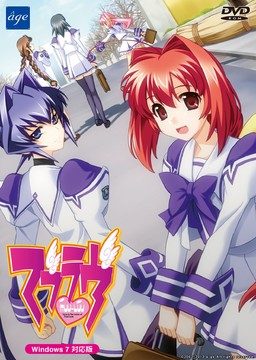
This game consists of two parts: Muv-Luv Extra and Muv-Luv Unlimited. Unlimited is unlocked after you get the endings of the two main heroines (Sumika and Meiya) in Extra.
Muv-Luv Extra:
Shirogane Takeru is a typical high school student with a lazy attitude and a love for the virtual reality mecha battle game Valgern-on. Even though he didn’t really wanted it, he is popular in school mainly due to his daily fights with his osananajimi (Sumika) attracting too much attention. His life takes an unexpected turn when he finds a girl (Meiya) he doesn’t remember ever meeting in his bed one morning. Whom later revealed to be the heiress of one of the biggest zaibatsu. She immediately moves to his house and starts changing his life for the good with her one-track-mind and unlimited resources…
Muv-Luv Extra, the main part of Muv-Luv, takes place in the same world (and general area) as Kimi ga Nozomu Eien and Kimi ga Ita Kisetsu. The Sky Temple family restaurant is mentioned and visited, and Suzumiya Akane makes an appearance.
Muv-Luv Unlimited:
One day Takeru wakes up late, wondering why Sumika or Meiya didn’t wake him up this morning. Not seeing any signs of them he gets a bit worried and goes out of his house to only see the town he lived all his life in ruins. After getting past the initial shock he decides that this must be a dream and decides to enjoy it as much as he can…
This is old, fantranslated version. You should download this updated one instead.




615 comments
One suggestion, (and I don't mean this as a criticism, just suggestion) in the description or even archive having something that says what ya need to play the game. Such as if you need to switch applocale, unrar and play, apply crack etc., I've noticed you usually try to help people get game running when they encounter problems (which is really cool) and it may save ya some hassle. Just a thought.
Thanks again
I wanna make FAQ-like page with different points like setting up locale, adding japanese fonts, changing timezone to japanese and so on... then I can just point "game needs applocale and eastern languages support" with links to relevant parts of FAQ when i post new games. I will take some time tho, and my exams are coming close. I'll try to fix this during summer.
boku no hajimete eroge. downloading...
If trere is a good person tell me please
[email protected]
when i try to install it runs for a while then tells me to insert disc 2 but i tried using all the files from the Extra folder and Unlimited folder and when i press ok to continue it doesnt work
any help would be appreciated
And the other things are about images files in this mounted CD, like bmp and gif, because it have htm files. When I open these files, no pic showed and the htm files are corrupted.
I hope you guys can help my problem!!! PM me please. :)
Almost impossible to install on Vista or regular copies of Win7. Not to mention some antivirus software incorrectly report that the game engine is a trojan when it isn't.
It seems a lot of people here, including me, would like to know where this "disc 2" is or where it can be found. But there are no answers from anyone how to solve this issue except changing the settings into Japanese locale which does not seem to work for me too.
So, can you help us into figuring this one out? It would be much appreciated. I would really like to play this game.
Thanks a lot. :)
By the way, is there a walkthrough for Ultimate?
The MUVLUV UNLIMITED.iso (or however it may be labelled) is disc 2, however some systems, specifically Windows 7/Vista 64bit seem to have issues recognising it on emulation programs such as daemon tools.
The way to solve this issue is to run your system locale as Japanese when installing it, I know this worked for me at least, as I was getting the error when I tried using the Unlimited disc until I changed my system locale, in which it then installed fine.
Another way to handle the install is to run the games default installer under the system locale, then running the patcher as an issue admitted by ameratsu people is that the English patcher/installer won't recognise certain copies of the game via CD, but will patch over any version of the game once its installed.
I discovered that this file was infected with the Troy virus!!!
1)U GOT CLEAR ALL MUV-LUV EXTRA ROUTE
2) Click New Game on the main menu and before u select mount WITH (DEAMON TOOLS OR WHATEVER SOFTWAER) MUV-LUV UNLIMITED ISO
3)IT WILL INSTALL THE MUV-LUV UNLIMITED.
4) Start Muv-Luv Unlimited
prologue
5)That all try it i already try it and it 100 works.
1.) You need to change your system to japanese locale...
2.) You need daemon tools (i've tried using poweriso but it's not working).
Or you can use the patch to install the game... BTW there's a new patch other than this one... try to find it... mlr6 i think... gudluck and hope this helps
this site is great.
when i instal the game it's ask please insert disk 2.....
any solution can help me to resolve this problem????
:(
set locale
install o_o
describe whats wrong with ur process?
then i mount files with daemon tool...
when i instal,it keep say insert disk 2....
where i can find this 2 disk solution.....????
sorry for bother....
anyway thank's for the game.....
keep posting admin....
i have a suggestion, why don't you separate game all age and eroge game(hentai) or video i mean.....so there no one confuse what game or video is that....
once more thank's for the game....
Extra ISO file is in IMG form,
USE - deamon tools, with rest i did not have any problems...
Nice game!
do you have update this game for MUV LUV alternative????
hope you can update soon.....
thank's
I had the same problem as you, and I had to temporarily disable my virus protection before the game would install. You may want to give that a try.
1. change ALL your regional and unicode settings to japanese.
2. run the english patch (if you get a NSIS error right click the installer and run it in compatibility mode)
3. when asked for the 2nd disk eject and unmount muv luv extra and then mount UNLIMITED.ISO
This should install and translate the game.If you had previously installed the game through the img file make sure not only to delete the installation file (it should be named 'age')but also open up regedit then go to HKEY_CURRENT_USER > Software. Delete the entire "relic UGP Applications" entry there. If you dont do this the patch will think muv luv is installed even though it's not. Hope i helped!
what did i do wrong?
Also, to play the game, you still need to be in japanese unicode.
NOTE: Applocale will NOT work. You have to change your system settings.
What should we be doing with the .part files? There are no instructions on this page and this sort of general question isn't addressed in the FAQ.
please help
" error in command line"
Please someone help me!!!!!!!!!!!!!!!
http://download.cnet.com/MagicDisc/3000-7970_4-10383679.html
Because
1. I hate waiting 30 minutes after every download
2. Hotfile is now down or something, I don't know, every download is 'This file is either removed due to copyright claim or is deleted by the uploader.'
Please, because I can't download it ..
I get the message that it's been deleted ..
Can U reupload again please ?
Thank you very much.
every time i wanna start the game it shows "rugp.exe - bad image" and says that the "MFC42.DLL" file is notdesigned for windows or contains errors !! i have tried running it in win xp compatibility mode .. but was unsuccessful ...
please help ...
In order to fix do this:
1: Unmount all images
2: Launch the Patch
3: First it will ask for disc 1 put it in
4: Then it will ask for disc 2 put it in after you unmount disc 1
(I presume it happens because it doesn't finish installing disc 1 content and constantly keeps asking you for disc2 while it actually needs disc1)
I have a big problem about this game's installation. I mount the MUVLUV_EXTRA file with DaemonTools, install the game, and when i try to launch the application, it shows an error.
I also have changed my locale language into japanese locale but it still doesn't work !
I need your help, if someone managed to fix this problem.
1) i ran the patch first (cd 1 is extra, cd 2 is unlimited)
2) tried running game, total failure
3) mounted both MUVLUV_EXTRA.img and MUVLUV_EXTRA.sub (How? well i use deamon tools and i made 2 hard drives mounted each one of them)
4)Then for some strange reason after i clicked install
5) There where no error windows that pop up and installing went on smoothly
6) ran the game and it worked! XD
still playing it and i might redo this if i get any problems
Help?
after unzipping i had 5 files
i thought mounting the 2 big images like 1,4 GB and 1,5GB was enough ...
i was wrong ...
not really much worked, some error´s like disk 2 needed,
later some error like this isnt the correct version was showing up ... and so on.
I needed to mount the 1KB file too ( now i have mountet the 2 big images and the litte one )
after failuring trying of installing the game from the mountet images ( looked different as before, so i thougt the error´s was solved ) antivir was telling me some bullshit ...
i tryed again using the english patch installer ( same path to install into )
now this game works.
sry 4 my bad english, but i thought telling u guys how i solved this problem in bad english iss better than not telling u anything :P
1)by using the "ml-r6.exe" it started to install. but, asking for disc 2 and it doesn't work on unlimited.iso as mentioned by others.
2)as admin said that the English installer have a problen on recognizing disc2, i tried the jp installer but nothing is working.
3)bu using daemon tools, i mount it and it auto-runs. but, is state in a language that is in Chinese characteristic but doesn't make any sense at all. and it mentioned something about xxx11.rio.icixxx
1)Change your system language, hope you know how it's doing.
2)Reboot
3)Instal game (from the image, don't open damn patch)it will instal in 5 seconds, no jokes.
4*)Install no dvd patch, howewer, i dont know if it's realy need, but i did that
5)Install english patch
6)...
7)Profit
can post the link please??
http://www.mediafire.com/download.php?4frbwtw1eibocxn
using the patch but it says the ver doesn't match to on from , don't remember.
patch goes for a sec and asks for disc 2 . I mount the dvd but it don't go just keeps asking for disk 2
cannot passs this point
What I'm supposed to do???
For the installation follow this step:
1. Mount extra disc and copy the contents to your hardisk & make a temporary folder for installation (ex: D:\MLSetup)
2. Mount unlimited disc and copy マブラヴ11.rio.002 to your temporary folder
3. run the setup
4. Install muvluv no dvdpatch (use google to search it)
5. Run the game, and wait until the setup(again) completed
6. Run english patch, and after that you can play Muvluv
Hope it will work for you
The game won't run with applocale, so you must change your system language
-set the system in japanese language to install the game
-change it to whatever my country is to use the patch
-change it back to japanese to run the game?
That's some messed up installation...
Moreover, there is several files that seems to be the same thing, but have differents file extension (EXTRA.CCD, EXTRA.img, EXTRA.sub, UNLIMITED.iso,Unlimited.MDS)
Which one do I have to use?
I'm using EXTRA.img and Unlimited.ISO
And how am I supposed to use the file on the unlimited disc?
It's not a setup, just some system file.
anyway thank you for trying to help :)
And how am I supposed to use the file on the unlimited disc?
It’s not a setup, just some system file.
how about this one:
1. change your system language to japan
2. mount muvluv extra and run the installer
3. just wait until the setup completed
4. Now,install the english patch, it will automatically detect your muvluv installation folder
5. muvluv is ready to played, you can install muvluv no-dvdpatch if you want.
I know this is weird, but the system doesn't ask me to mount CD 2 (unlimited disk).
I've tried this method to install muvluv on my friend's computer with win7, and it's work.
you can look the installation screenshot here http://www.mediafire.com/?6bdgboaanickv
I've tried searching for a save file, but still no luck..
Not only that, but I can no longer unmount Disc 1 and my computer freezes up when I try.
Anyone else have this problem and find a solution to it??
Alternative better be worth all this shit.
Figured it out.
Turns out it's supposed to freeze at that spot for a little while.
I'll write out what I did for any others experiencing what I did.
I won't explain what errors I got or what I was doing wrong, because I think I did everything wrong.
So this is what I did to get it working.
1) Mounted MUVLUV_EXTRA.ccd
2) Ran the patch and clicked next a bunch etc
3) This part I don't QUITE remember, but it will either ask you for Disc 1 or Disc 2.
4) If it asks for Disc 1, go ahead and mount MUVLUV_EXTRA (the disc image file)
5) If it asks for Disc 2 then mount MUVLUV_UNLIMITED (again, the disc image file).
6) After that just let it install and it's all good!
If the installer doesn't look like it's moving, just let it sit. It'll work.
Hope it works for everyone! (Though in the end, my technique didn't really differ much from what everyone else was saying to do.)
I followed hilwanz's method (using the original muvluv extra installer, not the patch one), and it's work!
If you're using XP, make sure you have installed microsoft visual c++ 2005, and using Daemon tools to mount the image (not sure if alcohol worked).
After finished installing, just run the english patch...
Hope this useful
in order to install this game you must change your sytem language first.
1.I run the original installer...nothing pop out
2.using the English installer...cannot read disc2
3.using autorun....something weird came out(error i think )
it should be all right..
i follow the same instruction~
Don’t use eng-patch to install the game, use the original game setup instead.
For the installation follow this step:
1. Mount extra disc and copy the contents to your hardisk & make a temporary folder for installation (ex: D:\MLSetup)
2. Mount unlimited disc and copy マブラヴ11.rio.002 to your temporary folder
3. run the setup
4. Install muvluv no dvdpatch (use google to search it)
5. Run the game, and wait until the setup(again) completed
6. Run english patch, and after that you can play Muvluv
Hope it will work for you
The game won’t run with applocale, so you must change your system language
You probably don't have visual c++ 2005 libraries installed. Go to microsoft site and download it from there.
I did have visual c++ 2005
*Originally I tried running it on daemontools. Mounted the extra disk, hit run (the run file had no image on it, btw) and up pops the games installer/uninstaller/quit screen. I try to hit install and messages popup in moonrunes. The first message is repeated twice, and the second message done once before the entire thing stops. I don't think it even starts the installation.
*I managed to locate a patch, though i'm not sure if it's the same one this site had. Loaded it up and it asked for disk 1. Mounted it, hit next. Couple seconds later is asks for disk 2. The biggest problem seems to be disk 2, for when I mount it the thing breaks appart like it's a folder. I click to open it and find a MOONRUNEs.11rio.002 file extension which my computer can't read. Click it, follow the computers link to the site that may have the answer about file 002 extensions and ended up downloading the following in the process.
*7-zip
*jzip
*Microsoft visual C++ 2005 redistribute (because someone on the page had recommended to have it).
Which all seem to do nothing for the file. I'll be going back over the given site this time (and actually take the time to read it over instead of skimming)but can anyone offer me some help in this? Thanks.
why can't I install this!WHY!!!!!!!
I used hilwanz's way to install the game and it worked after some modifications.
First and foremost, like he already said, the system locale needs to be japanese. You can install the game with some other locale but you will have to run the setup with applocale->japanese, however the game itself will NOT work with applocale, it really requires the system locale to be set to japanese. Pretty stupid but yeah.
Creating temp folder to install the game is a must, because it will spew some error message in japanese if you try to install the game from your virtual drive. Choose the top option when installing, then specify where you want the game to be installed. What I find stupid is that you can't specify the game folder name, it will stay in japanese, so you can only set a location where this folder will be installed.
The installation is really short, because it doesn't actually copy the entire game. After the short installation, run the english patch and it will install automatically. After this step, the game will prompt you for disks. This is the reason why you need to copy that file from 2nd disk into that temp folder, and from here on it will actually copy the stuff into the installation folder.
No DVD patch is NOT required and it doesn't really do anything, just use the shortcut the english patch created. Keep in mind you MUST have your system locale set to japanese at this point, else the game will throw an error and won't lauch.
Now, hopefully this helps, and I'm onto my real question here. Is there any way of running this in windowed mode? I have a pretty big screen, and running this in fullscreen doesn't look nice and I am not used to it, since all VNs I pla...read I used windowed mode.
When I follow any installation methods, I find myself getting an error message saying that the setup.exe file is not compatible with my version of windows, and i should check whether im 32-bit or 64-bit. I'm 64-bit, how do I install the game?
Here is my error:
! C:\Users\\Downloads\MuvLuv.part4.rar: CRC failed in MuvLuv\MUVLUV_EXTRA.img. The file is corrupt
! C:\Users\\Downloads\MuvLuv.part4.rar: Unexpected end of archive
! C:\Users\\Downloads\MuvLuv.part4.rar: Packed data CRC failed in MuvLuv\MUVLUV_EXTRA.img. The volume is corrupt
Same error during the Rance extraction on part 7. I'm guessing it's a problem on my side but I'm unsure how to solve it. Thanks.
is there something i'm am missing or not doing right, i've never had any problems installing games before?
Did anyone else get this message? I clicked OK anyway but it still won't recognize disc 2 when i mount it.
"MFC42.DLL is either not designed to run on Windows or it contaigns an error.Try installing the program again using the original installation media or contact your system administrator or the software vendor for support.
I am running windows 7 ultimate, i think it's 32bit and never had any problems before.
I tried the troubleshoot thing and it comes up with,
"compatable with windows xp (service pack 2) and tried running the game with those settings but still got the error message.
Can this game run on windows 7? If so PLEASE someone tell me what i need to do to get it to work. Thankyou.
'C:\Users\\Downloads\MuvLuv.part2.rar: CRC failed in MuvLuv\MUVLUV_EXTRA.img. The file is corrupt'
But no matter how many times I download part 2 it doesnt change. The weird things is even after it gives this error it continues to extract but I can't install the game after this.
Please help.
I haven't probed further yet, but my problem currently is that I can't find a functioning .exe anywhere in the files. Everytime I get the game to run was from installing it (after uninstalling it) and choosing the [Run Muv Luv] option at the end of the installation process.
What is happening and how do I fix it? ;_;
1) System in japanese (config windows)
2) Load the image muv-luv iso with daemon (but not install!!!!!!)
3) Download Patch and click. The patch say muv-luv is not installed and he install for you.
Click right with the mouse in the patch and select "with the administrator right" (not sure in english, i am french).
Because it keeps telling me put in cd 2
2) when telling you cd 2, load the cd unlimited with daemon and continue install
http://www.mediafire.com/download.php?drdi0bedsyfdvyt
PS: After you unlock Unlimited route, the game will ask you to mount Unlimited Disc in japanese language, so just mount unlimited disc
Everytime I choose Muv-Luv Unlimited it always error
And Unlimited load with the same .exe, it's just you have 2 choice now: new game ==> extra or unlimited.
http://www.mediafire.com/?drdi0bedsyfdvyt
i hope it works for you :D
http://s1190.photobucket.com/albums/z450/Romulus5/?action=view&current=Derp2.jpg
http://s1190.photobucket.com/albums/z450/Romulus5/?action=view&current=derp.jpg
(I am sorry if there is some different way I am supposed to put up pictures but this seemed to be the best way.)
I don't understand what to do from here, all I know is that it will not let me download it.
ps. sorry for being such a trouble
then it should be okay, i think it just false alarm from your AV
try this one, you need no-dvdpatch
1. Make a temporary installation folder in your harddisk
2. Mount extra disc and copy the contents to your temporary installation folder.
3. run the setup
now, if the setup process goes without fail, then you're ready for the next step.
4. try to run the game, if it asking you to mount the original disc install muvluv nodvdpatch to bypass it.
5. Run the game, and wait until the setup(again) completed
I know, When it comes to installation process this game is really pain in the ass. The solution for each person seem different, so it kinda make difficult to write installation tutorial for everyone
In short, even if you have a functioning virtual drive manager that works with other games, for this one it seems you specifically need Daemon Tools. Thought I'd mention this since everyone suggests you get it anyway, but they seldom say why.
Normally I can figure these things out, but since my error messages are in Japanese I don't have any clue on whether I just need to re-download the files or if I simply unpacked them incorrectly.
(I've mainly been following the PDF installation guide here rather than using the english patch to install. I tried that method once, but after I mounted disc 1 and it started the install, it never moved. I came back about 45 minutes after it started and it was in the same spot. I had to CtrlAltDel it shut)
Ok… so i extracted my stuff.. but there was a problem. I use Deamon, Mounted MUVLUV_EXTRA.ccd, the installation screen opened, i clicked install, i click next… next…next and then all of sudden it wouldn’t install… Like NO installing process at all.. someone help please. Im using a Vista computer, 64bit
While I had the installer running (the image mounted with DAEMON tools) I opened up the Task manager to close a few processes in an attempt to speed it up. I noticed that there were two processes named after the installer (ml-r6) one of which took up an alternating amount of CPU the other none. I closed the seemingly inactive one and when I came to check if it had any result it was asking for the second disk.
Now I've only opened and played the game to the first decision point to check it out but I found no problems.
Hope that helps.
my anti-virus picked up a trojan file in the ccd of Extra...
1. Mount Muv luv extra ccd., but do NOT run set up. Just mount it with nothing else.
2. Run the ENGLISH PATCH.
The english patch should automatically install the game for you.
What does it mean?
I tried what hilwanz told him too and it doesnt really work.
I'm using windows xp on japanese locale, anyone knows what i'm doing wrong? I'd appreciate any help.
I can't seem to find part 1's rar file?
When I use the english patch to install the game I can mount disk one but I can't mount disk two, because in order to extract it disk 1 needs to be extracted first?
I believe my part 1 came as a folder?
Is that how it should be?
I installed it by using the english patch for the set up program.
Everything seems to install correctly but when I try to run the game I get this MFC42.DLL error.
This has really turned out to be quite the headache..
;____;
Setup.EXE doesn't seem to run properly; even after running as admin (Windows 7 Ultimate) only a black cmd appears and closes instantly.
That's disk one; disk two isn't able to do anything without disk one. Any fixes to this would be greatly appreciated.
please admin can you reupload it?thx
Setup
---------------------------
インストール管理ファイルマブラヴ11.rio.iciが見つかりません。
インストールを継続しますか?
---------------------------
OK Cancel
---------------------------
I'm trying to install but l keep getting this error,it says the file is missing, am I the only one?
02575c0d3fe98f4aad3b3368b05c0f53 MuvLuv.part1.rar
dc02afa336778994cbf936cbb25664d1 MuvLuv.part2.rar
a0c8a9a0c0d12d2837164bebac0019dd MuvLuv.part3.rar
f03dda05a045b3c0269b0747c6a4364a MuvLuv.part4.rar
770563473851e03d3326c47abc1e6bdb MuvLuv.part5.rar
I'm getting the same hashes on both files stored on my upload server, as well as the ones i downloaded, meaning they didn't get corrupted during upload process. If yours are different then the download process of yours might got interupted and this resulted in broken files.
What's the md5 has of part3 you get? Something is interfering with download process on your end - maybe your antivirus?
That's the second site i'm making - it uses the same files, but different set of links.
Weird.
It you have 5 minutes of spare time it'd be great if you could send the file to your antivirus vendor, so that they can check it out, update their databases and remove the warning for future users.
I did have some odd errors when first installing the game, but after I installed the English patch everything ran fine. Well at least all of EXTRA ran fine
i'm sorry if my english was bad
cannot run on 64bit window
64bit systems can run 32bit applications just fine.
the problem fix when using daemon tool.
each heroin only have two , i think.....
but the game still good....
and any of the heroin in unlimited mode..
then the extra will be unlocked .
.... this game is great .....
.... i recommend this one.....
Thanks for the game.
i finish this game with no problem
Zelloss says:
June 20, 2011 at 3:53 pm
For Install:
1) System in japanese (config windows)
2) Load the image muv-luv iso with ""DAEMON TOOL"" (but not install!!!!!!)
3) Download Patch and click. The patch say muv-luv is not installed and he install for you.
4) when telling you cd 2, load the cd unlimited with daemon and continue install
extra img.
extra sub.
the version of this file is not compatible with this version of windows
When I try to install it, it goes from 0 to 99% immediatly, then installation is complete. I try to start it, I get "Error:loader couldn't initialize service!". I am using daemon tools lite. WINDOW 7 64 BIT. I turned off NOD32 before installation. Done several times with the same problem. Admin, or someone, please help me T.T
3 HOURS OF WORK!
1 PATCH WAS ALL IT TOOK!
what u need to do is install "THE VISUAL C++ 2005 RUNTIMES" before installing the game :D
this works for me.
my computer spec is same with dilol.
anyone can help me with this...?? thanks
just ignore it.
too bad tho, great series.
Can anyone guarantee [the chance] that it will work well, both extra and unlimited, with full English translation if I follow the linked guide for installation?
I just need a solid confirmation of someone following the linked guide, getting to play this game fully and through-out both extra and unlimited.. ^^
Thanks You...
Basically, I got stuck after... 'DONT CLICK ANYTHING unmount extra cd and mount Unlimited cd then hit OK and it will install then hit the next popup ok then your game will resume in unlimited in ENGLISH……..finally the reason is clear for those who still wished to play unlimited'
What 'OK'? All I see is the error message.
I don't even know where I am missing...
HELP!!!
Too bad I lost my completed, as in all routes/CGs seen, Extra data in my botched last attempt. Well, at least the skip function in this game is so fast. I just finished Meiya's route in arround 15 minutes with it.
Once again, thank you.
This is exactly what I needed to do and now I can play the rest of the game normally.
Give this guy a medal.
@rekryt
Right click during the game and you should see the (S)ave option.
Am I doomed to never play Unlimited in English? :(
*Sorry for double post..
Anyone else having this problem, or know how to fix it?
i read the installation guide, and, what do we ( i ) have to do when it asks the 2nd disk?
p.s downloaded the files trough Filesonic
A bit annoying that I have no idea what the most important speech of the game is going on about...
Found it in the readme, lol.
The first step is to set non unicode programs to Japanese. It would ask you to reboot, so do it and if successful you'd see a strange symbol instead of \ in the directory structure.
Step 2. Mount DVD in your virtual drive.
Step 3. Use English patch to install from the first DVD.
Step 4. When asked, mount the other DVD in virtual drive. (The second DVD has only one file on it, so it's easy to recognize.)
Now in case you would like to be sure everything worked, the directory must have two large files inside. If not you used a wrong file for mounting, so experiment until you get it right. (or try to copy files by hand)
Step 5. Try to run it and dance with joy.
i've been trying to install for nearly 2 weeks and couldn't get the fucking thing to install.
Running the installation through the English patch never occurred to me.
I luvz you X)
1. Copied all files from the muv-luv extra mounted disc into a temporary folder
2. Copied the file from the muv-luv unlimited mounted disc into the same folder
3. Ran the setup in that folder (not sure if this was of importance, because it gave me an error when I did it, but including it here just in case it was)
4. Ran the english patch again.
The english patch, after running, eventually led into another loading screen in japanese, which had never happened before. The application will then run, and then if you try starting unlimited, it will give another loading screen in japanese, and then everything should be good. That's what happened to me, anyway.
http://i.imgur.com/hSNZ4.jpg
I know that the process for copying マブラヴ11.rio is long, but i tried to leave it on all night and it's still stuck.
Moreover, the folder looks like the file is copied (same size in the cd), so why it's still stuck at "copying data from cd1"?
http://i.imgur.com/SyXO2.jpg
I'm using w7 32bit, and of course with japanese locale.
Thank you for any help
For anyone that may encounter this problem : i used Alcohol 120% instead of Daemon Tools to mount the CD, it doesn't get stuck and it works fine. Even the installation from the Japanese Setup works.
this is a false positive, plz disable anti-virus when u install
However when i try to use the setup it gives me this message
"This version of this file is not compatible with the bersion of Window you're running. Check your of computer's system information to see whether you need an x86(32-bit) or x64(64-bit) version of the program, and then contact the software publisher."
This is the first time i got this problem for any VN i have downloaded here. How can i fix this?
Where is SHEEEEEEEEEEEEEEEEEE ????????????
'The version of this file is not compatible with the version of Windows you're running. Check your computer's system information to see whether you need an x86 (32-bit) or x64 (64-bit) version of the program, and then contact the software publisher.'
Not sure in the slightest what exactly I'm supposed to do now. Not even sure how to check for any of the above. A little help admin? I'm running on a Windows Vista if that helps.
No replacing the rio file?
Any clue what would cause this or how to fix/get around it?
(im thinking its the same, due to language changes to my system i can't understand the error message, but it comes up right after i click through all the "nexts")
A fix would be appreciated
Everytime I exit the game all the settings I've changed reset back to default, and the game 'forgets' which text I've read so I can't skip through bits I've already done.
Been trying to look through the files after some kind of config or exe file that has insufficient rights or something but I haven't found anything. Anyone know of a solution or have any idea of where the game records such data?
Hooray for happy accidents?
I was about to install unlimited but I'm having some problems
at first, it asked me to mount the unlimited disk...
so I did.. but it didn't recognize it.... so I restarted the game...
I unmounted the cd and started the game then I mounted the cd again
when I chose the Unlimited route in the new game
this time I pressed no... and I located the cd..... and after that..... all I see are jap text
Use daemon tools to mount the images once you've installed it and then go through the install process.
Hope this helps
Your using windows 8
ffs what is wrong with you
all bias aside, windows 8 is extremely new, problems are bound to happen with new OS's
The rugp doesn't work. I have asked many people how to solve this problem, but they all told me that Muv-Luv can't be installed in Win7 64bit system. So.i am wondering does anyone know how to solve this problem?
if you dont use daemon tools, so go ahead and try and mount it using that, it should work
instead of finishing the last percent i get an error, saying that the source date could not be found.
tried is several times, always the same result. every other part was downloaded without issues
hey, i just finished playing the unlimited routes, but at the end after kasumi was brought onto the space ship the thoughts of takeru weren´t subbed, could someone who speaks japanese or somehow happens to know what is said tell me what he said? it starts with something like "yume o mitta", if that helps to know what exactly i mean.
thanks in advance :)
(You can of course simply translate ''(I) saw a dream'' with ''I dreamt'')
My OS -> Win 7 x64
My System Locale by the way is in Japanese.
I'll wait for your reply.
I'm having trouble installing Muv-Luv Unlimited on my computer. I was able to install Extra but I had to do it from English patch. It was not able to install unlimited for some reason ...
When I tried to install from extra setup, an error occurred and I was unable to fully install the game.
Also I am using a Vista 64 bit.
Any help would be appreciated.
Thanks!
First I installed Muv-Luv extra through the Patch.
After playing the game and unlocking the unlimited part, you just need to mount the unlimited ISO onto "E" or whatever you use.
Click on new game and select unlimited. It will ask you to insert the disc (you must mount it to a certain drive and it will mention it. You will probably see it through all the Japanese text). Install the game and you are ready to go!
If the translation does not show up, just redo the patch and deselect the "install game" option.
I believe that's it.
ps. This is what I did to make it work. I'm not a pro or anything, just advice from one fan to another!
Enjoy the game!
Unlimited. Now this is the meat and potatoes of this game. It is unlocked after you achieve Sumika and Meiya's endings in Extra. But I would still play through Extra to unlock everyone's ending. You'll even see more flashbacks from Extra during Unlimited during certain situations if you do. So, while I know it'll be tough - trust me, I was for me - I hated Extra with a firey passion... even the H-scenes are boring - and I'm not someone wishes all visual novels didn't have h-scenes, au contraire, I loved Kara no Shoujo's everything about that game's H-scenes were just sublime...Extra just has no idea how to portray it to an adult level, it feels like something a teenager would think about in terms of 'sex'... but enough Extra bashing - it's actually important to follow the story once it branches off to each respective Heroine - it really does a great job of fleshing out their inner personalities, which help construct even more about their characters in Unlimited.
Unlimited will set the stage for the greatest third part of the 'muv luv trilogy' if you want to call it that - Muv Luv Alternative.
It's rather simple. Do not mount with Virtual Clone Drive, or any other mounting software.
Use Daemon Tools Light only. For reasons unknown it causes it to error that way; it might be some sort of odd bug.
I've searched multiple forums as well as read the previous comments to this site and it seems that either no one has the answer to this question or are avoiding answering it.
Thanks
If you are trying to play MuvLuv Unlimited first, I have no idea how to do that except by finishing MuvLuv Extra.
Follow Big Gym's method so you can play the game.
If you want just a brief telling of MuvLuv Unlimited, then I suggest read the manga as it tells the Meiya route in the game. I did this before playing the game because I did not know that MuvLuv was a Visual Novel.
1. Uninstall MuvLuv if you already installed and failed at getting the game to work.
2. Run the patch
3. Run Deamon tools lite and mount MuvLuv Extra ccd or img
4. Wait an hour or two for it to finish copying
5. Seriously!!!, wait till it finishes and do not interupt it!!!
6. After it finishes, mount MuvLuv Unlimited ISO
7. When it finishes with the second half of install you should be ready to play.
This should ignore the anti-virus alert. I had the same problem, tried this method a few hours ago, and wa-la...the game is working.
I suggest you watch the anime "MuvLuv Alternative:Total Eclipse" as it gives you some insight on the politics that occur in MuvLuv Alternative. It also gives you a better picture of how the mechs and the BETA look.
Be prepared for sadness and a lot of internal conflict with the protagonist. MuvLuv Alternative is long and serious and expands the heroines' backstories from Unlimited.
Alternative also shares some characters from other anime and VN that were made before the game was released.
Kimi ga Nozomu Eien and Kimi ga Ita Kisetsu are two VN that have characters that make appearances in the game.
For those interested in the adult content:
There are only two scenes and they are at the near end of the game, like 50 hours after starting the game.
If you want more info on the adult content go to the visual novel database and is pretty accurate.
If I install via the english patcher, the game goes through and installs fine, but when I start the game up the rugp error comes up again and closes the game rightaway.
Anyone help?
Thanks in advance for the help!
i managed to fix it by changing my system locale and location to japan.
hopefully that should work for you guys too
However, I noticed that since I installed Alternative, Extra/UL wouldn’t work anymore, it doesn’t even get to the main menu (something about rUGP being a different version, I can’t read moonrunes so the error message made no sense whatsoever to me). Any of you have had the same problem?
I’m posting this on Alternative and Extra pages as it kinda concerns both.
I am on windows 7 and using japanese local.
it never installs, it won't register a disc 2.
as the guide said, i changed my language to Japanese, still not working
i get to the, next, next part, but the it says. error, loader could't initialize service
Damn, what happened to Takeru's real world?
Also, what happened to Sumika? I missed her bubbly personality...
And by the way, that ending if you choose "Please live" (After the credits) is really sad... ;-;
Well done, [Age]. Thanks to the admin for uploading this game too
Please help! >_<
The folder has 5 files, 3 of which can mount on daemon.
these 3 are
muvluv_extra ccd file
muvluv_unlimited iso file
muvluv_unlimited mds file
I assumed the installation process is the same as for alternative, just open the english patch to open the game.
I loaded muvluv_extra ccd onto daemon. (This automatically opens the game, but can't istall from there for some reason)
After, I opened the english patch. After a lil smidge of green on the download screen, asked me to load disk 2. I tried mounting both unlimited iso and mds (on seperate occasions of course, though I'm not sure if the unlimited has to be mounted on a separate virtual device than the extra, but I tried both ways). Kept asking me to load disc 2. I can't figure out what I'm doing wrong. I don't think I have to switch to Japanese, since I installed Alternative on English language settings just fine.
Can't run the application named "マブラヴ11"
I dunno why, being the administrator of this computer, and not sure if this is the reason why maybe I can't play.
I already stated it, but I CAN open the game client, but when I press Install, error msgs come up, so I assume have to install via the english patch program like for Alternative.
Problem is, Can't find Disk 2. Disk 1 barely took time to install, so not sure if even thats a correct part of the process.
To simplify, I've no idea how to install this game and would like a step-for-step process.
Sigh.... Alternative was much easier than this.
Installation however does not continue, I get the message a message in Japanese, the same one that seemed to indicate that installation was completed before hand but that is all. The game will not launch as it seems installation is not in fact complete.
Can someone please provide help? Thank you all.
I have tried running the english patch but when i have the IMG file mounted, it says it is not the correct version :S can someone please help me? i have been looking forward to this game for quite a bit (took long to download)
I've downloaded this game years ago and so far, this game is the best VN I ever played. So to Install this game, this is what I did on Windows 8.1 with AVG antivirus.
0. Change your locale to Japanese
1. Disable AVG antivirus
2. Mount Muv Luv Extra & Install on the default directory (Just hit Ok or next, it should be fine)
3. Run English patch (The 29.5mb file)
4. Exclude the installation folder from AVG scan list? (C:age)
To exclude it on AVG. Open AVG > Options > Advanced Settings > Exceptions > Add Exception > Exception Type = Folder Then find the installation folder.
5. Exclude the Muv Luv application from AVG. Open Avg > Options > Advanced Settings > Exceptions > Add Exceptions > Exception Type = File Then inside the age folder select the muv luv application \マブラヴ11\
6. Mount Muv Luv Unlimited. It contains a single file \マブラヴ11.rio.002\ copy it in the installation folder and hit REPLACE.
That's about it, hope you can play it ASAP. If the installation process display some kind of errors, it might be because of your antivirus. If yours isn't AVG, you have to find a way to exclude the folder and application.
This issue is so amazingly stupid it baffles me, some people with 64 systems are able to play it while some cannot.
This is so stupid, but it works.
If you happen to use Virtual CloneDrive, get this : It FUCKS UP THE GODDAMN SETUP.
Install Daemon Tools (I installed the trial-ver of DT-pro), and it will bloody operate like fucking jackasses on a field.
And yes, I am mad. This solution is so stupid it hurts me in the soul. ugh.
Tags: not compatible 64 bit 64bit version windows patch solution working clone drive clonedrive muv-luv muvluv
I hate this game.
I started hating this VN even before I had the chance of playing it.
If any of you are getting : "Error! Loader Unable to initialize service!" or something of that sort, this is the order of things I have done :
1. Install the game with Daemon tools,
2. Run the english-patch (most likely receive errors about the two '.exes', telling you to either Abort, Ignore, or Retry. Choose "Ignore" for both),
3. Run the english-patch AGAIN.
It should now pop up a window in Jap after the installation process.
(Note : If for some reason this does not work for you, I restarted my computer after I patched the game one time, and after the restart I patched it again)
I am so not kidding.
Muv-Luv's installation process was more excruciating than the retarded installation-process of Chaos;head, in which you had to manually patch the patcher of the game as it attempts to patch the game. Try to get around that.
The only reason Muv-Luv's installation is worse than Chaos;head's, is because C;H's retardery is at least documented. I swear, nobody shared this simple bloody solution of : "Install the english patch *twice*".
<_<
At this point I'm just venting out my choler upon this thing, and I don't even feel like touching this VN now.
Have fucking fun, I guess.
P.S: During the installation process, I only had "Extra" in my drive. Not sure if it is relevant or not, but when it comes to Muv-Luv, any sort of stupid shit is possible.
1. Don't go on a date with Sumika. Choose someone else and you can still finish Sumika's route.
2. There are other possible solutions to skipping end credits (sometimes worked fine) but here's how I did it: Before the end credits start to roll, just rapidly click left mouse button and Ctrl key to skip the credits. I was surprised that this worked so I tried it again and it worked again (I did this on Sumika's route). After that the main menu picture should change and you are able to play Unlimited (when you have finished both routes).
If anyone has any problems or questions about the game, just reply to this message and I(or someone else) will answer to it. Thanks for admin for posting this great vn.
-question mark?
You need to install the English-patch twice, after installing the game with Daemon-tools.
...
No, really.
Apply the patch once, probably get two errors (choose to 'ignore'), and then apply the same patch again.
After the second time, a screen with Jap text all over it should pop up.
This is what you all need to do, change your system to japanese locale and restart. You have to have your computer on japanese locale just to run this which sucks but you can always remove and change it back after you're done with this. Then mount the .CCD file then double click that mounted file to open up the program with the "install" "uninstall" those kind of buttons. Click install and keep pressing next and make sure you install it to the location of your choosing at the part where it shows you the remaining size of your drive and your necessary amount of space to install. after all that's done, double click the english patch and it will automatically find your install location and keep pressing next until you're done. Now you can play Muv Luv Extra.
There are 2 annoying crashes that happen when using windows 8.1. It crashes during the date with Sumika and right before the end credits in Meiya's route. If you want to not crash right before the credits, right click on the desktop icon of muv luv and go to the compatibility tab and chose Windows XP service pack 3 then check reduced color mode and pick 8 bit. Now run the game again and hold down CTRL and spam click and the credits will now roll instead of crash, you can always save it after that part then change the settings back (disabling BGM, voice, sound, and graphic effects might also prevent the crash). The Sumika date crash can be passed by just choosing another person to go on a date and you can continue going her route as if nothing happened.
Muv Luv Unlimited will now unlock and it might be a problem for some. For me the file for the Unlimited part of the game didn't even exist for some dumb reason.. and it ended up not even being translated. This is what I had to do to get it to work. Mount the .CCD file that you used to install the game in the beginning and this time click "uninstall". Afterwards, install the game again in the exact same location you did the first time and run the English patch once more. NOW.. you will still have your save game files and it will still show the Unlimited style Title screen, this time start a new game and click Unlimited again and it should say something with the options "OK" and one other thing. Before you press "ok" mount the file called "MUVLUV_UNLIMITED" or whatever thats like 1.4 GB and now press "ok". You will have a bar showing that something is installing. And now it should be translated and working. Hope that works for anyone having trouble because holy shit did I get frustrated trying to get this all to work just to get to Alternative and play that :)
P.S.:I really wanted to play all of Muv-Luv so i could pass to Alternative, and thanks again :P
THUMBS UP xD
-I did do locale Japanese, though I'm not sure if it was required
-I HAD to disable my antivirus (It wasn't AVG) for installation to work.
-I mounted the three main files using daemontools
To begin installation after all of the above, I ran the english patch/installer.
Hope this helps those struggling. I was about ready to give up on it until I realized I had to disable antivirus before installation worked appropriately.
I installed NTLEA which is an alternative to AppLocale that can add \run in Japanese Locale\ to the right-click menu (and works on Windows 10).
I mounted both disks in Alcohol 120% (Daemon might work just as well), but when I tried to run the English installer, it would not see disk 2, regardless of that. Given what I did below putting them in a folder, I'm not sure this is actually necessary.
I tried running the regular installer with Jap. Locale, and it gave an error instantly, but I tried just copying all the files from both disks into a single folder on the main hard drive, then ran the Setup.exe with Jap. Locale (right-click, as admin, etc...), and it finally installed. Not sure if it had to do with me trying to install it from a different HD or not.
Then I ran the English installer, which saw the installation and then poof...worked.
1: mount muv luv extra using daemon tools lite
2: run the english patch it installs the bloody game for you
3: once asked for the next disk unmount muv luv extra and mount the next one in its place
4:finish and open the game
for me it works perfectly fine and I am enjoying the game, in my opinion is childish hating a game without even playing it just because you were too much of a moron to get it to run properly
anyways enjoy!
Admin I suggest commonly known fixes for games here to be added into the game description, Thank you for providing us with great games
I've tried all the other solutions that were provided here, and nothing works. I've also downloaded Muv Luv Aternative and it works fine. I use Daemon tools.
Can anyone help???
0.Change your locale to Japanese
1.Disable any antivirus
2.mount MUVLUV_EXTRA.CCD with daemon tools
3.Run SETUP & Install it
4.then run the game it will work but still in japanese language (close the game)
5.open&install the english patch
6.Mount MUVLUV_UNLIMITED
7.Copy マブラヴ11.rio.002 to the installation folder and hit REPLACE.
and That's how i install it, Believe me i've spent 10 hours to figure out how to install this game
Sorry Bad English
well im not sure this will work on you but this is how i install this game :
0.Change your locale to Japanese
1.Disable any antivirus
2.mount MUVLUV_EXTRA.CCD with daemon tools
3.Run SETUP & Install it
4.then run the game it will work but still in japanese language (close the game)
5.open&install the english patch
6.Mount MUVLUV_UNLIMITED
7.Copy マブラヴ11.rio.002 to the installation folder and hit REPLACE.
and That’s how i install it, Believe me i’ve spent 10 hours to figure out how to install this game
Sorry Bad English
-Araka
Thanks It's work!! I approve!
18+ patch still has mosaics if your wondering.
The Steam translation is a million times better and far more accurate.
Any plans to upload them?