
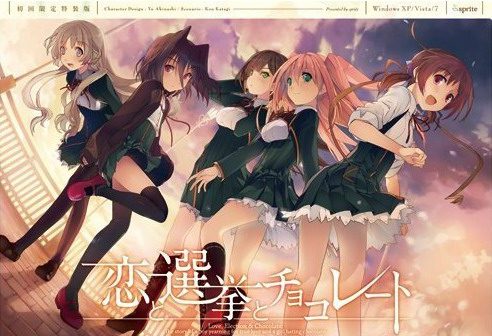
Yuuki, who wants to fall in love, and Chisato, who doesn’t like chocolates. They are lifelong friends and students of the same school. They both belong to the food club with Mifuyu, their classmate. Actually, they don’t do anything everyday, just enjoying chatting… But one day, Satsuki, president candidate of the student council, promises to close the clubs that do nothing. To stop it, they decide to run against her… But who will they send out..? Yes, Yuuki is forced to run for the election… To save the club, he will just need to be the next president!
Koi to Senkyo to Chocolate
- Koichoco.part01.rar - 200.0 MB
- Koichoco.part02.rar - 200.0 MB
- Koichoco.part03.rar - 200.0 MB
- Koichoco.part04.rar - 200.0 MB
- Koichoco.part05.rar - 200.0 MB
- Koichoco.part06.rar - 200.0 MB
- Koichoco.part07.rar - 200.0 MB
- Koichoco.part08.rar - 200.0 MB
- Koichoco.part09.rar - 200.0 MB
- Koichoco.part10.rar - 200.0 MB
- Koichoco.part11.rar - 200.0 MB
- Koichoco.part12.rar - 200.0 MB
- Koichoco.part13.rar - 200.0 MB
- Koichoco.part14.rar - 200.0 MB
- Koichoco.part15.rar - 200.0 MB
- Koichoco.part16.rar - 200.0 MB
- Koichoco.part17.rar - 162.9 MB
- Koichoco_English_Patch_1.0.exe - 33.1 MB









447 comments
Should be noted that I also moved the folder to Program Files (x86) as another person here suggested so I don't know whether or not that was necessary but your suggestion certainly did the trick in my case. I'm using Windows 8.
Oh, and of course, changed to jap locale. Maybe it's a windows 10 thing?
Unfortunately for me, that's not possible to to atm.
I use virtual machines for testing of my uploads, so that I can wipe the system clean for every new game with one click of a button, to make sure previous installations don't interfere with process, as well as to determine eventual components (codecs, DirectX, locale...) that might be needed to run the game successfully.
Applying or not applying the patch, it shows the "insert dvd" dialogue, followed by something saying the game will shut down. Very sad.
I've tried placing it in program files, different drives, different hard drives altogether, and nothing.
Just tested again on Win7 x64 and it runs without problems. During first run, it prompts you with this dialog box - just click first button. Game runs without problems.
any ideas?
2. Install the game
3. Run the patch
4. Now there will be most likely an erroe saying that you have to put in a disk
>close the window and start with "star.exe" and not with the applicant which has an image(this solved it for me)
Apparently, the one problem I had was actually trying to put the damn thing on C:. At least that's what I did different right now and it seems to be working. When placed on C:, no matter what, I'd get the \insert dvd\ screen, and yes, I was running start.exe, even with admin rights.
Sorry for so many comments, Admin. Thanks again, both for the upload and for the help!
If it's still not working turn off your antivirus, Plus it could also be that you didn't put on japanese locale.
Basic Installation:
1) Extract everything into a folder.
2) Keep a backup of the start.exe file.
3) Apply the patch.
4) Replace the start.exe file with the one you backed up (or the one in the winrar you downloaded).
5) Run the game with the start.exe file. When it asks for a DVD, simply select "yes"*. It then asks for serial key. Click the top option of the two. Game should run then.
*When you select yes for the DVD check, it should then asks for your serial key. If the game instead asks you again for a DVD check whenever you select yes, check the suggestions below for potential solutions.
Things to try if you cannot get pass the DVD check in step 5:
. Move the folder somewhere else (Program Files (x86) worked for me and at least one other person.)
. Disable your antivirus software before running start.exe (this step got me pass the DVD check).
. App Locale, Admin's Access and Compatibility Mode.
No matter how many times I click 'Yes' the text box doesn't go away, and if I click 'No' the game immediately shuts down. I tried to look for a virtual CD image in the game folder, but found none. Usually I have no trouble at all when it comes to visual novels, but I'm a bit stumped now.
I have a Windows 7 x64 operating system, if that has anything to do with it. Maybe I need to run it in some sort of Compatibility Mode...? Any assistance would be greatly appreciated. Thanks in advance.
In an earlier post you said that you ripped this from an iso and saved about 600MB while letting us install it code and disc free. I was wondering if you could put a DA-Free game download 2 up that had that was the complete ISO. I am another of the windows 7 x64 users that this wont work for and none of the other suggested solutions have worked so far so I was hoping that either there was one thing critical for 7 x64 that was missed in your upload or that I could at least mount the complete ISO every time I start it as a slightly more annoying solution. Either way I very much appreciate all your work on this site.
I really can't get the game to start.
I'm using windows 10 x64 and have been following all the steps.
Extract to a map, replace the start.exe after the patch, JP location, turn avast off, move to program files (x86) and compatibility mode but the game simply does not start.
when I try to open start.exe it just stops. it doesn't open anything, just a loading circle for 2 seconds and that's it.
Any ideas I could try?
considering you posted here, that means it is fully translated?
sorry for my english, thanks for your support for those who cant read japanese
Basically, if you did them and it didn't work, then it's some specific software you have in your machine. So it's hard to identify what it can be for each of us.
I moved it over to a windows 10 laptop and it just worked fine, it didn't work on the 7 x64 even with the same steps.
Probably the best way to save some headaches is doing what admin did for testing, make a vm and run it there.
TLDR; delete the internet shortcut.
The weird thing is I tried to do the same thing on my desktop but it didn't work. I'm confused as to why this happens. Well, my desktop is Windows 7. I'm not sure if that is supposed to make a difference.